

Subtotal: $0.00
34%
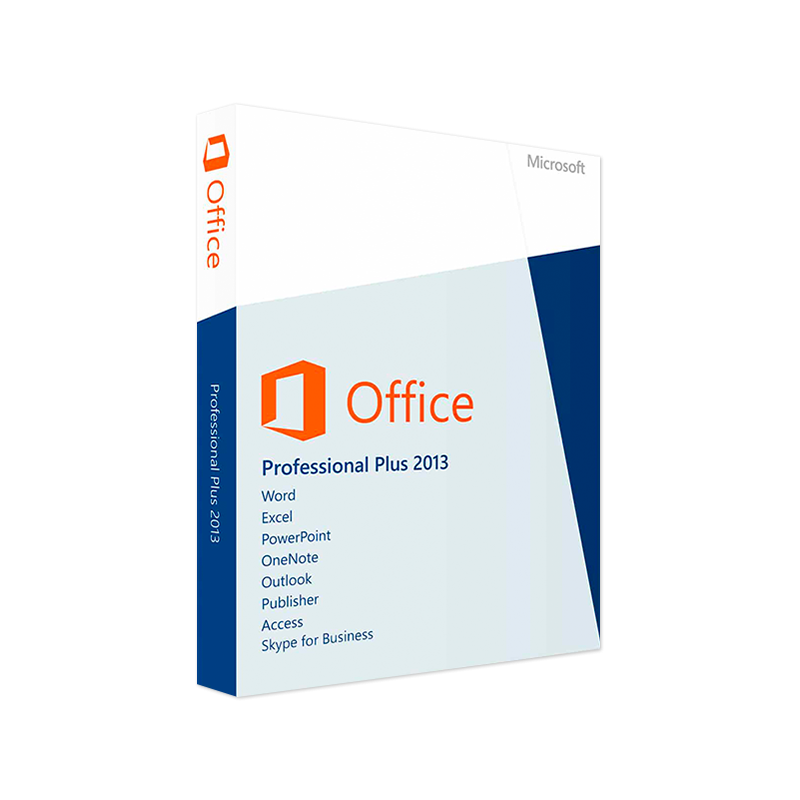



Microsoft Office 2013 Professional Plus 32/64 Bit – Product Key
In Stock
✔ Quick Delivery
✔ 100% Original License
✔ Lifetime Warranty
✔ Free Support
In Stock
3 reviews for Microsoft Office 2013 Professional Plus 32/64 Bit – Product Key
Description
Microsoft Office 2013 Professional Plus – Complete Productivity Suite for Today’s Professionals
Unlock the full power of Microsoft’s industry‑standard applications with Office 2013 Professional Plus. Designed for demanding business environments, this suite delivers seamless collaboration, advanced data analysis, and robust security—all in a familiar, user‑friendly interface.
Why Choose Microsoft Office 2013 Professional Plus?
| Feature | Office 2013 Professional Plus | Office 2010 Professional Plus | Office 2016 Professional Plus |
|---|---|---|---|
| User Interface | Modern Ribbon with Touch support | Classic Ribbon | Refreshed Ribbon with Real‑time co‑authoring |
| File Format | Full support for .docx, .xlsx, .pptx | Legacy .doc, .xls, .ppt | Same as 2013, plus Office Open XML enhancements |
| Collaboration | Integrated OneDrive & SharePoint syncing | Limited cloud integration | Deeper OneDrive for Business integration |
| Security | Rights Management Services (RMS), Protected View | Basic encryption | Advanced Data Loss Prevention (DLP) |
| Support Lifecycle | Mainstream support ends Oct 2023; Extended support ends Oct 2028 | End of support Oct 2025 | Mainstream support ends Oct 2025; Extended support ends Oct 2030 |
Bold entries highlight the most critical differentiators for each version.
Core Applications Included
- Microsoft Word 2013 – Advanced editing, track changes, and new Read Mode for effortless document review.
- Microsoft Excel 2013 – Powerful data‑analysis tools, PowerPivot integration, and Sparklines for quick visual insights.
- Microsoft PowerPoint 2013 – High‑definition slide transitions, Presenter View, and Designer suggestions for professional‑looking presentations.
- Microsoft Outlook 2013 – Unified mailbox, Focused Inbox, and robust Exchange support for seamless communication.
- Microsoft Access 2013 – Rapid database creation with SharePoint publishing capabilities.
- Microsoft Lync 2013 (renamed Skype for Business in later releases) – Real‑time messaging, voice, and video conferencing.
- Microsoft Publisher 2013 – Desktop publishing tools for marketing collateral.
- Microsoft OneNote 2013 – Digital notebook for note‑taking, web clipping, and collaborative brainstorming.
These applications work together to streamline workflows, reduce IT overhead, and enhance productivity across all departments.
Key Benefits for Professionals
- Cross‑Device Consistency – A unified ribbon UI across desktops, laptops, and tablets ensures a short learning curve and consistent work experience.
- Improved Collaboration – Real‑time co‑authoring through OneDrive for Business lets multiple users edit Word, Excel, and PowerPoint files simultaneously, reducing version‑control headaches.
- Advanced Data Security – Protected View opens potentially unsafe documents in read‑only mode, while RMS lets you control who can view, edit, or copy sensitive content.
- Scalable Licensing – Volume Licensing and Microsoft Software Assurance options give enterprises flexibility to add or remove seats as business needs evolve.
- Enhanced Accessibility – Built‑in Immersive Reader, dictation, and high‑contrast themes make the suite usable for all employees.
Detailed Feature Overview
1. Word 2013 – From Draft to Publication
- Read Mode automatically reformats long documents for on‑screen reading, reducing eye strain.
- Version History tracks changes over time, making it simple to roll back to previous drafts.
- Integrated Researcher pulls scholarly articles and images directly into your document, saving hours of manual searching.
2. Excel 2013 – Data at Your Fingertips
- PowerPivot enables analysis of millions of rows of data without performance penalties.
- Sparklines let you embed miniature charts within cells for instant visual cues.
- New Timeline filter for PivotTables provides a drag‑and‑drop way to slice data by dates.
3. PowerPoint 2013 – Captivate Any Audience
- Design Ideas (AI‑driven) suggest professional layouts based on slide content.
- Presenter View displays speaker notes, a timer, and a preview of the next slide on a second screen.
- Seamless video embedding from OneDrive and YouTube ensures smooth playback without additional codecs.
4. Outlook 2013 – Email, Calendar, and Tasks in One Hub
- Focused Inbox automatically separates important messages from low‑priority mail.
- Conversation view threads related emails, simplifying follow‑ups.
- Integrated People contacts with social network updates (LinkedIn, Facebook) for richer context.
System Requirements for Microsoft Office 2013 Professional Plus
| Component | Minimum Requirement | Recommended Specification |
|---|---|---|
| Operating System | Windows 7 SP1, Windows 8, Windows 8.1, Windows 10 (64‑bit) | Windows 10 (64‑bit) with latest updates |
| Processor | 1 GHz or faster x86‑ or x64‑bit | Dual‑core 2 GHz or faster |
| RAM | 1 GB (32‑bit) / 2 GB (64‑bit) | 4 GB (64‑bit) or more |
| Hard Disk Space | 3 GB of available space | 6 GB or more for optimal performance |
| Display | 1024 × 768 screen resolution | 1366 × 768 or higher (recommended 1920 × 1080) |
| Graphics | DirectX 9‑compatible graphics card | DirectX 11 or later, with hardware acceleration |
| Internet | Required for activation, updates, and online features | Broadband connection (≥ 5 Mbps) for cloud services |
| Additional Software | .NET Framework 4.5 (installed automatically) | Latest .NET Framework, Windows Update enabled |
Note: Microsoft Office 2013 Professional Plus is not supported on Windows XP or earlier versions. For legacy environments, consider Office 2010 Professional Plus or a migration to Microsoft 365.
Installation & Activation – Quick Start Guide
- Download the Office 2013 Professional Plus installation files from the Microsoft Volume Licensing Service Center (VLSC) or your organization’s software portal.
- Run
Setup.exeand select Custom installation to choose only the applications you need. - Enter your product key when prompted – the key is provided with your license agreement.
- Activate online via the Microsoft Activation Server; an offline method is also available for isolated networks.
- Update immediately through Windows Update or the Office Update feature to apply the latest security patches.
Comparison: Office 2013 Professional Plus vs. Competing Suites
| Criterion | Microsoft Office 2013 Professional Plus | Google Workspace (Business) | LibreOffice 6.4 |
|---|---|---|---|
| File Compatibility | 100 % compatibility with legacy .doc, .xls, .ppt files | Requires conversion to Google Docs format | Limited support for newer Office Open XML formats |
| Offline Capability | Full offline functionality; cloud features optional | Primarily cloud‑based; limited offline mode | Fully offline, but lacks integrated cloud services |
| Security | RMS, Protected View, DLP (with add‑ons) | Two‑step verification, encryption in transit only | Basic password protection; no enterprise‑grade security |
| Collaboration | Real‑time co‑authoring via OneDrive/SharePoint | Real‑time collaboration by default | No native real‑time collaboration |
| Support Lifecycle | Extended support until 2028 | Continuous updates (no EOL) | Community support only |
| Cost | Up‑front licensing (per seat) | Subscription (per user/month) | Free (open source) |
For enterprises that demand robust security, full offline access, and industry‑standard file compatibility, Microsoft Office 2013 Professional Plus remains the most reliable choice.
Frequently Asked Questions (FAQ)
Q1: Can Office 2013 Professional Plus be installed on a virtual desktop?
A: Yes. The suite is fully compatible with VDI solutions such as Microsoft Remote Desktop Services and Citrix Virtual Apps. Ensure the virtual machine meets the minimum system requirements listed above.
Q2: Is the suite compatible with modern file‑sharing services like OneDrive for Business?
A: Absolutely. Office 2013 introduced native integration with OneDrive for Business, allowing automatic saving and versioning of documents directly from Word, Excel, and PowerPoint.
Q3: What happens after mainstream support ends in 2023?
A: The product will continue to receive critical security updates through the extended support phase until October 2028. However, no new features or non‑security updates will be released.
Q4: Can I downgrade from Office 2013 Professional Plus to Office 2010 Professional Plus?
A: Downgrade rights are available under most volume licensing agreements. Contact your Microsoft licensing representative for the appropriate downgrade media.
How to Get Started
- Request a Quote – Contact our sales team for volume‑licensing pricing tailored to your organization’s size.
- Free Trial – Download a 30‑day evaluation of Office 2013 Professional Plus to test compatibility with existing workflows.
- Professional Deployment – Our certified Microsoft partners can assist with planning, migration, and user training to ensure a smooth rollout.
Related Resources
- Microsoft Office 2013 System Requirements – Official Microsoft documentation: https://support.microsoft.com/en-us/office/office-2013-system-requirements-3c5f5f79-fdf9-44c6-93c9-8f2a2c9a0b54
- Office 2013 Features Overview – Wikipedia entry for quick reference: https://en.wikipedia.org/wiki/Microsoft_Office_2013
- PCMag Review of Office 2013 Professional Plus – Independent expert analysis: https://www.pcmag.com/reviews/microsoft-office-2013-professional-plus
Buy Now
Microsoft Office 2013 Professional Plus continues to be a powerful, secure, and versatile productivity suite for professionals who need full control over their data, reliable offline access, and industry‑standard compatibility. By investing in this proven solution, your organization can:
- Accelerate document creation and data analysis.
- Safeguard sensitive information with enterprise‑grade security features.
- Foster collaboration across departments through integrated cloud services.
Whether you’re upgrading from an older Office version or consolidating multiple productivity tools into a single, managed suite, Office 2013 Professional Plus offers the performance and reliability that modern businesses demand.
Download your trial, request a personalized quote, and experience the difference of a truly professional office suite today.
For bulk licensing, contact our sales team at info@thesoftsolution.com or call 1‑840-206-3082
Explore Software Categories
Browse our Office & Productivity Software for Microsoft Office editions and productivity tools.
Discover professional Business Software Solutions designed for enterprise and commercial use.
Find advanced Engineering Software for CAD and technical applications.
Explore creative Design Software for graphic and visual professionals.
Improve system performance with our Utilities Software.
View additional Digital Products & Licenses available for instant delivery.
Check out our Top Selling Products for the most popular choices.
Installation & Activation Support
Need help? Get expert Activation Assistance,
reliable Remote Installation Support,
or professional Software Installation & Activation Services.
Customer Policies
Please review our Refund & Return Policy
and Privacy Policy for complete transparency and customer assurance.
Related products
38%
Microsoft Office 2021 Home & Business
| Title | Default Title |
|---|
 Quick Delivery
100% Original License
Lifetime Warranty
Free Support
Quick Delivery
100% Original License
Lifetime Warranty
Free Support
31%
Microsoft PowerPoint 2021 for Mac
| Delivery | Super Fast Delivery |
|---|
21%
Microsoft 365 Family – 12-Month Subscription
| Title | Default Title |
|---|
Kariane (verified owner) –
Been using a lot of items, this one is obviously the best
Madge (verified owner) –
This is the coolest thing I’ve found on here! Will keep using your products in the future!
Eladio (verified owner) –
An awesome product with great flexibility. The customer support is superb. I recommend this without any doubt.