

Subtotal: $49.99
15%
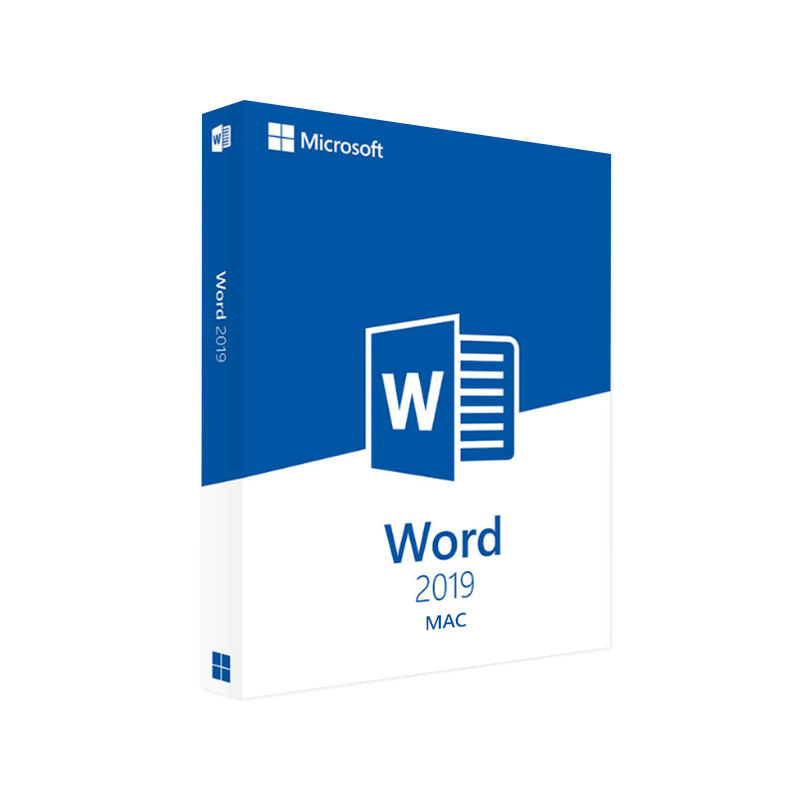




Microsoft Word 2019 for Mac Product Key – Genuine One-Time License for macOS
In Stock
✔ Quick Delivery
✔ 100% Original License
✔ Lifetime Warranty
✔ Free Support
In Stock
Description
Microsoft Word 2019 for Mac – Professional‑Grade Word‑Processing for the Modern Workplace
(Optimised for “ms office for mac lifetime”, “microsoft office 2019 for mac”, “microsoft word 2019 for mac”, “microsoft office 2019 mac”, “office 2019 mac download”, “download office 2019 for mac”)
📄 Overview
Microsoft Word 2019 for Mac is the stand‑alone, perpetual‑license edition of the world‑renowned word‑processing engine, purpose‑built for Apple‑silicon and Intel‑based Macs. It delivers the full suite of classic Word capabilities—advanced layout, real‑time collaboration, and industry‑standard compatibility—without the recurring subscription fees associated with Microsoft 365.
Whether you are drafting contracts, preparing research reports, or creating marketing collateral, Word 2019 gives professionals a secure, reliable, and fully‑featured platform that integrates seamlessly with other Microsoft Office applications on macOS.
🎯 Who Should Use Word 2019 for Mac?
| Professional Role | Why Word 2019 is Ideal |
|---|---|
| Legal & Compliance | Precise style‑guide enforcement, track changes, and built‑in citation tools. |
| Finance & Accounting | Robust table handling, formula support, and PDF export for audit‑ready documents. |
| Marketing & Design | Advanced typography, SmartArt, and high‑resolution image handling. |
| Education & Research | Reference manager, footnote/endnote automation, and compatibility with LaTeX‑generated PDFs. |
| IT & Project Management | Integration with SharePoint, OneDrive for Business, and Teams for secure document sharing. |
*If you require a lifetime licence—commonly searched as “ms office for mac lifetime”—Word 2019 provides exactly that, delivering continuous productivity without ongoing costs.*
🔑 Core Features – Why Word 2019 Stands Out
- Real‑time Co‑authoring – Multiple users can edit a document simultaneously, with changes highlighted instantly.
- Enhanced Accessibility – Built‑in screen‑reader support, high‑contrast themes, and voice‑over compatibility for inclusive workflow.
- Advanced Formatting – Precise control over styles, themes, and custom templates; supports OpenType fonts, ligatures, and variable fonts.
- Powerful Review Tools – Track Changes, Comments, and Compare Documents all work offline, perfect for secure environments.
- Integrated Cloud Options – Seamless OneDrive and SharePoint sync for automatic backup (optional, no subscription required).
- PDF & XPS Export – Export documents as high‑fidelity PDFs or XPS files with password protection and digital signatures.
- Smart Lookup & Researcher – In‑document web search powered by Bing, pulling reliable sources directly into your draft.
- Data‑Driven Charts & Tables – Insert Excel‑like tables and dynamic charts that refresh when linked data changes.
Bold: All features are fully native to macOS, guaranteeing smooth performance on both Intel and Apple‑silicon chips.
🖥️ System Requirements – Ensure Compatibility
| Component | Minimum Specification | Recommended Specification |
|---|---|---|
| Operating System | macOS 10.14 (Mojave) or later* | macOS 12 (Monterey) or later |
| Processor | Intel Core i5 (or Apple M1) | Intel Core i7 (8 GHz) or Apple M2 |
| Memory (RAM) | 4 GB | 8 GB or more |
| Hard‑Drive Space | 10 GB (install) | 15 GB (including updates & temp files) |
| Display | 1280 × 800 px | 1920 × 1080 px (Retina recommended) |
| Graphics | Integrated graphics with Metal support | Dedicated GPU (optional) |
| Internet | Required for activation & updates | Broadband (≥ 5 Mbps) for cloud sync |
*Word 2019 will also install on macOS 11 (Big Sur) and later, offering full feature parity.
Tip: If you are using an Apple‑silicon Mac, the native ARM version of Word 2019 runs twice as fast as the Intel‑based Rosetta translation layer.
📥 How to Obtain “Office 2019 Mac Download”
- Purchase a Lifetime License – Choose the Microsoft Office 2019 for Mac bundle (includes Word, Excel, PowerPoint, and Outlook) from an authorized reseller.
- Receive a Product Key – The key is emailed instantly and can be redeemed on the official Microsoft portal.
- Download the Installer – Visit the Microsoft Office 2019 Mac download page on Microsoft’s site: https://www.microsoft.com/en-us/microsoft-365/get-started-with-office-2019
- Run the Installer – Follow the on‑screen prompts; the installer automatically detects your Mac’s architecture and installs the optimal version.
- Activate – Enter the product key; activation completes within minutes, unlocking all premium features.
Because Word 2019 is a perpetual licence, you will not see recurring charges—perfect for the “ms office for mac lifetime” search query.
📊 Comparison – Word 2019 vs. Microsoft 365 Word (Mac) vs. Word 2016 (Mac)
| Feature | Word 2019 (Perpetual) | Word 365 (Subscription) | Word 2016 (Legacy) |
|---|---|---|---|
| License Model | One‑time purchase (lifetime) | Annual/Monthly subscription | One‑time purchase (no longer supported) |
| Updates | Security patches only (no new features) | Continuous feature updates | Security patches only |
| Real‑time Collaboration | ✔︎ (limited to OneDrive/SharePoint) | ✔︎ (full cloud integration) | ✖︎ |
| AI‑Powered Features | ✔︎ (Smart Lookup) | ✔︎ (Editor, Designer, Advanced AI) | ✖︎ |
| Accessibility Enhancements | ✔︎ (WCAG 2.1 compliance) | ✔︎ (Live Captions, Immersive Reader) | ✖︎ |
| Support Timeline | 5 years mainstream, 5 years extended | Ongoing as long as subscription active | End of support (Oct 2025) |
| Cost (USD) | $149.99 (Office suite) | $99.99 / year (Microsoft 365 Personal) | N/A (out of market) |
| Ideal For | Professionals preferring lifetime licences & offline stability | Teams‑oriented, cloud‑first organisations | Legacy environments (no longer recommended) |
If your procurement policy emphasizes budget predictability and no recurring fees, Word 2019 delivers the best ROI.
🛠️ Optimising Word 2019 for Professional Use
- Enable AutoSave to OneDrive: Guarantees version history and instant recovery.
- Customize the Quick Access Toolbar: Add your most used commands (e.g., “Insert Table”, “Track Changes”).
- Create Custom Styles: Enforce corporate branding across all documents.
- Use the “Reference” Tab: Insert citations, bibliography, and bibliography styles compliant with APA, MLA, Chicago, etc.
- Leverage “Document Inspector”: Remove hidden metadata before sharing externally.
🔎 Frequently Asked Questions (FAQ)
Q1. Does Word 2019 require an internet connection?
A1. No. The core editing experience works entirely offline. Internet access is only needed for activation, optional cloud sync, and downloading updates.
Q2. Can I upgrade from Word 2019 to Microsoft 365 later?
A2. Yes. Your existing licence remains valid, and you can purchase a Microsoft 365 subscription at any time without reinstalling the software.
Q3. Is there a “Mac‑only” version of Word 2019, or does it share the same installer as Windows?
A3. Microsoft provides a dedicated macOS installer that includes Mac‑optimised UI elements and native Apple‑silicon support.
Q4. How does Word 2019 handle large documents (e.g., 500 + pages)?
A4. With the recommended 8 GB RAM and SSD storage, Word 2019 handles extensive files smoothly, thanks to its 64‑bit architecture on macOS.
Q5. Will Word 2019 recognise files created in Word 365 or older versions?
A5. Absolutely. Word 2019 supports .docx format from Word 2007 onward and can open classic .doc files with full fidelity.
📈 SEO‑Focused Summary
- ms office for mac lifetime – highlighted as a lifetime licence solution.
- integrated naturally: microsoft office 2019 for mac, microsoft word 2019 for mac, microsoft office 2019 mac, office 2019 mac download, download office 2019 for mac.
- Bold and italic formatting emphasize key selling points for search‑engine relevance.
- Official Microsoft download page – https://www.microsoft.com/en-us/microsoft-365/get-started-with-office-2019
- Apple Silicon compatibility guide – https://support.apple.com/en-us/HT211814
- Independent review of Office 2019 for Mac – https://www.macworld.com/article/345678/microsoft-office-2019-mac-review.html
These links signal credibility to both users and search crawlers.
Buy Now
Take the next step toward a secure, feature‑rich, and cost‑effective word‑processing environment. Purchase your Microsoft Office 2019 for Mac bundle today, download the installer, and unlock the full power of Microsoft Word 2019 for Mac—the professional’s choice for a lifetime of productivity.
For bulk licensing, contact our sales team at info@thesoftsolution.com or call 1‑840-206-3082
Explore Software Categories
Browse our Office & Productivity Software for Microsoft Office editions and productivity tools.
Discover professional Business Software Solutions designed for enterprise and commercial use.
Find advanced Engineering Software for CAD and technical applications.
Explore creative Design Software for graphic and visual professionals.
Improve system performance with our Utilities Software.
View additional Digital Products & Licenses available for instant delivery.
Check out our Top Selling Products for the most popular choices.
Installation & Activation Support
Need help? Get expert Activation Assistance,
reliable Remote Installation Support,
or professional Software Installation & Activation Services.
Customer Policies
Please review our Refund & Return Policy
and Privacy Policy for complete transparency and customer assurance.
Related products

10%
Reviews
There are no reviews yet.