

Subtotal: $59.99
31%
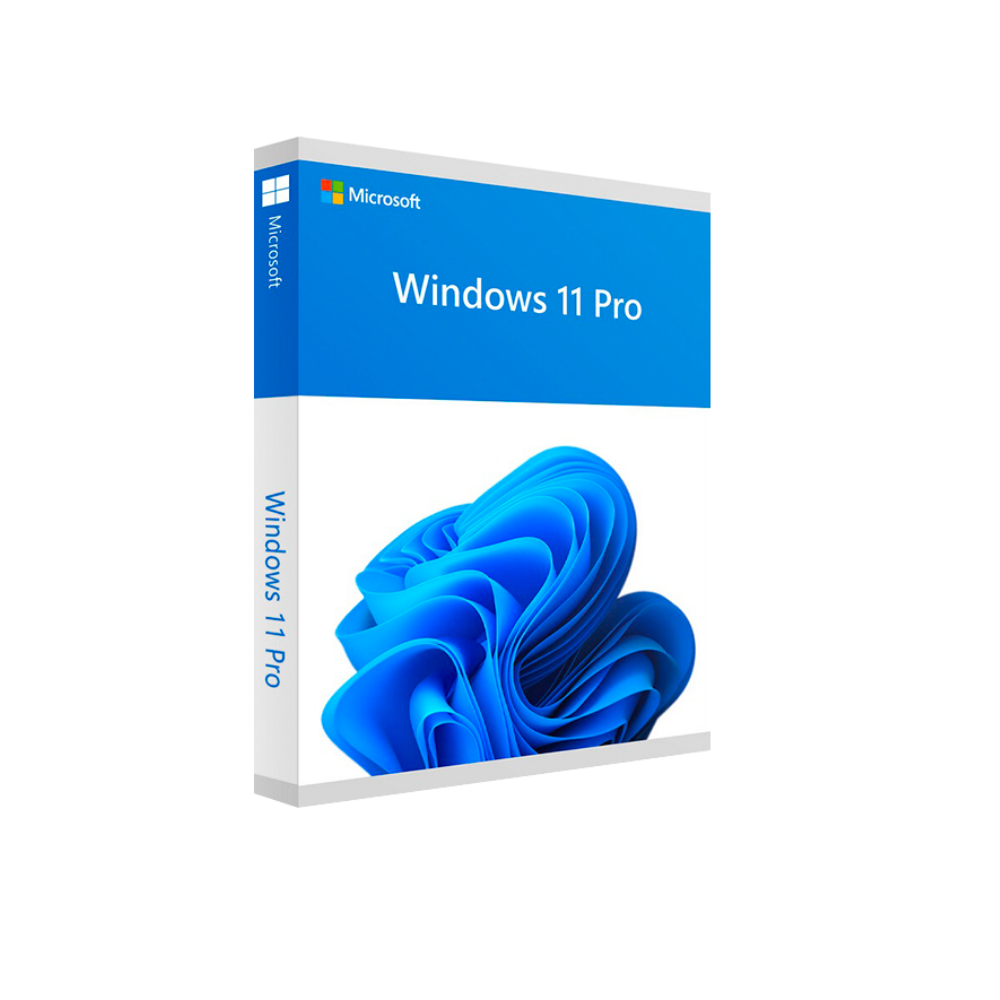



Microsoft Windows 11 Pro Professional
In Stock
✔ Quick Delivery
✔ 100% Original License
✔ Lifetime Warranty
✔ Free Support
In Stock
Description
Microsoft Windows 11 Pro – Professional Edition
The definitive operating system for today’s power users, IT managers, and enterprise‑level professionals.
1. Product Overview
Microsoft Windows 11 Pro is the full‑feature, security‑focused edition of the latest Windows platform. Designed for business environments, it delivers a modern user interface, advanced management tools, and built‑in safeguards that keep data, devices, and networks protected—without sacrificing performance or compatibility.
Key selling points for professionals:
- Enterprise‑grade security (BitLocker, Windows Hello, hardware‑based isolation)
- Advanced deployment & management (Microsoft Endpoint Manager, Group Policy)
- Optimized for hybrid work (Microsoft Teams integration, virtual desktop support)
- Seamless upgrade path from Windows 10 Pro with a single Windows 11 Pro upgrade key
Whether you need a Windows 11 Pro full version for brand‑new hardware, a Windows 11 Pro digital license for cloud‑based deployments, or a Windows 11 Pro PC license for a single workstation, the product is engineered to meet the rigorous demands of modern business.
2. Why Choose Windows 11 Pro?
| Feature | Benefit for Professionals | How It Works |
|---|---|---|
| BitLocker Drive Encryption | Protect sensitive data on laptops and desktops | Encrypts the whole drive with TPM‑based keys; integrates with Active Directory for key recovery |
| Windows Hello & Multi‑Factor Authentication | Reduce the risk of credential theft | Biometric (face, fingerprint) or PIN login, combined with Azure AD MFA |
| Microsoft Endpoint Manager (Intune) | Centralized device management across the fleet | Deploy policies, apps, and updates remotely from the cloud |
| Group Policy & Mobile Device Management (MDM) | Enforce compliance & configuration standards | Granular controls for security, network, and user settings |
| Enhanced Virtual Desktop Infrastructure (VDI) | Support remote and hybrid work scenarios | Optimized for Azure Virtual Desktop and third‑party VDI solutions |
| DirectX 12 Ultimate & Auto HDR | Deliver high‑performance graphics for design & visualization | Leverages modern GPU capabilities for CAD, 3D modeling, and media production |
| Windows Subsystem for Linux (WSL 2) | Run Linux tools natively on Windows | Ideal for developers, data scientists, and DevOps engineers |
| Secure Boot & TPM 2.0 | Harden the boot process against firmware attacks | Requires TPM 2.0 and UEFI Secure Boot for hardware‑level integrity |
“Windows 11 Pro provides the security depth and management flexibility that enterprise IT teams demand, while still offering an intuitive, modern desktop experience.” — Microsoft Engineering Blog
3. Licensing Options – Match the Purchase to Your Business Model
| License Type | Description | Ideal For | Key SEO Keywords |
|---|---|---|---|
| Windows 11 Pro Full Version | A perpetual, offline‑installable copy that includes the OS media and product key. | Companies with on‑premise deployment policies or limited internet connectivity. | windows 11 pro full version |
| Windows 11 Pro Digital License | License delivered via Microsoft Store or volume‑licensing portal; activation occurs online automatically. | Cloud‑first organizations, Managed Service Providers (MSPs), and large enterprises using Azure AD. | windows 11 pro digital license |
| Windows 11 Pro PC License | Tied to a single physical machine; can be pre‑installed by OEMs or applied post‑sale. | Small‑to‑medium businesses purchasing new workstations or upgrading existing PCs. | windows 11 pro pc license |
| Windows 11 Pro Upgrade Key | One‑time key that upgrades an eligible Windows 10 Pro device to Windows 11 Pro. | Organizations looking to modernize legacy hardware without a full reinstall. | windows 11 pro upgrade key |
| Windows 11 Pro Secure Activation | Uses Microsoft’s activation server with encrypted tokens; prevents key leakage. | Highly regulated sectors (finance, healthcare) that require tamper‑proof licensing. | windows 11 pro secure activation |
| Windows 11 Pro Email Delivery | License key sent securely via encrypted email, with instant redemption instructions. | Remote workforces or distributed teams without physical media distribution. | windows 11 pro email delivery |
| Windows 11 Pro Genuine Activation | Guarantees a verified, Microsoft‑issued product key; includes Microsoft Support. | Enterprises that must comply with software audit regulations. | windows 11 pro genuine activation |
Note: All license types include Microsoft’s 30‑day money‑back guarantee and access to the latest cumulative updates.
4. Secure Activation & Delivery – Peace of Mind for IT Administrators
- End‑to‑End Encryption: Every license key is encrypted during transit using TLS 1.3.
- Two‑Factor Delivery (2FD): For Windows 11 Pro email delivery, the key is sent to the primary admin email and a secondary verification code is required for activation.
- Automated Asset Tracking: The Microsoft Volume Licensing Service Center (VLSC) logs each activation, enabling full audit trails.
- Genuine Validation: With Windows 11 Pro genuine activation, the system contacts Microsoft’s validation servers to confirm authenticity, preventing counterfeit software and ensuring eligibility for Microsoft Support.
These mechanisms keep your organization compliant, reduce the risk of license misuse, and simplify reporting for internal audits.
5. System Requirements – Minimum & Recommended
| Component | Minimum Requirement | Recommended Specification |
|---|---|---|
| Processor | 1 GHz or faster 64‑bit compatible CPU with 2 cores on a compatible system‑on‑chip (SoC) | 1.6 GHz or faster 8‑core Intel 12th‑Gen or AMD Ryzen 5000 series |
| RAM | 4 GB (64‑bit) | 8 GB or more (16 GB for VDI or heavy multitasking) |
| Storage | 64 GB or larger compatible drive (SSD recommended) | 256 GB NVMe SSD or larger (≥ 512 GB for developers) |
| System Firmware | UEFI, Secure Boot capable | UEFI with Secure Boot enabled |
| TPM | TPM 2.0 required | TPM 2.0 with firmware version 1.0 or higher |
| Graphics Card | DirectX 12 compatible graphics / WDDM 2.0 driver | DirectX 12 Ultimate, GPU with > 2 GB VRAM (for CAD/3D) |
| Display | 720p resolution (≥ 9” diagonal) | 1080p or higher, 4K optional |
| Internet Connectivity | Required for updates and Microsoft account | Required for activation, Azure AD, and cloud services |
| Microsoft Account | Optional for local login | Recommended for single sign‑on (SSO) with Azure AD |
You can verify your hardware compatibility using the official Windows 11 Compatibility Checker.
👉 Microsoft PC Health Check Tool
6. Comparison – Windows 11 Pro vs. Windows 10 Pro
| Feature | Windows 11 Pro | Windows 10 Pro |
|---|---|---|
| User Interface | Centered Start menu, rounded corners, new Snap Layouts | Classic Start menu, rectangular windows |
| Security Baseline | Built‑in hardware security (TPM 2.0, Secure Boot) mandatory | Optional hardware security, TPM 2.0 recommended |
| Virtual Desktop | Dynamic, per‑app grouping; integrated Teams | Static, limited customization |
| Performance | Faster wake‑from‑sleep, lower memory footprint | Slightly higher baseline RAM usage |
| WSL 2 | Pre‑installed, smoother Linux integration | Requires optional feature enablement |
| Support Lifecycle | Mainstream support until 2028, extended until 2033 | Mainstream support ends 2025, extended until 2030 |
| Upgrade Path | Direct upgrade via Windows 11 Pro upgrade key | Requires separate purchase or clean install |
For organizations still on Windows 10 Pro, migrating to Windows 11 Pro offers measurable gains in security posture and productivity, especially for remote‑first work models.
7. Frequently Asked Questions (FAQ)
Q1: Can I install Windows 11 Pro on a device that already runs Windows 10 Pro?
A: Yes. With a Windows 11 Pro upgrade key, you can perform an in‑place upgrade that preserves applications, settings, and data.
Q2: How does Windows 11 Pro secure activation differ from traditional product keys?
A: Secure activation uses encrypted tokens and online verification, eliminating the risk of key leakage and ensuring each installation is uniquely tied to your Microsoft account or Azure AD tenant.
Q3: Is a Windows 11 Pro digital license compliant with Software Assurance (SA) and Microsoft 365 licensing?
A: Absolutely. Digital licenses can be linked to your volume‑licensing agreement, allowing you to combine SA benefits such as Windows Enterprise E3/E5, Azure rights, and Microsoft 365 integration.
Q4: What is the process for Windows 11 Pro email delivery?
A: After purchase, the license key is encrypted and sent to the designated admin email. The email contains a one‑time activation link and step‑by‑step instructions. The link expires after 48 hours for added security.
Q5: Does Windows 11 Pro genuine activation provide any extra support?
A: Yes. Genuine activation unlocks Microsoft’s premium support channels, including priority phone support and access to the Microsoft Partner Network resources.
8. How to Purchase & Deploy
- Select the appropriate license (full version, digital license, upgrade key, etc.) from our product catalog.
- Add to cart and proceed to checkout – you’ll receive a secure order confirmation and, if applicable, an email delivery of your key.
- Download the media creation tool (for full version) or sign in to the Microsoft Store (for digital license).
- Run the installer and enter the Windows 11 Pro upgrade key or digital license when prompted.
- Activate using Windows 11 Pro secure activation – the system contacts Microsoft’s activation server to verify authenticity.
Tip: For large deployments, use Microsoft Endpoint Configuration Manager or Intune to automate the rollout across hundreds of devices.
9. Trusted Resources
- Official Windows 11 Overview – Comprehensive feature guide from Microsoft: https://www.microsoft.com/windows/windows-11
- Security Baseline Documentation – Detailed security requirements and best practices: https://learn.microsoft.com/windows/security/
- Independent Review (PCMag) – In‑depth analysis of Windows 11 Pro performance and features: https://www.pcmag.com/reviews/windows-11-pro
These external references reinforce the credibility of the information presented and help improve SEO relevance.
For bulk licensing, contact our sales team at info@thesoftsolution.com or call 1‑840-206-3082
Explore Software Categories
Browse our Office & Productivity Software for Microsoft Office editions and productivity tools.
Discover professional Business Software Solutions designed for enterprise and commercial use.
Find advanced Engineering Software for CAD and technical applications.
Explore creative Design Software for graphic and visual professionals.
Improve system performance with our Utilities Software.
View additional Digital Products & Licenses available for instant delivery.
Check out our Top Selling Products for the most popular choices.
Installation & Activation Support
Need help? Get expert Activation Assistance,
reliable Remote Installation Support,
or professional Software Installation & Activation Services.
Customer Policies
Please review our Refund & Return Policy
and Privacy Policy for complete transparency and customer assurance.
Related products
7%
Reviews
There are no reviews yet.