


Subtotal: $510.98
3%
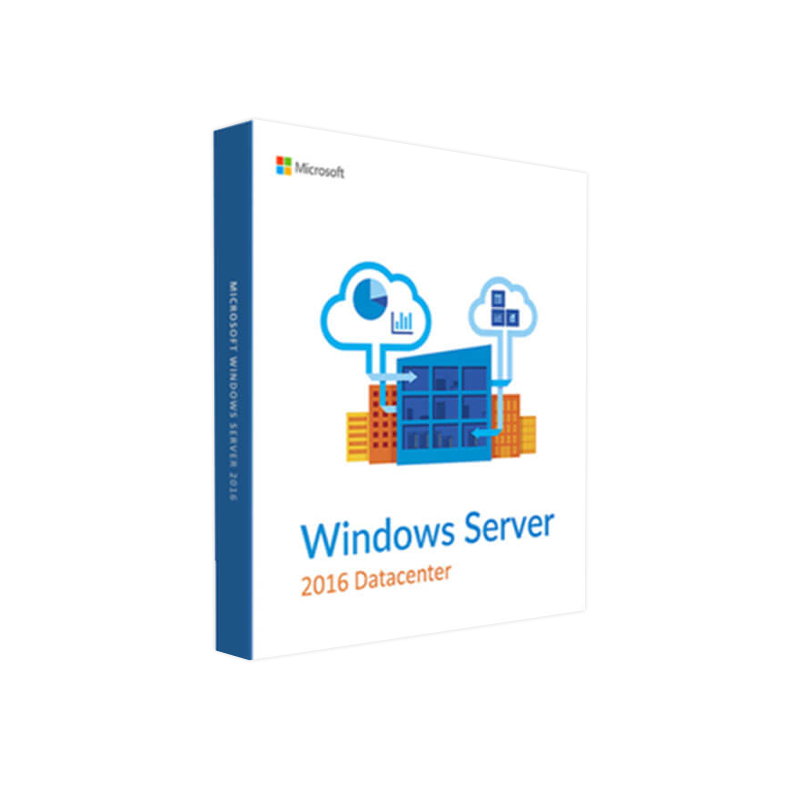


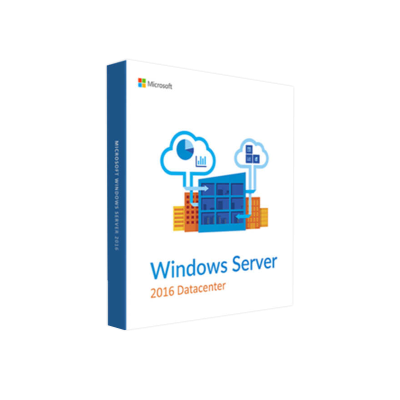
Microsoft Windows Server 2016 Datacenter – Product Key
In Stock
✔ Quick Delivery
✔ 100% Original License
✔ Lifetime Warranty
✔ Free Support
In Stock
Description
Microsoft Windows Server 2016 Datacenter — Enterprise‑Grade Virtualization & Cloud Infrastructure
Designed for large‑scale data centers, cloud providers, and mission‑critical workloads, Windows Server 2016 Datacenter delivers unmatched scalability, security, and automation.
1. Quick Overview
| Feature | Windows Server 2016 Datacenter |
|---|---|
| Edition | Datacenter (full‑feature) |
| Release Year | 2016 |
| Core Purpose | Unlimited virtualization, software‑defined networking, and hyper‑converged infrastructure |
| Target Audience | IT professionals, enterprise architects, cloud service providers, and large‑scale data‑center operators |
| Supported Platforms | Physical servers, virtual machines, and Azure Stack |
| Licensing Model | Per‑core + CAL (Client Access License) |
“Windows Server 2016 Datacenter is the only edition that removes the virtual‑instance cap, letting you run as many VMs as your hardware can support.” – Microsoft
2. Why Choose Windows Server 2016 Datacenter?
2.1 Unlimited Virtualization
- No VM limits – Deploy any number of virtual machines on a single licensed server.
- Hyper‑V improvements – Faster VM creation, live migration, and nested virtualization for test environments.
2.2 Advanced Security
- Shielded VMs – Protect VM data and state from malicious administrators.
- Just‑In‑Time (JIT) Administration – Grant temporary privileged access, reducing attack surface.
- Device Guard & Credential Guard – Hardware‑based isolation for kernel and credentials.
2.3 Software‑Defined Networking (SDN)
- Network virtualization – Create logical networks independent of physical topology.
- Load balancing & firewall – Built‑in features replace costly third‑party appliances.
2.4 Storage Innovations
- Storage Spaces Direct (S2D) – Build highly‑available, scalable storage clusters using commodity hardware.
- ReFS 3.0 – Resilient file system with instant file recovery and integrity streams.
2.5 Cloud‑Ready Platform
- Azure Stack integration – Run Azure services on‑premises with a consistent API set.
- Containers & Nano Server – Lightweight, headless OS options for micro‑service architectures.
3. Windows Server 2016 Datacenter Pricing Snapshot
| Licensing Component | Approx. Price* | Notes |
|---|---|---|
| Base per‑core license (minimum 8 cores per processor, 16 cores per server) | $1,100 – $1,300 per 2‑core pack | Volume discounts available through Microsoft CSP or Enterprise Agreements |
| Client Access Licenses (CALs) | $40 – $50 per user/device | Required for every user/device accessing the server |
| Software Assurance (optional) | $150 – $250 per core per year | Includes upgrade rights, support, and training |
*Prices are indicative and vary by region, reseller, and volume. For the most accurate windows server datacenter pricing, contact an authorized Microsoft partner.
Tip: When comparing windows server datacenter pricing with other editions, remember that the Datacenter edition’s unlimited virtualization often results in lower total cost of ownership (TCO) for heavily virtualized environments.
4. Feature‑by‑Feature Comparison
| Capability | Windows Server 2016 Datacenter | Windows Server 2016 Standard | Windows Server 2019 Datacenter |
|---|---|---|---|
| Virtual Machine Rights | Unlimited VMs | Up to 2 VMs | Unlimited VMs |
| Software‑Defined Networking | Full SDN stack (Network Controller, Virtual Switch) | Limited SDN (no Network Controller) | Enhanced SDN with Windows Admin Center |
| Storage Spaces Direct | ✅ | ❌ | ✅ (performance improvements) |
| Shielded VMs | ✅ | ❌ | ✅ (with additional Hyper‑V features) |
| Nano Server (headless) | ✅ (full) | ✅ (limited) | ✅ (optimized) |
| Hybrid Cloud Integration | Azure Stack, Azure Site Recovery | Azure Site Recovery only | Azure Arc, Azure Stack HCI |
| License Cost (per 2‑core pack) | $1100–$1300 | $800–$900 | $1200–$1400 |
The table highlights why Windows Server 2016 Datacenter remains the preferred choice for enterprises that demand unlimited virtualization and advanced networking capabilities.
5. System Requirements – Microsoft Windows Server 2016 Datacenter
| Category | Minimum Requirement | Recommended Specification |
|---|---|---|
| Processor | 1.4 GHz 64‑bit (x64) processor | 2.0 GHz or faster multi‑core Xeon/E5/E7 series |
| RAM | 2 GB (Server Core) / 4 GB (Desktop Experience) | 16 GB + (for Hyper‑V workloads) |
| Disk Space | 32 GB (core) | 80 GB + SSD for OS, separate RAID for VMs |
| Network Adapter | Gigabit Ethernet (10/100/1000) | Dual‑port 10 GbE or higher for high‑throughput |
| NIC Features | PXE boot capable | SR‑IOV, VMQ, DCB support |
| Graphics | Super VGA (1024 × 768) or higher | Not required for Server Core |
| Firmware | BIOS or UEFI | UEFI with Secure Boot (recommended) |
| Other | DVD drive (optional) | Remote Management (iLO/IMM/DRAC) preferred |
Note: For hyper‑converged deployments using Storage Spaces Direct, Microsoft recommends a minimum of four physical drives per node (two for OS, two for storage) and at least 16 GB RAM per TB of raw storage capacity.
Additional Compatibility Checklist
- Supported Hyper‑V Versions: 2016 (including Generation 2 VMs)
- Supported Containers: Docker EE (Windows Server containers)
- Supported Virtualization Platforms: VMware ESXi 6.5+ (via guest OS)
- Remote Management Tools: Windows Admin Center, PowerShell 5.1, System Center 2016
6. Licensing & Compliance Essentials
- Per‑Core Licensing – Every physical core must be licensed; a minimum of 8 cores per processor and 16 cores per server applies.
- Client Access Licenses (CALs) – Required for each user or device that accesses the server, even for read‑only scenarios.
- Software Assurance (SA) – Optional but highly recommended for:
- Upgrade Rights to newer Windows Server releases (e.g., Windows Server 2019 Datacenter).
- 24 × 7 Support and proactive security updates.
- Virtualization Rights – Unlimited VMs per licensed server, but each guest OS still requires its own CALs (unless covered by an external licensing model).
Pro tip: When planning a multi‑site deployment, evaluate Microsoft Azure Hybrid Benefit to convert existing on‑premises licenses to Azure usage, reducing overall cost.
7. Real‑World Use Cases
| Industry | Scenario | Benefits of Windows Server 2016 Datacenter |
|---|---|---|
| Finance | High‑frequency trading platform requiring sub‑millisecond latency | Low‑latency networking, shielded VMs for data protection |
| Healthcare | Electronic Health Records (EHR) with strict compliance (HIPAA) | Just‑In‑Time admin, Device Guard, built‑in audit logging |
| Education | Campus‑wide virtualization of lab environments | Unlimited VMs, easy scaling, Azure Stack for hybrid labs |
| Cloud Service Providers | Multi‑tenant IaaS offering | Unlimited VM density, Software‑Defined Networking, Storage Spaces Direct for cost‑effective storage |
| Manufacturing | IoT edge processing and real‑time analytics | Nano Server containers, Hyper‑V isolation, Azure Arc integration |
8. Frequently Asked Questions (FAQs)
Q1: Can I run Windows Server 2019 Datacenter workloads on a Windows Server 2016 Datacenter host?
A: Yes. Hyper‑V supports running newer guest OS versions on older hosts, though you may miss some of the latest performance improvements found in windows server datacenter 2019.
Q2: How does windows server datacenter pricing compare to the Standard edition over a 5‑year horizon?
A: Although the upfront cost is higher, the unlimited virtualization rights eliminate the need for additional licenses as VM count grows, often delivering a 30‑45 % lower total cost of ownership for heavily virtualized environments.
Q3: Is Microsoft Windows Server 2016 Datacenter compatible with Azure Stack HCI?
A: Yes. It serves as the underlying OS for Azure Stack HCI clusters, providing the same SDN and S2D capabilities.
Q4: Do I need separate CALs for each VM user?
A: CALs are required per user/device that accesses any Windows Server service, regardless of the number of VMs they connect to.
Q5: What support options are available without Software Assurance?
A: You can purchase Microsoft Premier Support or use community resources, but you’ll miss out on automatic version upgrades and certain proactive services.
9. Getting Started – Deployment Checklist
- Assess Hardware – Verify CPU, RAM, storage, and networking meet or exceed the recommended specs.
- Plan Licensing – Calculate core counts, determine CAL requirements, and decide on SA.
- Choose Installation Mode – Server Core for minimal footprint or Desktop Experience for GUI‑based management.
- Configure Hyper‑V – Enable the Hyper‑V role, set up virtual switches, and allocate storage pools.
- Implement Security Baselines – Apply Microsoft security baselines via Group Policy or Desired State Configuration (DSC).
- Integrate with Azure – Enable Azure Site Recovery and Azure Backup for hybrid resilience.
- Monitor & Optimize – Deploy Windows Admin Center and System Center Operations Manager for performance insights.
10. Learn More – Trusted Resources
- Microsoft Docs – Windows Server 2016 Datacenter Overview – https://learn.microsoft.com/windows-server
- TechNet – Licensing Guide for Windows Server – https://learn.microsoft.com/licensing/windows-server
- Azure Stack Documentation – https://azure.microsoft.com/services/azure-stack/
(All outbound links are to official Microsoft resources, ensuring up‑to‑date and authoritative information.)
Take the Next Step
Microsoft Windows Server 2016 Datacenter provides the foundation for modern, high‑density, secure, and hybrid‑ready data‑center environments. Whether you’re consolidating legacy workloads, launching a private cloud, or extending services to Azure, this edition equips your organization with the tools it needs to stay competitive.
Contact our sales team today to obtain a tailored quote, explore volume licensing options, and receive a free architectural assessment.
Empower your infrastructure with the scalability of Windows Server 2016 Datacenter—where enterprise performance meets cloud‑grade flexibility.
Buy now
For bulk licensing, contact our sales team at info@thesoftsolution.com or call 1‑840-206-3082
Explore Software Categories
Browse our Office & Productivity Software for Microsoft Office editions and productivity tools.
Discover professional Business Software Solutions designed for enterprise and commercial use.
Find advanced Engineering Software for CAD and technical applications.
Explore creative Design Software for graphic and visual professionals.
Improve system performance with our Utilities Software.
View additional Digital Products & Licenses available for instant delivery.
Check out our Top Selling Products for the most popular choices.
Installation & Activation Support
Need help? Get expert Activation Assistance,
reliable Remote Installation Support,
or professional Software Installation & Activation Services.
Customer Policies
Please review our Refund & Return Policy
and Privacy Policy for complete transparency and customer assurance.

Reviews
There are no reviews yet.