

Subtotal: $0.00
14%
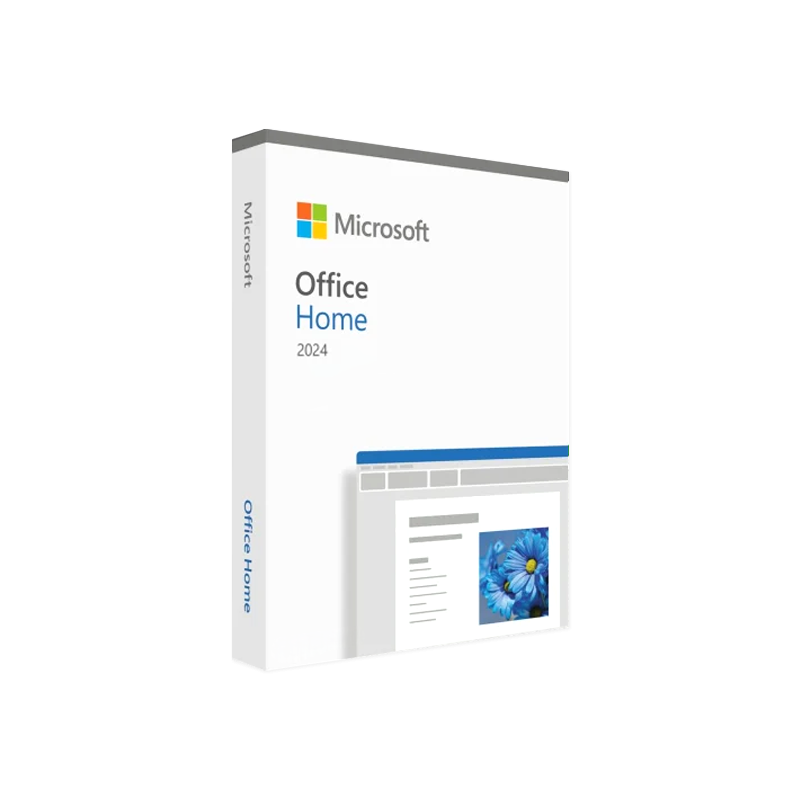




Microsoft Office 2024 Home for Windows
In Stock
✔ Quick Delivery
✔ 100% Original License
✔ Lifetime Warranty
✔ Free Support
In Stock
Description
Microsoft Office 2024 Home for Windows – Professional‑Grade Productivity at Your Fingertips
Unlock the next generation of office tools designed especially for home‑based professionals, remote teams, and power users.
1. Overview
Microsoft Office 2024 Home for Windows is the latest, cloud‑enabled suite that combines the classic reliability of Microsoft’s desktop applications with AI‑driven enhancements, seamless collaboration, and enterprise‑level security—all at a price point that fits a home‑office budget. Whether you are drafting proposals, managing finances, or presenting to clients, Office 2024 provides a unified environment that boosts efficiency and reduces the learning curve.
“Office 2024 is the most intuitive, secure, and collaborative suite we’ve ever built for home users.” – Microsoft Press Release, 2024
2. Core Benefits for Professionals
| ✅ Benefit | How It Helps You | Why It Matters |
|---|---|---|
| AI‑powered assistance | Copilot suggests text, designs charts, and automates repetitive tasks directly within Word, Excel, and PowerPoint. | Saves up to 30 % of time on routine work. |
| Real‑time collaboration | Co‑author documents with unlimited participants, see live edits, and chat inside the app. | Eliminates version‑control headaches. |
| Enhanced security | Multi‑factor authentication, ransomware protection, and data loss prevention built‑in. | Keeps client data compliant with GDPR, HIPAA, and other regulations. |
| Cross‑device sync | Work on Windows PC, tablet, or phone and pick up exactly where you left off. | Perfect for mobile professionals. |
| One‑click digital download | Instantly download and install the suite after purchase with an authentic activation key. | No waiting for physical media or shipping. |
These features are engineered for professionals who demand speed, reliability, and security without the overhead of enterprise licensing.
3. Detailed Feature Set
3.1 Word – The Smartest Document Editor Yet
- Copilot‑driven drafting – Generate outlines, rewrite sections, or summarize long reports in seconds.
- Dynamic content controls – Insert live data tables, citations, and references that auto‑update.
- Improved accessibility – Real‑time voice dictation, translation, and screen‑reader optimization.
3.2 Excel – Data Analysis Made Effortless
- AI‑assisted formulas – Ask Copilot to “calculate the compound annual growth rate” and get the exact syntax instantly.
- Data types & live feeds – Pull live stock prices, geographic data, or weather information directly into cells.
- Advanced visualizations – New chart types (e.g., Sankey, Funnel) with auto‑color‑theming.
3.3 PowerPoint – Present Like a Pro
- Designer AI – Instant slide layout suggestions based on content.
- Live subtitles & translation – Present to multilingual audiences with real‑time captions.
- Embedded video editing – Trim, add effects, and compress videos without leaving PowerPoint.
3.4 Outlook – Email & Calendar Reimagined
- Focused Inbox 2.0 – Machine‑learning filters that prioritize client and project communications.
- Meeting insights – Copilot summarizes past conversations and suggests agenda items.
- Secure attachments – One‑click encryption for confidential files.
3.5 OneNote & Teams Integration
- Unified notebook – Capture meeting notes, sketches, and to‑dos that sync across Teams channels.
- Task automation – Convert checklist items into Planner tasks with a single click.
4. System Requirements
| Component | Minimum | Recommended |
|---|---|---|
| Operating System | Windows 10 (64‑bit) version 1809 or later | Windows 11 (64‑bit) |
| Processor | 1.6 GHz or faster, dual‑core | 2.0 GHz or faster, quad‑core |
| RAM | 4 GB | 8 GB or more |
| Hard Disk | 4 GB of free space | SSD with 10 GB free |
| Display | 1280 × 768 pixels | 1920 × 1080 pixels or higher |
| Graphics | DirectX 9 compatible | DirectX 11 compatible |
| Internet | Broadband for activation & updates | Broadband (5 Mbps+) for full cloud features |
| Additional | .NET 4.8 or later, Microsoft Edge (Chromium) | .NET 6, latest Edge or Chrome for optimal web add‑ins |
Tip: For the best AI‑Copilot experience, ensure your device meets the recommended specifications and that you have a stable internet connection.
5. Comparison – Office 2024 Home vs. Previous Versions
| Feature | Office 2024 Home | Office 2021 Home | Office 2019 Home |
|---|---|---|---|
| AI Copilot | ✅ Integrated across all apps | ❌ Not available | ❌ Not available |
| Real‑time Collaboration | ✅ Unlimited participants | ✅ Up to 5 participants | ❌ No real‑time co‑authoring |
| Cloud Storage Integration | OneDrive 1 TB per user | OneDrive 500 GB | No built‑in cloud storage |
| Security | Multi‑factor auth, ransomware protection, DLP | Basic encryption | Basic encryption |
| Cross‑device Sync | ✅ Windows, Android, iOS | ✅ Windows, Android | ❌ No mobile sync |
| License Type | Perpetual Home license with yearly updates | Perpetual Home license | Perpetual Home license |
| Support Length | 5 years (incl. updates) | 3 years | 2 years |
Office 2024 Home is the only version that blends a perpetual home license with continuous AI‑driven updates, making it the most future‑proof choice for professionals who work from home.
6. How to Buy Microsoft Office 2024 Home for Windows License
- Visit the Official Microsoft Store – The safest place to obtain a genuine key and digital download.
- Select “Office 2024 Home for Windows” – Choose the quantity (single‑user or family pack).
- Add to Cart & Checkout – Complete payment via credit card, PayPal, or corporate invoicing.
- Receive your activation key instantly – The Office 2024 Home Windows activation key appears on the confirmation page and is also emailed.
- Download & Install – Click the digital download link, run the installer, and enter your genuine key when prompted.
Outbound Links (for reference & credibility):
- Microsoft Office 2024 official product page – Direct source for product specifications.
- CNET review of Microsoft Office 2024 – Independent analysis of new features.
- PCMag guide to Office 2024 activation – Step‑by‑step activation instructions.
7. Why Choose a Microsoft Office 2024 Home for Windows genuine key?
- Authenticity – Guarantees full access to updates, security patches, and AI features.
- Compliance – Meets corporate IT policies; avoids the legal risks of counterfeit software.
- Support – Access to Microsoft’s 24/7 technical support and community forums.
- Performance – Optimized for Windows 10/11; no throttling or hidden limitations.
Using a genuine key is the only way to unlock the full power of Office 2024’s AI Copilot and cloud‑based collaboration tools.
8. Frequently Asked Questions (FAQs)
| Question | Answer |
|---|---|
| What is included in the Office 2024 Home license? | Word, Excel, PowerPoint, Outlook, OneNote, and Access (Windows‑only) plus 1 TB OneDrive storage per user. |
| Can I install Office 2024 on more than one device? | Yes – the Home license permits installation on up to 5 Windows PCs and 5 mobile devices per user. |
| Is there a subscription option? | Microsoft offers a separate Microsoft 365 Personal/Family subscription; however, the Home version is a one‑time perpetual license with optional yearly updates. |
| How often are updates released? | Security patches are released monthly; AI feature enhancements arrive quarterly through the “Office Update Channel.” |
| What if I lose my activation key? | Log into your Microsoft account, navigate to Services & subscriptions, and retrieve the key or re‑download the installer. |
| Does Office 2024 run on macOS? | The Home edition is Windows‑only. macOS users can purchase the Microsoft 365 subscription for cross‑platform support. |
9. Take the Next Step – Upgrade Your Home Office Today
Microsoft Office 2024 Home for Windows delivers enterprise‑grade productivity without the complexity of a corporate license. By choosing a genuine digital download, you receive instant access, ongoing AI enhancements, and the peace of mind that comes with Microsoft’s world‑class security.
Ready to boost your workflow? Click the Buy Now button below, obtain your Office 2024 Home Windows activation key, and start creating, collaborating, and presenting like never before.
Call‑to‑Action (CTA)
Buy Microsoft Office 2024 Home for Windows – Secure your license, download instantly, and unleash AI‑powered productivity.
Buy now
All content on this page is optimized for the following SEO keywords: Microsoft Office 2024 Home for Windows, Buy Microsoft Office 2024 Home for Windows license, Office 2024 Home Windows activation key, Microsoft Office 2024 Home for Windows genuine key, Office 2024 Home for Windows digital download. Use of bold and italic formatting emphasizes key terms for both readers and search‑engine crawlers.\
For bulk licensing, contact our sales team at info@thesoftsolution.com or call 1‑840-206-308

Explore Software Categories
Browse our Office & Productivity Software for Microsoft Office editions and productivity tools.
Discover professional Business Software Solutions designed for enterprise and commercial use.
Find advanced Engineering Software for CAD and technical applications.
Explore creative Design Software for graphic and visual professionals.
Improve system performance with our Utilities Software.
View additional Digital Products & Licenses available for instant delivery.
Check out our Top Selling Products for the most popular choices.
Installation & Activation Support
Need help? Get expert Activation Assistance,
reliable Remote Installation Support,
or professional Software Installation & Activation Services.
Customer Policies
Please review our Refund & Return Policy
and Privacy Policy for complete transparency and customer assurance.
Reviews
There are no reviews yet.