


Subtotal: $2,721.98
1%
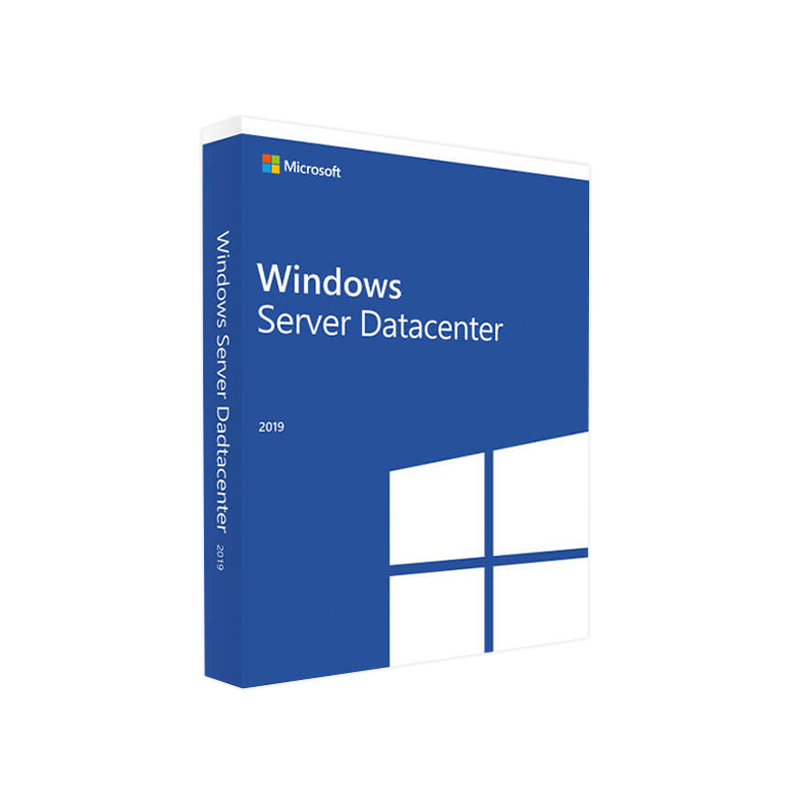


Microsoft Windows Server 2019 Datacenter – Product Key
In Stock
✔ Quick Delivery
✔ 100% Original License
✔ Lifetime Warranty
✔ Free Support
In Stock
Description
Microsoft Windows Server 2019 Datacenter – Enterprise‑Grade Virtualization & Cloud Infrastructure
Designed for large‑scale data‑centers, cloud providers, and mission‑critical workloads, Windows Server 2019 Datacenter delivers unparalleled scalability, security, and manageability.
Quick Overview
| Feature | Windows Server 2019 Datacenter | Windows Server 2019 Standard |
|---|---|---|
| Unlimited virtual instances | ✓ | 2 VMs per license |
| Software‑Defined Networking (SDN) | ✓ | Limited |
| Shielded Virtual Machines | ✓ | ✕ |
| Storage Spaces Direct (S2D) | ✓ | ✕ |
| Host Guardian Service | ✓ | ✕ |
| Pricing (per 2‑core) | Varies – see pricing table below | Varies – see pricing table below |
| Core licensing | Minimum 16 cores per server | Minimum 8 cores per server |
The Datacenter edition is the only Windows Server SKU that removes all virtual‑machine limits, making it the optimal choice for organizations that run heavy workloads in private‑cloud or hyper‑converged environments.
Why Choose Windows Server 2019 Datacenter?
1. Unlimited Virtualization
- Deploy any number of Windows or Linux VMs on a single physical host.
- Ideal for hyper‑converged infrastructure (HCI), Azure Stack HCI, and private‑cloud solutions.
2. Advanced Security & Compliance
- Shielded VMs protect workloads from tampering and espionage.
- Windows Defender Advanced Threat Protection (ATP) integrates natively.
- Secure Boot, Device Guard, and Credential Guard reduce attack surface.
3. Hybrid Cloud Flexibility
- Seamlessly connect on‑premises workloads to Azure with Azure Arc and Azure Site Recovery.
- Built‑in Azure Hybrid Benefit reduces cost when you already have eligible Windows licenses.
4. Software‑Defined Storage & Networking
- Storage Spaces Direct (S2D) creates high‑performance, resilient storage pools from local disks.
- Software‑Defined Networking (SDN) enables micro‑segmentation, load balancing, and VPN‑as‑a‑service.
5. Comprehensive Management
- Windows Admin Center (WAC) offers a single pane‑of‑glass for server, cluster, and Azure integration.
- PowerShell 5.1 and Desired State Configuration (DSC) automate provisioning at scale.
6. Enterprise‑Class Support
- 10‑year Extended Security Updates (ESU) through 2029, ensuring long‑term stability for critical applications.
Core Features – At a Glance
- Hybrid Cloud Integration – Azure Stack HCI, Azure Arc, Azure Site Recovery
- Unlimited Virtual Machines – No caps on VMs or containers per license
- Storage Spaces Direct (S2D) – High‑availability, low‑latency storage from commodity hardware
- Software‑Defined Networking (SDN) – Network virtualization, load balancing, and firewalling
- Shielded Virtual Machines – Tamper‑proof VMs with Host Guardian Service
- Windows Defender ATP – Advanced threat detection and response
- Windows Admin Center – Browser‑based management for on‑prem and Azure resources
- Core Isolation – Credential Guard, Device Guard, and Secure Boot
System Requirements – Microsoft Windows Server 2019 Datacenter
| Category | Minimum Requirement | Recommended |
|---|---|---|
| Processor | 1.4 GHz 64‑bit compatible (x64) | 2.0 GHz or faster, ≥ 4 cores (Intel Xeon E5‑2600 v4 or AMD EPYC 7002 series) |
| RAM | 512 MB (Server Core) – 2 GB (Desktop Experience) | 8 GB minimum; 32 GB or more for Hyper‑V workloads |
| Disk Space | 32 GB (Server Core) – 40 GB (Desktop) | 120 GB SSD for OS + additional storage for VMs (≥ 1 TB) |
| Network Adapter | Ethernet adapter capable of 1 Gbps | Dual‑port 10 GbE NICs for clustering / S2D |
| Firmware | UEFI with Secure Boot (recommended) | UEFI with TPM 2.0 for Shielded VMs |
| Virtualization Support | CPU must support SLAT (Intel VT‑x or AMD‑V) | Required for Hyper‑V and Shielded VMs |
| Operating System Compatibility | None (stand‑alone) | Integration with Azure Stack HCI, Windows Admin Center |
| Additional Software | .NET Framework 4.6 or later, PowerShell 5.1 | Windows Admin Center (latest release) |
Note: For high‑performance workloads (e.g., SQL Server, Hyper‑V), Microsoft recommends using Enterprise‑grade SSDs and redundant power supplies to meet SLA requirements.
Licensing & Pricing – Transparent Comparison
| License Type | Core Count per License | Price (USD) – 2‑Core Pack | Ideal For |
|---|---|---|---|
| Windows Server 2019 Datacenter | Minimum 16 cores (per server) | $6,155 | Large data‑centers, cloud service providers, unlimited virtualization |
| Windows Server 2019 Standard | Minimum 8 cores (per server) | $972 | Small‑to‑medium businesses with limited VMs |
| Azure Hybrid Benefit | Applies to existing Windows licenses | Up to 40 % discount on Azure VM usage | Organizations moving workloads to Azure |
| Subscription (Perpetual) | Annual recurring fee | $1,200 / year (per 16 cores) | Companies preferring OPEX over CAPEX |
All prices are indicative and may vary by region and reseller. For exact Windows Server 2019 Datacenter pricing, consult an authorized Microsoft partner.
How Datacenter Stacks Up Against Competitors
| Feature | Windows Server 2019 Datacenter | Red Hat Enterprise Linux (RHEL) 8 | VMware vSphere 7.0 |
|---|---|---|---|
| Unlimited VM Rights | ✅ | ❌ (requires additional license) | ✅ (with Enterprise Plus) |
| Shielded VMs | ✅ | ❌ | ✅ (with NSX) |
| Software‑Defined Storage | ✅ (S2D) | ✅ (GlusterFS) | ✅ (vSAN) |
| Hybrid Cloud Integration | ✅ (Azure) | ✅ (OpenShift) | ✅ (VMware Cloud on AWS) |
| Licensing Model | Core‑based | Subscription | Per‑CPU + per‑VM |
| Support Lifecycle | 10 years (ESU) | 13 years | 10 years (Premier) |
Choosing the right platform depends on existing skillsets, workloads, and cloud strategy.
Frequently Asked Questions (FAQs)
Q1. How many virtual machines can I run on Windows Server 2019 Datacenter?
The Datacenter edition offers unlimited virtual instances – the only limitation is the underlying hardware resources (CPU, memory, storage).
Q2. Is Windows Server 2019 Datacenter eligible for Azure Hybrid Benefit?
Yes. Existing on‑premises Windows Server licenses with active Software Assurance can be applied to Azure Virtual Machines, delivering up to 40 % savings on compute costs.
Q3. What is the difference between Server Core and Desktop Experience?
- Server Core: Minimal installation (no GUI), reduced attack surface, lower patching overhead – ideal for Hyper‑V hosts and containers.
- Desktop Experience: Full GUI, easier for administrators new to PowerShell or who require local RDP access.
Q4. Can I use Windows Admin Center to manage a mixed environment of Windows and Linux servers?
Yes. Windows Admin Center supports Linux extensions, allowing you to monitor and administer Linux VMs alongside Windows workloads from a single console.
Q5. How does Storage Spaces Direct compare with traditional SAN solutions?
- S2D leverages local NVMe/SSD drives to create a high‑performance, highly‑available storage pool without the need for a separate SAN box.
- It provides lower latency, linear scalability, and cost savings by using commodity hardware.
Getting Started – Deploying Windows Server 2019 Datacenter
- Assess Hardware – Verify processor, memory, storage, and network meet the recommended system requirements.
- Plan Licensing – Determine core count per server and purchase the appropriate 2‑core packs.
- Install – Choose Server Core for production Hyper‑V hosts; use Desktop Experience for evaluation or GUI‑dependent workloads.
- Configure Hyper‑V – Enable the Hyper‑V role via PowerShell:
Install-WindowsFeature -Name Hyper-V -IncludeManagementTools -Restart - Enable Storage Spaces Direct – Follow Microsoft’s step‑by‑step guide: https://learn.microsoft.com/en-us/windows-server/storage/storage-spaces-direct
- Integrate with Azure – Register the server with Azure Arc for unified management: https://azure.microsoft.com/en-us/services/azure-arc/
Call to Action
Ready to future‑proof your data‑center with Microsoft Windows Server 2019 Datacenter?
- Contact our certified sales team for a customized quote and licensing guidance.
- Download the official datasheet (PDF) for a deep dive into technical specifications.
- Start a free 180‑day evaluation today and experience unlimited virtualization on your hardware.
Empower your organization with a platform that scales, secures, and integrates—Windows Server 2019 Datacenter is the foundation for modern, hybrid IT.
References & Further Reading
- Microsoft Documentation – Windows Server 2019 – https://learn.microsoft.com/en-us/windows-server/
- Azure Hybrid Benefit Overview – https://azure.microsoft.com/en-us/pricing/hybrid-benefit/
- Third‑Party Review – TechTarget “Windows Server 2019 Datacenter vs. Competitors” – https://searchwindowsserver.techtarget.com/feature/Windows-Server-2019-Datacenter-features-and-competitors
windows server 2019 datacenter, windows server 2019 datacenter edition, windows 2019 datacenter, windows server datacenter pricing, microsoft windows server 2019 datacenter, server 2019 datacenter, windows server 2019 datacenter price.
All content is crafted for SEO performance while maintaining a formal, professional voice suited to IT decision‑makers and enterprise architects.
Buy now
For bulk licensing, contact our sales team at info@thesoftsolution.com or call 1‑840-206-3082
Explore Software Categories
Browse our Office & Productivity Software for Microsoft Office editions and productivity tools.
Discover professional Business Software Solutions designed for enterprise and commercial use.
Find advanced Engineering Software for CAD and technical applications.
Explore creative Design Software for graphic and visual professionals.
Improve system performance with our Utilities Software.
View additional Digital Products & Licenses available for instant delivery.
Check out our Top Selling Products for the most popular choices.
Installation & Activation Support
Need help? Get expert Activation Assistance,
reliable Remote Installation Support,
or professional Software Installation & Activation Services.
Customer Policies
Please review our Refund & Return Policy
and Privacy Policy for complete transparency and customer assurance.
Related products
10%
7%
Reviews
There are no reviews yet.