

Subtotal: $339.99
6%
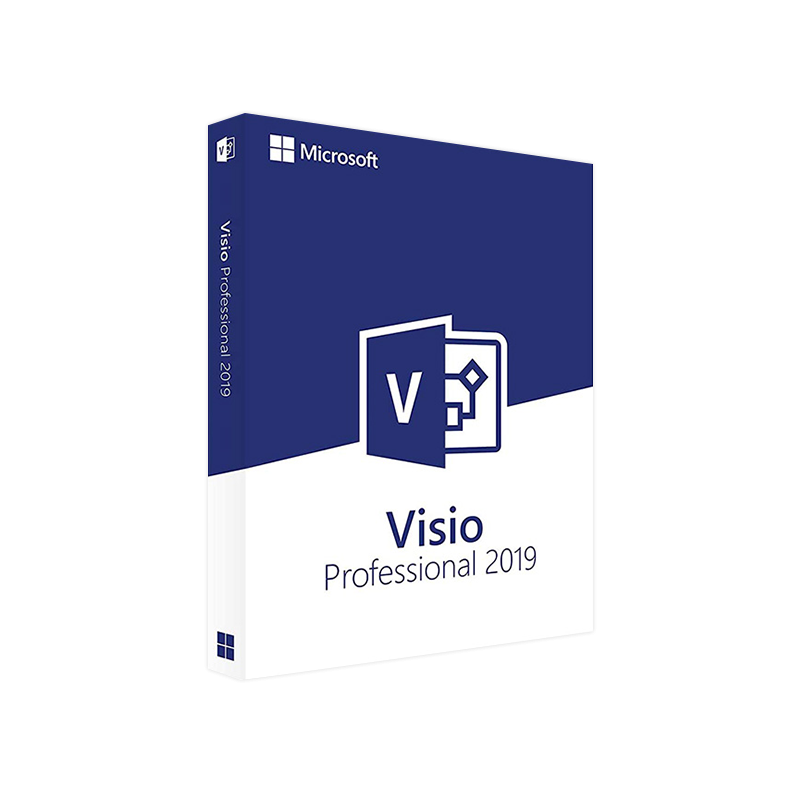




Microsoft Visio 2019 Professional Product Key – Genuine One-Time License for Windows
In Stock
✔ Quick Delivery
✔ 100% Original License
✔ Lifetime Warranty
✔ Free Support
In Stock
Description
Microsoft Visio 2019 Professional – The Ultimate Diagramming Solution for Modern Professionals
Boost collaboration, streamline complex processes, and transform ideas into crystal‑clear visuals with the industry‑leading diagramming suite.
Why Choose Visio Professional 2019?
Visio Professional 2019 is the most powerful, on‑premises version of Microsoft’s flagship diagramming platform. It combines an extensive library of shapes, templates, and data‑visualization tools with deep integration across the Microsoft 365 ecosystem. Whether you’re an architect, IT manager, project leader, or business analyst, Visio Professional 2019 gives you the precision and flexibility to communicate complex information quickly and accurately.
Key Benefits for Professionals
- Enterprise‑grade security – Built on the same security framework as Windows 10/11 and Microsoft 365.
- Real‑time data linking – Connect diagrams to Excel, SQL Server, SharePoint, or Power BI for live data refreshes.
- Advanced validation & governance – Enforce standards with custom shape data and validation rules.
- Collaboration at scale – Co‑author diagrams via OneDrive for Business or SharePoint, with version history and commenting.
- Extensive industry templates – From IT network diagrams to floor‑plan layouts, process maps, and engineering schematics.
“Visio Professional 2019 is the only tool that lets me turn raw data into actionable visual insight without leaving my desktop.” – Senior Solutions Architect, Fortune 500
Detailed Product Overview
Core Features
| Feature | What It Does | Business Value |
|---|---|---|
| Data-Driven Diagrams | Link shapes to live data sources (Excel, Access, SQL Server, OData, SharePoint). | Instantly reflect operational changes – no manual updates. |
| Process Automation | Generate flowcharts from Azure Logic Apps or Power Automate. | Accelerates process documentation and reduces errors. |
| Advanced Shape Management | Create custom stencils, shape data fields, and validation rules. | Guarantees consistency across large teams. |
| Cross‑Platform Integration | Export to PDF, SVG, XPS, or embed in PowerPoint, Word, Teams. | Seamless knowledge sharing across the organization. |
| Professional Templates | Over 5,000 pre‑built shapes covering IT, engineering, business, and more. | Cuts design time by up to 70 %. |
| Collaboration Hub | Real‑time co‑authoring via OneDrive for Business & SharePoint. | Improves team alignment and reduces version confusion. |
How Visio Professional 2019 Stands Out
| Aspect | Visio Professional 2019 | Visio Standard 2019 | Visio Online (Plan 2) |
|---|---|---|---|
| Data Linking | ✔️ Direct connection to Excel, SQL, SharePoint, Power BI | ❌ Limited to manual data entry | ✔️ Cloud‑based data cards |
| Custom Stencils | ✔️ Unlimited custom shape libraries | ❌ Fixed shape set | ❌ Not applicable |
| Co‑authoring | ✔️ Desktop & cloud, version control | ❌ No real‑time co‑authoring | ✔️ Real‑time in browser |
| Enterprise Governance | ✔️ Shape validation, data policies | ❌ No governance tools | ❌ Limited |
| Pricing (per seat) | See “Visio Professional Price” section | $299 (one‑time) | $8.00/user/month (Microsoft 365) |
| Installation | On‑premises, offline activation | On‑premises, offline activation | SaaS – no install required |
Bottom line: If your organization relies on live data integration, strict governance, and advanced customization, Visio Professional 2019 is the clear choice.
Visio Professional 2019 – Feature Deep Dive
1. Data-Linked Diagrams
- Live‑Refresh shapes – Attach real‑time metrics (e.g., server CPU usage) to network diagrams.
- Data graphics – Visual cues such as color scales, icons, or data bars that update automatically.
Example: A sales funnel diagram that pulls monthly revenue from an Excel workbook, updating the visual automatically at each month‑end.
2. Process Automation & Validation
- Automatic flowchart generation – Export Logic Apps definitions into Visio flowcharts.
- Rule‑based validation – Prevent invalid connections (e.g., a “Database” shape cannot link directly to a “User” shape without a middleware component).
3. Robust Template Library
- IT & Network – Cisco, Azure, AWS, and Windows Server stencils.
- Engineering – Electrical, mechanical, and civil engineering symbols.
- Business – BPMN, Org charts, SWOT analysis, Gantt charts.
4. Seamless Integration with Microsoft 365
| Integration | Use‑Case | Benefit |
|---|---|---|
| Microsoft Teams | Share diagrams in channel tabs. | Centralized team communication with visual context. |
| Power BI | Embed Visio visuals in Power BI reports. | Interactive analytics that respond to filters. |
| SharePoint | Store, version, and co‑author diagrams. | Single source of truth for documentation. |
Visio Professional Price – Transparent Licensing Options
| Licensing Model | Price (USD) | Duration | Ideal For |
|---|---|---|---|
| Perpetual (On‑Premises) | $549 (one‑time) | Unlimited | Organizations that require offline installation and full control over the software lifecycle. |
| Microsoft 365 Enterprise (E5) Add‑On | $7.00/user/month | Subscription | Teams that already use Microsoft 365 and prefer pay‑as‑you‑go licensing. |
| Volume Licensing (Open, CSP, etc.) | Negotiated | Varies | Large enterprises needing bulk discounts and centralized license management. |
All prices are listed before tax and may vary by region.
Tip: Combine the Visio Professional 2019 license with a Microsoft 365 E3/E5 subscription to unlock advanced data connectors and cloud‑based co‑authoring at no extra cost.
How to Get Visio 2019 Download – Simple Steps
- Visit the official Microsoft Visio download page – Microsoft Visio 2019 Professional Download
- Enter your product key (included with purchase or volume‑license agreement).
- Select your language and edition (Visio Professional 2019).
- Click “Download” – the installer will be saved to your default download folder.
- Run the installer and follow the on‑screen prompts to complete the installation.
For IT administrators, the offline installer is also available for deployment via SCCM, Intune, or Group Policy.
System Requirements for Microsoft Visio 2019 Professional
| Component | Minimum Requirement | Recommended Configuration |
|---|---|---|
| Operating System | Windows 10 (64‑bit) version 1809 or later | Windows 11 (64‑bit) |
| Processor | 1.6 GHz or faster, dual‑core | 2.0 GHz or faster, quad‑core |
| RAM | 2 GB | 4 GB or more |
| Hard Disk Space | 3 GB of available space | 5 GB (SSD preferred) |
| Display | 1280 × 720 resolution | 1920 × 1080 or higher, multi‑monitor support |
| Graphics | DirectX 9 compatible graphics card | DirectX 12 with WDDM 2.0 driver |
| .NET Framework | .NET 4.7.2 or later | Latest .NET 6 Runtime |
| Browser | Internet Explorer 11 or later (for Add‑ins) | Microsoft Edge (Chromium) |
| Additional Software | Microsoft Office 2019, Office 365, or Office 2021 (required for full integration) | Latest Office 365 subscription for best compatibility |
Note: For enterprise environments, ensure the Windows Update service is enabled to receive critical security patches for Visio Professional 2019.
Frequently Asked Questions (FAQ)
| Question | Answer |
|---|---|
| Can I install Visio Professional 2019 on a virtual desktop? | Yes. Visio is fully supported on Windows Virtual Desktop (WVD) and Azure Virtual Desktop (AVD) provided the VM meets the system requirements above. |
| Is there a trial version? | Microsoft offers a 30‑day free trial of Visio Professional 2019. Sign up at the official Microsoft trial page. |
| How does Visio Professional 2019 differ from Visio Online? | Visio Professional 2019 offers offline installation, advanced data linking, custom stencils, and enterprise governance—features not available in the browser‑only version. |
| Can I convert Visio diagrams to PDF or SVG for web publishing? | Absolutely. Use File → Export to create PDF, XPS, SVG, or PNG files. |
| What support options are available? | Includes 24/7 phone & web support for Microsoft Enterprise customers, plus community forums and self‑service knowledge base. |
Comparison: Visio Professional 2019 vs. Competing Diagram Tools
| Feature | Visio Professional 2019 | Lucidchart | SmartDraw |
|---|---|---|---|
| On‑Premises Installation | ✔️ (offline) | ❌ (cloud‑only) | ✔️ (desktop) |
| Live Data Linking (Excel/SQL) | ✔️ | ❌ (manual upload) | ✔️ (limited) |
| Enterprise Governance | ✔️ (shape validation, policies) | ❌ | ❌ |
| Microsoft 365 Integration | ✔️ (Teams, Power BI, SharePoint) | Limited | Limited |
| Custom Stencil Creation | ✔️ (unlimited) | ✔️ (limited) | ✔️ |
| Pricing (per user, annual) | $7/mo (subscription) or $549 one‑time | $12/mo (team) | $9.95/mo |
| Offline Access | ✔️ | ❌ | ✔️ |
| Support | 24/7 Microsoft Support | Email & community | Email & phone (business plans) |
Visio Professional 2019 remains the most robust option for enterprises that demand offline capability, deep data integration, and strict governance.
Get Started Today – Transform Your Visual Communication
- Download the installer now from the official Microsoft portal.
- Activate using your product key and enjoy instant access to the full feature set.
- Leverage built‑in templates to create network diagrams, process maps, floor plans, and more—all within minutes.
“Since adopting Visio Professional 2019, our documentation turnaround time has dropped from weeks to days.” – Operations Manager, Global Retail Chain
Ready to empower your team with the most powerful diagramming tool on the market?
- Visit the official Microsoft store: Microsoft Visio Professional 2019
- Contact our sales team for volume‑licensing discounts and deployment assistance.
Related Resources
- Microsoft Learn – Visio Training: Master diagramming with step‑by‑step tutorials. (learn.microsoft.com/visio)
- Power BI Integration Guide: Embed Visio diagrams in interactive dashboards. (powerbi.microsoft.com/visio-integration)
Meta Information for SEO
- Title Tag: Microsoft Visio 2019 Professional – Download, Price, System Requirements & Features
- Meta Description: Discover why Visio Professional 2019 is the leading diagramming tool for enterprises. Learn about visio2019 download, pricing, system requirements, and how it compares to competitors.
- H1: Microsoft Visio 2019 Professional – The Ultimate Diagramming Solution
All content is optimized for the following keywords: visio2019 download, microsoft visio 2019, visio professional 2019, microsoft visio professional, ms visio professional 2019, visio professional price.
Empower your organization with precise, data‑driven visuals. Choose Microsoft Visio 2019 Professional and turn complexity into clarity.
Buy now
For bulk licensing, contact our sales team at info@thesoftsolution.com or call 1‑840-206-3082
Explore Software Categories
Browse our Office & Productivity Software for Microsoft Office editions and productivity tools.
Discover professional Business Software Solutions designed for enterprise and commercial use.
Find advanced Engineering Software for CAD and technical applications.
Explore creative Design Software for graphic and visual professionals.
Improve system performance with our Utilities Software.
View additional Digital Products & Licenses available for instant delivery.
Check out our Top Selling Products for the most popular choices.
Installation & Activation Support
Need help? Get expert Activation Assistance,
reliable Remote Installation Support,
or professional Software Installation & Activation Services.
Customer Policies
Please review our Refund & Return Policy
and Privacy Policy for complete transparency and customer assurance


Reviews
There are no reviews yet.