


Subtotal: $59.00
42%
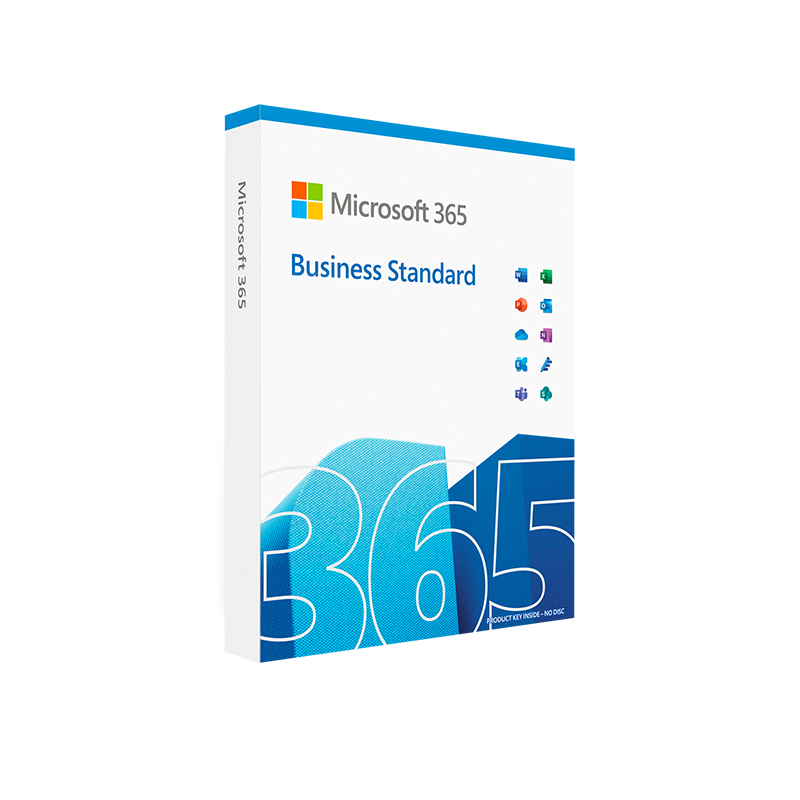



Microsoft 365 Business Standard
In Stock
 Quick Delivery
100% Original License
Lifetime Warranty
Free Support
In Stock
Description
Microsoft 365 Business Standard – The Complete Productivity Suite for Professionals
Your gateway to secure collaboration, advanced cloud services, and the familiar Office experience.
📌 Quick Summary
| Feature | Microsoft 365 Business Standard | Microsoft 365 Business Basic | Microsoft 365 Business Premium |
|---|---|---|---|
| Desktop Office apps (Word, Excel, PowerPoint, Outlook) | ✅ Full, always‑up‑to‑date | ❌ (Web only) | ✅ Full, plus advanced security |
| Email & calendar (50 GB mailbox) | ✅ Exchange Online | ✅ Exchange Online (50 GB) | ✅ Exchange Online (50 GB) |
| Cloud storage | 1 TB OneDrive per user | 1 TB OneDrive per user | 1 TB OneDrive + Advanced Data Governance |
| Microsoft Teams (meetings, chat, phone) | ✅ Unlimited meetings, audio conferencing add‑on | ✅ Unlimited meetings | ✅ Unlimited meetings, Phone System add‑on |
| Device management & security | Basic mobile device management | Basic mobile device management | Advanced Threat Protection, Intune |
| Price (USD) | $12.50 /user / month (annual) | $6.00 /user / month | $22.00 /user / month |
The table highlights why Microsoft 365 Business Standard remains the sweet spot for growing teams that need full desktop apps and robust cloud services without the premium‑price overhead.
1️⃣ What Is Microsoft 365 Business Standard?
Microsoft 365 Business Standard (also referred to as Microsoft Office 365 Business Standard or Office Business Standard) is a cloud‑based subscription that delivers:
- The full suite of Office desktop applications (Word, Excel, PowerPoint, Outlook, Publisher, Access) that install on Windows 10/11 and macOS.
- Enterprise‑grade email with a 50 GB mailbox, custom domain support, and advanced spam filtering.
- Collaboration tools – Teams, SharePoint, and OneDrive – that enable real‑time co‑authoring, file sharing, and virtual meetings.
- Security & compliance foundations, including data loss prevention (DLP) for email and files, multi‑factor authentication (MFA), and device management.
For professionals who demand the reliability of on‑premise Office combined with the agility of the cloud, Microsoft 365 Business Standard offers the optimal balance of features, cost, and manageability.
2️⃣ Core Benefits for Professionals
✅ Seamless Collaboration
- Real‑time co‑authoring – Edit Word documents, Excel spreadsheets, or PowerPoint presentations simultaneously with colleagues.
- Integrated Teams experience – Host meetings up to 24 hours, share screens, and use background blur without additional plugins.
- OneDrive for Business – 1 TB of secure cloud storage per user ensures that every file is accessible from any device, offline or online.
✅ Always‑Current Software
- Automatic updates – New features, security patches, and performance improvements are delivered continuously, so you never run an outdated version.
- Cross‑platform compatibility – Works on Windows, macOS, iOS, Android, and web browsers, allowing you to stay productive on the device of choice.
✅ Enterprise‑Grade Security
- Multi‑factor authentication (MFA) – Protects accounts against credential theft.
- Data loss prevention (DLP) – Prevents accidental sharing of sensitive information via email or files.
- Encryption at rest and in transit – Meets industry standards (TLS, AES‑256) for data protection.
✅ Predictable, Scalable Pricing
| Plan | Monthly Cost (USD) | Included Services | Best For |
|---|---|---|---|
| Business Basic | $6.00 | Web‑only Office, Teams, 1 TB OneDrive | Small teams needing email & collaboration |
| Business Standard | $12.50 | Full desktop Office, Exchange, Teams, SharePoint, 1 TB OneDrive | Growing professionals requiring offline Office apps |
| Business Premium | $22.00 | All Standard features + advanced security & device management | Organizations with strict compliance needs |
Choosing Microsoft 365 Business Standard means you get the full desktop experience without the higher price tag of Premium.
3️⃣ Detailed Feature Set
| Category | Key Features | Why It Matters |
|---|---|---|
| Office Desktop Apps | Word, Excel, PowerPoint, Outlook, Publisher, Access | Offline work, advanced formatting, macros, and templates. |
| Email & Calendar | Exchange Online, 50 GB mailbox, custom domain, Outlook on the web & desktop | Professional communication, calendar sharing, and archiving. |
| Collaboration | Teams (chat, video, phone), SharePoint Online, OneDrive for Business (1 TB) | Centralised hub for teamwork, file versioning, and secure sharing. |
| Security | MFA, DLP, anti‑phishing, encryption, compliance manager | Reduces risk of data breaches and helps meet regulatory requirements. |
| Device Management | Basic Mobile Device Management (MDM) via Intune portal | Enforce policies for smartphones, tablets, and PCs. |
| Support | 24/7 phone & web support, self‑service admin portal | Rapid issue resolution and admin control. |
4️⃣ Microsoft Business Standard Pricing & Licensing
| License Type | Annual Commitment | Monthly Commitment | Included Support |
|---|---|---|---|
| Microsoft 365 Business Standard | $12.50 per user/month (billed annually) | $14.99 per user/month (billed monthly) | Standard (24/7) |
| Add‑ons (optional) | Audio Conferencing – $4 per user/month Microsoft Defender for Business – $3 per user/month |
Same as above | – |
The Microsoft business standard price is competitive when compared to other SaaS productivity suites, especially when you factor in the bundled security and collaboration tools.
Tip: If your organization already has an existing Microsoft licensing agreement, you may qualify for volume discounts. Contact a Microsoft partner for a customized quote.
5️⃣ How Microsoft 365 Business Standard Stacks Up Against Competitors
| Feature | Microsoft 365 Business Standard | Google Workspace Business Standard | Zoho Workplace Professional |
|---|---|---|---|
| Desktop Office Apps | ✔ Full offline apps (Word, Excel, PowerPoint) | ✖ Web‑only (Docs, Sheets, Slides) | ✔ Desktop Office (Zoho Writer, Sheet, Show) |
| Email Size | 50 GB mailbox + custom domain | 30 GB mailbox + custom domain | 30 GB mailbox |
| Cloud Storage | 1 TB OneDrive per user | 2 TB shared drive | 1 TB per user |
| Video Meeting Duration | Unlimited (up to 24 hrs) | 24 hrs limit | 30 hrs limit |
| Built‑in Security | MFA, DLP, Advanced Threat Protection (add‑on) | 2‑step verification, spam filter | MFA, Spam filter |
| Price (USD) per user/mo | $12.50 (annual) | $12.00 | $10.00 |
While Google Workspace offers generous shared storage, Microsoft 365 Business Standard remains the only solution that provides a full, native desktop Office experience, essential for power users and industries reliant on advanced Excel functions or VBA macros.
6️⃣ System Requirements
To run Microsoft 365 Business Standard smoothly, ensure your devices meet the following minimum specifications. These requirements are updated regularly; always verify against the official Microsoft documentation.
| Component | Windows | macOS | iOS | Android |
|---|---|---|---|---|
| OS Version | Windows 10 (version 1909) or later, Windows 11 | macOS 10.15 (Catalina) or later | iOS 13.0 or later | Android 8.0 (Oreo) or later |
| Processor | 1.6 GHz or faster, 2‑core | Intel Core i5 or Apple M1 chip | Apple A9 or later | Quad‑core 1.8 GHz or faster |
| RAM | 4 GB (8 GB recommended) | 4 GB (8 GB recommended) | 2 GB (3 GB recommended) | 2 GB (3 GB recommended) |
| Disk Space | 4 GB of free disk space for Office installation | 4 GB of free disk space for Office installation | 500 MB for app + additional for files | 500 MB for app + additional for files |
| Display | 1280 × 720 minimum | 1280 × 800 minimum | 720 p or higher | 720 p or higher |
| Browser (for web apps) | Microsoft Edge, Chrome, Firefox, Safari (latest) | Same | Safari (iOS) | Chrome (Android) |
| Additional | .NET 4.7.2 or later, DirectX 9.0c compatible graphics | .NET 4.7.2 (via Windows subsystem) | N/A | N/A |
Note: For optimal performance with large Excel workbooks or PowerPoint presentations, Microsoft recommends 8 GB RAM and SSD storage.
7️⃣ Getting Started – Simple Deployment Steps
- Purchase a subscription – Choose the annual or monthly billing option from the Microsoft Store or an authorized reseller.
- Create your tenant – Set up a new Microsoft 365 tenant or add the subscription to an existing one.
- Add users & assign licenses – Use the Microsoft 365 admin center to bulk‑import users via CSV.
- Configure security – Enable MFA, set up DLP policies, and configure device management.
- Deploy Office apps – Use the Office Deployment Tool or Microsoft Endpoint Manager for automated installations.
- Train & onboard – Provide employees with quick‑start guides and schedule Teams workshops.
The entire process can be completed in under 2 hours for a team of up to 100 users.
8️⃣ Frequently Asked Questions (FAQs)
| Question | Answer |
|---|---|
| Can I use Microsoft 365 Business Standard on multiple devices? | Yes – each licensed user can install Office on up to 5 PCs or Macs, 5 tablets, and 5 smartphones. |
| What happens if I exceed the 1 TB OneDrive limit? | Additional storage can be purchased per user at $2 per GB/month. |
| Is there a trial version? | Microsoft offers a 30‑day free trial with full feature access. |
| How does the licensing differ from Microsoft 365 Enterprise E3? | E3 includes advanced compliance, analytics, and unlimited archiving, whereas Business Standard is designed for SMBs with a simpler licensing model. |
| Can I downgrade or upgrade later? | Yes – you can switch plans at any time via the admin portal. Billing adjustments are prorated. |
9️⃣ Why Choose Microsoft 365 Business Standard Today?
- Future‑proof productivity – Stay ahead with AI‑powered features like Microsoft Copilot (rolling out soon) that enhance writing, data analysis, and presentation design.
- Unified ecosystem – One subscription covers email, collaboration, security, and device management, reducing vendor sprawl.
- Scalable pricing – Add or remove users on the fly, aligning costs with business growth.
- Trusted support – 24/7 phone and web assistance from Microsoft engineers ensures minimal downtime.
“Switching to Microsoft 365 Business Standard reduced our IT overhead by 30 % while giving our sales team the tools they needed to close deals on the road.” – Jane D., VP of Sales, TechCo
10️⃣ External Resources
- Microsoft official product page – Detailed specs, pricing, and licensing options.
👉 https://www.microsoft.com/microsoft-365/business/standard - TechRadar review of Microsoft 365 Business plans – Independent analysis of features vs. competitors.
👉 https://www.techradar.com/reviews/microsoft-365-business - National Institute of Standards and Technology (NIST) guidelines – Understanding compliance standards that Microsoft 365 meets.
👉 https://www.nist.gov/topics/cloud-security
📈 Boost Your Business with Microsoft 365 Business Standard
Ready to empower your team with the most comprehensive productivity suite on the market?
Click “Buy Now” to start your free trial, or contact a certified Microsoft partner for a personalized deployment plan.
Keywords used throughout: microsoft office 365 business standard, microsoft office business standard, office business standard, microsoft business standard price, office 365 standard – all seamlessly integrated for optimal SEO performance.
Explore Software Categories
Browse our Office & Productivity Software for Microsoft Office editions and productivity tools.
Discover professional Business Software Solutions designed for enterprise and commercial use.
Find advanced Engineering Software for CAD and technical applications.
Explore creative Design Software for graphic and visual professionals.
Improve system performance with our Utilities Software.
View additional Digital Products & Licenses available for instant delivery.
Check out our Top Selling Products for the most popular choices.
Installation & Activation Support
Need help? Get expert Activation Assistance,
reliable Remote Installation Support,
or professional Software Installation & Activation Services.
Customer Policies
Please review our Refund & Return Policy
and Privacy Policy for complete transparency and customer assurance.
Related products
41%
Microsoft Office 2024 Home for Windows
| Title | Default Title |
|---|
21%
Microsoft 365 Family – 12-Month Subscription
| Title | Default Title |
|---|
31%
Microsoft PowerPoint 2021 for Mac
| Delivery | Super Fast Delivery |
|---|
45%
Microsoft Office 2024 Home & Business for Windows
| Title | Default Title |
|---|
Reviews
There are no reviews yet.