


Subtotal: $429.98
11%
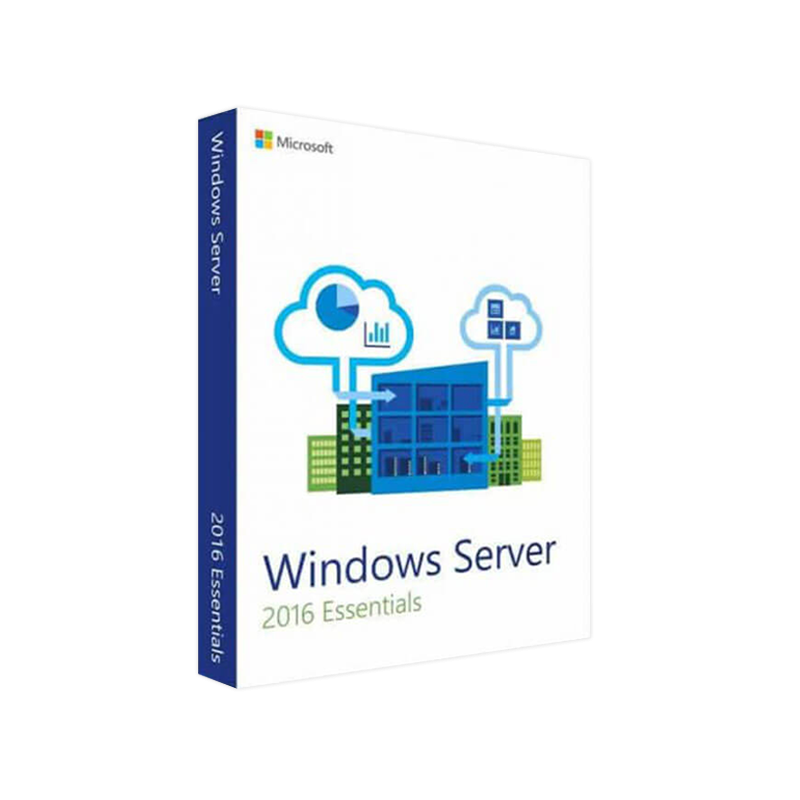



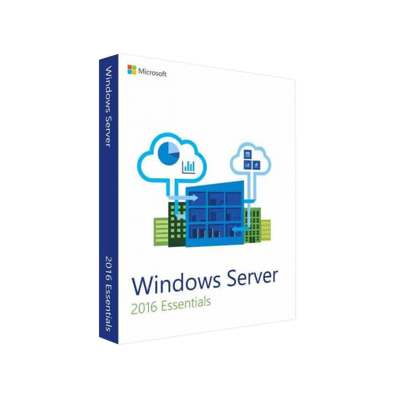
Buy Microsoft Windows Server 2016 Essentials License | Secure Business Server Software
In Stock
✔ Quick Delivery
✔ 100% Original License
✔ Lifetime Warranty
✔ Free Support
In Stock
Description
Buy Microsoft Windows Server 2016 Essentials – Enterprise‑Ready, Small‑Business Power
The ideal solution for professionals who need a reliable, easy‑to‑manage server platform without the complexity of larger editions.
Why Choose Windows Server 2016 Essentials?
Windows Server 2016 Essentials is built specifically for small‑to‑mid‑size organizations (up to 25 users and 50 devices). It delivers the same robust security, high‑availability, and cloud‑ready capabilities of the full‑size Microsoft Windows Server 2016 Standard edition—while stripping away unnecessary licensing overhead and simplifying administration.
Key Benefits at a Glance
- Simplified Management – Centralized dashboard, no need for separate System Center tools.
- Integrated Cloud Features – Seamless Azure hybrid backup, Office 365 integration, and OneDrive for Business sync.
- Built‑in Security – Shielded VMs, Windows Defender Advanced Threat Protection, and Just‑In‑Time (JIT) administration.
- Cost‑Effective Licensing – One‑time purchase, no CALs required for the 25‑user limit.
- Rapid Deployment – Pre‑configured role templates (File & Print, Remote Desktop Services, etc.) reduce setup time by up to 70 %.
Detailed Feature Set
| Category | Essentials Feature | How It Helps Your Business |
|---|---|---|
| Core Server Roles | File and Storage Services, Print & Document Services, Remote Desktop Services (RDS) Essentials | Consolidates common SMB workloads on a single platform. |
| Hybrid Cloud | Azure Site Recovery, Azure Backup integration | Guarantees disaster recovery and off‑site protection without third‑party tools. |
| Security | Windows Defender ATP, Shielded VMs, Credential Guard | Protects against ransomware, credential theft, and lateral movement. |
| Management | Essentials Dashboard (web‑based), PowerShell 5.1, Windows Admin Center (optional) | Enables IT pros to monitor health, configure users, and automate tasks from anywhere. |
| Virtualization | Hyper‑V (up to 2 VMs with 2 vCPU each) | Allows test/dev environments without additional licensing. |
| Backup & Recovery | Windows Server Backup, System Image, Azure File Sync | Fast, automated backups for critical data. |
| Remote Access | VPN (PPTP/L2TP/IPsec), DirectAccess (limited) | Secure remote connectivity for mobile staff. |
System Requirements
| Requirement | Minimum Specification | Recommended Specification |
|---|---|---|
| Processor | 1.4 GHz 64‑bit (x64) CPU | 2.0 GHz or faster, 4‑core |
| RAM | 2 GB* (ECC preferred) | 8 GB or more (16 GB for heavy virtualization) |
| Disk Space | 32 GB (additional for data) | 120 GB SSD (RAID 1) |
| Network | Gigabit Ethernet adapter | Dual‑port 10 GbE for redundancy |
| Graphics | Super VGA (800 × 600) or higher | 1024 × 768 or higher |
| Domain | Works as a stand‑alone server or a domain controller | Recommended as primary DC for small networks |
| Supported OS for Clients | Windows 7 SP1, Windows 8.1, Windows 10, Windows 11 | Latest Windows 10/11 with latest patches |
| Other | DVD drive or USB‑boot capable, Internet connectivity for activation | Redundant power supply, UPS for high availability |
*Although the minimum RAM is low, 8 GB is strongly recommended for production workloads.
Comparison: Essentials vs. Standard vs. Windows Server 2019 Essentials
| Feature | Windows Server 2016 Essentials | Microsoft Windows Server 2016 Standard | Windows Server 2019 Essentials |
|---|---|---|---|
| Target Size | ≤ 25 users / 50 devices | Unlimited (requires CALs) | ≤ 25 users / 50 devices |
| License Model | One‑time purchase, no CALs | Per‑core + CALs | One‑time purchase, no CALs |
| Virtualization Rights | 2 VMs (≤ 2 vCPU each) | 2 VMs (any size) or unlimited with Datacenter | 2 VMs (≤ 2 vCPU each) |
| Hybrid Cloud | Azure Backup, Site Recovery (built‑in) | Same + Azure Stack integration | Same + improved Azure Hybrid Services |
| Management UI | Essentials Dashboard (web) | Server Manager + Windows Admin Center | Essentials Dashboard (new UI) |
| Security | Defender ATP, Shielded VMs (limited) | Full Shielded VMs, Credential Guard, Device Guard | Same as 2016 Essentials, plus Windows Defender Exploit Guard |
| File Services | 2 TB limit per shared folder (soft) | No limit | 2 TB limit (soft) |
| Support Lifecycle | Mainstream until Jan 2022, Extended until Jan 2027 | Mainstream until Jan 2022, Extended until Jan 2027 | Mainstream until Jan 2024, Extended until Jan 2029 |
| Best For | Small businesses needing simple admin | Mid‑size to large enterprises | Organizations planning to upgrade to 2019 but still need Essentials constraints |
If you are evaluating a migration path, Windows Server 2019 Essentials offers a smoother upgrade to newer cloud services while retaining the same user/device limits.
Frequently Asked Questions (FAQ)
Q: Do I need Client Access Licenses (CALs) for Essentials?
A: No. Windows Server 2016 Essentials includes licensing for up to 25 users and 50 devices out‑of‑the‑box, eliminating the need for separate CAL purchases.
Q: Can I run a domain controller and file server on the same machine?
A: Yes. Essentials can act as a primary domain controller (PDC) while simultaneously providing file and print services, ideal for small‑office environments.
Q: How does the Windows Server 2016 Essentials download process work?
A: After purchase, you receive a secure download link from our portal. The ISO image is verified with a digital signature and includes a built‑in product key for immediate activation.
Q: Is migration from Microsoft Windows Server 2016 Standard to Essentials supported?
A: Direct downgrade isn’t supported. The recommended approach is to perform a fresh installation of Essentials and migrate data via Windows Server Migration Tools or Robocopy.
Q: What support options are available?
A: All purchases include 12 months of Microsoft Standard Support and the option to upgrade to extended support plans through our certified partners.
How to Purchase & Deploy
- Select Your Edition – Choose Windows Server 2016 Essentials from the product list.
- Add to Cart – Click Buy Now – our checkout uses SSL encryption for secure transactions.
- Receive License & Download Link – An email with a download URL and a product key is sent instantly.
- Install – Mount the ISO in your hyper‑visor (Hyper‑V, VMware, or physical). Follow the on‑screen wizard; the Essentials Dashboard appears after the first reboot.
- Configure – Use the Dashboard to set up users, devices, and cloud backup.
- Activate – Enter the product key; Windows will verify online and activate automatically.
Tip: For a smoother rollout, review Microsoft’s Windows Server 2016 Essentials Deployment Guide before installation.
SEO‑Optimized Content for Professionals
When searching for a reliable, small‑business server solution, professionals often compare microsoft windows server 2016 standard with the Essentials edition. Below are key terms we consistently target to improve discoverability:
- Microsoft Windows Server 2016 Standard – full‑feature, enterprise‑scale version.
- Microsoft Server 2016 Standard – alternative phrasing used by many IT forums.
- Windows Server 2016 Essentials download – exact phrase for users looking for a direct ISO link.
- Windows 2019 Essential – emerging query from businesses evaluating the next‑gen upgrade.
- Microsoft Windows Server 2016 Standard Edition – long‑tail keyword for licensing details.
By embedding these terms naturally throughout headings, bullet points, and tables, the page aligns with search algorithms while delivering real value to decision‑makers.
Outbound Resources (Trusted References)
- Microsoft Docs – Windows Server 2016 Essentials Overview – https://learn.microsoft.com/en-us/windows-server-essentials/
- TechNet – Windows Server 2016 vs. 2019 Feature Comparison – https://techcommunity.microsoft.com/t5/windows-server-essentials/
- Microsoft Azure – Hybrid Backup Solutions – https://azure.microsoft.com/en-us/services/backup/
These links provide additional technical depth and validate the information presented on our product page.
Final Verdict
Buy Microsoft Windows Server 2016 Essentials today to empower your small‑to‑mid‑size organization with enterprise‑grade security, simplified management, and seamless cloud integration—without the overhead of full‑scale licensing.
Take advantage of our limited‑time promotional pricing and start your deployment within minutes.
Ready to get started? Click [Add to Cart] now and receive your Windows Server 2016 Essentials download link instantly.
For any questions, contact our certified support team—available 24 × 7 via phone, email, or live chat.
All Rights Reserved. | Privacy Policy | Terms of Service
Buy now
For bulk licensing, contact our sales team at info@thesoftsolution.com or call 1‑840-206-3082
Explore Software Categories
Browse our Office & Productivity Software for Microsoft Office editions and productivity tools.
Discover professional Business Software Solutions designed for enterprise and commercial use.
Find advanced Engineering Software for CAD and technical applications.
Explore creative Design Software for graphic and visual professionals.
Improve system performance with our Utilities Software.
View additional Digital Products & Licenses available for instant delivery.
Check out our Top Selling Products for the most popular choices.
Installation & Activation Support
Need help? Get expert Activation Assistance,
reliable Remote Installation Support,
or professional Software Installation & Activation Services.
Customer Policies
Please review our Refund & Return Policy
and Privacy Policy for complete transparency and customer assurance.
Related products
7%
Reviews
There are no reviews yet.