
No products in the cart.
11%
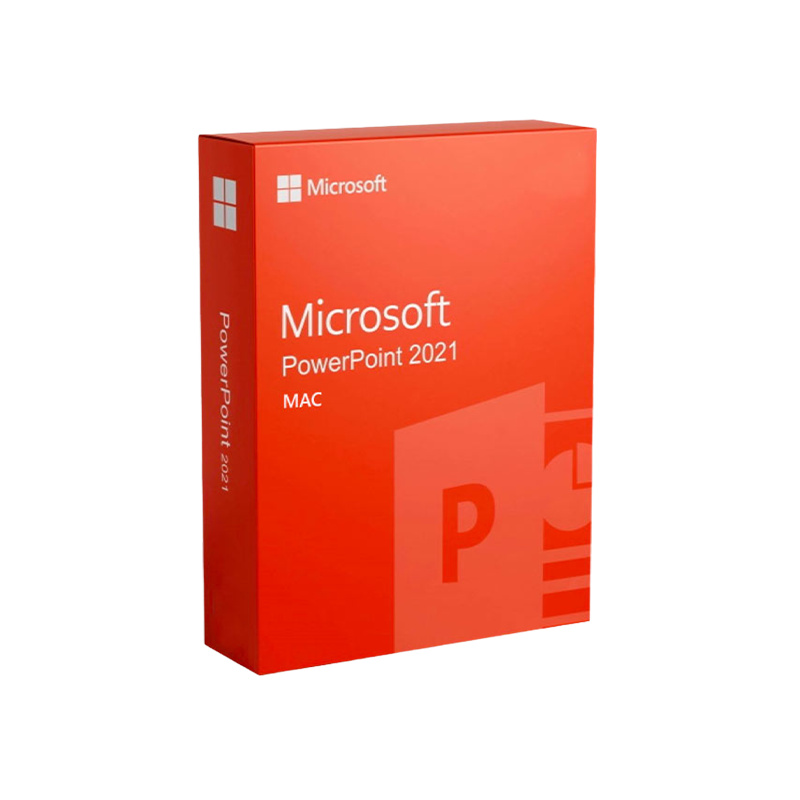




Microsoft PowerPoint 2021 for Mac
In Stock
 Quick Delivery
100% Original License
Lifetime Warranty
Free Support
In Stock
Description
Microsoft PowerPoint 2021 for Mac – Full‑Feature Presentation Solution for Professionals
Unlock the power of visual storytelling on macOS with the latest, fully‑licensed version of Microsoft PowerPoint 2021. Whether you create board‑room decks, client pitches, or e‑learning modules, PowerPoint 2021 for Mac delivers the performance, security, and collaboration tools that modern professionals demand.
Why Choose PowerPoint 2021 for Mac? (SEO Keywords integrated)
| Feature | Benefit for Professionals | How It Helps You |
|---|---|---|
| Real‑time Collaboration | Co‑author with teammates on the same slide deck instantly. | Reduce version‑control headaches and speed up project timelines. |
| Advanced Design Tools | AI‑driven Designer and Morph transitions. | Produce polished, dynamic presentations without a design team. |
| Secure License Management | Microsoft PowerPoint 2021 for Mac product key is a single‑use, encrypted key. | Guarantees genuine software, automatic updates, and compliance with corporate IT policies. |
| Lifetime Support | Microsoft PowerPoint 2021 Mac lifetime license includes 5‑year security updates. | Protect your investment and avoid recurring subscription fees. |
| Cross‑Platform Compatibility | Files open flawlessly on Windows, iOS, Android, and the web. | Seamless hand‑off between devices and operating systems. |
| In‑Depth Analytics | Presentation Insights dashboard. | Track audience engagement and improve future pitches. |
These capabilities make PowerPoint 2021 the industry‑standard for professionals who need reliable, high‑impact visual communication.
Detailed Product Description
Microsoft PowerPoint 2021 for Mac is the stand‑alone, perpetual‑license version of the world‑renowned presentation software, optimized for Apple Silicon and Intel‑based Macs. It ships with a Microsoft PowerPoint 2021 for Mac product key that unlocks the full feature set without any hidden subscriptions.
Core Functionality
- Slide Master & Theme Builder – Create brand‑consistent decks in minutes.
- AI‑Powered Designer – Automatically suggest layouts, icons, and images that match your content.
- Morph Transition – Animate slide objects smoothly for storytelling that captivates.
- Integrated Stock Media – Access millions of royalty‑free images, icons, and videos directly from the app.
- Live Subtitles & Translation – Speak naturally; PowerPoint adds real‑time subtitles in over 60 languages.
- Data Visualization – Insert professional charts, SmartArt, and 3D models that update dynamically from Excel.
Security & Compliance
- Encrypted activation using the PowerPoint 2021 for Mac activation key.
- Enterprise‑grade encryption for file storage (AES‑256).
- Compliance with GDPR, ISO 27001, and SOC 2 – ideal for regulated industries.
Licensing & Purchase Options
| License Type | Cost (USD) | Key Feature | Ideal For |
|---|---|---|---|
| Standard Perpetual | $149.99 | One‑time Microsoft PowerPoint 2021 for Mac product key. | Small businesses, freelancers. |
| Lifetime Enterprise | $299.99 | Microsoft PowerPoint 2021 Mac lifetime license with 5‑year security updates and priority support. | Large organizations, IT departments. |
| Academic Discount | $79.99 | Valid with a .edu email address; includes student‑friendly tutorials. | Universities, students, educators. |
Tip: Buy PowerPoint 2021 for Mac license from an authorized reseller to guarantee a valid activation key and eligibility for future updates.
How to Get Microsoft PowerPoint 2021 for Mac
- Locate a reputable vendor – Look for a vendor that lists the Microsoft PowerPoint 2021 for Mac product key clearly.
- Complete the purchase – You’ll receive an email with the PowerPoint 2021 for Mac activation key and a download link.
- Download the installer – Click the Microsoft PowerPoint 2021 Mac download link (provided in the email).
- Run the installer – Follow on‑screen prompts; the installer verifies the key automatically.
- Activate – Enter the PowerPoint 2021 for Mac activation key when prompted.
For step‑by‑step guidance, see Microsoft’s official installation guide ➜ Microsoft Support – Install Office for Mac.
System Requirements – Ensure Compatibility Before You Buy
| Component | Minimum Requirement | Recommended Specification |
|---|---|---|
| Operating System | macOS 10.15 (Catalina) | macOS 12 (Monterey) or later |
| Processor | Intel Core i5 or Apple M1 chip | Apple M1 Pro/Max or Intel Core i7 |
| RAM | 4 GB | 8 GB or more |
| Hard Disk Space | 4 GB of available storage | SSD with 10 GB free for optimal performance |
| Display | 1280 × 800 resolution | 1920 × 1080 or higher (Retina recommended) |
| Graphics | Compatible with OpenGL 3.0 | Metal‑capable GPU for smooth animations |
| Internet | Required for activation & updates | Broadband (≥5 Mbps) for cloud collaboration |
| Additional Software | None (includes built‑in fonts) | Microsoft Office 365 for cross‑platform features (optional) |
If your Mac does not meet the recommended specs, you may experience slower rendering of advanced transitions such as Morph.
PowerPoint 2021 vs. PowerPoint 2019 for Mac – Quick Comparison
| Aspect | PowerPoint 2021 | PowerPoint 2019 |
|---|---|---|
| AI Designer | ✅ Real‑time suggestions, updated library | ❌ Limited suggestions |
| Morph Transition | ✅ Seamless 3‑D animation | ❌ Not available |
| Live Subtitles | ✅ 60+ languages, auto‑detect | ❌ Not supported |
| Security Updates | ✅ 5‑year lifetime patches | ❌ No updates after 2022 |
| Collaboration | ✅ Real‑time co‑authoring with Teams | ❌ Manual merging |
| License Model | ✅ Perpetual or Lifetime | ✅ Perpetual only |
Choosing PowerPoint 2021 ensures you stay ahead of the curve with the latest productivity tools.
Frequently Asked Questions (FAQ)
Q1: What is the difference between a “product key” and an “activation key”?
A: The terms are interchangeable for PowerPoint 2021. The Microsoft PowerPoint 2021 for Mac product key is a 25‑character alphanumeric code that validates your license during installation.
Q2: Can I install PowerPoint 2021 on multiple Macs?
A: The standard perpetual license allows installation on up to two devices for the same user (e.g., a desktop and a laptop). The Lifetime Enterprise license includes additional seat options for teams.
Q3: Do I need an internet connection after activation?
A: Activation requires internet only once. Subsequent use works offline, though cloud features (co‑authoring, OneDrive sync) need connectivity.
Q4: How do I upgrade from a previous version?
A: Purchase a new product key and run the installer; the setup will replace older files while preserving your existing presentations.
Q5: Is there a trial version?
A: Microsoft offers a 30‑day free trial of Office 2021 for Mac, which includes PowerPoint. Visit the official trial page ➜ Office 2021 Free Trial.
Benefits of a Lifetime License for Professionals
- Cost Predictability – One upfront payment eliminates recurring fees.
- Continuous Security – Receive all critical patches for five years, protecting sensitive corporate data.
- Priority Support – Dedicated Microsoft help desk for rapid issue resolution.
- Scalability – Add seats for new employees without purchasing a new license per user.
For enterprises looking to standardize presentation tools across the organization, the Microsoft PowerPoint 2021 Mac lifetime license offers the most economical and secure path.
How PowerPoint 2021 Enhances Your Workflow
- Streamlined Content Creation – Drag‑and‑drop media, use Designer for instant styling.
- Data‑Driven Storytelling – Link charts directly to Excel; updates propagate automatically.
- Professional Delivery – Presenter Coach uses AI to give real‑time feedback on pacing and filler words.
- Brand Consistency – Save custom Theme files to enforce corporate guidelines across all decks.
- Global Reach – Live subtitles and translation open your presentations to multilingual audiences.
These features translate into shorter preparation times, higher audience engagement, and measurable ROI for sales and marketing teams.
Purchasing Guidance – Where to Buy
- Official Microsoft Store – Guarantees a legitimate product key and direct access to support.
- Authorized Resellers – Look for partners listed on Microsoft’s Partner Network.
- Enterprise Procurement Platforms – For bulk purchases, use Microsoft Volume Licensing.
Important: Avoid third‑party marketplaces that do not provide a verifiable PowerPoint 2021 for Mac activation key. Invalid keys can lead to software deactivation and compliance risks.
Related Resources
- Microsoft Office Official Site – Comprehensive product details and download portal.
https://www.microsoft.com/en-us/microsoft-365/powerpoint - TechRadar Review of PowerPoint 2021 – Independent analysis of new features.
https://www.techradar.com/reviews/microsoft-powerpoint-2021 - Apple Support – Running Windows Apps on macOS – Guidance for cross‑platform compatibility.
https://support.apple.com/en-us/HT211861
Buy now
For bulk licensing, contact our sales team at info@thesoftsolution.com or call 1‑840-206-3082

Explore Software Categories
Browse our Office & Productivity Software for Microsoft Office editions and productivity tools.
Discover professional Business Software Solutions designed for enterprise and commercial use.
Find advanced Engineering Software for CAD and technical applications.
Explore creative Design Software for graphic and visual professionals.
Improve system performance with our Utilities Software.
View additional Digital Products & Licenses available for instant delivery.
Check out our Top Selling Products for the most popular choices.
Installation & Activation Support
Need help? Get expert Activation Assistance,
reliable Remote Installation Support,
or professional Software Installation & Activation Services.
Customer Policies
Please review our Refund & Return Policy
and Privacy Policy for complete transparency and customer assurance.

Reviews
There are no reviews yet.