
No products in the cart.
29%
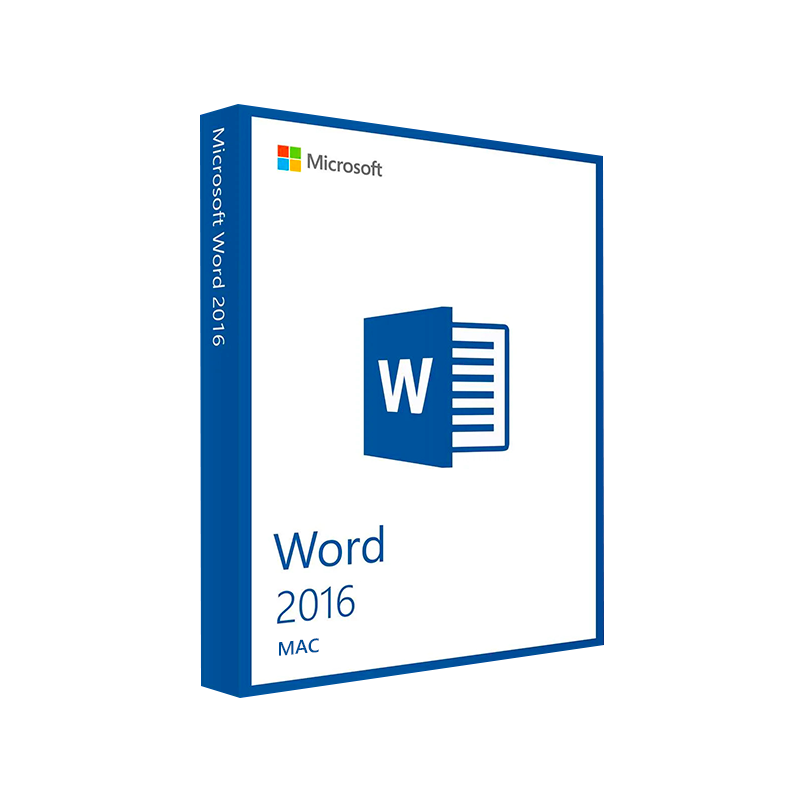




Microsoft Word 2016 for Mac Product Key – Genuine One-Time License for macOS
In Stock
✔ Quick Delivery
✔ 100% Original License
✔ Lifetime Warranty
✔ Free Support
In Stock
Description
Microsoft Word 2016 for Mac – The Professional‑Grade Word Processor for Every Business Need
Elevate your documentation, streamline collaboration, and stay ahead of the competition with the most reliable desktop word‑processing solution for macOS.
1. Overview
Microsoft Word 2016 for Mac is the flagship word‑processing component of Microsoft Office 2016 for Mac. Built on the same robust engine that powers Windows Word, the Mac version delivers a familiar Ribbon interface, advanced formatting tools, and seamless cloud integration while fully respecting Apple’s design standards. Whether you draft contracts on a MacBook Pro, generate quarterly reports on an iMac, or create marketing copy on a Mac mini, Word 2016 gives you the precision and performance that professionals demand.
Key takeaway: Word 2016 for Mac is the only desktop word processor that combines Microsoft’s industry‑leading features with native macOS compatibility.
2. Why Professionals Choose Word 2016 on macOS
| Feature | How It Benefits You | Word 2016 for Mac vs. Competitors |
|---|---|---|
| Real‑time Co‑authoring | Multiple users edit the same document simultaneously, eliminating version‑control headaches. | Only Word 2016 (and later) offers native real‑time collaboration on macOS; Google Docs requires a browser. |
| Advanced Layout & Design | Precise control over styles, headers/footers, tables, and graphics to create polished, brand‑consistent documents. | Word’s layout engine is far more sophisticated than Apple Pages or LibreOffice Writer. |
| Integrated Cloud Storage | Save directly to OneDrive, SharePoint, or Dropbox, ensuring your files are always backed up and accessible on any device. | Other Mac word processors typically rely on third‑party plugins for cloud sync. |
| Extensive Template Library | Over 200 built‑in templates for proposals, invoices, newsletters, and legal documents. | Competitors provide far fewer business‑oriented templates. |
| Robust Security & Compliance | Information Rights Management (IRM), password protection, and support for GDPR‑compliant workflows. | Not all Mac word processors meet enterprise‑grade security standards. |
| Mac‑Optimized UI | Ribbon adapts to macOS native gestures, dark mode, and Retina display scaling. | Windows‑only Word versions lack native macOS optimizations. |
3. Core Features in Detail
3.1 Ribbon Interface Tailored for macOS
- Dynamic tabs that surface only the tools you need, reducing clutter.
- Customizable Quick Access Toolbar – pin your most‑used commands for one‑click access.
3.2 Intelligent Editing
- Editor – AI‑driven grammar, style, and clarity suggestions in‑line (available in the latest updates).
- Track Changes & Comments – Perfect for legal reviews, contract negotiations, and editorial workflows.
3.3 Rich Media Integration
- Insert high‑resolution images, SmartArt, Charts, and 3‑D models without leaving the document.
- Captioning and cross‑referencing tools keep large reports organized.
3.4 Collaboration Tools
- Live co‑authoring with Word for Windows, iOS, Android, and Web.
- Shared folders on OneDrive or SharePoint with granular permission controls.
3.5 Accessibility
- Alt‑Text generation for images (auto‑suggested).
- Read‑Aloud and VoiceOver compatibility for visually impaired users.
3.6 Automation & Extensibility
- Macros (VBA) – Automate repetitive tasks and generate custom forms.
- Add‑ins – Connect to Salesforce, Adobe Sign, and other enterprise tools directly from the Ribbon.
4. System Requirements & Compatibility
| Requirement | Minimum | Recommended |
|---|---|---|
| Operating System | macOS 10.10 Yosemite | macOS 10.13 High Sierra or later (Microsoft Office 2016 macOS compatibility) |
| Processor | Intel Core 2 Duo 2 GHz | Intel Core i5 2.5 GHz or Apple Silicon (Rosetta 2) |
| RAM | 4 GB | 8 GB or more |
| Disk Space | 2 GB of available storage | 4 GB + additional space for templates & media |
| Display | 1280 × 800 (minimum) | Retina (2560 × 1600) or higher for optimal crispness |
| Internet | Required for activation & updates | Broadband for OneDrive sync & co‑authoring |
Note: Microsoft Office 2016 Mac works flawlessly on both Intel‑based Macs and Apple‑silicon devices using Rosetta 2. Future native Apple‑silicon support is expected in later Office releases.
5. How to Get Word 2016 for Mac
- Visit the official Microsoft download portal – Office 2016 Mac download.
- Choose the “Office 2016 Mac” bundle or the stand‑alone “Word 2016” installer.
- Sign in with your Microsoft account to activate the product key.
- Follow the on‑screen prompts – the installer automatically detects the correct macOS version.
For MacBook users: The same office 2016 macbook installer works on all MacBook Air, Pro, and the latest MacBook models.
6. Pricing & Licensing Options
| License Type | Description | Typical Cost* |
|---|---|---|
| Retail (One‑Time Purchase) | Perpetual license for a single Mac; includes updates within the 2016 suite. | $149.99 |
| Volume Licensing (Business) | Up to 500 devices, centralized activation via Microsoft Volume Licensing Service Center. | Negotiable |
| Student/Educator Discount | Reduced price for qualified institutions; requires valid academic email. | $99.99 |
| Upgrade from Office 2011 | Discounted upgrade path for existing Office 2011 users. | $79.99 |
*Prices are indicative and may vary by region.
7. Word 2016 vs. Other Word Versions – Quick Comparison
| Feature | Word 2016 for Mac | Word 2019 for Mac | Word for Web | Google Docs |
|---|---|---|---|---|
| Ribbon UI | ✅ Optimized for macOS | ✅ Updated icons | ❌ Simplified toolbar | ❌ No Ribbon |
| Real‑time Co‑authoring | ✅ (OneDrive/SharePoint) | ✅ (Improved) | ✅ | ✅ |
| VBA Macros | ✅ (Intel only) | ✅ (Apple‑silicon support) | ❌ | ❌ |
| Smart Lookup & AI Editor | ✅ (Limited) | ✅ (Full AI) | ✅ | ✅ |
| Offline Desktop Use | ✅ (Full feature set) | ✅ | ❌ (Requires browser) | ❌ |
| File Compatibility (DOCX, DOC) | 100 % | 100 % | 100 % (read‑only) | 95 % (import only) |
| Pricing Model | One‑time | One‑time | Subscription | Free (with Google account) |
8. Frequently Asked Questions
**Q1. Is Microsoft Word 2016 for Mac still supported?
A: The product receives security updates and critical bug fixes through the Microsoft Update service. For the latest feature enhancements, consider upgrading to Microsoft Office 2021 for Mac or Microsoft 365.
**Q2. Can I run Word 2016 on Apple Silicon (M1/M2) Macs?
A: Yes. The Intel‑based installer runs under Rosetta 2, delivering near‑native performance. Future native builds are planned for the Microsoft 365 line.
**Q3. How does Word 2016 integrate with macOS features like Spotlight and Quick Look?
A: Documents are fully indexed by Spotlight, enabling instant content search. Quick Look provides a preview of .docx files without opening Word.
**Q4. What is the difference between “msoffice for mac” and “ms office 2016 for mac”?
A: “msoffice for mac” is a generic term referring to any Microsoft Office suite on macOS, while “ms office 2016 for mac” specifically denotes the 2016 version of the suite, which includes Word 2016, Excel 2016, PowerPoint 2016, and Outlook 2016.
**Q5. Can I use Word 2016 with OneDrive for Business?
A: Absolutely. Sign in with your Microsoft 365 credentials, and you’ll have automatic sync, version history, and sharing controls.
9. Benefits for Every Professional
- Legal & Compliance Teams – Precise style guides, tracked changes, and IRM keep contracts airtight.
- Finance & Accounting – Advanced table formatting, custom number styles, and integration with Excel streamline reporting.
- Marketing & Communications – Rich media support and branding templates accelerate brochure and newsletter creation.
- Education & Research – citation tools, footnotes, and bibliography generators (via add‑ins) simplify academic writing.
10. How Word 2016 Enhances Your Workflow
- Draft Faster – Auto‑Complete and Quick Parts let you insert repetitive text blocks with a keystroke.
- Review Confidently – Compare Documents highlights every addition, deletion, and formatting change.
- Publish Seamlessly – Export to PDF/A for archiving, or directly publish to SharePoint for enterprise distribution.
- Stay Secure – Enforce password protection and restrict copying or printing of sensitive drafts.
11. Getting Started – A Quick 5‑Step Setup Guide
| Step | Action | Tips |
|---|---|---|
| 1 | Download the installer from the official Microsoft site. | Verify the URL ends with .microsoft.com for safety. |
| 2 | Run the package and follow the on‑screen wizard. | Accept the default location – /Applications/Microsoft Word.app. |
| 3 | Activate using your product key or Microsoft 365 account. | Keep the key in a secure password manager. |
| 4 | Configure OneDrive – sign in to enable cloud sync. | Choose a dedicated “Work Documents” folder for automatic backup. |
| 5 | Customize the Ribbon – pin your most‑used commands. | Use View → Customize Ribbon to create a “Professional” tab. |
12. Related Resources
- Microsoft Office Support – Word for Mac – comprehensive guides and troubleshooting steps. https://support.microsoft.com/office/word-for-mac
- Apple’s Guide to Using Rosetta 2 – essential reading for Apple‑silicon users installing Intel‑based Office. https://developer.apple.com/documentation/apple-silicon/using-rosetta-2
- OneDrive for Business – Secure Cloud Storage – learn how to protect your documents in the cloud. https://www.microsoft.com/en-us/microsoft-365/onedrive/business
13. Buy Now
Ready to boost your productivity with the industry‑standard word processor? Download Microsoft Word 2016 for Mac today and experience the seamless blend of Microsoft’s powerful features with macOS elegance.
For bulk licensing, contact our sales team at info@thesoftsolution.com or call 1‑840-206-3082
msoffice for mac, microsoft office 2016 for mac, office 2016 mac download, ms office 2016 for mac, microsoft office 2016 macbook, microsoft office 2016 for mac os, microsoft office 2016 macos.
Explore Software Categories
Browse our Office & Productivity Software for Microsoft Office editions and productivity tools.
Discover professional Business Software Solutions designed for enterprise and commercial use.
Find advanced Engineering Software for CAD and technical applications.
Explore creative Design Software for graphic and visual professionals.
Improve system performance with our Utilities Software.
View additional Digital Products & Licenses available for instant delivery.
Check out our Top Selling Products for the most popular choices.
Installation & Activation Support
Need help? Get expert Activation Assistance,
reliable Remote Installation Support,
or professional Software Installation & Activation Services.
Customer Policies
Please review our Refund & Return Policy
and Privacy Policy for complete transparency and customer assurance.
Support |
Success |
Happy Customers |
Shipping |
Secure |
|---|---|---|---|---|
 Free Support Free Support |
 10+ Years of Success 10+ Years of Success |
 350K+ 350K+ |

Lightning-fast
Shipping in a few seconds |
 SSL Secure Checkout SSL Secure Checkout |
Word 2016 for Mac system requirements
| Operating system: | macOS X 10.10 to 10.14 |
| CPU: | Intel |
| GPU: | DirectX 9 with WDDM 2.0. |
| Memory: | 4GB RAM |
| Storage: | 6GB of available space |
| Display: | minimum resolution of 1280 x 800 |
| Browser: | updated versions of Safari, Chrome or Firefox |
Related products

38%
Microsoft Office 2021 Home & Business
| Title | Default Title |
|---|
31%
Microsoft PowerPoint 2021 for Mac
| Delivery | Super Fast Delivery |
|---|
Reviews
There are no reviews yet.