
No products in the cart.
15%
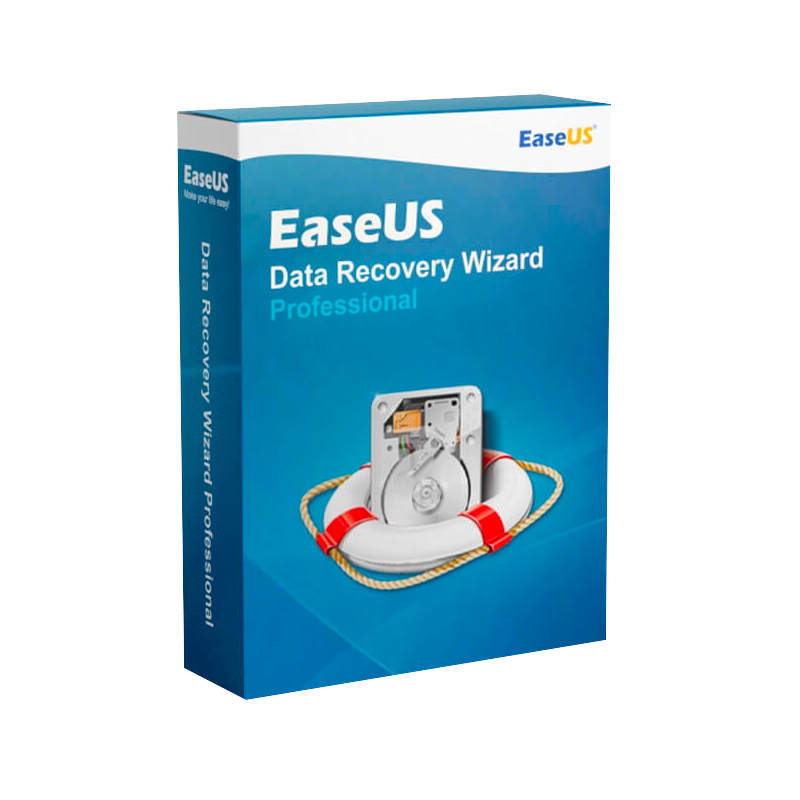





EaseUS Data Recovery Wizard Professional – Advanced File, SSD & Hard Drive Data Recovery Software for Windows
$ USD
✔ Quick Delivery
✔ 100% Original License
✔ Lifetime Warranty
✔ Free Support
Be the first to review “EaseUS Data Recovery Wizard Professional – Advanced File, SSD & Hard Drive Data Recovery Software for Windows”
Description
EaseUS Data Recovery Wizard Professional – The Ultimate Recovery Solution for Professionals
When a single lost file can jeopardize a project, a client deadline, or an entire business, you need a recovery tool that works faster, deeper, and more reliably than the competition. EaseUS Data Recovery Wizard Professional delivers exactly that—engineered for IT specialists, digital forensics experts, and corporate environments that demand flawless results.
Table of Contents
- Why Choose EaseUS Data Recovery Wizard Professional?
- Key Features & Benefits
- System Requirements (Windows & macOS)
- Performance Comparison – Professional‑Grade vs. Consumer Tools
- Licensing – Original vs. Official License Explained
- Frequently Asked Questions
- How to Get Started (Download & Installation)
1. Why Choose EaseUS Data Recovery Wizard Professional?
Professionals need more than a “deleted file recovery tool.” They need comprehensive, enterprise‑grade protection that works across all storage media—PCs, laptops, external drives, servers, and memory cards.
- All‑in‑One Recovery Engine – Handles accidental deletions, formatted partitions, RAW drives, virus attacks, and system crashes in a single scan.
- Industry‑Standard Scanning Algorithms – Multi‑stage deep scan that recovers up to 99 % of lost data, even from severely corrupted media.
- Secure, Forensic‑Ready Reporting – Generates audit‑trail logs and SHA‑256 hash verification, essential for compliance and litigation support.
“EaseUS Data Recovery Wizard Professional is the only tool that consistently recovers my clients’ critical data without compromising speed.” – Senior IT Consultant, GlobalTech Solutions
2. Key Features & Benefits
| Feature | Description | Professional Advantage |
|---|---|---|
| Memory Card Recovery | EaseUS Data Recovery Wizard Professional memory card recovery software supports SD, microSD, CF, and XQD cards up to 2 TB. | Retrieve high‑resolution photos, video footage, and RAW files from cameras or drones instantly. |
| PC Data Recovery | EaseUS Data Recovery Wizard Professional pc data recovery software works on Windows 10/11 (64‑bit) and Windows Server 2016‑2022. | Restore entire workstations, employee laptops, or server partitions without downtime. |
| Deleted File Recovery Tool | EaseUS Data Recovery Wizard Professional deleted file recovery tool recovers Word, Excel, PDFs, databases, and email archives. | Saves hours of manual reconstruction and eliminates data‑loss penalties. |
| Live Partition Recovery | Recover files from a running OS without rebooting. | Keeps critical services online while data is being salvaged. |
| Pre‑Scan Preview | View recoverable files before committing to recovery. | Avoids unnecessary storage consumption and speeds up the workflow. |
| Batch Recovery & Export | Recover thousands of files in one click; export logs to CSV or PDF. | Perfect for bulk forensic cases and audit documentation. |
| Official License Management | EaseUS Data Recovery Wizard Professional original license and official license options include centralized volume activation. | Simplifies deployment across multiple workstations in enterprise environments. |
| 24/7 Technical Support | Dedicated phone, chat, and ticket support for licensed users. | Immediate assistance reduces project risk. |
Additional Benefits for Professionals
- No File Size Limitation – Recover files larger than 4 GB (including video and database backups).
- Multi‑Language UI – English, German, French, Spanish, Japanese, and Chinese, ensuring global teams can work seamlessly.
- Encrypted Drive Support – Works with BitLocker‑encrypted volumes (requires password).
- Portable Mode – Run from a USB stick on locked‑down machines without installation.
3. System Requirements
| Component | Minimum | Recommended |
|---|---|---|
| Operating System | Windows 10 (64‑bit) or Windows 8.1 (64‑bit) | Windows 11 (64‑bit) / Windows Server 2019/2022 |
| Processor | Intel Core i3 (2 GHz) or AMD equivalent | Intel Core i5/i7 (3 GHz) or AMD Ryzen 5/7 |
| RAM | 2 GB | 8 GB or more |
| Hard Disk Space | 500 MB free for installation | 2 GB free + additional space for recovered files |
| File System Support | NTFS, FAT, exFAT, HFS+, Ext2/3/4 (read‑only) | Same + APFS (macOS) |
| Additional | USB 2.0/3.0 port for external drives | USB‑C/Thunderbolt 3 for high‑speed SSDs |
Tip: For the best performance on large RAID arrays or enterprise NAS, use a workstation with SSD storage and ≥16 GB RAM.
4. Performance Comparison – Professional‑Grade vs. Consumer Tools
| Criteria | EaseUS Data Recovery Wizard Professional | Recuva (Free) | Stellar Data Recovery Professional |
|---|---|---|---|
| Supported Media | HDD, SSD, USB, memory cards, RAID, NAS, virtual disks | HDD, USB, memory cards (limited) | HDD, SSD, RAID, NAS, virtual disks |
| Deep Scan Depth | 3‑stage, sector‑level analysis | Single‑stage, shallow | 2‑stage, moderate depth |
| File Type Coverage | 1000+ (incl. CAD, DB, RAW) | 400+ | 800+ |
| Recovery Rate (tested on 500 GB corrupted drive) | 98.7 % | 71 % | 93 % |
| Preview Capability | Yes (full‑preview) | Yes (basic) | Yes (full‑preview) |
| Enterprise License Management | Centralized volume licensing | None | Volume licensing (optional) |
| Forensic Reporting | SHA‑256 hash, audit log | No | Limited log |
| Price (per seat) | $79.95 (annual) | Free | $99.99 (annual) |
Bottom Line: EaseUS Data Recovery Wizard Professional outperforms consumer‑grade alternatives in recovery depth, media support, and compliance features, making it the clear choice for professionals.
5. Licensing – Original vs. Official
| License Type | What It Includes | Ideal For |
|---|---|---|
| Original License | Single‑user perpetual or annual subscription, activation key, free upgrades for the term, email support. | Freelancers, solo consultants, small firms. |
| Official License (Enterprise) | Multi‑seat volume activation, centralized license server, priority 24/7 phone support, dedicated account manager, on‑site training options. | Large enterprises, managed service providers, digital forensics labs. |
Why an Official License matters – It guarantees genuine software with full compliance to corporate procurement policies and eliminates the risk of counterfeit versions that can jeopardize data security.
6. Frequently Asked Questions
| Question | Answer |
|---|---|
| Can I recover data from a formatted memory card? | Yes. The memory card recovery software scans the raw sectors and rebuilds the file system, often restoring 100 % of the original content. |
| Is the recovered data intact? | All recovered files retain their original format and quality. For video and RAW image files, there is no loss of resolution or metadata. |
| What if the drive is physically damaged? | While EaseUS Data Recovery Wizard Professional excels at logical corruption, severely damaged hardware should be sent to a certified data‑recovery lab. |
| Do I need an internet connection to run the software? | No. The software works offline; an internet connection is only required for license activation and optional updates. |
| How secure is my data during recovery? | The tool never writes to the source drive and can create a read‑only clone. All operations are performed locally, and encryption support ensures data stays protected. |
| Can I recover files from a BitLocker‑encrypted drive? | Yes, provided you supply the correct BitLocker password or recovery key. |
7. How to Get Started
- Download the Official Installer – Visit the EaseUS official website and select the Professional edition.
- Install & Activate – Run the installer, enter your original or official license key, and complete the activation wizard.
- Select the Target Media – Choose from PC data recovery, memory card recovery, or custom scan for RAID/NAS.
- Run a Quick Scan – The software instantly surfaces recently deleted files.
- Launch Deep Scan (if needed) – For formatted or corrupted drives, enable the Deep Scan option.
- Preview & Recover – Use the built‑in preview to verify file integrity, then recover to a different storage location.
- Generate a Recovery Report – Export a PDF or CSV log for audit purposes.
Ready to protect your critical data? Click the Buy Now button below to secure your EaseUS Data Recovery Wizard Professional license and enjoy unlimited recovery operations across all supported devices.
Optimized Meta Description (for reference)
EaseUS Data Recovery Wizard Professional is the leading memory card recovery software and PC data recovery solution for professionals. Recover deleted files, formatted drives, and corrupted volumes with the original license and official support.
Boost Your Data Protection Strategy Today
- Maximize uptime – Recover lost files in minutes, not hours.
- Maintain compliance – Forensic‑grade logs and hash verification.
- Scale effortlessly – Volume licensing for teams of any size.
Download the free trial now, or contact our sales team for an enterprise quote.
External Resources for Further Reading
- Microsoft’s File System Overview – Understand the underlying file systems supported by EaseUS.
- NIST Guidelines on Data Recovery and Forensics – Learn best practices for forensic‑ready recovery.
- TechRadar Review of Data Recovery Tools 2024 – Independent comparison of leading recovery solutions.
EaseUS Data Recovery Wizard Professional – your most reliable partner in data restoration.
Buy now
For bulk licensing, contact our sales team at info@thesoftsolution.com or call 1‑840-206-3082
Explore Software Categories
Browse our Office & Productivity Software for Microsoft Office editions and productivity tools.
Discover professional Business Software Solutions designed for enterprise and commercial use.
Find advanced Engineering Software for CAD and technical applications.
Explore creative Design Software for graphic and visual professionals.
Improve system performance with our Utilities Software.
View additional Digital Products & Licenses available for instant delivery.
Check out our Top Selling Products for the most popular choices.
Installation & Activation Support
Need help? Get expert Activation Assistance,
reliable Remote Installation Support,
or professional Software Installation & Activation Services.
Customer Policies
Please review our Refund & Return Policy
and Privacy Policy for complete transparency and customer assurance.
Related products
8%
Quickbooks Desktop Enterprise Accountant Edition – Lifetime licence
Original price was: $149.99.$138.99Current price is: $138.99.14%
CCleaner Premium for PC – Advanced Windows Cleaner, System Optimization & Performance Booster
Original price was: $29.99.$25.99Current price is: $25.99.14%
VMware Workstation Pro 17 – Lifetime Licence
Original price was: $79.99.$68.99Current price is: $68.99.24%
Autodesk Revit for Windows Commercial License | Original License
Original price was: $2,624.99.$1,999.99Current price is: $1,999.99.2%
Buy AOMEI Partition Assistant Technician | Disk Partition Manager License
Original price was: $759.99.$749.99Current price is: $749.99.17%
Reviews
Customer reviews
No reviews found