
No products in the cart.
3%
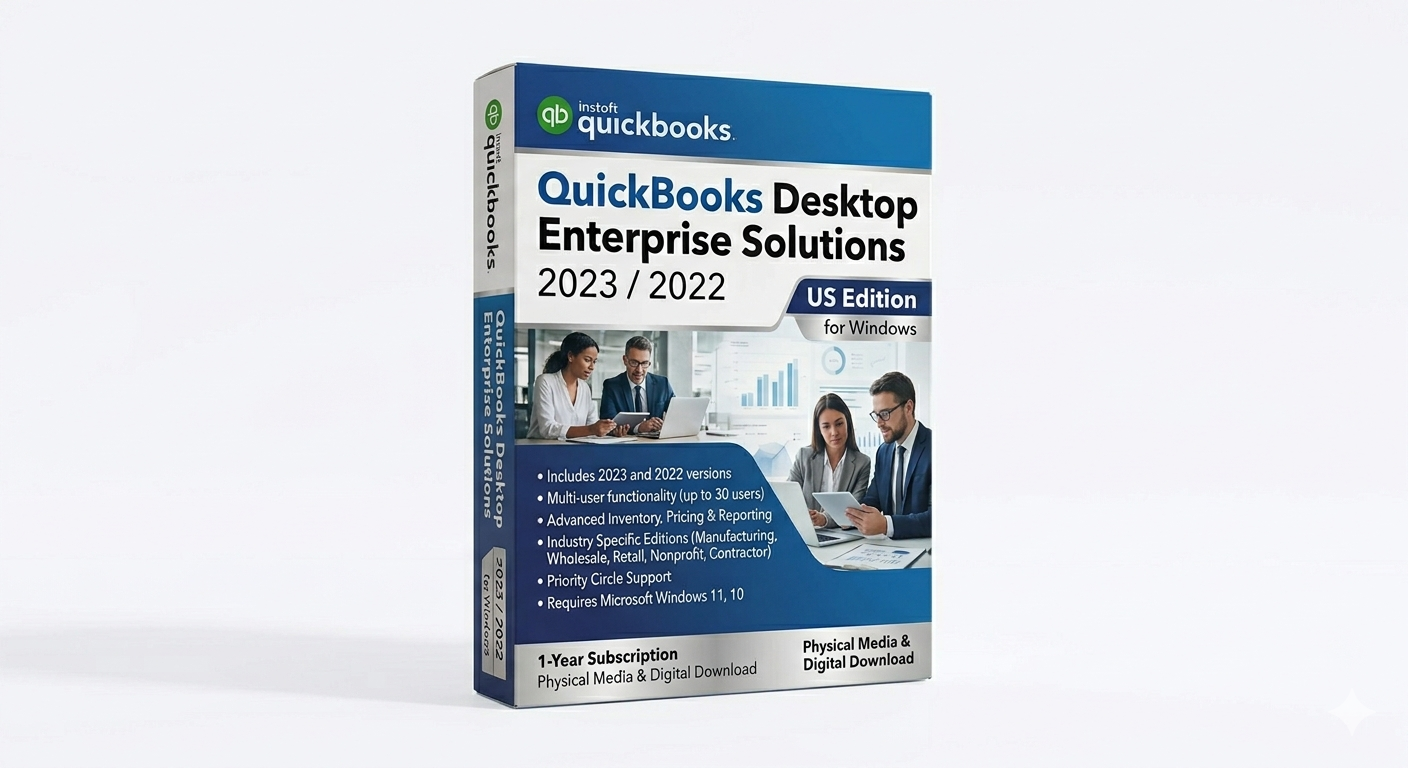
QuickBooks Desktop Enterprise Solutions 2023/2022 US for Windows
$ USD
But 1 Get 1 Free
✔ Quick Delivery
✔ 100% Original License
✔ Lifetime Warranty
✔ Free Support
Only logged in customers who have purchased this product may leave a review.
Description
QuickBooks Desktop Enterprise Solutions 2023/2022 US for Windows is a high-end desktop accounting and business management platform developed for medium to large organizations that require advanced financial control, inventory tracking, reporting depth, and multi-user scalability. It is part of the QuickBooks Desktop Enterprise line, which is the most powerful desktop version of QuickBooks designed for complex business environments.
QuickBooks Enterprise is widely used in industries such as retail, manufacturing, wholesale distribution, construction, and professional services where standard accounting tools are not sufficient for operational scale and data complexity.
Core Purpose and Positioning
This version (2023/2022 US) is designed for businesses that need:
- Advanced accounting and financial reporting
- Large-scale inventory and order management
- Multi-user collaboration in a controlled environment
- High-performance desktop-based accounting (offline capable)
- Industry-specific workflows and customization
According to Intuit’s official system documentation, Enterprise editions are built for Windows 10/11 64-bit systems and server environments, and require native Windows installation (not emulation or unsupported virtual environments).
Key Accounting Features
QuickBooks Desktop Enterprise includes a full enterprise-grade accounting suite:
- General ledger management
- Accounts payable and receivable
- Bank reconciliation tools
- Budgeting and forecasting
- Fixed asset tracking
- Audit trail and transaction logging
- Financial statement generation (P&L, Balance Sheet, Cash Flow)
These features allow finance teams to maintain complete control over complex financial structures.
Advanced Inventory & Business Management
One of the strongest capabilities of Enterprise is its inventory system, which supports:
- Multi-location inventory tracking
- Barcode scanning
- FIFO costing methods
- Automated reorder points
- Serial and lot number tracking
- Sales order and purchase order workflows
This makes it suitable for businesses with warehouses, distributed stock, or manufacturing pipelines.
Reporting & Analytics
Enterprise provides industry-level reporting tools, including:
- Custom financial reports
- Profitability analysis by customer, job, or region
- Inventory valuation reports
- Sales performance dashboards
- Budget vs actual comparisons
These reporting tools are designed for decision-making at management level rather than basic bookkeeping.
Multi-User & Collaboration Features
QuickBooks Enterprise supports multi-user environments where teams can work simultaneously on the same company file with role-based permissions.
Typical use cases include:
- Accounting departments
- Finance teams in enterprises
- External accountants managing client books
- Multi-location businesses with centralized accounting
Access control ensures users only see and modify relevant financial data.
Performance and Scalability
Enterprise is optimized for large datasets and high transaction volumes. It supports:
- Large company files with thousands of customers/vendors
- High transaction throughput
- Scalable user licensing models
- Server-based hosting for multi-user access
For best performance, Intuit recommends SSD storage, sufficient RAM (8GB+ minimum), and modern 64-bit Windows systems.
System Compatibility Requirements
Based on official QuickBooks Desktop 2023/Enterprise requirements:
- Windows 10 or Windows 11 (64-bit, native installation)
- Windows Server 2016 / 2019 / 2022 supported for hosting
- Minimum 2.4 GHz processor
- 8GB RAM (higher recommended for multi-user setups)
- Stable internet connection for activation and services
Linux systems, Windows S Mode, and unsupported virtual/emulated environments are not supported.
Security & Data Protection
Enterprise includes multiple security layers:
- User-level permissions and role restrictions
- Audit trails for all transactions
- Secure data file structure
- Backup and restore tools
- Activity logging for compliance tracking
This is particularly important for regulated industries and audit-sensitive environments.
Licensing Context (Important Reality Check)
Although many marketplace listings describe “lifetime keys,” QuickBooks Desktop Enterprise in modern versions is generally:
- Subscription-based or time-limited depending on edition
- Activated through Intuit licensing systems
- Dependent on continued updates and service support
Older perpetual-style licensing models have largely been phased out in favor of subscription-based Enterprise plans.
Lifecycle Considerations
QuickBooks Desktop versions typically follow a support lifecycle where:
- Older versions eventually lose updates and connected services
- Software may still run locally but without support or integrations
- Businesses are encouraged to upgrade for compliance and security
Recent industry discussions indicate that desktop products continue to exist but are increasingly tied to subscription and support cycles rather than permanent standalone licensing models.
Conclusion
QuickBooks Desktop Enterprise Solutions 2023/2022 US for Windows is a powerful enterprise accounting platform designed for large-scale financial operations. It provides advanced accounting, inventory management, reporting, and multi-user capabilities that make it suitable for complex business environments. However, its effectiveness depends heavily on proper licensing, system compatibility, and staying within supported software lifecycle versions.
Related products
18%
IDM Internet Download Manager Bind Key 1 PC Lifetime
Original price was: $35.00.$29.00Current price is: $29.00.26%
Stata 19.0 MP/SE/BE Single-user 4-core Perpetual Key for Mac
Original price was: $119.99.$89.99Current price is: $89.99.15%
QuickBooks Desktop Enterprise Accountant Edition 2024 US for Windows
Original price was: $349.99.$299.99Current price is: $299.99.17%
Stata 19.5 MP/SE/BE Single-user 64-core Perpetual Key for Windows
Original price was: $299.99.$249.99Current price is: $249.99.8%

Logic Pro X Bind Redeem Key Lifetime + MainStage
Original price was: $199.99.$185.49Current price is: $185.49.34%
Reviews
Customer reviews
No reviews found