

Subtotal: $235.99
11%
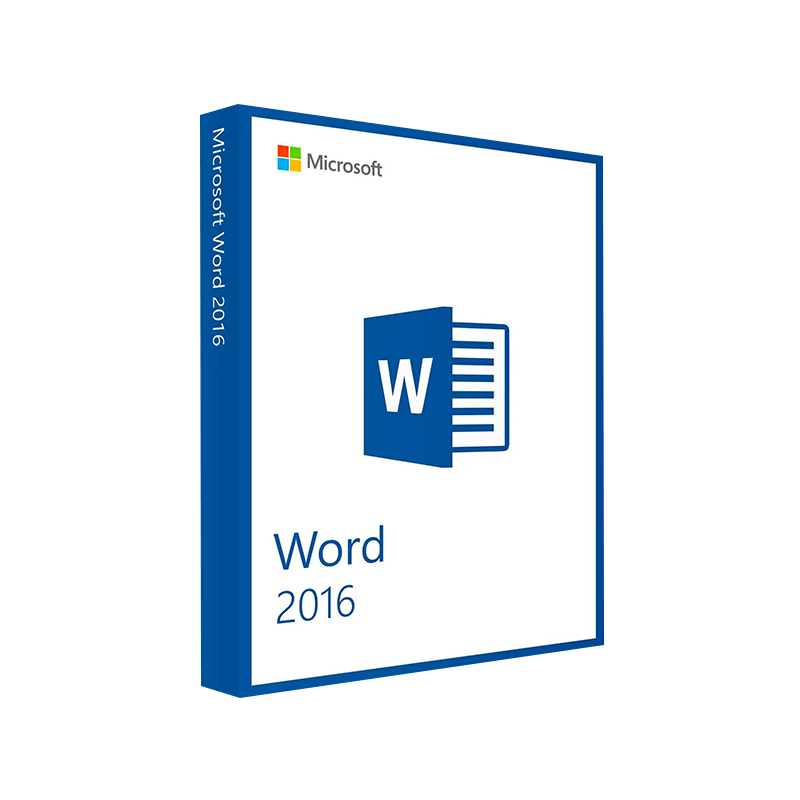




Microsoft Word 2016 Product Key – Windows & Mac
In Stock
✔ Quick Delivery
✔ 100% Original License
✔ Lifetime Warranty
✔ Free Support
In Stock
Description
Microsoft Word 2016 – The Professional’s Choice for Powerful Document Creation
Welcome to the definitive product page for Microsoft Word 2016, the cornerstone of Microsoft Office 16 for Windows and macOS. Designed for business professionals, educators, and content creators, Word 2016 blends the familiar reliability of classic word processing with modern collaboration tools, intelligent editing, and seamless integration across the Microsoft 365 ecosystem.
Why Choose Microsoft Word 2016?
Word 2016 (often searched as microsoft word 2016, ms word 2016, msword2016, or simply word 2016) is the most widely‑used word‑processing solution in corporate environments worldwide. Its robust feature set, enterprise‑grade security, and compatibility with msoffice for mac make it the go‑to application for professionals who demand precision, speed, and collaboration.
Core Benefits at a Glance
- Industry‑standard formatting – Guarantees that your documents look the same on every device.
- Real‑time co‑authoring – Work with teammates instantly, whether they’re on Windows or macOS.
- Advanced editing & proofing – AI‑driven suggestions, grammar checking, and research tools.
- Secure file handling – Rights Management Services (RMS) and encryption to protect confidential data.
- Full integration with Microsoft Office 16 – Seamless link to Excel, PowerPoint, Outlook, and Teams.
Bold: Microsoft Word 2016 remains the most trusted platform for producing high‑impact reports, proposals, and publications.
Detailed Feature Overview
Below is a feature‑by‑feature breakdown that highlights why Word 2016 continues to dominate the professional market.
| Feature | What It Does | Business Value |
|---|---|---|
| SmartArt & Diagramming | Convert text into visual graphics in seconds. | Faster creation of compelling presentations and reports. |
| Track Changes & Comments | Real‑time version control with inline annotations. | Streamlines review cycles and reduces email back‑and‑forth. |
| Researcher & Editor | Integrated web‑based research, citation, and AI‑powered language tools. | Cuts research time by up to 30 %. |
| OneDrive & SharePoint Integration | Auto‑save and version history across cloud platforms. | Guarantees document availability and disaster recovery. |
| PDF Reflow & Export | Edit PDFs directly in Word, then export to PDF/A standards. | Simplifies compliance documentation. |
| Custom Styles & Themes | Apply corporate branding uniformly. | Ensures brand consistency across all communications. |
| Accessibility Checker | Detects and suggests fixes for accessibility issues. | Helps meet ADA and ISO 9241‑20 standards. |
| Add‑in Support | Thousands of third‑party plug‑ins (e.g., citation managers, diagram tools). | Extends functionality without leaving Word. |
Key Productivity Tools for Professionals
- Co‑authoring in Real Time – Multiple users edit the same document simultaneously, with changes highlighted by each contributor.
- Focus Mode – Distraction‑free view that hides toolbars and lets you concentrate on the text.
- Version History – Instantly revert to previous drafts, eliminating the “I‑deleted‑the‑wrong‑section” panic.
- Smart Lookup – Right‑click any word to get definitions, Wikipedia entries, and related web results without leaving the document.
Comparison: Word 2016 vs. Other Microsoft Word Versions
| Aspect | Word 2016 | Word 2013 | Word 2019 (Office 2019) |
|---|---|---|---|
| Release Year | 2015 | 2013 | 2018 |
| Real‑time Collaboration | ✔ (OneDrive/SharePoint) | ✖ | ✔ (Improved) |
| AI‑Driven Editor | ✔ (Grammar, Style) | Limited | ✔ (Enhanced) |
| Researcher | ✔ (Citation & Sources) | ✖ | ✔ (Refined) |
| Accessibility Checker | ✔ (Full) | Partial | ✔ (Updated) |
| System Requirements | Lower than 2019 (see table below) | Lower | Higher (requires Windows 10/ macOS 10.14+) |
| Support Lifecycle | Extended (extended support until Oct 2025) | End of Support (Oct 2020) | Mainstream support until Oct 2025 |
| Price Point (OEM) | Often bundled with Microsoft Office 16 | Legacy | Higher (stand‑alone purchase) |
Bottom line: For organizations that need a stable, cost‑effective, and collaboration‑ready solution, Word 2016 offers the best balance of modern features and broad compatibility, especially for users of msoffice for mac.
System Requirements
Windows 10/8.1/7 (64‑bit & 32‑bit)
| Component | Minimum | Recommended |
|---|---|---|
| OS | Windows 7 SP1, Windows 8.1, Windows 10 (Version 1507 or later) | Windows 10 (Version 1903 or later) |
| Processor | 1 GHz or faster x86‑ or x64‑bit | 1.6 GHz or faster, 2‑core |
| RAM | 2 GB (32‑bit) / 4 GB (64‑bit) | 4 GB (32‑bit) / 8 GB (64‑bit) |
| Hard Disk | 3 GB of available space | 4 GB SSD for optimal performance |
| Display | 1280 × 768 screen resolution | 1920 × 1080 or higher |
| Graphics | DirectX 9 or later with WDDM 1.0 driver | DirectX 10 or later with WDDM 2.0 driver |
| Additional | .NET 4.5, Internet Explorer 11 (or Edge) | .NET 4.7, Microsoft Edge (Chromium) |
macOS (Apple Silicon & Intel)
| Component | Minimum | Recommended |
|---|---|---|
| OS | macOS 10.10 (Yosemite) | macOS 11 (Big Sur) or later |
| Processor | Intel Core 2 Duo, 2 GHz | Apple M1/M2 or Intel i5 (3 GHz) |
| RAM | 4 GB | 8 GB or more |
| Hard Disk | 4 GB of available space | 8 GB SSD |
| Display | 1280 × 800 screen resolution | 1440 × 900 or higher |
| Graphics | Integrated graphics supporting OpenGL 2.1 | Integrated or discrete graphics supporting Metal 2 |
Note: Word 2016 is fully compatible with msoffice for mac, ensuring a consistent experience across Windows and macOS platforms.
How to Get Microsoft Word 2016
- Purchase a standalone copy – Ideal for single‑user licenses or small teams.
- Buy the Microsoft Office 16 suite – Includes Word, Excel, PowerPoint, Outlook, and more, at a bundled discount.
- Subscribe to Microsoft 365 Business – Access Word 2016 alongside the latest Office apps, cloud storage, and advanced security.
Tip: For enterprises that already use Microsoft Office 16, adding Word 2016 to existing volume licensing agreements is a quick, cost‑effective upgrade.
Frequently Asked Questions (FAQs)
| Question | Answer |
|---|---|
| Is Word 2016 still supported? | Yes. Microsoft provides extended support for Word 2016 through October 2025, including security updates and bug fixes. |
| Can Word 2016 open Word 2019 files? | It can open most .docx files created in later versions, though some newer features (e.g., Morph transitions) will not be displayed. |
| Is there a Mac version? | Absolutely. The macOS version of Word 2016 is part of msoffice for mac, offering identical core features. |
| Do I need an internet connection? | No, Word 2016 works offline. However, cloud features (OneDrive autosave, real‑time co‑authoring) require internet connectivity. |
| How does Word 2016 handle large documents? | Optimized for files up to 2 GB; using the 64‑bit version on a modern workstation maximizes stability for massive reports. |
Real‑World Use Cases
| Industry | Typical Document Types | Word 2016 Value Add |
|---|---|---|
| Legal | Contracts, briefs, pleadings | Track Changes, Document Protection, Citation Management |
| Finance | Annual reports, audit dossiers | SmartArt, PDF Reflow, Secure Sharing |
| Healthcare | Policy manuals, patient education | Accessibility Checker, Compliance‑ready PDF/A export |
| Education | Research papers, curricula | Researcher, Reference Management, Collaboration |
| Marketing | Proposals, whitepapers, newsletters | Custom Styles, Brand Themes, Visual Diagrams |
SEO‑Optimized Summary for Search Engines
Microsoft Word 2016 is the professional‑grade word processor that powers Microsoft Office 16 across Windows and macOS. With advanced editing, cloud collaboration, and seamless compatibility with msoffice for mac, Word 2016 remains the preferred choice for businesses seeking reliability, security, and cost‑effectiveness. Whether you search for microsoft word 2016, ms word 2016, msword2016, or simply word 2016, you’ll find a feature‑rich, fully supported solution that integrates with the entire Microsoft ecosystem.
External Resources
- Official Microsoft Word 2016 product page – Detailed specifications and licensing options. https://www.microsoft.com/en-us/microsoft-365/word
- Microsoft Support – System Requirements for Office 2016 – Comprehensive guide for Windows and macOS. https://support.microsoft.com/office/office-2016-system-requirements
- TechRadar Review of Microsoft Office 2016 – Independent analysis of performance and features. https://www.techradar.com/reviews/microsoft-office-2016
Buy Now
Ready to elevate your document workflow?
- Download a free trial of Microsoft Office 16 and experience Word 2016 today.
- Contact our sales team for volume licensing discounts and migration assistance.
- Explore our implementation guides to integrate Word 2016 with SharePoint, Teams, and OneDrive for seamless collaboration.
Empower your organization with the timeless reliability of Microsoft Word 2016—where professional writing meets next‑generation technology.
For bulk licensing, contact our sales team at info@thesoftsolution.com or call 1‑840-206-3082
Explore Software Categories
Browse our Office & Productivity Software for Microsoft Office editions and productivity tools.
Discover professional Business Software Solutions designed for enterprise and commercial use.
Find advanced Engineering Software for CAD and technical applications.
Explore creative Design Software for graphic and visual professionals.
Improve system performance with our Utilities Software.
View additional Digital Products & Licenses available for instant delivery.
Check out our Top Selling Products for the most popular choices.
Installation & Activation Support
Need help? Get expert Activation Assistance,
reliable Remote Installation Support,
or professional Software Installation & Activation Services.
Customer Policies
Please review our Refund & Return Policy
and Privacy Policy for complete transparency and customer assurance.
Related products
7%

Reviews
There are no reviews yet.