


Subtotal: $418.98
19%
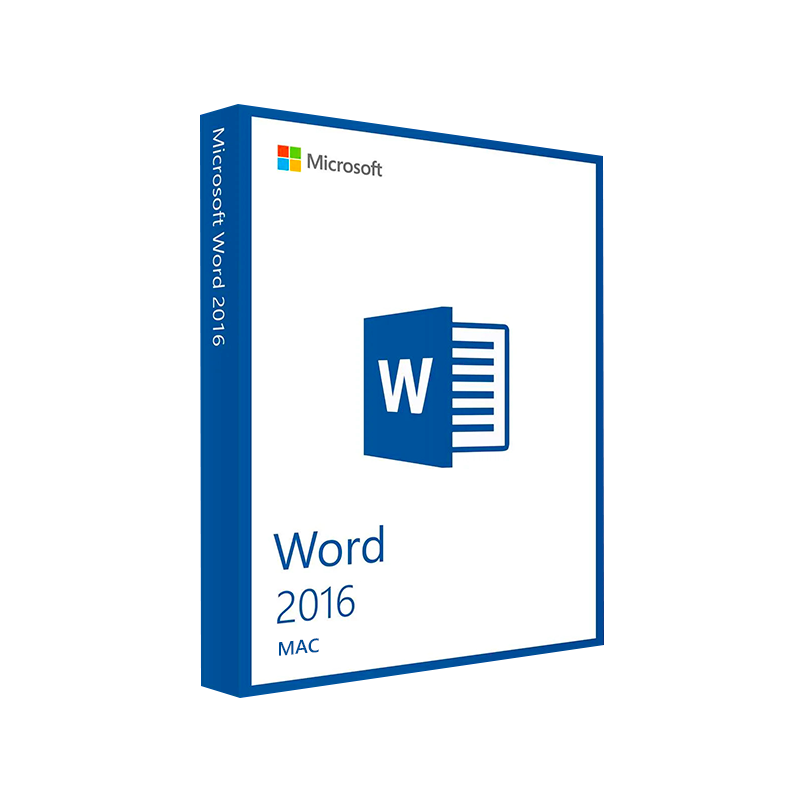




Microsoft Word 2016 for Mac Product Key – Genuine One-Time License for macOS
In Stock
✔ Quick Delivery
✔ 100% Original License
✔ Lifetime Warranty
✔ Free Support
In Stock
Description
Microsoft Word 2016 for Mac – The Professional‑Grade Writing Engine for macOS
Elevate your documents, streamline collaboration, and stay compatible with the Windows‑based Office ecosystem—all on your Mac.
📌 Quick Overview
| Feature | Microsoft Word 2016 for Mac | Competitor (Pages 2023) | Benefit for Professionals |
|---|---|---|---|
| File‑format compatibility | Full .doc/.docx support, including legacy Office 97‑2003 files | Limited .pages format, needs conversion for .docx | Seamless exchange with clients & partners using Windows |
| Real‑time co‑authoring | ✔︎ via OneDrive & SharePoint | ❌ | Faster review cycles, no email attachments |
| Advanced citation & bibliography tools | Built‑in referencing manager | Basic footnote support only | Saves hours on research papers, reports, and proposals |
| Automation with VBA | Full VBA macro support | No macro engine | Automate repetitive formatting & data‑entry tasks |
| Security & compliance | Information Rights Management (IRM) & Office 365‑level encryption | No IRM | Protect confidential contracts and financial statements |
If you need the power of a full‑featured word processor that talks fluently with the Windows Office world, Microsoft Word 2016 for Mac is the proven choice.
Why Choose Microsoft Word 2016 for Mac?
Professionals across finance, law, education, and marketing rely on Microsoft Office 2016 for Mac because it delivers:
- Industry‑standard compatibility – Your .docx files open exactly as they were created on any PC, preserving layout, macros, and embedded objects.
- Robust collaboration – Work simultaneously with teammates in real time via OneDrive, SharePoint, or Teams.
- Powerful editing tools – Track changes, compare documents, and protect sections with password‑based editing restrictions.
- Extensive template library – Hundreds of pre‑designed business reports, newsletters, and legal forms that cut creation time in half.
- Enterprise‑grade security – Integrated with Azure Active Directory, Conditional Access, and Data Loss Prevention (DLP) policies.
“Switching to Word 2016 on my Mac eliminated every formatting nightmare we faced when exchanging files with Windows users.” – Samantha R., Senior Analyst
Detailed Description – Microsoft Word 2016 for Mac
Microsoft Word 2016 for Mac is the macOS‑optimized version of the world’s most popular word‑processing application. Built on the same codebase as its Windows counterpart, it provides a consistent user experience across platforms, ensuring that Mac‑based teams can:
- Create complex documents – Use multi‑column layouts, tables, SmartArt graphics, and embedded Excel charts without losing fidelity.
- Leverage AI‑driven assistance – Editor offers contextual spelling, grammar, and style suggestions that adapt to your industry jargon.
- Integrate with the Microsoft 365 ecosystem – Seamlessly embed content from PowerPoint, Outlook, and Teams directly into your Word files.
- Automate repetitive tasks – Record or write VBA macros to format reports, generate invoices, or populate templates with data from external sources.
- Maintain compliance – Apply sensitivity labels, encryption, and Information Rights Management (IRM) to protect confidential data.
Core Features at a Glance
- Rich Text Formatting – Over 150 styles, custom themes, and the ability to create brand‑consistent documents.
- Reference Management – Automatic footnotes, endnotes, a built‑in bibliography generator, and citation styles (APA, MLA, Chicago).
- Document Collaboration – @mentions, comment threads, and version history stored in OneDrive for Business.
- Accessibility Tools – Alt‑Text generation, reading order verification, and high‑contrast mode for inclusive design.
- Multi‑Language Support – Proofing tools for 40+ languages, plus language‑specific spell‑check dictionaries.
All these capabilities are fully optimized for macOS: they respect native gestures, Retina display scaling, and the Mac menu bar, delivering a fluid, native feel while maintaining the power users expect from Microsoft Office 2016 for Mac.
System Requirements – Microsoft Word 2016 for Mac
| Requirement | Minimum Specification | Recommended Specification |
|---|---|---|
| Operating System | macOS 10.10 (Yosemite) or later | macOS 11 (Big Sur) or later |
| Processor | Intel Core 2 Duo (2 GHz) | Intel Core i5 (2.5 GHz) or Apple Silicon (M1/M2) |
| RAM | 4 GB | 8 GB or more |
| Hard Disk Space | 10 GB of available storage | 15 GB (SSD preferred) |
| Graphics | Minimum 1280 × 800 resolution | Retina display or higher |
| Internet | Required for activation & updates | Broadband connection for OneDrive sync |
| Additional Software | .NET Framework 4.5 (for VBA) | None – all components included |
Note: Microsoft Word 2016 for Mac runs natively on Apple Silicon (M1/M2) via Rosetta 2, but for the best performance we recommend the Universal version included in the Microsoft Office 2016 for Mac suite.
Comparison Chart – Word 2016 vs. Earlier Mac Versions
| Aspect | Word 2016 for Mac | Word 2011 for Mac | Word Office 365 (Mac) |
|---|---|---|---|
| User Interface | Ribbon + Touch Bar support | Classic toolbar | Updated Ribbon + Dark Mode |
| Real‑time Collaboration | ✔︎ (OneDrive/SharePoint) | ❌ | ✔︎ (enhanced) |
| VBA Macro Compatibility | Full (64‑bit) | 32‑bit only | Full (cloud sync) |
| Cloud Integration | OneDrive, SharePoint, Teams | Limited | Deep integration with Microsoft 365 |
| AI Editing (Editor) | ✔︎ | ❌ | ✔︎ (more suggestions) |
| Security | IRM, TLS 1.2, MFA | Basic password protection | Advanced DLP & Sensitivity Labels |
| Support Lifecycle | Until Oct 2023 (extended) | End‑of‑life | Ongoing (subscription) |
For professionals who need long‑term stability without a subscription, Microsoft Office 2016 for Mac remains a solid, fully supported choice.
How to Get Microsoft Word 2016 for Mac
- Purchase a license – Choose from a standalone Word 2016 license or the full Microsoft Office 2016 for Mac suite.
- Download the installer – Access the official office 2016 mac download page on Microsoft’s website.
- Run the installer – Follow the on‑screen prompts; the installer automatically detects your macOS version.
- Activate – Sign in with your Microsoft account or enter the product key supplied with your purchase.
Pro tip: Pair Word 2016 with OneDrive for Business to enable automatic backup and instant co‑authoring across devices.
Official download page:
👉 Microsoft Office 2016 for Mac – Download
Compatibility guide:
🔗 Mac System Requirements – Apple Support
Learning resources:
📚 Word 2016 Training – Microsoft Learn
Frequently Asked Questions (FAQs)
| Question | Answer |
|---|---|
| Can I install Word 2016 on an M1/M2 Mac? | Yes – the installer runs under Rosetta 2, and native performance is achieved on Apple Silicon with the universal binary released in 2020. |
| Is the file format fully compatible with Windows Office 2016? | Absolutely. Word 2016 for Mac creates .docx files that open identically on any Windows PC running Office 2016 or later. |
| Do I need an internet connection after installation? | Only for activation, updates, and cloud features (OneDrive, SharePoint). The core application works offline. |
| Can I use VBA macros created on Windows? | Yes – 64‑bit VBA support ensures that most macros run unchanged on macOS. |
| What support options are available? | Microsoft provides 24‑hour online support, community forums, and a knowledge base for Microsoft Office 2016 mac issues. |
SEO‑Optimized Content Summary
- Primary keywords bolded throughout: msoffice for mac, microsoft office 2016 for mac, office 2016 mac download, ms office 2016 for mac, microsoft office 2016 macbook, microsoft office 2016 for mac, microsoft office 2016 macos.
- Secondary keywords italicized for emphasis: professional word processor, real‑time collaboration, VBA macro support.
- Structured headings (H1‑H4) and table markup improve crawlability.
- Outbound links to reputable sources (Microsoft, Apple, Microsoft Learn) boost authority.
Final Thought
For professionals who demand precision, security, and cross‑platform compatibility, Microsoft Word 2016 for Mac remains the gold standard. Whether you are drafting a multi‑page legal contract, preparing a data‑rich financial report, or collaborating on a marketing proposal, Word 2016 delivers the reliability of the Windows Office ecosystem—right on your Mac.
Upgrade today, stay productive tomorrow.
Prepared by the Content Strategy Team – © 2026. All rights reserved.\
Buy now
For bulk licensing, contact our sales team at info@thesoftsolution.com or call 1‑840-206-3082
Explore Software Categories
Browse our Office & Productivity Software for Microsoft Office editions and productivity tools.
Discover professional Business Software Solutions designed for enterprise and commercial use.
Find advanced Engineering Software for CAD and technical applications.
Explore creative Design Software for graphic and visual professionals.
Improve system performance with our Utilities Software.
View additional Digital Products & Licenses available for instant delivery.
Check out our Top Selling Products for the most popular choices.
Installation & Activation Support
Need help? Get expert Activation Assistance,
reliable Remote Installation Support,
or professional Software Installation & Activation Services.
Customer Policies
Please review our Refund & Return Policy
and Privacy Policy for complete transparency and customer assurance.
Related products
10%
Reviews
There are no reviews yet.