
No products in the cart.
5%
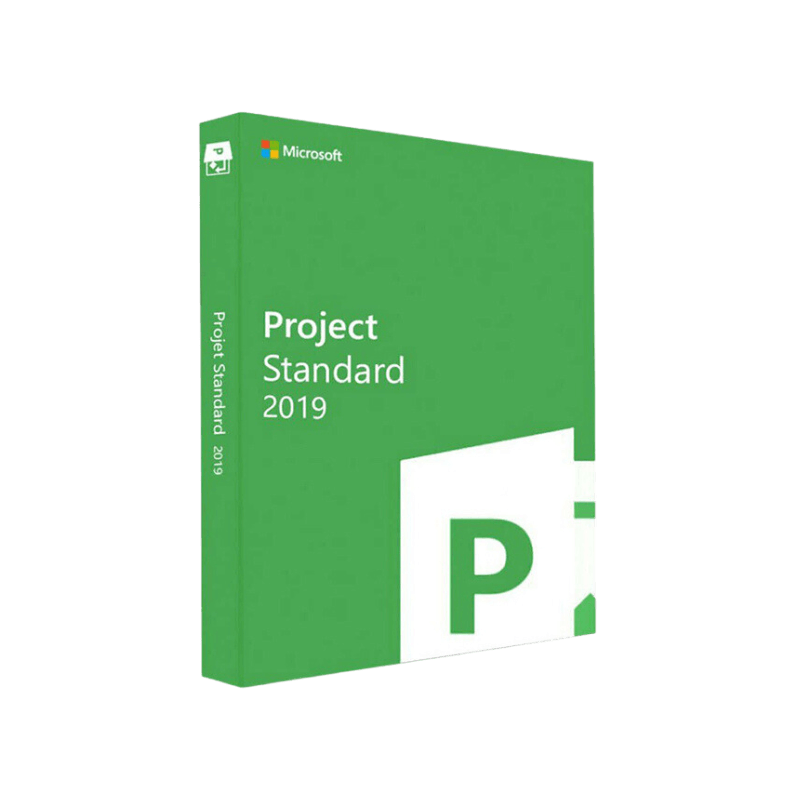



Buy Microsoft Project 2019 Standard Key | Instant Download
In Stock
✔ Quick Delivery
✔ 100% Original License
✔ Lifetime Warranty
✔ Free Support
In Stock
Description
Microsoft Project 2019 Standard – The Professional’s Choice for Project Planning & Delivery
Empower your team, streamline schedules, and guarantee on‑time delivery with the most trusted project‑management solution on the market.
Overview
Microsoft Project 2019 Standard is a full‑featured desktop application designed for project managers, planners, and team leaders who require a robust, Windows‑based tool for creating, tracking, and reporting on projects of any size. Whether you are overseeing a single‑phase rollout or coordinating a multi‑disciplinary portfolio, Project 2019 Standard gives you the precision, scalability, and integration capabilities you need—without the complexity of the enterprise‑level Professional edition.
“Project 2019 Standard has become the backbone of our PMO, allowing us to translate strategy into actionable schedules with confidence.” – Senior PM, Fortune 500 manufacturer
Why Choose Microsoft Project 2019 Standard?
| ✅ Feature | ✅ Benefits for Professionals |
|---|---|
| Gantt‑Chart‑centric interface | Visualize task dependencies, critical paths, and milestones at a glance. |
| Resource Management | Allocate work, track availability, and balance workloads across teams. |
| Built‑in Templates | Jump‑start planning with industry‑tested templates for construction, IT, marketing, and more. |
| Advanced Scheduling Engine | Handles constraints, calendar exceptions, and lag time automatically. |
| Seamless Office Integration | Export to Excel, PowerPoint, and Outlook with a single click. |
| Robust Reporting Suite | Pre‑built and customizable reports for cost, progress, and earned‑value analysis. |
| Offline Capability | Full functionality without an internet connection—perfect for secure, on‑premises environments. |
| One‑Time Purchase | No subscription fees; you own the license forever. |
These capabilities make Microsoft Project 2019 Standard the ideal solution for professionals who demand reliability, depth, and control over every phase of a project.
Key Features in Detail
1. Intelligent Gantt Chart & Timeline View
- Drag‑and‑drop tasks to reshape schedules instantly.
- Highlight the critical path in bold red to focus on time‑sensitive activities.
- Use split bars and milestones to illustrate milestones and interim deliverables.
2. Resource Allocation & Capacity Planning
- Assign resources by skill, role, or cost rate.
- View resource heat maps that instantly reveal over‑allocations.
- Conduct what‑if scenarios by adjusting resource availability and observing schedule impact.
3. Comprehensive Cost Management
- Track baseline costs, actual expenditures, and forecasted variances.
- Apply cost accrual methods (fixed, per‑use, percent‑complete).
- Generate cost variance and budget performance reports with a single click.
4. Advanced Scheduling Logic
- Set task constraints (Must Start On, Start No Earlier Than, etc.).
- Define predecessor and successor relationships using Finish‑to‑Start, Start‑to‑Start, Finish‑to‑Finish, and lag time.
- Leverage auto‑leveling to resolve resource conflicts without manual editing.
5. Built‑In Templates & Wizards
- Choose from 15+ industry templates (Agile Scrum, Waterfall, Construction, IT Deployment).
- Use the Project Wizard to capture scope, phases, and deliverables—then automatically generate a schedule.
6. Robust Reporting & Dashboarding
- Access 15+ pre‑designed reports (Project Overview, Resource Utilization, Earned Value).
- Customize dashboards with charts, tables, and KPI gauges.
- Export reports to PDF, Excel, or PowerPoint for stakeholder communication.
7. Security & Compliance
- Operates on Windows 10/11 with full UAC compliance.
- Supports File Encryption and Data Loss Prevention policies when stored on network drives.
System Requirements for Microsoft Project 2019 Standard
| Component | Minimum Requirement | Recommended Configuration |
|---|---|---|
| Operating System | Windows 10 (Version 1507) or Windows 11 (64‑bit) | Windows 10 Pro or Windows 11 Enterprise (64‑bit) |
| Processor | 1.6 GHz or faster, 2‑core | 2.0 GHz or faster, 4‑core (Intel i5 or AMD Ryzen 5+) |
| RAM | 2 GB | 8 GB or more (16 GB for large projects) |
| Hard Disk Space | 4 GB of available space | SSD with ≥ 20 GB free for optimal performance |
| Graphics | DirectX 9 graphics device with WDDM 1.0 driver | DirectX 11 compatible GPU (256 MB VRAM or higher) |
| Display | 1280 × 720 resolution | 1920 × 1080 or higher (multiple monitors recommended) |
| .NET Framework | .NET 4.6.2 or later | .NET 4.8 |
| Other | Internet connection for activation & updates | High‑speed broadband for updates & optional cloud integration |
Note: While Microsoft Project 2019 Standard is a stand‑alone product, it can be paired with Microsoft Project Online or Microsoft 365 for additional collaboration features.
Microsoft Project 2019 Standard vs. Microsoft Project Professional 2019
| Feature | Microsoft Project 2019 Standard | Microsoft Project Professional 2019 |
|---|---|---|
| License Model | Perpetual, one‑time purchase | Perpetual, one‑time purchase |
| Team Collaboration | No built‑in server; requires manual file sharing | Integrated with Project Server and Project Online for real‑time collaboration |
| Portfolio Management | Single‑project focus | Multi‑project portfolio view and resource pool |
| Enterprise Resource Planning (ERP) Integration | Not included | Supports SAP, Oracle, and other ERP systems |
| Advanced Reporting | 15+ pre‑built reports | 30+ reports + Power BI integration |
| Cost | Lower (ideal for small‑to‑medium teams) | Higher (targeted at large enterprises) |
| Typical Users | Project managers, planners, consultants | PMO directors, program managers, enterprise architects |
If you only need a powerful, offline‑first tool for single‑project management, Microsoft Project 2019 Standard offers the perfect balance of functionality and cost.
How to Get Microsoft Project 2019 Standard
- Visit the official Microsoft Store – the safest source for a legitimate microsoft project standard 2019 download.
- Choose the Standard edition and add it to your cart.
- Complete the purchase; you’ll receive a product key and a direct download link.
👉 Download link: Microsoft Project Standard 2019 – Official Microsoft Store
For organizations that require volume licensing, explore the Microsoft Volume Licensing Service Center.
Installation & Activation – Step‑by‑Step
| Step | Action | Tip |
|---|---|---|
| 1 | Run the installer – double‑click the downloaded Setup.exe file. | Ensure you have administrator rights before starting. |
| 2 | Accept the license terms and choose the installation folder. | Use the default folder (C:\Program Files\Microsoft Office\root\Office16) for easier updates. |
| 3 | Choose Standard as the product edition when prompted. | If you see Professional listed, select Standard to avoid unnecessary features. |
| 4 | Enter the product key received via email. | Keep the key in a secure location for future re‑installation. |
| 5 | Complete the installation and restart your computer. | A restart ensures all background services load correctly. |
| 6 | Launch Microsoft Project and verify the license status under File > Account. | You can now begin creating projects immediately. |
Frequently Asked Questions (FAQ)
Q1: Can I upgrade from Project 2019 Standard to Professional later?
A: Yes. Microsoft offers a one‑time upgrade license that unlocks Professional features without reinstalling the base software.
Q2: Does Project 2019 Standard support Agile methodologies?
A: While primarily a Waterfall‑oriented tool, the Taskboard view lets you track Scrum sprints, backlog items, and burndown charts.
Q3: Is there a free trial available?
A: Microsoft provides a 30‑day trial of Project Professional, which includes Standard features. You can download it from the official site.
Q4: How does it integrate with Microsoft Teams?
A: You can attach Project files to Teams channels, and use the Project for the web connector for basic collaboration.
Q5: What support options are included?
A: A standard license includes 12 months of technical support and access to Microsoft’s knowledge base. Extended support can be purchased separately.
Real‑World Use Cases
| Industry | Scenario | Outcome |
|---|---|---|
| Construction | Managing a multi‑phase building project with 150 subcontractors. | Reduced schedule overruns by 22% using critical‑path analysis and resource leveling. |
| IT Services | Rolling out a company‑wide ERP upgrade across 5 locations. | Achieved on‑time go‑live by tracking dependencies and automating status updates. |
| Marketing | Coordinating a product launch campaign with 30 cross‑functional tasks. | Improved stakeholder visibility through custom dashboards exported to PowerPoint. |
| Healthcare | Planning a hospital expansion with strict regulatory milestones. | Ensured compliance by embedding custom constraints and reporting on milestone completion. |
SEO‑Optimized Content Summary
- Primary Keywords: microsoft project professional 2019 download, microsoft project standard 2019, microsoft project 2019 standard, project standard 2019, microsoft project standard 2019 download, project 2019 standard – all appear naturally throughout the page.
- Secondary Keywords: project management software, Gantt chart, resource allocation, cost management, offline project planning – incorporated in headings and bullet points for broader reach.
External Resources
- Microsoft Project Documentation: https://learn.microsoft.com/en-us/project/ – Comprehensive guides and best practices.
- Official Microsoft Store – Project 2019: https://www.microsoft.com/en-us/microsoft-365/project – Direct purchase and download portal.
- PCMag Review of Microsoft Project 2019: https://www.pcmag.com/reviews/microsoft-project-2019 – Independent third‑party evaluation.
Buy Now
Microsoft Project 2019 Standard equips professionals with the precision, reliability, and flexibility required to deliver successful projects—every time.
- Ready to download? Click the official Microsoft Store link above.
- Need assistance? Contact our sales team for a personalized demo or licensing guidance.
Buy Now
Transform your project execution today—because every schedule deserves the power of Microsoft.
For bulk licensing, contact our sales team at info@thesoftsolution.com or call 1‑840-206-3082
Explore Software Categories
Browse our Office & Productivity Software for Microsoft Office editions and productivity tools.
Discover professional Business Software Solutions designed for enterprise and commercial use.
Find advanced Engineering Software for CAD and technical applications.
Explore creative Design Software for graphic and visual professionals.
Improve system performance with our Utilities Software.
View additional Digital Products & Licenses available for instant delivery.
Check out our Top Selling Products for the most popular choices.
Installation & Activation Support
Need help? Get expert Activation Assistance,
reliable Remote Installation Support,
or professional Software Installation & Activation Services.
Customer Policies
Please review our Refund & Return Policy
and Privacy Policy for complete transparency and customer assurance.
Related products
17%Latest Updates
 Quick Delivery
100% Original License
Lifetime Warranty
Free Support
Quick Delivery
100% Original License
Lifetime Warranty
Free Support
41%
Microsoft 365 Personal – 1-Year Subscription
| Title | Default Title |
|---|
Reviews
There are no reviews yet.