

Subtotal: $79.00
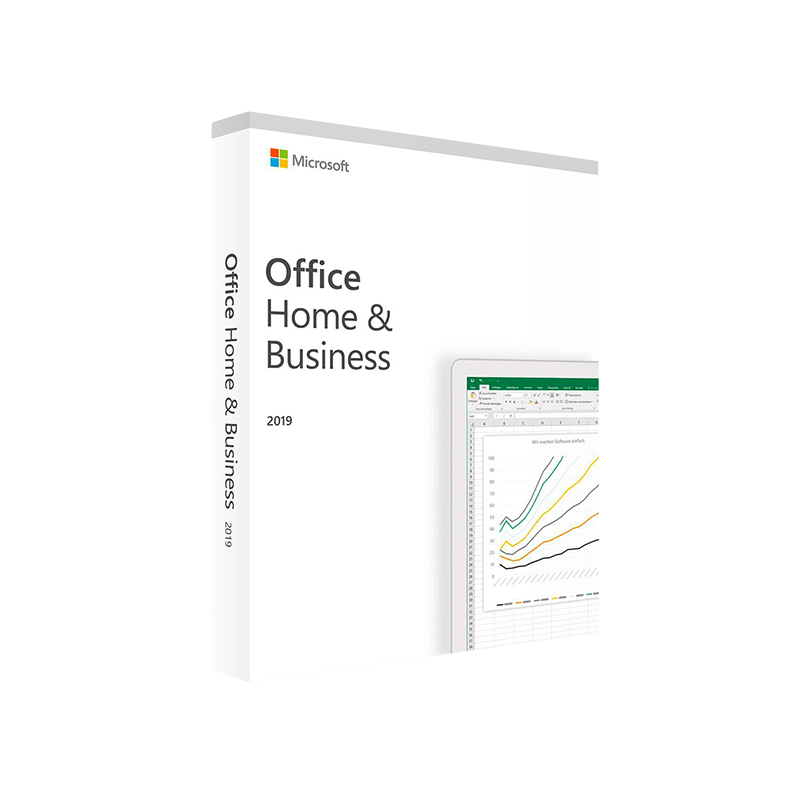




Microsoft Office 2019 Home & Business – The Complete Professional Suite
Your one‑stop productivity solution for Windows and macOS
Microsoft Office 2019 Home & Business is the latest perpetual‑license edition of the world‑renowned Office suite, built specifically for professionals who need robust, offline‑first tools that never expire. The package includes the core desktop applications—Word, Excel, PowerPoint, Outlook, and OneNote—all optimized for the 2023‑era hardware and operating‑system standards.
Why choose Office 2019 Home & Business?
You get a one‑time purchase, unlimited access to the latest features at launch, and a familiar, fully‑featured experience without the ongoing subscription cost of Microsoft 365.
| Application | Notable 2019 Enhancements | Professional Use‑Case |
|---|---|---|
| Word | • Focus Mode for distraction‑free writing • Improved in‑line citation manager |
Draft contracts, reports, and proposals with precision |
| Excel | • New data analysis functions (e.g., TEXTJOIN, CONCAT) • Improved Power Query and Power Pivot integration |
Build complex financial models and data visualizations |
| PowerPoint | • Morph transition for cinematic slide animations • Zoom for interactive storytelling |
Create compelling client presentations |
| Outlook | • @Mentions in email • Updated calendar view with better time‑zone handling |
Manage high‑volume communications and meeting schedules |
| OneNote | • Full‑screen mode & enhanced drawing tools | Capture meeting notes, research, and brainstorming sessions |
All applications receive regular security updates via Windows Update, ensuring compliance with corporate IT policies.
| Component | Minimum | Recommended |
|---|---|---|
| OS | Windows 10 (Version 1903) or later | Windows 11 Pro |
| Processor | 1.6 GHz, 2‑core | 2.0 GHz, 4‑core or faster |
| RAM | 4 GB | 8 GB or more |
| Hard Disk | 4 GB of available space | SSD with 10 GB free |
| Display | 1280 × 768 screen | 1920 × 1080 or higher |
| Graphics | DirectX 9 or later with WDDM 2.0 driver | DirectX 12 compatible GPU |
| Other | .NET 4.7, Internet connection for activation & updates | Ethernet or Wi‑Fi 802.11ac for optimal performance |
| Component | Minimum | Recommended |
|---|---|---|
| OS | macOS 10.14 (Mojave) | macOS 12 (Monterey) or later |
| Processor | Intel i5 or later | Apple Silicon (M1/M2) or Intel i7 |
| RAM | 4 GB | 8 GB+ |
| Hard Disk | 10 GB free space | SSD with 20 GB free |
| Display | 1280 × 800 | Retina display (2560 × 1600) |
| Graphics | Metal‑compatible GPU | Integrated/Discrete GPU with Metal support |
Tip: For the best experience on macOS, download the Apple Silicon‑optimized version of Office 2019 from the Microsoft Store.
| Feature | Office 2019 Home & Business | Office 2016 Home & Business | Microsoft 365 (Business Standard) |
|---|---|---|---|
| License type | Perpetual (one‑time) | Perpetual (one‑time) | Subscription (annual/monthly) |
| Updates | Security patches only | Security patches only | Feature updates 2×/year |
| Cloud services | OneDrive 1 TB (personal) | OneDrive 1 TB (personal) | OneDrive for Business (1 TB + shared) |
| Collaboration | Real‑time co‑authoring (limited) | Basic co‑authoring | Full Teams integration, advanced co‑authoring |
| Applications | Word, Excel, PowerPoint, Outlook, OneNote | Same as 2019 | Same + Access, Publisher, Teams, SharePoint |
| macOS support | Yes (Office Home & Business for Mac) | Yes (Office Home & Business for Mac) | Yes (full cross‑platform) |
| Price (USD) | $249.99 (single licence) | $149.99 (legacy) | $12.50 /user / month (annual commitment) |
If you need the latest feature set and cloud‑centric collaboration tools, a Microsoft 365 subscription may suit you better. However, for budget‑conscious professionals who prefer a one‑off purchase, Office 2019 Home & Business delivers the most value.
Q1. Is Office 2019 Home & Business compatible with older file formats?
Yes. The suite opens, edits, and saves .doc, .xls, .ppt files from Office 97‑2003 and later, ensuring seamless collaboration with legacy partners.
Q2. Can I install Office 2019 on multiple devices?
A single licence allows installation on one PC or Mac. For multiple devices, consider a Microsoft 365 plan or purchase additional licences.
Q3. Does Office 2019 include any cloud storage?
Each licence comes with 1 TB of OneDrive personal storage, perfect for backing up documents and sharing files securely.
Q4. Will I receive new features after purchase?
Office 2019 receives security updates but no new feature upgrades. To stay on the cutting edge, a Microsoft 365 subscription is required.
Q5. How does the Mac version differ?
The Office Home & Business for Mac edition includes the same core apps (Word, Excel, PowerPoint, Outlook, OneNote) with UI adjustments for macOS, plus Apple‑specific performance optimizations.
Below are the primary target keywords incorporated naturally throughout the page.
Pro tip: For IT administrators, the Office Customization Tool allows you to pre‑configure language packs, default settings, and integration with Group Policy.
Microsoft Office 2019 Home & Business offers professionals a stable, feature‑rich, and cost‑effective productivity suite that works offline, runs on the latest Windows and macOS platforms, and provides a familiar user experience across all core Office applications. Whether you are drafting contracts in Word, building financial models in Excel, or presenting to clients with PowerPoint, this perpetual‑license solution ensures you remain productive without the ongoing subscription fees associated with Microsoft 365.
Invest in a one‑time purchase today and empower your workflow with the trusted power of Microsoft Office Home & Business.
Prepared for professionals seeking the best balance of performance, security, and long‑term cost efficiency.
Browse our Office & Productivity Software for Microsoft Office editions and productivity tools.
Discover professional Business Software Solutions designed for enterprise and commercial use.
Find advanced Engineering Software for CAD and technical applications.
Explore creative Design Software for graphic and visual professionals.
Improve system performance with our Utilities Software.
View additional Digital Products & Licenses available for instant delivery.
Check out our Top Selling Products for the most popular choices.
Need help? Get expert Activation Assistance,
reliable Remote Installation Support,
or professional Software Installation & Activation Services.
Please review our Refund & Return Policy
and Privacy Policy for complete transparency and customer assurance.
✔ Quick Delivery
✔ 100% Original License
✔ Lifetime Warranty
✔ Free Support
 Quick Delivery
100% Original License
Lifetime Warranty
Free Support
Quick Delivery
100% Original License
Lifetime Warranty
Free Support
 Quick Delivery
100% Original License
Lifetime Warranty
Free Support
Quick Delivery
100% Original License
Lifetime Warranty
Free Support
| Title | Default Title |
|---|
Reviews
There are no reviews yet.