
No products in the cart.
17%Latest Updates
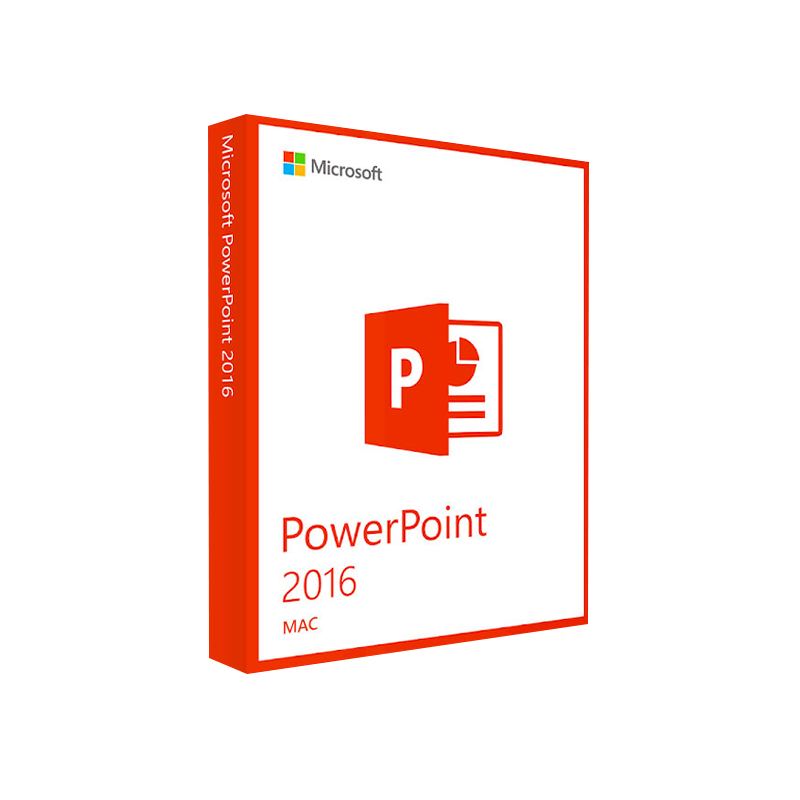




Microsoft PowerPoint 2016 for Mac Product Key – Instant Download
In Stock
 Quick Delivery
100% Original License
Lifetime Warranty
Free Support
In Stock
Description
Microsoft PowerPoint 2016 for Mac – The Professional Presentation Platform
Designed for business leaders, educators, and creative professionals, Microsoft PowerPoint 2016 for Mac delivers the full PowerPoint experience on Apple hardware. Whether you are crafting board‑room decks, delivering e‑learning modules, or sharing visual stories with clients, this version combines the reliability of the Office suite with macOS‑native performance.
📌 Quick Overview
| Feature | PowerPoint 2016 for Mac | PowerPoint 2016 for Windows | PowerPoint 2013 for Mac |
|---|---|---|---|
| Ribbon UI (customizable) | ✔︎ | ✔︎ | ✖︎ |
| Real‑time co‑authoring | ✔︎ (Office 365) | ✔︎ (Office 365) | ✖︎ |
| 4K video export | ✔︎ | ✔︎ | ✖︎ |
| Morph transition | ✔︎ | ✔︎ | ✖︎ |
| Designer (AI‑powered layout suggestions) | ✔︎ | ✔︎ | ✖︎ |
| Add‑in ecosystem (Office Store) | ✔︎ | ✔︎ | ✔︎ |
| Compatibility with .pptx files | 100 % | 100 % | 95 % |
| macOS version support | 10.12 (Sierra) and later | N/A | 10.9 (Mavericks) and later |
The table highlights why PowerPoint 2016 for Mac now matches—and in many cases exceeds—the capabilities of its Windows counterpart while offering a smoother Mac‑centric workflow.
🔑 Core Features That Power Professionals Trust
- Intuitive Ribbon Interface – All tools are grouped logically, and you can personalize tabs to match your workflow.
- High‑Definition Media Support – Insert, edit, and export 4K video, 1080p‑HD images, and audio without third‑party converters.
- Morph & Zoom Transitions – Create cinematic slide‑to‑slide animations that keep audiences engaged.
- Real‑Time Collaboration – Work simultaneously with teammates via OneDrive or SharePoint; changes appear instantly.
- Designer & Ideas – AI‑driven suggestions generate polished slide layouts with just a click.
- Extensive Template Library – Access hundreds of professionally designed templates, from corporate decks to educational briefs.
- Robust Accessibility Tools – Alt‑text, narration, and screen‑reader support help you meet accessibility standards.
- Secure Cloud Integration – Auto‑save to OneDrive for Business, ensuring version control and data protection.
Pro tip: Enable “Auto‑Recover” under PowerPoint > Preferences > Save to safeguard against unexpected shutdowns.
🎯 Why Professionals Choose PowerPoint 2016 for Mac
- Seamless macOS Integration – Optimized for Retina displays, Touch Bar support on MacBook Pro, and native gestures (pinch‑to‑zoom, swipe).
- Cross‑Platform Compatibility – Files created on Mac open flawlessly on Windows PCs and vice‑versa, eliminating version‑control headaches.
- Enterprise‑Grade Security – Built‑in Information Rights Management (IRM) and encryption keep confidential data safe.
- Scalable Licensing – Available through volume licensing, Microsoft 365 Business, or a one‑time purchase—flexible for any organization size.
- Comprehensive Support – Microsoft’s dedicated support portal, community forums, and regular updates guarantee long‑term reliability.
🛠️ System Requirements for Microsoft PowerPoint 2016 for Mac
| Component | Minimum | Recommended |
|---|---|---|
| Operating System | macOS 10.12 (Sierra) | macOS 11 (Big Sur) or later |
| Processor | Intel Core 2 Duo 2 GHz | Intel Core i5 2.5 GHz or Apple Silicon (M1/M2) |
| Memory (RAM) | 4 GB | 8 GB or more |
| Hard Disk Space | 4 GB of available storage | 10 GB SSD for optimal performance |
| Graphics | 1280 × 800 display, 64‑bit graphics | Retina display, 2560 × 1600 or higher |
| Internet | Broadband connection (for activation & updates) | High‑speed broadband (for cloud collaboration) |
| Additional Software | None (optional: OneDrive, Microsoft Teams) | Latest version of macOS, Microsoft 365 subscription for full cloud features |
Note: PowerPoint 2016 runs natively on Apple Silicon (M1/M2) via Rosetta 2 and, as of the latest update, includes native Apple Silicon binaries for even faster performance.
📥 How to Download PowerPoint 2016 for Mac
- Visit the official Microsoft download page – Microsoft PowerPoint 2016 for Mac download (outbound link).
- Sign in with your Microsoft 365 or Volume Licensing credentials.
- Select “Mac”, click “Download”, and follow the installer prompts.
- After installation, launch PowerPoint and activate using your product key or Office 365 subscription.
For organizations that require offline deployment, the Office Deployment Tool can be used to create customized installation packages.
📄 Related Product Spotlight – Microsoft Word 2016 for Mac
Microsoft Word 2016 for Mac complements PowerPoint by providing a powerful, feature‑rich word‑processing environment built for macOS. It is ideal for drafting proposals, contracts, reports, and any document that demands professional formatting.
Key Capabilities
- Real‑time co‑authoring – Edit documents with colleagues simultaneously.
- Advanced layout tools – Section breaks, columns, tables of contents, and master documents.
- Researcher & Editor – AI‑driven suggestions for citations, grammar, and style.
- Ink & Touch Support – Write directly on the screen with an Apple Pencil (via compatible devices) or trackpad gestures.
- Document Accessibility – Built‑in checker for WCAG compliance, alt‑text for images, and screen‑reader compatibility.
Benefits for Professionals
| Benefit | Word 2016 for Mac |
|---|---|
| Version Compatibility | 100 % compatibility with .docx files from Windows Word. |
| Security | IRM, password protection, and encryption. |
| Collaboration | Integration with OneDrive and SharePoint for version history. |
| Productivity | Quick Parts, AutoText, and macro support for repetitive tasks. |
| Cross‑Device Sync | Edit on Mac, continue on iPhone/iPad via Office Mobile. |
Combine PowerPoint 2016 for Mac and Word 2016 for Mac within the same Microsoft 365 subscription to unlock seamless document‑to‑presentation workflows.
🔎 Frequently Asked Questions (FAQs)
| Question | Answer |
|---|---|
| Can I open a PowerPoint 2016 for Mac file on a Windows PC? | Yes. Files are saved in the .pptx format, which is fully compatible with PowerPoint 2016 for Windows and later versions. |
| Is a Microsoft 365 subscription required? | A subscription is not mandatory for the perpetual license, but a subscription provides cloud features, regular updates, and extra security. |
| How does PowerPoint 2016 for Mac handle large video files? | It supports native 4K video playback and can export presentations as MP4 or MOV files without additional plugins. |
| Can I use PowerPoint on an M1/M2 Mac without Rosetta? | Starting with the October 2022 update, PowerPoint 2016 includes a native Apple Silicon build, delivering faster rendering and lower power consumption. |
| What support options are available? | Microsoft offers online chat, phone support, and a robust Community Forum for troubleshooting. |
📈 Boost Your Presentation Impact with PowerPoint 2016 for Mac
- Save time – Designer and Morph automate complex visual effects.
- Enhance collaboration – Real‑time co‑authoring reduces email back‑and‑forth.
- Future‑proof your decks – Ongoing security patches and feature updates through Microsoft 365.
Ready to elevate your presentations?
👉 [Download PowerPoint 2016 for Mac now](https://www.microsoft.com/en-us/microsoft-365/powerpoint) and start creating compelling, high‑impact slides today.
External Resources (Outbound Links)
- Microsoft Support – PowerPoint for Mac system requirements – https://support.microsoft.com/en-us/office/system-requirements-for-microsoft-office-2016-for-mac-5b2e1e7a-2e9e-4a16-8ca8-9ebc7d3a1b6d
- Apple’s guide to running Office on Apple Silicon – https://developer.apple.com/documentation/apple_silicon/optimizing-office-for-apple-silicon
- CNET review of PowerPoint 2016 for Mac – https://www.cnet.com/tech/computing/microsoft-powerpoint-2016-mac-review/
Buy Now
Microsoft PowerPoint 2016 for Mac is more than a slide‑creation tool—it is a comprehensive, enterprise‑grade platform that aligns with the demanding workflows of modern professionals. Paired with Microsoft Word 2016 for Mac, it offers a unified Office experience that maximizes productivity, ensures cross‑platform consistency, and delivers polished visual communication every time.
Invest in the suite today and experience the power of professional presentations, fully optimized for your Mac.
For bulk licensing, contact our sales team at info@thesoftsolution.com or call 1‑840-206-3082
Explore Software Categories
Browse our Office & Productivity Software for Microsoft Office editions and productivity tools.
Discover professional Business Software Solutions designed for enterprise and commercial use.
Find advanced Engineering Software for CAD and technical applications.
Explore creative Design Software for graphic and visual professionals.
Improve system performance with our Utilities Software.
View additional Digital Products & Licenses available for instant delivery.
Check out our Top Selling Products for the most popular choices.
Installation & Activation Support
Need help? Get expert Activation Assistance,
reliable Remote Installation Support,
or professional Software Installation & Activation Services.
Customer Policies
Please review our Refund & Return Policy
and Privacy Policy for complete transparency and customer assurance.
Related products
21%
Microsoft 365 Family – 12-Month Subscription
| Title | Default Title |
|---|
11%
Microsoft PowerPoint 2021 for Mac
SKU:AKB 01 Quick Delivery
100% Original License
Lifetime Warranty
Free Support
21%
Microsoft Office 2024 Professional Plus
| Title | Default Title |
|---|
Reviews
There are no reviews yet.