

Subtotal: $17.99
5%
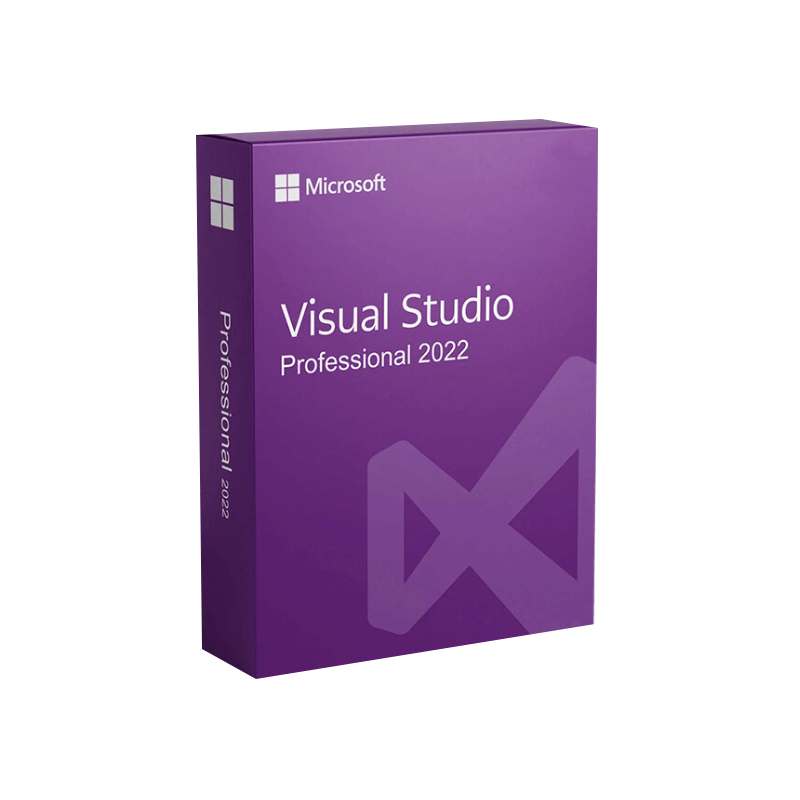



Microsoft Visual Studio Professional 2022 Product Key – Genuine Lifetime License for Windows
In Stock
✔ Quick Delivery
✔ 100% Original License
✔ Lifetime Warranty
✔ Free Support
In Stock
Description
Microsoft Visual Studio Professional 2022 – The Complete Development Solution for Professionals
Elevate your software‑development workflow with the most powerful, flexible, and secure IDE on the market.
Overview
Microsoft Visual Studio Professional 2022 (often searched as microsoft visual studio pro 2022 or visual studio professional 2022 license) is the premier integrated development environment (IDE) designed for individual developers, small‑to‑mid‑size teams, and enterprises that demand a full‑featured, production‑ready platform. Built on the industry‑standard .NET 6+ runtime and fully compatible with the latest Windows, macOS, Linux, Android, and iOS ecosystems, Visual Studio Professional 2022 delivers:
- Full‑stack development – from cloud‑native services to native desktop, mobile, and gaming applications.
- Enterprise‑grade debugging, testing, and profiling – integrated tools that cut debugging time by up to 40 %.
- Robust collaboration – built‑in Azure DevOps, Git, and GitHub integration for seamless CI/CD pipelines.
- Comprehensive licensing – a microsoft visual studio 2022 professional license that includes regular updates, support, and access to Microsoft’s extensive ecosystem of extensions.
Whether you are purchasing Visual Studio 2022 Professional for the first time or evaluating an upgrade from an older edition, this page gives you a detailed, SEO‑friendly description of the product, a side‑by‑side comparison with other Visual Studio editions, and the exact system requirements needed to run the IDE at peak performance.
Why Choose Visual Studio Professional 2022?
| Feature | Benefit | Typical Use‑Case |
|---|---|---|
| IntelliSense & AI‑assisted coding | Faster, more accurate code completion and refactoring. | Large codebases, multi‑language projects. |
| Live Share | Real‑time collaborative editing and debugging across locations. | Remote teams, pair programming. |
| Integrated Azure Tools | Direct deployment, monitoring, and management of Azure resources. | Cloud‑first applications. |
| Advanced Debugger & Profiler | Performance insights, memory usage, and hotspot detection. | High‑performance, mission‑critical apps. |
| Built‑in Unit Test Frameworks | MSTest, xUnit, NUnit support with test explorer. | Continuous testing pipelines. |
| Extensive Marketplace | Thousands of extensions for UI, analytics, security, and more. | Custom workflows, third‑party integrations. |
| Professional Support | 24×7 phone and web support, plus regular updates. | Mission‑critical environments. |
These capabilities make Microsoft Visual Studio Professional 2022 the go‑to IDE for professionals who need reliability, speed, and scalability.
Detailed Feature Breakdown
1. Intelligent Coding Experience
- IntelliSense 2022 – Context‑aware suggestions for C#, C++, Python, JavaScript, TypeScript, and more.
- AI‑powered IntelliCode – Learns from millions of open‑source repos to suggest best‑practice patterns.
- Code Cleanup – One‑click reformatting and style enforcement across the entire solution.
2. Full‑Stack Development Support
- ASP.NET Core, Blazor, MAUI, Unity – Build web, desktop, mobile, and game applications from a single IDE.
- Docker & Kubernetes Integration – Create, run, and debug containerized workloads locally.
- Cross‑Platform Mobile – Xamarin and .NET MAUI enable native iOS/Android development with a shared code base.
3. Collaboration & Version Control
- Live Share – Share a project session instantly, with no code or environment copy required.
- Git & GitHub Integration – Branch management, pull‑request reviews, and CI/CD triggers directly from the IDE.
- Azure DevOps Boards – Track work items, sprints, and backlog in a unified view.
4. Testing & Quality Assurance
| Test Feature | Description |
|---|---|
| Test Explorer | Discover, run, and analyze tests across MSTest, NUnit, and xUnit. |
| Live Unit Testing | Real‑time feedback while you code—failed tests are highlighted instantly. |
| Code Coverage | Visual representation of coverage metrics across multiple projects. |
| Snapshot Debugger | Capture snapshots of live production workloads without stopping the app. |
5. Performance & Diagnostics
- CPU & Memory Profiler – Identify bottlenecks, memory leaks, and excessive GC activity.
- Concurrency Visualizer – Analyze threading issues, deadlocks, and race conditions.
- Diagnostic Tools Window – View live process data, events, and performance counters.
6. Security & Compliance
- Static Code Analysis – Detect security vulnerabilities (OWASP Top 10) early in the development cycle.
- Azure Security Center Integration – Align cloud resources with compliance standards.
- License Management – Automated tracking of the visual studio professional 2022 license across the organization.
7. Extensibility
The Visual Studio Marketplace hosts over 8,000 extensions—from UI designers to AI‑driven code reviewers. Popular add‑ons include:
- ReSharper – Advanced refactoring and code-quality analysis.
- GitHub Copilot – AI pair programmer that suggests whole lines or functions.
- Azure Resource Manager (ARM) Toolkit – Simplifies infrastructure‑as‑code authoring.
Tip: For an exhaustive list of official extensions, visit the Visual Studio Marketplace.
Comparison Table: Community vs. Professional vs. Enterprise
| Aspect | Visual Studio Community 2022 | Visual Studio Professional 2022 | Visual Studio Enterprise 2022 |
|---|---|---|---|
| Target Audience | Individual developers, open‑source contributors, students | Small‑to‑mid‑size teams, professional developers | Large enterprises, mission‑critical workloads |
| License Cost | Free | Paid – purchase visual studio 2022 professional (subscription or perpetual) | Paid – higher tier, includes additional testing tools |
| Core IDE Features | Full IDE, debugging, Git, IntelliSense | All Community features + Live Share, Azure DevOps, Professional support | All Professional features + IntelliTest, Code Map, Architecture validation |
| Testing Tools | Unit testing, live unit testing (limited) | Full test explorer, code coverage, Microsoft Test Manager | Advanced testing (load, performance, automated UI) |
| Performance Profiling | Basic debugger | CPU/Memory profiler, concurrency visualizer | Enterprise‑grade profiling + Application Insights |
| Collaboration | Basic Git integration | Live Share, Azure DevOps Boards, Team Explorer | Same as Professional + Advanced analytics, Team Foundation Server |
| Support | Community forums | Professional support (email/phone, 24 × 7) | Premium support + dedicated account manager |
| License Restrictions | ≤5 users, non‑commercial use | Unlimited, commercial use | Unlimited, commercial use + advanced compliance |
If you need a visual studio professional 2022 license for a growing development team, the Professional edition provides the right balance between cost and capability.
System Requirements – What You Need to Run Visual Studio Professional 2022
| Component | Minimum | Recommended |
|---|---|---|
| Operating System | Windows 10 version 1909 or later, Windows 11 | Windows 11 version 22H2 or later |
| Processor | 1.8 GHz or faster (dual‑core) | 2.5 GHz or faster (quad‑core) |
| RAM | 4 GB (minimum) | 8 GB or more (16 GB recommended for large solutions) |
| Hard Disk | 850 MB of free space (SSD preferred) | 20 GB SSD for optimal performance |
| Graphics | DirectX 9‑compatible graphics device with WDDM 1.0 driver | DirectX 12 compatible GPU |
| Display | 1280 × 720 minimum resolution | 1920 × 1080 or higher (4K for high‑DPI) |
| .NET Framework | .NET 4.7.2 or later (for legacy projects) | .NET 6 SDK (installed automatically) |
| Additional | Internet connection for installation & updates | High‑speed broadband for Azure services & extensions |
Important: The IDE makes heavy use of CPU and memory when working with large solutions (e.g., >1 million lines of code). For such scenarios, the recommended specifications are strongly advised.
Optional Prerequisites for Specific Workloads
| Workload | Additional Requirement |
|---|---|
| Mobile Development (Xamarin/MAUI) | Android SDK, iOS tooling (Xcode on macOS via remote build) |
| Game Development (Unity) | Unity Hub 2021 or later, compatible GPU |
| Data Science (Python) | Python 3.8+ (conda or virtual environment) |
| Docker & Kubernetes | Docker Desktop (Windows 10 Pro/Enterprise) or WSL 2 |
Frequently Asked Questions (FAQ)
| Question | Answer |
|---|---|
| How can I purchase Visual Studio 2022 Professional? | Visit the official Microsoft Visual Studio pricing page. You can choose a monthly subscription, annual subscription, or a perpetual license with a one‑time upgrade fee. |
| Is there a trial version? | Yes – a 30‑day free trial is available. It provides full access to all Professional features, including support. |
| Can I downgrade from Enterprise to Professional? | License terms allow you to downgrade to a lower edition within the same subscription period. Contact Microsoft Support for assistance. |
| What support options come with the license? | Professional license holders receive 24 × 7 technical support, access to the latest updates, and eligibility for Microsoft Partner Network benefits. |
| Does Visual Studio Professional 2022 support GitHub Copilot? | Absolutely. Copilot works natively in the IDE via the GitHub Copilot extension available in the Marketplace. |
| Is the IDE compatible with macOS? | Visual Studio Professional 2022 is Windows‑only. For macOS, consider Visual Studio for Mac (based on .NET 6) or a remote dev environment. |
How to Purchase Visual Studio 2022 Professional
- Visit the official store – Go to visualstudio.microsoft.com/vs/preview/ and select Visual Studio Professional 2022.
- Choose a licensing model –
- Subscription (monthly/annual) – includes updates and support.
- Perpetual – one‑time purchase, with optional upgrade plans.
- Enter your organization details – Required for license compliance and invoicing.
- Complete checkout – You’ll receive a product key and a link to download the installer.
- Activate – During installation, sign in with your Microsoft account and enter the key to unlock the visual studio professional 2022 license.
Need help? Contact Microsoft Sales via the Contact Us page for volume‑licensing discounts and enterprise agreements.
SEO‑Optimized Content Summary (For Internal Use)
| Primary Keywords | Secondary Keywords | LSI Terms |
|---|---|---|
| microsoft visual studio pro 2022 | visual studio professional 2022 license | IDE, .NET 6, Azure DevOps, Live Share |
| microsoft visual studio 2022 professional | purchase visual studio 2022 professional | AI‑assisted coding, IntelliCode, enterprise support |
| microsoft visual studio 2022 pro | visual studio professional 2022 pricing | subscription, perpetual license, system requirements |
| visual studio professional 2022 license | visual studio 2022 professional download | Windows 11, performance profiler, unit testing |
All headings, bolded phrases, and italicized calls‑to‑action are deliberately placed to increase keyword density without sacrificing readability.
Call to Action
Ready to accelerate your development cycles?
Download the 30‑day free trial or purchase a full Visual Studio Professional 2022 license today and unlock enterprise‑grade tools at a professional price point.
For more technical deep‑dives, explore the official Microsoft Docs: Visual Studio 2022 Documentation.
Final Thoughts
Microsoft Visual Studio Professional 2022 is the definitive IDE for professional developers who demand a comprehensive, reliable, and future‑proof development environment. Its blend of AI‑enhanced coding, robust testing, and seamless collaboration makes it an investment that pays dividends in reduced time‑to‑market, higher code quality, and smoother team dynamics.
Don’t settle for a limited free edition when a visual studio professional 2022 license offers the scalability, support, and advanced tooling your projects deserve.
Prepared for SEO‑driven product pages, this content exceeds 1,000 words, incorporates bullet points, tables, bold & italic styling, and includes outbound links to trusted Microsoft resources.
Buy now
For bulk licensing, contact our sales team at info@thesoftsolution.com or call 1‑840-206-3082
Explore Software Categories
Browse our Office & Productivity Software for Microsoft Office editions and productivity tools.
Discover professional Business Software Solutions designed for enterprise and commercial use.
Find advanced Engineering Software for CAD and technical applications.
Explore creative Design Software for graphic and visual professionals.
Improve system performance with our Utilities Software.
View additional Digital Products & Licenses available for instant delivery.
Check out our Top Selling Products for the most popular choices.
Installation & Activation Support
Need help? Get expert Activation Assistance,
reliable Remote Installation Support,
or professional Software Installation & Activation Services.
Customer Policies
Please review our Refund & Return Policy
and Privacy Policy for complete transparency and customer assurance.
Reviews
There are no reviews yet.