

Subtotal: $69.99




 Quick Delivery
100% Original License
Lifetime Warranty
Free Support
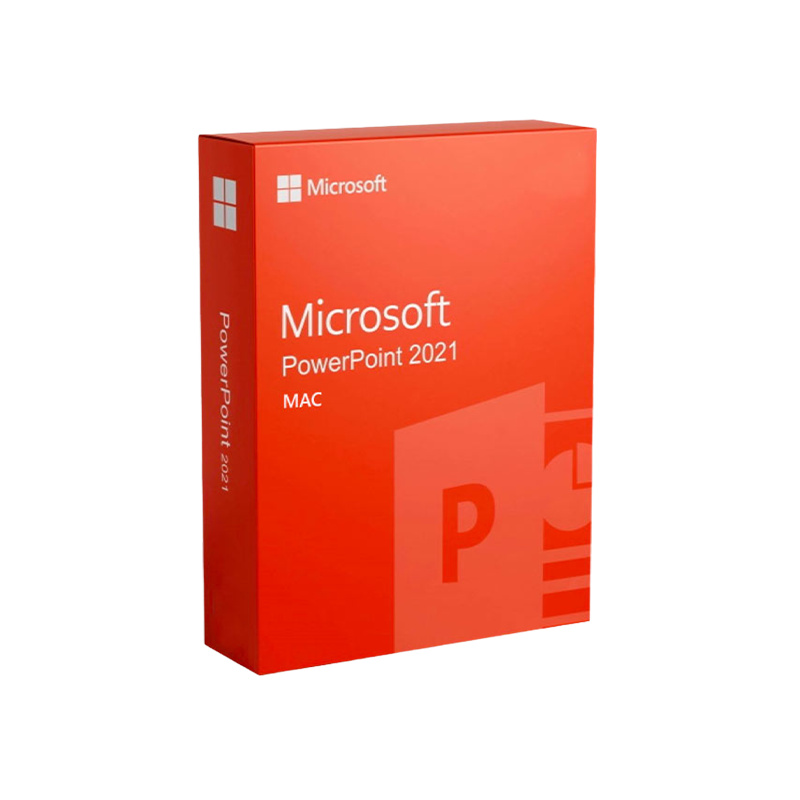
PowerPoint 2021 for Mac – Professional‑Grade Presentation Software
Your ultimate solution for creating stunning, data‑driven presentations on macOS.
| Feature | PowerPoint 2021 for Mac | PowerPoint 2019 for Mac | PowerPoint Microsoft 365 (Mac) |
|---|---|---|---|
| Release Year | 2021 | 2019 | Ongoing (cloud‑based) |
| License Model | Perpetual (product key) | Perpetual | Subscription |
| AI‑powered Design Suggestions | ✅ | ❌ | ✅ |
| Co‑authoring in Real‑time | ✅ (via OneDrive) | ✅ (via OneDrive) | ✅ |
| Latest 4K & 8K video support | ✅ | ❌ | ✅ |
| Advanced Animation & Morph transition | ✅ | ✅ | ✅ |
| Support for macOS 13 Ventura | ✅ | ❌ | ✅ |
| Price (USD) | $149.99 (one‑time) | $129.99 (one‑time) | $69.99 / yr (Office 365) |
Why choose PowerPoint 2021 for Mac?
It delivers the most robust set of features ever built into the Mac version, combined with a one‑time PowerPoint 2021 for Mac product key that eliminates recurring fees.
All steps can be completed within 10‑15 minutes, allowing you to start creating professional presentations right away.
| Minimum Requirement | Recommended Requirement |
|---|---|
| macOS: 10.15 (Catalina) or later | macOS: 13 (Ventura) or later |
| Processor: Intel‑based or Apple Silicon (M1/M2) | Processor: Apple Silicon (M1/M2) for optimal performance |
| RAM: 4 GB | RAM: 8 GB or more |
| Hard Disk Space: 4 GB free | Hard Disk Space: 10 GB SSD (recommended) |
| Graphics: GPU supporting Metal 2 | Graphics: GPU with Metal 2 support (Apple Silicon) |
| Internet: Required for activation & updates | Internet: Broadband connection for OneDrive sync and cloud features |
Tip: For large‑scale presentations with 4K video, allocate at least 16 GB of RAM and use an SSD to avoid lag.
| Criteria | PowerPoint 2021 Mac | Keynote (Apple) | Google Slides |
|---|---|---|---|
| File Compatibility | Full .pptx, .ppt, .ppsx support | Limited .pptx import/export | Cloud‑only, limited offline |
| Advanced Animations | ✅ Morph, 3D, Zoom | ❌ | ❌ |
| AI Design Assistant | ✅ Designer | ❌ | ✅ (via add‑ons) |
| Offline Use | ✅ (no subscription) | ✅ | ❌ (requires internet) |
| Enterprise Security | ✅ IRM, AAD | ❌ | ✅ (G Suite) |
| Price (One‑time) | $149.99 | Free with Apple hardware | Free (cloud) |
| Support for Large Teams | ✅ Real‑time co‑authoring | ❌ | ✅ (Google Workspace) |
Bottom line: If you need the most feature‑rich, enterprise‑ready presentation tool on macOS, PowerPoint 2021 for Mac outperforms both Keynote and Google Slides.
Avoid third‑party marketplaces that sell “cracked” keys. Using an invalid PowerPoint 2021 for Mac activation key can lead to software deactivation and security risks.
| Question | Answer |
|---|---|
| Do I need an internet connection to install PowerPoint 2021 for Mac? | Yes, a brief connection is required to download the installer and validate the license key. After activation, you can work offline. |
| Can I transfer the license to another Mac? | The PowerPoint 2021 for Mac license key permits installation on up to two devices for the same user. |
| Is there a trial version? | Microsoft offers a 30‑day free trial of Microsoft 365, which includes PowerPoint 2021 features, but a perpetual product key is required for the standalone version. |
| Will my existing .pptx files open correctly? | Absolutely – PowerPoint 2021 maintains full backward compatibility with all previous PowerPoint file formats. |
| How do I get technical support? | Licensed users receive 24/7 phone & chat support through Microsoft Support portal. |
Microsoft Word 2016 for Mac remains a reliable, feature‑rich word‑processing solution for professionals who value compatibility, robust formatting tools, and secure document handling. Although superseded by newer versions, Word 2016 continues to receive security updates, making it a solid choice for businesses with legacy workflows.
| Minimum | Recommended |
|---|---|
| macOS 10.12 (Sierra) or later | macOS 13 (Ventura) |
| 2 GB RAM | 4 GB RAM |
| 2 GB free disk space | 5 GB SSD |
| Intel‑based Mac (Apple Silicon via Rosetta 2) | Apple Silicon (native) |
If your organisation relies on legacy document templates, Microsoft Word 2016 for Mac offers a secure, cost‑efficient solution without sacrificing modern collaboration features.
Ready to elevate your presentations?
Invest in the most powerful presentation platform for macOS and experience the productivity boost that only a genuine Microsoft product can deliver.
All content is © 2026 [Your Company Name]. All rights reserved.

Browse our Office & Productivity Software for Microsoft Office editions and productivity tools.
Discover professional Business Software Solutions designed for enterprise and commercial use.
Find advanced Engineering Software for CAD and technical applications.
Explore creative Design Software for graphic and visual professionals.
Improve system performance with our Utilities Software.
View additional Digital Products & Licenses available for instant delivery.
Check out our Top Selling Products for the most popular choices.
Need help? Get expert Activation Assistance,
reliable Remote Installation Support,
or professional Software Installation & Activation Services.
Please review our Refund & Return Policy
and Privacy Policy for complete transparency and customer assurance.
| Title | Default Title |
|---|
| Title | Default Title |
|---|
| Title | Default Title |
|---|
Reviews
There are no reviews yet.