


Subtotal: $138.98




✔ Quick Delivery
✔ 100% Original License
✔ Lifetime Warranty
✔ Free Support
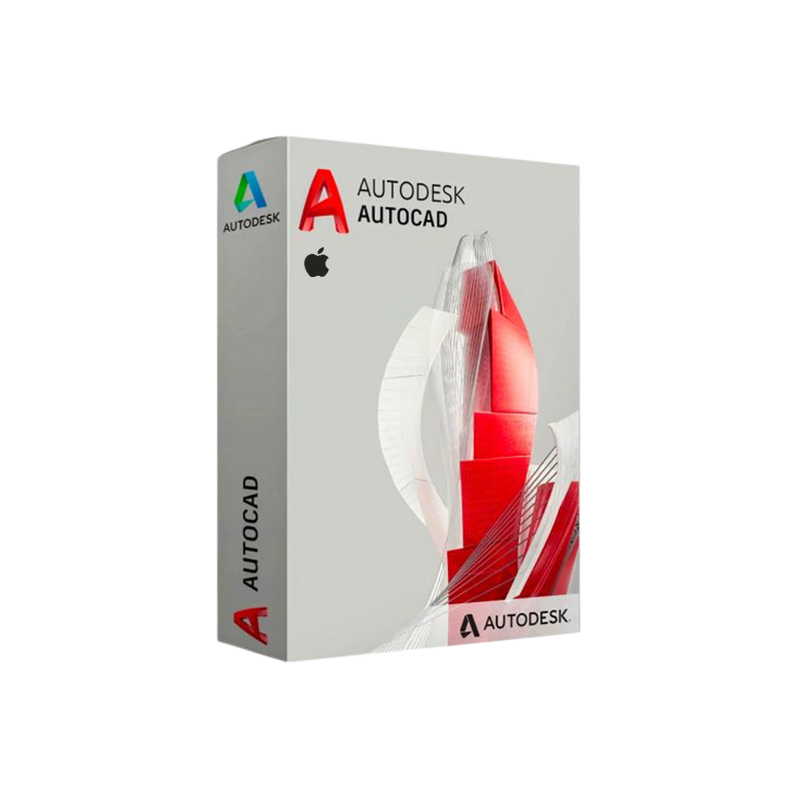
Autodesk AutoCAD for Mac – Professional‑Grade CAD Software on macOS
Your complete guide to buying, installing, and mastering the full‑featured AutoCAD Mac version.
Autodesk AutoCAD for Mac brings the industry‑standard 2‑D drafting and 3‑D modeling platform to macOS without compromising on performance, precision, or interoperability. Whether you are an architect, mechanical engineer, civil designer, or construction professional, the AutoCAD Mac Full Version delivers the same powerful toolset that has defined the CAD market for over three decades—now optimized for Apple’s hardware and operating system.
“Autodesk AutoCAD for Mac is the only desktop CAD solution that offers seamless cross‑platform collaboration and native macOS integration.” – TechRadar Review
| Feature | Autodesk AutoCAD for Mac | Competitor (DraftSight) | Competitor (FreeCAD) |
|---|---|---|---|
| Native macOS UI | ✔︎ Fully native, supports Touch Bar & Dark Mode | ✖︎ Windows‑based UI via Wine | ✔︎ Native but limited UI |
| DWG Compatibility | 100 % native DWG read/write | 99 % (occasionally corrupted) | Partial (requires plugins) |
| Cloud Collaboration | Autodesk Docs, BIM 360, A360 | Limited cloud support | Community‑driven |
| License Flexibility | Subscription, perpetual, student | Subscription only | Free/Open‑source |
| Performance on Apple Silicon | Optimized for M1/M2 chips | Not optimized | CPU‑only, slower |
| Technical Support | 24/7 phone & web support | Email only | Community forums |
The table highlights why Autodesk AutoCAD Mac Download is the most reliable choice for professionals who demand accuracy, speed, and full DWG fidelity.
| License Type | Duration | Price (USD) * | What’s Included | Ideal For |
|---|---|---|---|---|
| Subscription – Annual | 12 months | $1,690 | Latest version, 24/7 support, cloud storage | Firms with predictable budgeting |
| Subscription – Monthly | 1 month | $210 | Full feature set, no long‑term commitment | Contractors, freelancers |
| Perpetual (Legacy) | Unlimited | $4,195 (one‑time) | Fixed version, optional maintenance | Organizations preferring CAPEX |
| Student/Education | 1 year (renewable) | Free | Full feature set, educational resources | Academic institutions |
| Enterprise Volume | Custom | Custom | Centralized licensing, admin console | Large enterprises |
All prices are indicative and may vary based on region and promotional offers. Visit the official Autodesk Store for the most up‑to‑date pricing.
Tip: To ensure you receive a Genuine AutoCAD Mac License, always download directly from the Autodesk portal. Third‑party sellers may provide pirated or outdated copies that jeopardize your workflow and security.
| Step | Action | Details |
|---|---|---|
| 1 | Download | Click the AutoCAD Mac Download button on your Autodesk account page. The file size is ~5 GB. |
| 2 | Verify | After download, open the .dmg and verify the digital signature (Apple will prompt if the file is from an unidentified developer). |
| 3 | Install | Drag the AutoCAD icon into the Applications folder. macOS may request your administrator password. |
| 4 | Activate | Launch AutoCAD, then sign in with your Autodesk ID. The software will automatically detect your AutoCAD Mac License. |
| 5 | Configure | Set preferences: interface theme (Light/Dark), default units, and cloud storage location. |
| 6 | Update | Run Autodesk Desktop App to install the latest patches and service packs. |
| 7 | Backup | Export your license file via Help → About → License Information for future re‑installation. |
For a detailed walkthrough, see Autodesk’s official Installation Help Center (outbound link).
| Component | Minimum | Recommended |
|---|---|---|
| Operating System | macOS 11 (Big Sur) 64‑bit | macOS 13 (Ventura) 64‑bit |
| Processor | Intel® Core™ i5 (2 GHz) | Apple Silicon M1/M2 or Intel® Core™ i7 (3 GHz) |
| RAM | 8 GB | 16 GB or more |
| Graphics | GPU with 1 GB VRAM (OpenGL 4.1) | Dedicated GPU with 4 GB VRAM (Metal‑compatible) |
| Disk Space | 7 GB free (SSD recommended) | 12 GB free (SSD or NVMe) |
| Display | 1280 × 800 (minimum) | 1920 × 1080 or higher, Retina support |
| Internet | Required for license activation & updates | Broadband (≥5 Mbps) for cloud collaboration |
| Additional | Mouse or trackpad, keyboard | Apple Magic Trackpad, external mouse for CAD precision |
Note: AutoCAD for Mac runs natively on Apple Silicon (M‑series) chips, delivering up to 30 % faster performance compared to Intel‑based Macs. Ensure you are running at least macOS 12 for optimal stability.
All these capabilities are available out‑of‑the‑box with the Autodesk AutoCAD Mac Software package, eliminating the need for third‑party plugins.
Q1. Can I run AutoCAD for Mac on an older MacBook Pro (2015) with Intel i7?
A: Yes, the 2015 MacBook Pro meets the minimum system requirements. For smoother 3‑D performance, we recommend upgrading to at least 16 GB RAM.
Q2. Is there a trial version?
A: Autodesk offers a 30‑day free trial of the full‑featured AutoCAD Mac Full Version. Register with a valid email address on the Autodesk website.
Q3. How do I switch from a Windows AutoCAD license to a Mac license?
A: Your existing subscription is cross‑platform. Simply log in on the Mac with the same Autodesk ID; the license will be recognized automatically.
Q4. Does AutoCAD for Mac support external plotters and printers?
A: Yes, it supports most HP, Canon, and Epson plotters via standard CUPS drivers. For specialty large‑format printers, verify driver compatibility on the manufacturer’s site.
Q5. What support options are available for enterprise customers?
A: Enterprise clients receive 24/7 phone support, a dedicated account manager, and access to the Autodesk Knowledge Network for priority ticket handling.
| Aspect | AutoCAD for Mac | AutoCAD for Windows |
|---|---|---|
| User Interface | macOS‑native, supports Dark Mode & Touch Bar | Windows‑native, customizable Ribbon |
| Performance on Apple Silicon | Optimized – native ARM code | Requires Rosetta 2 (performance penalty) |
| System Integration | Seamless with Finder, Spotlight, iCloud | Integrated with File Explorer, OneDrive |
| Feature Parity | 100 % feature‑equivalent (DWG, 3‑D, APIs) | Identical |
| Learning Curve | Familiar for macOS users | Familiar for Windows users |
| Licensing | Same subscription across platforms | Same subscription across platforms |
Both platforms deliver identical DWG fidelity, but the Mac version adds the advantage of native Apple‑Silicon performance and macOS integration.
Security Reminder: A legitimate license protects you from legal exposure and ensures you receive critical security patches.
Ready to boost your design productivity on macOS?
“Empower your team with the industry‑leading CAD platform—optimized for the Mac.”
Download | Buy | Support
Meta Description (for SEO):
Discover Autodesk AutoCAD for Mac – the full‑featured DWG solution for macOS. Download, buy, and install the genuine AutoCAD Mac license, view system requirements, compare plans, and boost your CAD workflow today.
Autodesk AutoCAD for Mac, AutoCAD Mac Download, Buy AutoCAD for Mac, AutoCAD Mac License, Autodesk AutoCAD macOS, AutoCAD for Mac Full Version, Genuine AutoCAD Mac License, AutoCAD Mac Installation, Autodesk AutoCAD Mac Software.
Browse our Office & Productivity Software for Microsoft Office editions and productivity tools.
Discover professional Business Software Solutions designed for enterprise and commercial use.
Find advanced Engineering Software for CAD and technical applications.
Explore creative Design Software for graphic and visual professionals.
Improve system performance with our Utilities Software.
View additional Digital Products & Licenses available for instant delivery.
Check out our Top Selling Products for the most popular choices.
Need help? Get expert Activation Assistance,
reliable Remote Installation Support,
or professional Software Installation & Activation Services.
Please review our Refund & Return Policy
and Privacy Policy for complete transparency and customer assurance.
Zora (verified owner) –
Very reliable seller. The software works perfectly on my PC.
Eric (verified owner) –
100% working key. Installed and activated without any hassle.
Grayce (verified owner) –
Fast delivery and genuine product key. Will definitely buy again.
Justine (verified owner) –
Original license and easy activation. Highly recommended.
Hallie (verified owner) –
Fast delivery and genuine product key. Will definitely buy again.
Russ (verified owner) –
Excellent customer support and original product license.
Marlene (verified owner) –
I was surprised how easy the activation process was. Excellent service.
Gregory (verified owner) –
Very satisfied with my purchase. Fast delivery and genuine license.
Mollie (verified owner) –
I was surprised how easy the activation process was. Excellent service.