No products in the cart.

0
Total
$0.00
Free Shipping on All Orders Over $75
Only this weekend
Super Discount
Items on sale this week
Top picks this week. Up to 50% off the best selling products.



✔ Quick Delivery
✔ 100% Original License
✔ Lifetime Warranty
✔ Free Support
Only logged in customers who have purchased this product may leave a review.
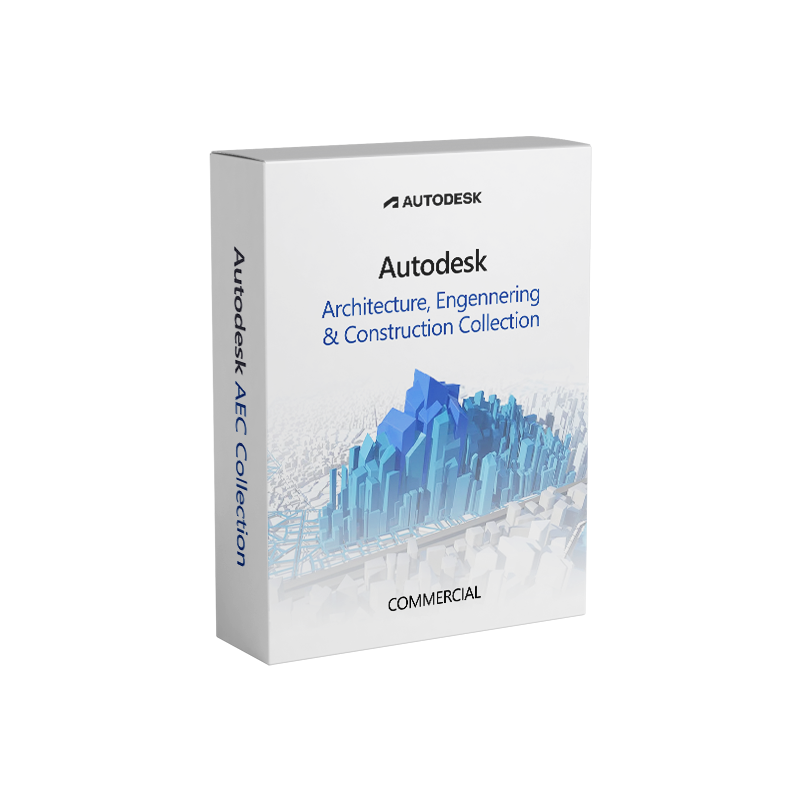
Autodesk AEC Collection Commercial – The Complete Design & Construction Solution for Professionals
The Autodesk AEC Collection Commercial License delivers the most comprehensive, industry‑leading suite of software for architecture, engineering, and construction (AEC) professionals. By combining Revit, AutoCAD, Navisworks, InfraWorks, and many other critical tools into a single, genuine digital license, the collection enables teams to design, simulate, and deliver building projects faster, more accurately, and with greater collaboration across disciplines.
Whether you are a design‑build firm, a structural engineering practice, or a construction manager seeking an integrated workflow, the Autodesk AEC Collection Commercial offers a full‑software suite that scales with your project complexity and enterprise requirements.
| ✅ Feature | ✅ Benefit for Professionals |
|---|---|
| All‑in‑One Suite – 15+ fully‑licensed applications | Eliminates the need to purchase, install, and maintain separate products. |
| True BIM Integration (Revit + Navisworks + BIM 360) | Guarantees data consistency from concept through construction. |
| Advanced Simulation & Analysis (Robot Structural Analysis, CFD) | Reduces costly design changes by validating performance early. |
| Cloud‑Enabled Collaboration (Autodesk Construction Cloud) | Allows real‑time access for remote teams, improves coordination. |
| Enterprise‑Grade Security & Support | ISO‑27001 compliant infrastructure, 24/7 technical assistance. |
| Scalable Licensing Model (per‑seat, volume discounts) | Aligns cost with the size of your organization. |
| Continuous Updates (no extra upgrade fees) | Keeps you on the latest version, ensuring compliance with standards. |
“The Autodesk AEC Collection Commercial is the only solution that truly unifies design, analysis, and construction workflows under one license, giving firms a competitive edge in a fast‑moving market.”
| Application | Core Capability | Typical Use Cases |
|---|---|---|
| Revit | Building Information Modeling (BIM) | Architectural, MEP, structural modeling. |
| AutoCAD | 2‑D drafting & 3‑D modeling | Precise detailing, site plans, schematics. |
| Civil 3D | Civil infrastructure design | Roadways, grading, utility networks. |
| InfraWorks | Contextual urban planning | 3‑D site simulation, master‑planning. |
| FormIt | Conceptual sketch‑to‑model workflow | Early‑stage design, massing studies. |
| Application | What It Does | Value to Your Projects |
|---|---|---|
| Robot Structural Analysis | Finite‑element analysis for steel, concrete, timber | Validate load paths, reduce over‑design. |
| CFD (Fluent/CFX) | Fluid dynamics simulation | Optimize HVAC, wind loads, fire safety. |
| Insight | Energy & sustainability analysis | Meet LEED, Net‑Zero, and local code requirements. |
| Advance Steel | Detailed steel detailing & fabrication | Faster shop drawings, clash‑free models. |
| Application | Key Function | How It Improves Project Delivery |
|---|---|---|
| Navisworks | 3‑D model aggregation & clash detection | Detect conflicts before field work. |
| BIM 360 Docs | Cloud document management | Single source of truth for drawings, RFIs. |
| Build | Construction field execution | Real‑time issue tracking & punch‑list management. |
| PlanGrid | Mobile plan viewing & mark‑ups | On‑site communication without paperwork. |
| Feature | Autodesk AEC Collection Commercial License | Autodesk AEC Collection Subscription | Standalone Product Purchase |
|---|---|---|---|
| License Type | Perpetual digital license (commercial) | Annual/Monthly subscription | Per‑product perpetual license |
| Upgrade Path | Free major upgrades for the life of the license | Included in subscription fee | Paid upgrades per product |
| Cost Predictability | One‑time capital expense + optional maintenance | Recurring operational expense | Variable – depends on product count |
| Compliance & Audits | Enterprise‑grade reporting, audit‑ready | Subscription logs automatically maintained | Manual tracking required |
| Access to Cloud Services | Full BIM 360 & Construction Cloud suite | Same cloud services (subscription) | Limited, often requires separate purchase |
| Best For | Large firms seeking long‑term asset ownership | Companies preferring OPEX and flexible scaling | Small teams needing a single tool only |
Bottom line – If your organization values ownership, predictable budgeting, and enterprise‑level support, the Autodesk AEC Collection Commercial License is the optimal choice.
| Component | Minimum Requirement | Recommended Specification |
|---|---|---|
| Operating System | Windows 10 (64‑bit) SP1 | Windows 11 (64‑bit) Pro |
| CPU | 2.5 GHz (single‑core) | 3.0 GHz + multi‑core (4+ cores) |
| RAM | 8 GB | 16 GB – 32 GB (or more for large models) |
| Graphics Card | DirectX 11 compatible, 1 GB VRAM | NVIDIA Quadro RTX 3000 / AMD Radeon Pro WX 7100 (4 GB + VRAM) |
| Hard Disk | 7 GB free space (SSD preferred) | 500 GB – 1 TB SSD (NVMe) |
| Display | 1920 × 1080 (Full HD) | 2560 × 1440 or higher (4K) |
| Network | 5 Mbps internet for cloud services | 25 Mbps + stable broadband (for BIM 360, Navisworks) |
| Other | Microsoft .NET Framework 4.8 | .NET 4.8, Visual C++ Redistributables, latest GPU drivers |
Tip: For large‑scale infrastructure projects (e.g., rail, highways) we recommend workstations with 64 GB RAM, dual‑GPU setups, and RAID‑0 SSD storage to accelerate rendering and simulation.
Download the full suite now – Click the “AEC Collection Autodesk Download” button on the product page, and the latest version will be delivered directly to your workstation.
| Question | Answer |
|---|---|
| What does “Commercial License” mean? | It is a perpetual, fully‑owned digital license that grants unlimited use of the entire AEC Collection for commercial projects, with optional maintenance for future upgrades. |
| Can I switch to a subscription later? | Yes. Autodesk provides a conversion pathway allowing you to transition to the AEC Collection Subscription without data loss. |
| Is training included? | All commercial licenses come with 12 months of free access to Autodesk University webinars and optional on‑site training packages at a discounted rate. |
| How does the license handle multiple users? | The license is seat‑based; each user must have an individual license key. Enterprise administrators can manage assignments via the Autodesk License Manager. |
| Do I get access to Autodesk Construction Cloud? | Absolutely. The commercial license includes full BIM 360 Docs, Build, and Takeoff capabilities as part of the suite. |
Ready to transform your design and construction workflow?
???? Buy Autodesk AEC Collection Commercial today and unlock the most powerful AEC software suite on the market.
Explore the full feature list, request a personalized quote, or start a free trial of the Autodesk AEC Collection—all backed by a genuine Autodesk AEC Collection License that guarantees compliance, security, and future‑proof performance.
These links provide additional industry context, technical background, and independent validation of the Autodesk AEC Collection’s capabilities.
Discover the Autodesk AEC Collection Commercial License – a full‑software suite for architecture, engineering, and construction professionals. Buy now for perpetual ownership, unlimited upgrades, and integrated cloud collaboration.
Autodesk AEC Collection Commercial License, Autodesk AEC Collection License, Buy Autodesk AEC Collection, AEC Collection Autodesk Download, Autodesk AEC Collection Subscription, Autodesk Architecture Engineering Construction Collection, AEC Collection Full Software Suite, Genuine Autodesk AEC Collection License, Autodesk AEC Collection Digital License
Browse our Office & Productivity Software for Microsoft Office editions and productivity tools.
Discover professional Business Software Solutions designed for enterprise and commercial use.
Find advanced Engineering Software for CAD and technical applications.
Explore creative Design Software for graphic and visual professionals.
Improve system performance with our Utilities Software.
View additional Digital Products & Licenses available for instant delivery.
Check out our Top Selling Products for the most popular choices.
Need help? Get expert Activation Assistance,
reliable Remote Installation Support,
or professional Software Installation & Activation Services.
Please review our Refund & Return Policy
and Privacy Policy for complete transparency and customer assurance.
16 reviews for Autodesk AEC Collection Commercial Subscription | Full Software Suite
Customer reviews