

Subtotal: $49.99
17%
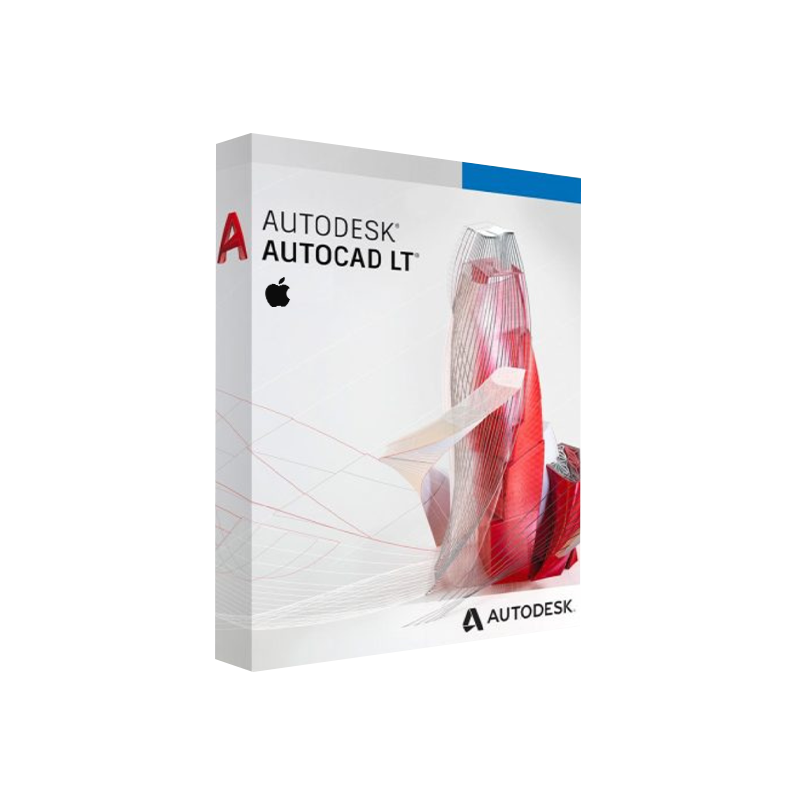




Autodesk AutoCAD LT for Mac Download | Genuine License
In Stock
✔ Quick Delivery
✔ 100% Original License
✔ Lifetime Warranty
✔ Free Support
In Stock
16 reviews for Autodesk AutoCAD LT for Mac Download | Genuine License
Description
Autodesk AutoCAD LT for Mac – The Professional‑Grade 2‑D Drafting Solution for macOS
Designed for engineers, architects, drafters, and design‑building professionals who demand precision, speed, and reliability on Apple hardware.
1. Overview – Why Choose AutoCAD LT on Mac?
Autodesk AutoCAD LT for Mac delivers the industry‑standard 2‑D drafting and detailing capabilities of AutoCAD, fully optimized for the macOS environment. Whether you’re creating construction documents, mechanical schematics, or electrical layouts, AutoCAD LT Lite Mac provides a lightweight, cost‑effective alternative without sacrificing the core toolset that professionals rely on.
“AutoCAD LT on Mac gives me the same exactness of the Windows version, but with the seamless integration I love in macOS.” – Jane D., Senior Architectural Designer
Key advantages:
| ✅ | Benefit |
|---|---|
| Cross‑platform compatibility | Files created on Windows AutoCAD open flawlessly on Mac and vice‑versa. |
| Lower total cost of ownership | Subscription pricing is up to 30 % cheaper than the full AutoCAD suite. |
| Optimized performance on macOS | Native rendering engine leverages Apple’s Metal graphics API for smoother panning and zooming. |
| Industry‑standard DWG format | 100 % DWG compatibility guarantees reliable collaboration with clients and contractors. |
| Secure cloud storage | Integrated Autodesk Drive and Autodesk Docs keep your drawings safe and accessible anywhere. |
2. Core Features – What Makes AutoCAD LT for Mac Stand Out?
Below is a bullet‑pointed snapshot of the most‑used tools that professionals leverage daily.
- Precision Drafting Tools
- Line, Polyline, Circle, Arc, Spline – all with real‑time object snaps (OSNAP).
- Dynamic Input for on‑the‑fly measurements.
- Annotation & Documentation
- Multi‑style Text, Mtext, Leader, Dimension tools.
- Tables and Sheet Set Manager for organized drawing sets.
- Layer Management
- Unlimited layers with color, linetype, and plot style controls.
- Layer States Manager to quickly switch between configurations.
- Plotting & Publishing
- Direct PDF, DWF, and DWFx publishing.
- Batch Plot for large drawing sets.
- Collaboration
- AutoCAD Web & Mobile access for on‑the‑go review.
- Integrated Autodesk Docs for version control.
- Customisation – CUI (Customize User Interface) and LISP support for automation (limited to 2‑D).
- Security – DWG TrueView compatibility ensures encrypted file exchange.
3. System Requirements – AutoCAD LT Mac OS Compatibility
| Component | Minimum Requirement | Recommended Specification |
|---|---|---|
| Operating System | macOS 10.15 (Catalina) | macOS 13 (Ventura) or later |
| Processor | 2‑core Intel i5 (2 GHz) | 4‑core Intel i7 or Apple M1/M2 (3 GHz) |
| RAM | 8 GB | 16 GB or more |
| Graphics | 1 GB GPU with 256 MB VRAM, supporting OpenGL 4.1 | Dedicated 2 GB GPU (Metal‑compatible) |
| Disk Space | 7 GB free SSD | 10 GB SSD + 20 GB for project archives |
| Display | 1366 × 768 resolution | 1920 × 1080 or higher (Retina recommended) |
| Internet | Broadband connection for activation & updates | High‑speed (≥25 Mbps) for cloud collaboration |
| Other | Keyboard & mouse (or Magic Trackpad) | Optional: Apple Pencil (via third‑party drawing tablet) |
Note: Autodesk continuously updates its AutoCAD LT for Mac system matrix. For the latest hardware guidance, consult the official Autodesk system requirements page.
4. Pricing – AutoCAD LT Mac Price Overview (2026)
| Plan | Billing | Cost (USD) | What’s Included |
|---|---|---|---|
| Monthly Subscription | Monthly | $60 / month | Latest version, cloud storage, 1‑year support |
| Annual Subscription | Yearly | $560 / year (≈ $46.67 / mo) | Discounted rate, priority updates |
| 3‑Year Term | 3‑Year | $1,500 | Fixed price, auto‑renewal optional |
| Academic License | Yearly | $35 / year | For qualified students & educators (requires .edu email) |
All subscriptions include access to Autodesk Drive, AutoCAD Web, and Mobile apps. No perpetual licenses are offered.
5. Direct AutoCAD LT Mac Download – How to Get Started
- Visit the Autodesk Store – Navigate to the AutoCAD LT for Mac product page.
- Select your subscription plan (monthly, annual, or 3‑year).
- Create or sign in to your Autodesk Account.
- Download the installer – The .dmg file is ~550 MB.
- Run the installer and follow the on‑screen prompts (requires admin rights).
- Activate using your Autodesk ID; the software validates your subscription online.
Tip: Keep the AutoCAD LT for Mac installer in a secure location for future re‑installs—your license is cloud‑based and tied to your Autodesk account.
6. AutoCAD LT for Mac vs. Full AutoCAD – Quick Comparison
| Feature | AutoCAD LT (Mac) | AutoCAD (Full, Mac) |
|---|---|---|
| 2‑D Drafting | ✅ | ✅ |
| 3‑D Modeling | ❌ | ✅ |
| Rendering (Ray‑Trace) | ❌ | ✅ |
| Advanced APIs (.NET, ObjectARX) | ❌ | ✅ |
| Sheet Set Manager | ✅ | ✅ |
| DWG Compare | ❌ | ✅ |
| Cost (annual) | $560 | $1,775 |
| Learning Curve | Gentle (focus on 2‑D) | Steeper (3‑D tools) |
| Ideal Users | Drafting, design documentation, construction drawing sets | BIM, mechanical design, complex 3‑D workflows |
Bottom line: If your workflow is exclusively 2‑D, AutoCAD LT on Mac gives you all the essential drafting power at a fraction of the price.
7. Benefits for Professionals – Why Autodesk LT Mac Is the Smart Choice
- Speed to market – Faster file loading and lighter resource consumption means you can open large DWG sets in seconds.
- Reduced IT overhead – No need for expensive GPU upgrades; the native macOS build runs smoothly on Apple Silicon.
- Enhanced collaboration – Direct integration with Autodesk Docs ensures that every stakeholder sees the same revision.
- Compliance and standards – Supports AIA, ISO, and industry‑specific drawing standards out‑of‑the‑box.
- Scalable licensing – Add or remove seats instantly via the Autodesk Account portal, ideal for project‑based teams.
8. Frequently Asked Questions (FAQ)
| Question | Answer |
|---|---|
| Can I open a DWG created with Windows AutoCAD LT on my Mac? | Yes – AutoCAD LT for Mac reads and writes the native DWG format without loss of data. |
| Is there a trial version? | Autodesk offers a 30‑day free trial of AutoCAD LT for Mac. Sign up through the Autodesk web portal. |
| Will my subscription work on multiple Macs? | A single user license can be installed on up to three devices simultaneously, but only one can be active at a time. |
| Does AutoCAD LT support Apple M1/M2 chips? | Absolutely. The latest build is a universal binary that runs natively on both Intel‑based and Apple‑silicon Macs. |
| Can I export PDFs with embedded fonts? | Yes – the Publish command allows you to embed TrueType fonts for reliable PDF distribution. |
9. How to Maximize Your Investment – Tips & Best Practices
- Leverage Layer States – Save and recall multiple layer configurations for different drawing phases (e.g., construction vs. presentation).
- Use Templates – Create a company‑wide DWG template with predefined title blocks, dimension styles, and plot settings.
- Enable Cloud Sync – Turn on Autodesk Drive to automatically back up each revision, reducing the risk of data loss.
- Stay Updated – Autodesk releases quarterly patches that improve performance on macOS and add new annotation styles.
- Participate in Autodesk University – Free webinars and tutorials help you discover hidden shortcuts and workflow optimizations.
10. Buy Now
Ready to accelerate your 2‑D drafting workflow on macOS?
• Download the latest AutoCAD LT Mac installer now.
• Choose a subscription plan that fits your project budget.
• Join thousands of design professionals who trust Autodesk’s flagship drafting tool.
External Resources
- Autodesk System Requirements – Detailed hardware and OS specifications.
- Apple macOS Compatibility Guide – Official Apple documentation on supported hardware.
- CADCritic Review of AutoCAD LT 2026 – Independent analysis of features and performance.
autocad lt on mac, autocad lite mac, autocad lt mac download, autodesk autocad lt for mac, autocad lt for mac price, autocad lt mac os, autodesk lt mac.
For bulk licensing, contact our sales team at info@thesoftsolution.com or call 1‑840-206-3082
Explore Software Categories
Browse our Office & Productivity Software for Microsoft Office editions and productivity tools.
Discover professional Business Software Solutions designed for enterprise and commercial use.
Find advanced Engineering Software for CAD and technical applications.
Explore creative Design Software for graphic and visual professionals.
Improve system performance with our Utilities Software.
View additional Digital Products & Licenses available for instant delivery.
Check out our Top Selling Products for the most popular choices.
Installation & Activation Support
Need help? Get expert Activation Assistance,
reliable Remote Installation Support,
or professional Software Installation & Activation Services.
Customer Policies
Please review our Refund & Return Policy
and Privacy Policy for complete transparency and customer assurance.
Related products
20%
Autodesk Fusion 360 for Windows
SKU:AKB 006
37%Commercial Licence
13%
32%Commercial License
Shana (verified owner) –
Great product! The license key worked instantly and activation was very easy.
Rowena (verified owner) –
Great product! The license key worked instantly and activation was very easy.
Aryanna (verified owner) –
Fast delivery and genuine product key. Will definitely buy again.
Hassan (verified owner) –
Very satisfied with my purchase. Fast delivery and genuine license.
Norberto (verified owner) –
Original license and easy activation. Highly recommended.
Jeromy (verified owner) –
Authentic license and great price. Everything worked smoothly.
Maximo (verified owner) –
Affordable price and genuine software. Highly recommended seller.
Brandt (verified owner) –
Received the activation invite quickly and everything worked perfectly.
Carleton (verified owner) –
I was surprised how easy the activation process was. Excellent service.
Myles (verified owner) –
Quick response from support and the product works perfectly.
Kaden (verified owner) –
Very smooth experience. Key worked perfectly and installation was simple.
Barrett (verified owner) –
Very smooth experience. Key worked perfectly and installation was simple.
Earlene (verified owner) –
Excellent service! I received my key quickly and everything worked as expected.
Trudie (verified owner) –
Affordable price and genuine software. Highly recommended seller.
Summer (verified owner) –
Fast delivery and genuine product key. Will definitely buy again.
Marquise (verified owner) –
Original license and easy activation. Highly recommended.