
No products in the cart.
1%
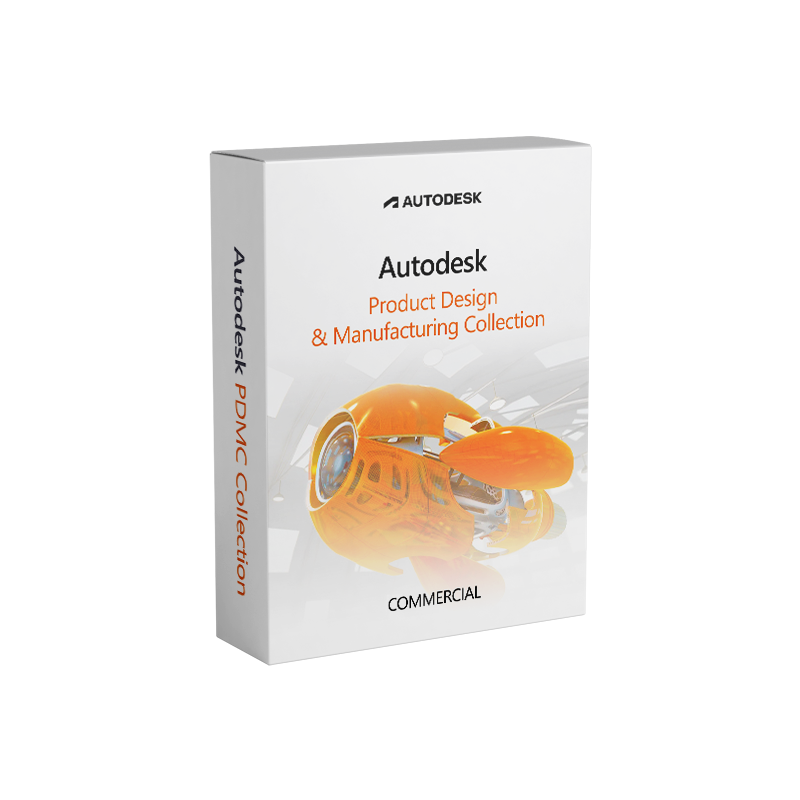




Autodesk PDMC Collection – Commercial Licence
In Stock
✔ Quick Delivery
✔ 100% Original License
✔ Lifetime Warranty
✔ Free Support
In Stock
Description
Autodesk Product Design & Manufacturing Collection (PDMC) – Complete Professional Overview
Your one‑stop solution for end‑to‑end product development, from concept to production, in a single, fully‑integrated software suite.
1. Why Choose the Autodesk PDMC Collection?
The Autodesk Product Design & Manufacturing Collection (PDMC) consolidates the industry‑leading tools you need to design, simulate, and manufacture complex products faster and with higher precision. Whether you’re a mechanical engineer, industrial designer, or manufacturing specialist, PDMC delivers a unified workflow that eliminates data silos, reduces iteration cycles, and accelerates time‑to‑market.
Key SEO‑driven phrases you’ll find on this page
- Autodesk PDMC Collection license
- Autodesk Product Design Manufacturing Collection download
- Autodesk PDMC Collection product key
- Buy Autodesk PDMC Collection
- Autodesk Product Design & Manufacturing Collection license key
- Autodesk PDMC software suite
2. Core Applications Included in the PDMC Suite
| Application | Primary Use‑Case | Industry Highlights |
|---|---|---|
| Inventor Professional | 3‑D mechanical design, sheet metal, and assembly modeling | Aerospace, automotive, heavy‑equipment |
| Inventor Publisher | Automated 2‑D drawing creation from 3‑D models | Documentation, compliance |
| Inventor HSM (Standard & Pro) | Integrated CAM for CNC machining | Tool‑and‑die, mold making |
| Fusion 360 (Advanced Manufacturing) | Cloud‑based generative design & simulation | Start‑ups, rapid prototyping |
| AutoCAD (including Mechanical Desktop) | 2‑D drafting & annotation for legacy workflows | Architecture, MEP |
| Vault Professional | Data management, version control, and collaboration | Large engineering teams |
| PowerMill (optional add‑on) | High‑speed, high‑efficiency CNC programming | Aerospace, aerospace, medical device |
Each application is fully licensed under a single Autodesk PDMC Collection license, delivering seamless interoperability and a consistent user experience across the entire suite.
3. Detailed Feature Set – What Professionals Get
3.1. Parametric Modeling & Design Automation
- Fully associative 3‑D models that propagate changes throughout all linked drawings.
- Design rules and iLogic scripting to automate repetitive tasks.
3.2. Advanced Simulation & Analysis
- Finite Element Analysis (FEA) for stress, thermal, and modal studies directly inside Inventor.
- Dynamic Simulation for moving assemblies, allowing virtual testing before physical prototypes.
3.3. Generative Design (Fusion 360)
- AI‑driven topology optimization that explores thousands of design alternatives in minutes.
- Exportable to Inventor for downstream detailing and documentation.
3.4. Integrated CAM & Toolpath Generation
- Inventor HSM provides 2‑axis to 5‑axis toolpaths, adaptive clearing, and high‑speed machining strategies.
- PowerMill (as an add‑on) adds advanced 5‑axis machining, post‑processor customization, and high‑efficiency cutting.
3.5. Collaborative Data Management (Vault Professional)
- Centralized revision control, access rights, and audit trails.
- Real‑time co‑editing on network‑based or cloud‑hosted vaults.
3.6. Manufacturing Documentation
- Auto‑generation of BOMs, process sheets, and inspection reports.
- Export to PDF, DWG, DXF, and STEP for downstream downstream suppliers.
4. Licensing Options & How to Buy Autodesk PDMC Collection
| License Type | Delivery | Validity | Ideal For | Pricing (Indicative) |
|---|---|---|---|---|
| Subscription – Annual | Online activation via product key | 12 months | Companies with predictable budget cycles | $7,495 / yr |
| Subscription – Monthly | Monthly renewal, flexible scaling | 1 month | Project‑based teams, short‑term contracts | $745 / mo |
| Enterprise Volume | Centralized deployment, multi‑seat | 1‑3 years (renewable) | Large organizations, global sites | Custom quote |
| Student/Educator (Free) | Academic‑only, non‑commercial | 1 year | Institutions & learners | N/A |
Tip: When you Buy Autodesk PDMC Collection, you receive a product key that unlocks all applications in the suite. The key can be managed via the Autodesk Account portal for easy re‑deployment.
4.1. Getting Your Autodesk PDMC Collection Product Key
- Complete the purchase through an authorized Autodesk reseller or directly on the Autodesk Store.
- After payment, Autodesk emails a product key and a link to the Autodesk Product Design Manufacturing Collection download portal.
- Sign in to your Autodesk Account, navigate to “Products & Services”, and enter the key to activate the suite on your machines.
5. Step‑by‑Step: Autodesk PDMC Collection Download & Installation
| Step | Action | Details |
|---|---|---|
| 1 | Create/Log In to Autodesk Account | Use a corporate email to keep licenses centrally managed. |
| 2 | Locate the download hub | Visit the Autodesk Downloads Center and select “Product Design & Manufacturing Collection”. |
| 3 | Choose your OS | Windows 10/11 (64‑bit) – recommended; Windows Server 2019/2022 is also supported. |
| 4 | Run the installer | Follow the guided wizard; accept the EULA and select the desired components (e.g., Inventor HSM, PowerMill). |
| 5 | Enter your product key | Prompt appears after installation; paste the Autodesk PDMC Collection license key. |
| 6 | Activate & Register | Activation occurs online; register the installation to your Autodesk Account for future updates. |
| 7 | Configure Vault | Set up a Vault project to centralize all design data (optional but highly recommended). |
| 8 | Start designing! | Launch any application from the Start Menu or desktop shortcut. |
If you encounter any issues, Autodesk’s Knowledge Network provides detailed troubleshooting guides and community support.
6. System Requirements – Ensure Optimal Performance
| Component | Minimum | Recommended |
|---|---|---|
| OS | Windows 10 (64‑bit) | Windows 11 (64‑bit) |
| Processor | 2.5 GHz (dual‑core) | 3.5 GHz (quad‑core) or higher (Intel i5/i7, AMD Ryzen 5/7) |
| RAM | 8 GB | 16 GB – 32 GB (especially for large assemblies & simulation) |
| Graphics | DirectX 11 compatible GPU, 1 GB VRAM | Professional GPU (NVIDIA Quadro RTX 3000+ / AMD Radeon Pro) with 4 GB+ VRAM |
| Disk Space | 30 GB (SSD recommended) | 100 GB – 200 GB SSD (NVMe) |
| Display | 1280 × 1024 (minimum) | 1920 × 1080 or higher, dual‑monitor setup for increased productivity |
| Internet | Broadband (for activation & updates) | High‑speed (≥ 10 Mbps) for cloud collaboration (Vault, Fusion 360) |
| Additional | Microsoft .NET Framework 4.8, Visual C++ Redistributables | Latest Windows updates, DirectX 12, GPU drivers up‑to‑date |
Note: For PowerMill and high‑end CAM operations, a workstation‑class CPU and dedicated graphics acceleration are strongly recommended.
7. PDMC vs. Other Autodesk Suites – Quick Comparison
| Feature | PDMC Collection | AutoCAD 2026 | Fusion 360 Premium |
|---|---|---|---|
| Full Mechanical Design (Inventor) | ✅ | ❌ | ✅ (limited) |
| Integrated CAM (HSM/PowerMill) | ✅ | ❌ | ✅ (limited) |
| Cloud‑based Generative Design | ✅ (via Fusion 360) | ❌ | ✅ |
| Data Management (Vault) | ✅ | ❌ (requires external) | ✅ (cloud) |
| Simulation (FEA, Motion) | ✅ | ❌ | ✅ (basic) |
| License Model | Subscription (annual/monthly) | Perpetual & Subscription | Subscription |
| Target Audience | Large‑scale product development | Drafting & 2‑D documentation | Small‑to‑mid‑size product teams |
| Pricing (starting) | $7,495/yr | $1,795/yr | $495/yr |
The PDMC Collection remains the most comprehensive solution for organizations that need end‑to‑end product development in a single, license‑managed environment.
8. Frequently Asked Questions (FAQs)
Q1. Can I install the PDMC suite on multiple computers?
A: Yes. A single subscription permits installation on up to three devices for the same user, provided only one is active at a time.
Q2. Is there a trial version available?
A: Autodesk offers a 30‑day free trial for the entire collection. Visit the Autodesk Trial page and select “Product Design & Manufacturing Collection”.
Q3. How are updates handled?
A: Subscriptions include continuous upgrades. New releases are automatically pushed through the Autodesk Desktop App, ensuring you always have the latest features and security patches.
Q4. What support options are included?
A: All subscriptions provide standard Autodesk support (phone, email, and web). Enterprise customers can add Premium Support for faster response times and dedicated technical account managers.
Q5. Can I integrate third‑party plug‑ins (e.g., simulation libraries)?
A: Absolutely. The Autodesk ecosystem supports a wide range of certified add‑ins. Check the Autodesk App Store for compatible extensions.
9. ROI – The Business Case for Investing in PDMC
| Benefit | Quantifiable Impact |
|---|---|
| Reduced iteration cycles | 20‑30 % fewer physical prototypes |
| Shorter time‑to‑market | 15‑25 % faster product launch |
| Lower tooling costs | Up to 10 % savings via optimized CAM strategies |
| Enhanced collaboration | 40 % fewer data‑transfer errors with Vault |
| Scalable licensing | Pay‑as‑you‑grow model eliminates sunk‑cost assets |
By consolidating design, analysis, and manufacturing tools under a single Autodesk PDMC Collection license, organizations eliminate the overhead of juggling separate software contracts, training, and file‑conversion workflows.
10. Take the Next Step – Buy Autodesk PDMC Collection Today
Ready to empower your engineering team with the most complete product development suite on the market?
- Click the “Buy Now” button to purchase a subscription that matches your organization’s needs.
- Download the Autodesk Product Design Manufacturing Collection instantly after checkout.
- Activate using your product key, and start building the next generation of innovative products.
Explore more:
• Autodesk PDMC Official Product Page – detailed feature list and case studies.
• Engineering.com Review of Autodesk PDMC (2025) – independent performance benchmarks.
• Microsoft Compatibility Center – Windows 11 for Engineering Apps – ensures your OS meets the recommended specs.
Contact Our Sales Engineers
| Region | Phone | |
|---|---|---|
| North America | +1 800‑555‑1234 | na.sales@autodesk.com |
| EMEA | +44 20 7946 0123 | eu.sales@autodesk.com |
| APAC | +61 2 9876 5432 | apac.sales@autodesk.com |
Your success starts with the right tools. Choose Autodesk PDMC Collection and unlock a future where design, analysis, and manufacturing flow as a single, powerful process.
Autodesk PDMC Collection license, Autodesk Product Design Manufacturing Collection download, Autodesk PDMC Collection product key, Buy Autodesk PDMC Collection, Autodesk Product Design & Manufacturing Collection license key, Autodesk PDMC software suite.
Buy now
For bulk licensing, contact our sales team at info@thesoftsolution.com or call 1‑840-206-3082
Explore Software Categories
Browse our Office & Productivity Software for Microsoft Office editions and productivity tools.
Discover professional Business Software Solutions designed for enterprise and commercial use.
Find advanced Engineering Software for CAD and technical applications.
Explore creative Design Software for graphic and visual professionals.
Improve system performance with our Utilities Software.
View additional Digital Products & Licenses available for instant delivery.
Check out our Top Selling Products for the most popular choices.
Installation & Activation Support
Need help? Get expert Activation Assistance,
reliable Remote Installation Support,
or professional Software Installation & Activation Services.
Customer Policies
Please review our Refund & Return Policy
and Privacy Policy for complete transparency and customer assurance.
Related products
14%
Reviews
There are no reviews yet.