
No products in the cart.
17%Latest Updates
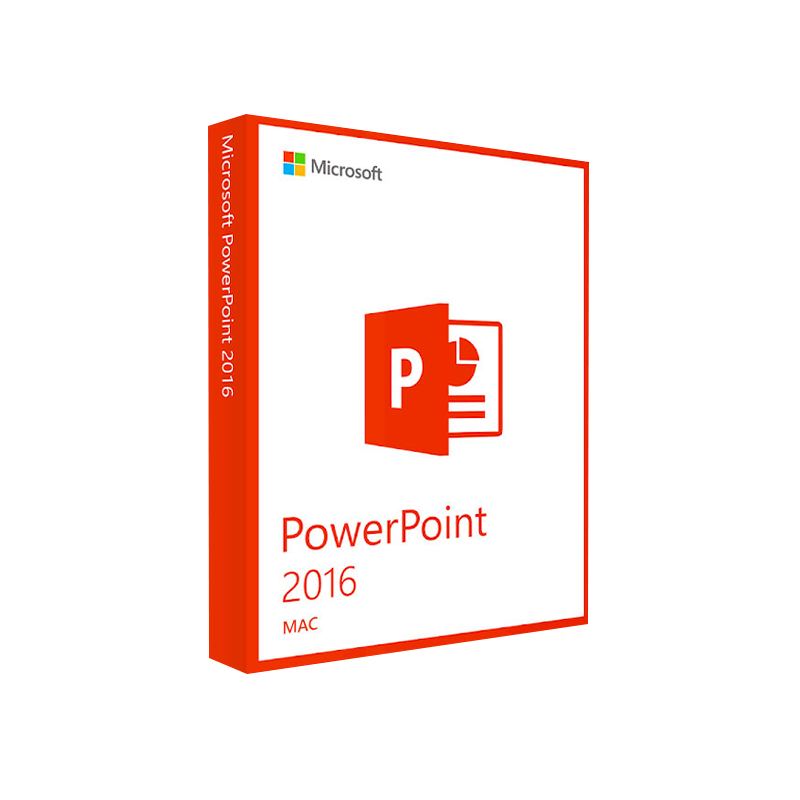




Microsoft PowerPoint 2016 for Mac Product Key – Instant Download
In Stock
 Quick Delivery
100% Original License
Lifetime Warranty
Free Support
In Stock
Description
Microsoft PowerPoint 2016 for Mac – The Professional’s Choice for Stunning Presentations
Elevate your slides, captivate your audience, and stay productive with the latest features of Microsoft PowerPoint 2016 for macOS.
Overview
Microsoft PowerPoint 2016 for Mac is the industry‑standard presentation software that blends the power of the Windows version with the seamless macOS experience. Designed for business professionals, educators, and creatives, PowerPoint 2016 delivers a robust set of tools for designing, presenting, and sharing slide decks—whether you’re in the boardroom, a classroom, or on‑the‑go.
PowerPoint 2016 for Mac offers the same high‑level functionality as its Windows counterpart while taking advantage of macOS‑specific gestures, Retina‑ready graphics, and native integration with Apple services.
Why Choose PowerPoint 2016 on a Mac?
| Feature | Microsoft PowerPoint 2016 (Mac) | Microsoft PowerPoint 2016 (Windows) | PowerPoint 2013 (Mac) |
|---|---|---|---|
| Co‑authoring in real‑time | ✔︎ (via OneDrive/SharePoint) | ✔︎ | ✘ |
| Slide Zoom & Summary Zoom | ✔︎ | ✔︎ | ✘ |
| Designer (AI slide suggestions) | ✔︎ (online) | ✔︎ (online) | ✘ |
| Ink & pen support | ✔︎ (Apple Pencil, Wacom) | ✔︎ (Surface Pen) | ✔︎ (basic) |
| Export to PDF/XPS with high‑resolution | ✔︎ | ✔︎ | ✔︎ |
| Live Presentation (Presenter View) | ✔︎ (dual‑monitor) | ✔︎ | ✔︎ |
| Integration with Office 365 | ✔︎ (cloud sync) | ✔︎ | ✘ |
| Support for 64‑bit macOS | ✔︎ | N/A | ✘ |
The table highlights that PowerPoint 2016 for Mac not only matches the Windows feature set but also introduces macOS‑centric enhancements.
Core Benefits for Professionals
- Seamless Collaboration – Work with teammates in real‑time using OneDrive or SharePoint. Every change is saved instantly, eliminating version‑control headaches.
- Advanced Design Tools – The Designer AI engine suggests polished layouts, while Slide Zoom lets you navigate complex decks with a single click.
- Robust Media Support – Insert 4K video, high‑resolution images, and audio clips without lag. The Mac’s Retina display showcases every pixel with crystal clarity.
- Secure Cloud Integration – Save presentations to OneDrive for Business or Microsoft 365, ensuring data protection, automatic backups, and accessibility from any device.
- Cross‑Platform Compatibility – Files created on a Mac open flawlessly on Windows, and vice‑versa, preserving fonts, animations, and transitions.
Detailed Feature Breakdown
1. Intelligent Design Assistance
- Designer – AI‑driven recommendations for slide layouts, color schemes, and imagery.
- QuickStarter – Generates an outline with curated content suggestions for popular topics (e.g., sales pitch, project plan).
2. Dynamic Presentation Modes
| Mode | Description | Ideal Use‑Case |
|---|---|---|
| Presenter View | Dual‑screen mode showing speaker notes, a timer, and upcoming slides. | Boardroom presentations |
| Slide Show (Full Screen) | Traditional full‑screen playback with transition effects. | Large‑venue conferences |
| Online PowerPoint 2016 (Web) | Browser‑based editing and presenting via Office.com. | Remote teams without installed software |
3. Rich Media & Animation
- Video & Audio – Embed MP4, MOV, MP3, and WAV files directly onto slides.
- Morph Transition – Create smooth, cinematic slide changes with minimal effort.
- 3D Model Support – Insert OBJ/FBX files and rotate them in‑slide (available via Office 365 subscription).
4. Collaboration & Review Tools
- Comments & @Mentions – Tag colleagues for feedback directly on a slide.
- Version History – Restore previous versions from OneDrive with a single click.
- Live Co‑authoring – Multiple users edit the same deck simultaneously, with color‑coded cursors indicating each collaborator.
5. Security & Compliance
- Password Protection – Encrypt files with a strong password.
- Information Rights Management (IRM) – Control who can view, edit, or copy content.
- Compliance Certifications – Meets ISO/IEC 27001, SOC 1/2/3, and GDPR standards (when used with Microsoft 365).
System Requirements for Microsoft PowerPoint 2016 (Mac)
| Component | Minimum Requirement | Recommended Specification |
|---|---|---|
| Operating System | macOS 10.10 (Yosemite) or later | macOS 11 (Big Sur) or later |
| Processor | Intel Core 2 Duo 2.0 GHz or faster | Intel i5 or Apple M1/M2 chip |
| Memory (RAM) | 2 GB | 8 GB or more |
| Hard Disk Space | 4 GB of available disk space | 10 GB SSD for optimal performance |
| Display | 1280 × 800 resolution (minimum) | Retina display (2560 × 1600) or higher |
| Graphics | GPU with 512 MB VRAM | GPU with 1 GB+ VRAM, Metal‑compatible |
| Internet | Broadband connection for activation & updates | High‑speed broadband (≥25 Mbps) for cloud sync |
| Additional Software | None (built‑in) | Microsoft 365 subscription for cloud features |
Note: PowerPoint 2016 for Mac works natively on Apple Silicon (M1/M2) Macs via Rosetta 2 translation, but for best performance you should use the Microsoft 365 version that offers native Apple‑silicon support.
Comparison: PowerPoint 2016 (Mac) vs. Online PowerPoint 2016
| Aspect | PowerPoint 2016 (Desktop) | Online PowerPoint 2016 |
|---|---|---|
| Feature Set | Full feature set (Morph, Designer, 3D models) | Core features only; limited advanced tools |
| Performance | Runs locally; no latency | Dependent on internet speed |
| Offline Access | Yes – edit without internet | No – requires web connection |
| File Compatibility | .pptx, .ppt, .pdf export | .pptx (import/export) |
| Collaboration | Real‑time co‑authoring via Cloud | Real‑time co‑authoring (native) |
| Security | Local encryption, IRM | Cloud‑based security (Microsoft 365) |
For organizations that demand the complete toolbox—including high‑resolution video, advanced animations, and offline work—PowerPoint 2016 for Mac remains the optimal solution.
Frequently Asked Questions (FAQ)
| Question | Answer |
|---|---|
| Is PowerPoint 2016 for Mac compatible with Office 365? | Yes. A Microsoft 365 subscription provides regular updates, cloud storage, and additional AI features such as Designer and Presenter Coach. |
| Can I use Apple Pencil with PowerPoint 2016? | Absolutely. Ink annotations and drawing tools respond to Apple Pencil pressure and tilt on compatible iPad‑connected Macs. |
| How do I share a presentation securely? | Use OneDrive for Business or SharePoint to set sharing permissions (view, edit, comment). You can also apply password protection or IRM to the file. |
| What is the difference between “Power point 2016” and “Powerpoint2016”? | Both terms refer to the same product. Use the exact phrase Microsoft PowerPoint 2016 for SEO consistency. |
| Is there a free trial? | Microsoft offers a 30‑day trial of Microsoft 365, which includes PowerPoint 2016 for Mac. Visit the official Microsoft 365 trial page to get started. |
How to Get Started
- Purchase or subscribe – Acquire PowerPoint 2016 for Mac via the Microsoft Store or a Microsoft 365 subscription.
- Download & Install – Follow the on‑screen wizard; the installer automatically checks system requirements.
- Activate – Sign in with your Microsoft account to link the product to your subscription.
- Explore Tutorials – Visit the Microsoft Support Center for step‑by‑step guides on Designer, Slide Zoom, and more.
SEO‑Optimized Summary
Microsoft PowerPoint 2016 for Mac is the most powerful, secure, and collaborative presentation platform available to macOS professionals. Whether you search for microsoft powerpoint 2016, powerpoint 2016, power point 2016, powerpoint2016, microsoft power point 2016, or online powerpoint 2016, you’ll find that the desktop version delivers unmatched performance, advanced design tools, and seamless integration with Microsoft 365.
By choosing PowerPoint 2016 for Mac, you gain:
- Full‑featured desktop experience
- Real‑time co‑authoring across Windows and Mac
- AI‑driven design assistance
- Enterprise‑grade security
Upgrade your presentation workflow today and experience the difference that a professional‑grade tool can make.
External Resources
- Microsoft PowerPoint 2016 for Mac – Official Product Page – https://www.microsoft.com/en-us/microsoft-365/powerpoint
- System Requirements – Microsoft Support – https://support.microsoft.com/en-us/office/system-requirements-for-office-2016-for-mac-5f6e2b38-2d47-4f31-8d5a-2c4fa7cbb8c9
- Apple’s Guide to Installing Office on macOS – https://support.apple.com/en-us/HT211229
Buy Now
For bulk licensing, contact our sales team at info@thesoftsolution.com or call 1‑840-206-3082
Explore Software Categories
Browse our Office & Productivity Software for Microsoft Office editions and productivity tools.
Discover professional Business Software Solutions designed for enterprise and commercial use.
Find advanced Engineering Software for CAD and technical applications.
Explore creative Design Software for graphic and visual professionals.
Improve system performance with our Utilities Software.
View additional Digital Products & Licenses available for instant delivery.
Check out our Top Selling Products for the most popular choices.
Installation & Activation Support
Need help? Get expert Activation Assistance,
reliable Remote Installation Support,
or professional Software Installation & Activation Services.
Customer Policies
Please review our Refund & Return Policy

Reviews
There are no reviews yet.