No products in the cart.

0
Total
$0.00
Free Shipping on All Orders Over $75
Only this weekend
Super Discount
Items on sale this week
Top picks this week. Up to 50% off the best selling products.



✔ Quick Delivery
✔ 100% Original License
✔ Lifetime Warranty
✔ Free Support
Only logged in customers who have purchased this product may leave a review.
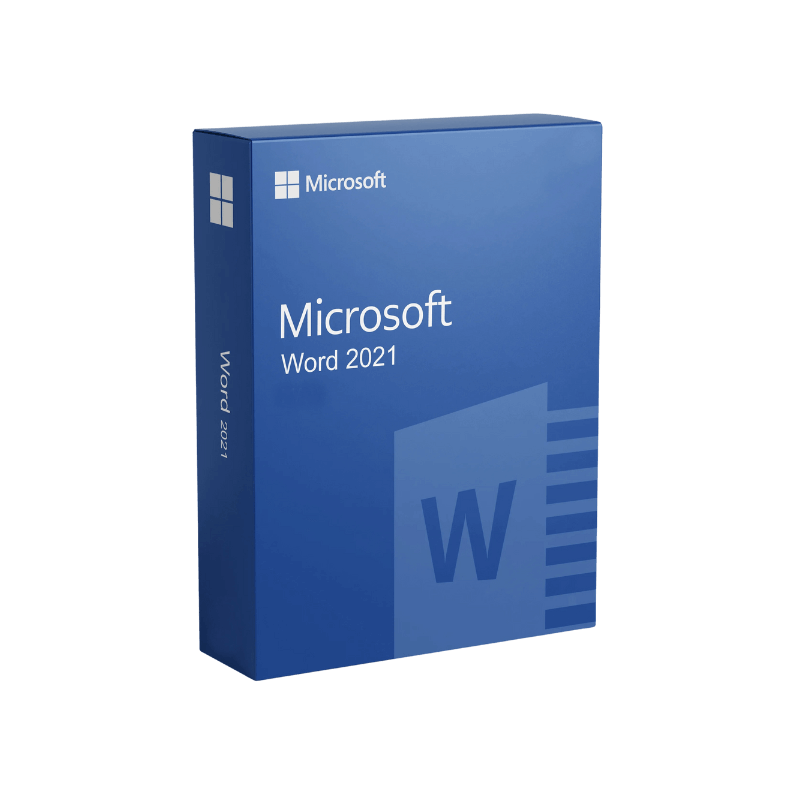
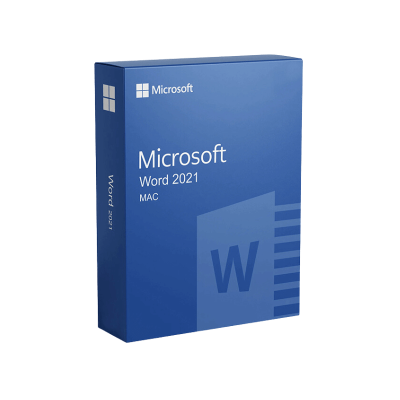
Designed for the modern workplace, Microsoft Word 2021 delivers the power of a full‑featured desktop editor with the simplicity of a one‑time purchase.
| Feature | Microsoft Word 2021 (Home & Student) | Microsoft Office 365 (Subscription) | Microsoft Office 2021 Professional | Key Advantage for Professionals |
|---|---|---|---|---|
| License Model | One‑time purchase – no recurring fees | Monthly/annual subscription | One‑time purchase (includes Outlook, Access, Publisher) | Predictable budgeting; no surprise renewals |
| Core Applications | Word, Excel, PowerPoint | Word, Excel, PowerPoint, Outlook, OneDrive, Teams, more | Word, Excel, PowerPoint, Outlook, Access, Publisher | Choose the suite that matches your workflow |
| Updates | Security patches only | Continuous feature updates | Security patches only | Stable environment – perfect for regulated industries |
| Collaboration | Real‑time co‑authoring (via OneDrive) | Full suite of collaboration tools | Real‑time co‑authoring (via OneDrive) | Seamless teamwork without extra cost |
| Support | 5‑year extended support from Microsoft | Ongoing support while subscribed | 5‑year extended support from Microsoft | Long‑term reliability for mission‑critical documents |
For professionals who need a reliable, full‑featured word processor without the ongoing cost of a subscription, Microsoft Word 2021 (included in the Microsoft Office Home & Student bundle) is the optimal solution.
| Feature | Benefit | Real‑World Example |
|---|---|---|
| Track Changes & Comments | Transparent revision workflow; maintain audit trails. | Legal teams can review contract drafts with full change history. |
| Content Controls & Building Blocks | Reuse standard text blocks, logos, and boilerplate content with a click. | HR departments quickly generate onboarding letters. |
| Data‑Driven Charts & SmartArt | Insert dynamic visualizations linked to Excel data. | Marketing analysts embed up‑to‑date sales charts in reports. |
| Document Protection | Password‑protect, restrict editing, or enforce read‑only mode. | Finance departments safeguard sensitive financial statements. |
| Multi‑Language Support | Write and proofread in over 40 languages. | International consultants produce bilingual proposals. |
One‑time purchase—the cornerstone of the Microsoft Office Home & Student bundle—offers a cost‑effective, perpetual license. Unlike a subscription model, you pay once and own the software for the entire lifecycle of the product (typically five years of mainstream support).
Why this matters to professionals:
For organizations that require strict IT governance, the Microsoft Office Home & Student license—often searched under “microsoft office home and student”, “ms office home and student”, or “microsoft office and home student”—delivers exactly the right balance of functionality and fiscal responsibility.
| Requirement | Minimum Specification | Recommended Specification |
|---|---|---|
| Operating System | Windows 10 (Version 1507) or later, Windows 11 | Windows 10 (Version 1903) or later, Windows 11 |
| Processor | 1.6 GHz or faster, 2‑core CPU | 2.0 GHz or faster, 4‑core CPU |
| RAM | 4 GB (64‑bit) | 8 GB or more |
| Hard Disk Space | 4 GB of available disk space | SSD with 10 GB free for optimal performance |
| Display | 1280 × 768 screen resolution | 1920 × 1080 (Full HD) or higher |
| Graphics | DirectX 9 or later with WDDM 2.0 driver | DirectX 12 compatible graphics card |
| .NET Framework | Version 4.7 or later | Latest .NET 6 runtime |
| Internet | Required for activation & updates | Broadband connection for OneDrive sync & online templates |
| Additional Software | Microsoft Edge (or other modern browser) for online help | Microsoft Teams (optional) for collaboration |
Tip: For the most stable experience, pair Microsoft Word 2021 with an SSD and at least 8 GB of RAM—especially when working with large, graphics‑heavy documents.
Outbound Resources:
- Official Microsoft Word 2021 product page – https://www.microsoft.com/en-us/microsoft-365/word
- Detailed system requirements – https://support.microsoft.com/en-us/office/system-requirements-for-office-2021-3f3e0bb1-7f5c-4c6d-9e9c-5b6e5a6f8a23
- Independent review of Microsoft Office Home & Student – https://www.pcmag.com/office/home-student-review
| Question | Answer |
|---|---|
| Can I upgrade from an older version of Word without buying a new license? | Yes. If you own a qualifying license (e.g., Office 2016 Home & Student), you may be eligible for a discounted upgrade. Contact Microsoft Support for details. |
| Is cloud storage mandatory? | No. While OneDrive enhances real‑time collaboration, you can store files locally or on any third‑party storage solution. |
| Will I receive new features after purchase? | Only security updates and bug fixes are provided. Feature‑level upgrades require a new version or a subscription to Microsoft 365. |
| How many devices can I install Word 2021 on? | The Home & Student license permits installation on up to three PCs or Macs for the same user. |
| Is there a free trial? | Microsoft offers a 30‑day trial of Microsoft 365, which includes Word 2021. This trial helps you evaluate the one‑time purchase versus subscription model. |
| Aspect | Microsoft Word 2021 (Home & Student) | Google Docs | LibreOffice Writer |
|---|---|---|---|
| License | One‑time purchase – no recurring fees | Free (cloud‑based) | Free (open‑source) |
| Offline Capability | Full offline editing, local file storage | Limited offline (requires Chrome) | Full offline, local storage |
| Advanced Formatting | Extensive styles, templates, and layout tools | Basic formatting | Robust, but fewer modern templates |
| Collaboration | Real‑time via OneDrive (optional) | Real‑time (native) | No native real‑time collaboration |
| Security | Enterprise‑grade encryption, compliance certifications | Google’s security model | Community‑maintained security patches |
| Support | 5‑year Microsoft support | Community forums | Community forums |
| Integration | Seamless with Outlook, PowerPoint, Excel | Google ecosystem (Sheets, Slides) | Compatible with Microsoft formats, but limited integration |
| Best For | Professionals needing stable, feature‑rich editing without subscription | Teams that work primarily in the cloud | Users seeking a free, open‑source alternative |
Bottom line: For professionals who require a dependable, feature‑complete solution and prefer a one‑time purchase, Microsoft Word 2021 remains the industry standard.
Ready to empower your team with a professional, one‑time‑purchase word processor?
Invest once, benefit for years—because your work deserves the stability and power of Microsoft Word 2021.
microsoft office one time purchase, microsoft office home and student, microsoft office home & student, ms office home and student, microsoft for home and student, microsoft office and home student.
Browse our Office & Productivity Software for Microsoft Office editions and productivity tools.
Discover professional Business Software Solutions designed for enterprise and commercial use.
Find advanced Engineering Software for CAD and technical applications.
Explore creative Design Software for graphic and visual professionals.
Improve system performance with our Utilities Software.
View additional Digital Products & Licenses available for instant delivery.
Check out our Top Selling Products for the most popular choices.
Need help? Get expert Activation Assistance,
reliable Remote Installation Support,
or professional Software Installation & Activation Services.
Please review our Refund & Return Policy
and Privacy Policy for complete transparency and customer assurance.
| Title |
|---|
| Title |
|---|
| Title |
|---|
| Title |
|---|
| Title |
|---|
| Title |
|---|
27 reviews for Microsoft Word 2021 Product Key – Genuine for Windows & Mac
Customer reviews