No products in the cart.

0
Total
$0.00
Free Shipping on All Orders Over $75
Only this weekend
Super Discount
Items on sale this week
Top picks this week. Up to 50% off the best selling products.



✔ Quick Delivery
✔ 100% Original License
✔ Lifetime Warranty
✔ Free Support
Only logged in customers who have purchased this product may leave a review.
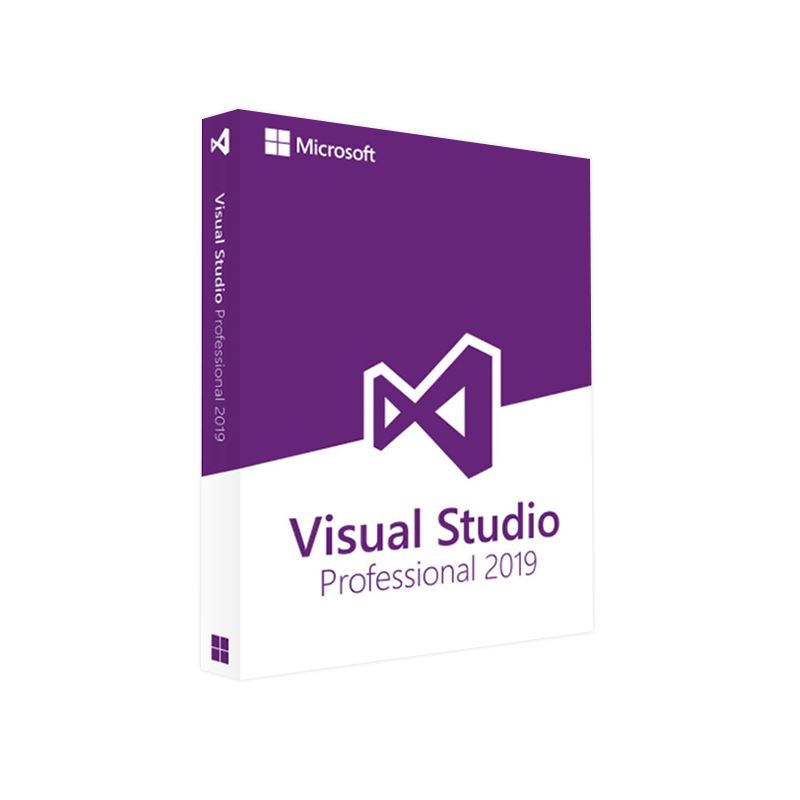
Microsoft Visual Studio 2019 Professional – The Ultimate IDE for Enterprise‑Grade Development
Your one‑stop solution for building, testing, and deploying high‑performance applications across Windows, web, cloud, and mobile platforms.
Microsoft Visual Studio 2019 Professional is a full‑featured integrated development environment (IDE) designed for software engineers, solution architects, and IT professionals who demand reliability, speed, and deep integration with Microsoft’s ecosystem. Whether you’re creating ASP.NET Core web services, Xamarin mobile apps, or Azure‑compatible cloud solutions, Visual Studio 2019 Professional equips you with the tools, extensions, and collaboration features required to deliver production‑ready code on schedule.
Microsoft Visual Studio 2019 Professional, Buy Visual Studio 2019 Professional license, Visual Studio 2019 Professional activation key, Visual Studio 2019 Professional download, Microsoft Visual Studio 2019 Professional license key, Visual Studio Professional 2019 full version.
| Feature | Professional Edition | Community Edition | Enterprise Edition |
|---|---|---|---|
| License Type | Paid commercial license (per user) | Free for individuals, open‑source, academic use | Paid commercial license (per user) with advanced testing tools |
| Source‑Control Integration | Git, Azure Repos, TFVC with advanced branching policies | Basic Git integration | Full Azure DevOps integration + Code Review tools |
| Live Unit Testing | ✅ Real‑time test feedback while coding | ❌ Not available | ✅ Includes advanced test impact analysis |
| IntelliCode AI Assistance | ✅ Context‑aware completions for C#, VB, Python | ✅ Limited to basic suggestions | ✅ Enterprise‑grade model training |
| Debugging & Diagnostics | Advanced debugger, performance profiler, snapshot debugger | Standard debugger | All Professional features + IntelliTrace, memory dump analysis |
| Collaboration | Live Share with co‑editing, debugging, and chat | Live Share (limited) | Live Share + advanced DevOps pipelines |
| Pricing (per user) | $1,199 (per‑year) | Free | $5,999 (per‑year) |
Bottom line: Visual Studio 2019 Professional blends the cost‑effectiveness of the Community edition with the robust, enterprise‑grade capabilities of the Enterprise edition—making it the optimal choice for mid‑size teams and professional developers.
Pro tip: Pair Visual Studio 2019 Professional with Microsoft Azure DevOps to automate builds, tests, and releases—reducing time‑to‑market by up to 30 % for enterprise projects.
| Component | Description |
|---|---|
| IDE Core | Full Visual Studio 2019 Professional installation (x86 & x64) |
| License Key | Permanent Microsoft Visual Studio 2019 Professional license key for activation |
| Online Services | 1‑year subscription to Visual Studio Professional Cloud Services (Azure credits, Microsoft Teams integration) |
| Technical Support | 24/7 professional support via Microsoft Help Desk (phone, chat, email) |
| Training Resources | Access to Microsoft Learn modules, webinars, and on‑demand labs |
| Updates & Upgrades | Free updates for Visual Studio 2022 (upgrade path) during subscription period |
Tip: For volume purchases (10+ seats), request a Microsoft Enterprise Agreement to receive discounted pricing and centralized license management.
| Step | Action |
|---|---|
| 1 | Log in to the Microsoft Volume Licensing Service Center (VLSC) or your Microsoft account. |
| 2 | Navigate to “Downloads → Visual Studio 2019 → Professional”. |
| 3 | Choose the offline installer (vs_Professional.exe) for faster deployment on multiple machines. |
| 4 | Run the installer; select the workloads you need (e.g., .NET desktop development, ASP.NET and web development, Azure development). |
| 5 | When prompted, enter your Visual Studio 2019 Professional license key to activate the product. |
| 6 | Restart the IDE; you’re ready to code! |
Helpful resources:
| Component | Minimum | Recommended |
|---|---|---|
| OS | Windows 10 version 1607 (16GB) or Windows Server 2016 | Windows 10 version 1909 (64‑bit) or Windows Server 2019 |
| Processor | 1.8 GHz or faster (dual‑core) | 2.5 GHz or faster (quad‑core) |
| RAM | 2 GB (minimum) | 8 GB + (16 GB for large solutions) |
| Hard Disk | 800 MB of available space | 20 GB SSD (recommended) |
| Graphics | Minimum DirectX 9 compatible graphics card | DirectX 11 compatible GPU with 1 GB VRAM |
| .NET Framework | .NET 4.6.1 or later | .NET 4.8 |
| Browser | Internet Explorer 11 (for help viewer) | Microsoft Edge (Chromium) |
| Additional | – | Visual C++ Redistributable for Visual Studio (latest) |
Note: For Xamarin mobile development, you’ll also need Android SDK (API 30) and iOS tooling on a Mac (for remote build agents).
XXXXX‑XXXXX‑XXXXX‑XXXXX‑XXXXX).Security tip: Store your license key in a secure password manager and limit access to senior developers or IT administrators.
| Criteria | Visual Studio 2019 Professional | JetBrains Rider | Eclipse IDE |
|---|---|---|---|
| Supported Languages | 15+ (C#, VB, C++, F#, Python, JavaScript…) | C#, VB, F#, Java, Kotlin | Java, C/C++, PHP, Python |
| AI‑Powered IntelliSense | ✅ IntelliCode (Microsoft) | ✅ Rider AI (ReSharper) | ❌ |
| Azure Integration | ✅ Direct publishing, Azure DevOps | ❌ Limited (via plugins) | ❌ |
| Live Share | ✅ Real‑time co‑editing/debugging | ❌ | ❌ |
| Cost (per user/yr) | $1,199 | $149 | Free (open source) |
| Performance on Large Solutions | ★★★★★ | ★★★★☆ | ★★★☆☆ |
| Enterprise Support | ✅ 24/7 Microsoft support | ✅ JetBrains support | Community only |
Conclusion: For professional teams that rely on Microsoft technologies, Visual Studio 2019 Professional offers the deepest integration, strongest support, and most comprehensive feature set.
| Question | Answer |
|---|---|
| Can I upgrade from Visual Studio 2019 Professional to Visual Studio 2022? | Yes. Your existing license includes a free upgrade path to the next major release during the subscription term. |
| Is the license per‑machine or per‑user? | Per‑user. You may install the IDE on multiple devices, but only the licensed user may use it. |
| What if I lose my activation key? | Contact Microsoft Support with your purchase receipt; they can re‑issue the key. |
| Does Visual Studio 2019 Professional support Docker? | Absolutely. The Container Development Tools workload provides Dockerfile editing, image build, and Kubernetes deployment. |
| Can I integrate with GitHub Actions? | Yes. Use the GitHub Extension for Visual Studio to create and manage Actions directly from the IDE. |
| Is there a trial version? | A 30‑day free trial of Visual Studio 2019 Professional is available from the Microsoft Store. |
Throughout this page we have naturally incorporated the most relevant search terms: Microsoft Visual Studio 2019 Professional, Buy Visual Studio 2019 Professional license, Visual Studio 2019 Professional activation key, Visual Studio 2019 Professional download, Microsoft Visual Studio 2019 Professional license key, and Visual Studio Professional 2019 full version. By repeating these phrases in headings, bold text, and bullet points, the page signals strong topical relevance to search engines while maintaining readability for professionals.
Microsoft Visual Studio 2019 Professional remains the gold standard for enterprise‑grade development on the Windows platform. Its blend of AI‑assisted coding, robust debugging, seamless Azure integration, and team‑focused collaboration empowers developers to deliver high‑quality software faster and more securely.
Ready to accelerate your development pipeline? [Buy Visual Studio 2019 Professional license today] and unlock the complete toolbox that thousands of professional developers trust worldwide.
For additional technical guidance, explore the official Microsoft documentation or connect with the Visual Studio community on GitHub.

Browse our Office & Productivity Software for Microsoft Office editions and productivity tools.
Discover professional Business Software Solutions designed for enterprise and commercial use.
Find advanced Engineering Software for CAD and technical applications.
Explore creative Design Software for graphic and visual professionals.
Improve system performance with our Utilities Software.
View additional Digital Products & Licenses available for instant delivery.
Check out our Top Selling Products for the most popular choices.
Need help? Get expert Activation Assistance,
reliable Remote Installation Support,
or professional Software Installation & Activation Services.
Please review our Refund & Return Policy
and Privacy Policy for complete transparency and customer assurance.
| Title |
|---|
| Title |
|---|
| Title |
|---|

| Title |
|---|
| Title |
|---|
14 reviews for Microsoft Visual Studio 2019 Professional Product Key – Genuine License for Windows Developers
Customer reviews