No products in the cart.

0
Total
$0.00
Free Shipping on All Orders Over $75
Only this weekend
Super Discount
Items on sale this week
Top picks this week. Up to 50% off the best selling products.
✔ Quick Delivery
✔ 100% Original License
✔ Lifetime Warranty
✔ Free Support
Only logged in customers who have purchased this product may leave a review.
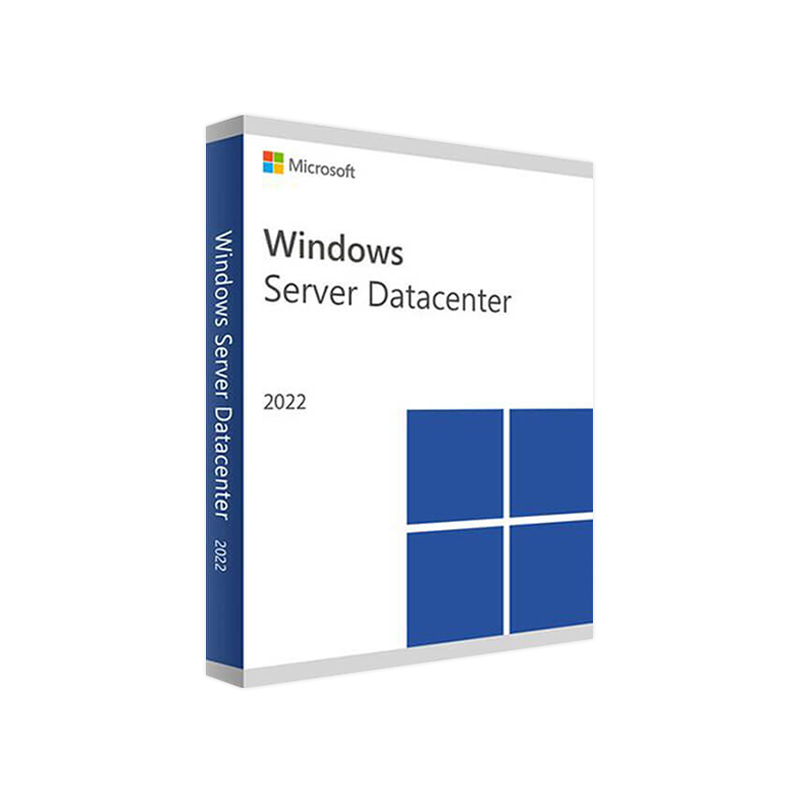
Microsoft Windows Server 2022 Datacenter – Enterprise‑Grade Cloud‑Ready Infrastructure
Designed for large‑scale data centers, hybrid clouds, and mission‑critical workloads, Windows Server 2022 Datacenter delivers the most secure, performant, and flexible platform for today’s professional IT environments.
| Benefit | What It Means for Your Organization |
|---|---|
| Unlimited virtualization | Run unlimited Windows Server containers and Hyper‑V virtual machines on a single license – perfect for dense cloud‑native workloads. |
| Advanced security stack | Built‑in Secured‑core server, Hardware Root of Trust, and TLS 1.3 protect data at rest and in transit. |
| Hybrid integration | Seamless Azure Arc and Azure Stack HCI connectivity lets you manage on‑premise and cloud resources from a single pane. |
| Scalable storage | Storage Spaces Direct (S2D) and SMB over QUIC deliver high‑performance, low‑latency file services for distributed teams. |
| Automation ready | Full PowerShell 7, Windows Admin Center, and PEP (Policy‑based Endpoint Protection) APIs enable end‑to‑end orchestration. |
Bottom line – Windows Server 2022 Datacenter is the only OS that can simultaneously satisfy the most demanding virtualization, security, and hybrid‑cloud requirements without compromising on cost‑efficiency.
| License Type | Core Count (per license) | Typical Use‑Case | Approx. Price (USD) |
|---|---|---|---|
| Server 2022 Datacenter | 16 cores (additional cores $XX per core) | Data‑center, private‑cloud, unlimited VMs/containers | $6,155 (16‑core) |
| Server 2022 Standard | 16 cores | Up to 2 VMs, limited containers | $972 (16‑core) |
| Azure Hybrid Benefit | N/A – convert existing Windows Server Datacenter licenses to Azure usage at no extra cost | Hybrid/Cloud migration | No additional charge |
Note: Prices are indicative and vary by reseller. For volume discounts, contact your Microsoft CSP partner.
For a detailed breakdown of all licensing options, see the official Microsoft Licensing Guide – https://learn.microsoft.com/en-us/licensing/ (outbound link).
| Component | Minimum | Recommended |
|---|---|---|
| Processor | 1.4 GHz 64‑bit processor compatible with x64 architecture | 2.0 GHz or faster, Intel Xeon E5‑2670 or AMD EPYC 7351 |
| RAM | 2 GB (Server Core) / 4 GB (Desktop Experience) | 8 GB or more (≥ 16 GB for Hyper‑V hosts) |
| Disk Space | 32 GB (minimum) | 80 GB SSD (NVMe) for OS + separate storage for VMs |
| Network Adapter | Gigabit Ethernet | 10 GbE + RDMA (for S2D clusters) |
| Firmware | UEFI compatible with Secure Boot | UEFI with TPM 2.0 (mandatory for Secured‑core) |
| Virtualization | Intel VT‑x / AMD‑V | Intel VT‑d / AMD‑RVI (for nested virtualization) |
| Supported Hyper‑V | Yes (role‑based) | Yes – recommended for production clusters |
| Remote Management | Windows Admin Center, PowerShell Remoting | Windows Admin Center 2109 or later, System Center 2022 |
All hardware must be listed on the Microsoft Windows Server Catalog for full support.
| Feature | Windows Server 2022 Datacenter | Red Hat Enterprise Linux 9 | Ubuntu Server 22.04 LTS |
|---|---|---|---|
| Unlimited VM/Container Rights | ✅ | ❌ (requires subscription) | ❌ (limited by license) |
| Built‑in Secured‑Core | ✅ | ✅ (via SELinux & TPM) | ✅ (via AppArmor) |
| Azure Hybrid Benefit | ✅ (free Azure usage) | ❌ | ❌ |
| SMB over QUIC | ✅ (high‑performance file sharing) | ❌ (uses NFS) | ❌ (uses NFS) |
| Native AD Integration | ✅ (Active Directory) | ❌ (requires Samba/AD‑DS) | ❌ (requires Samba) |
| PowerShell 7 Automation | ✅ | ❌ (Bash/Python) | ❌ (Bash/Python) |
| Pricing (16‑core) | $6,155 (Datacenter) | $2,000+ (subscription) | Free (community) + support fees |
For a deeper dive into enterprise server OS comparisons, see the Gartner “2024 Top Server Operating Systems” report – https://www.gartner.com/en/documents/3983745 (outbound link).
| Question | Answer |
|---|---|
| Can I run Windows Server 2022 Datacenter on Azure Stack HCI? | Yes – the OS is fully supported on Azure Stack HCI nodes, enabling a seamless hybrid experience. |
| Is Windows Server 2022 Datacenter compatible with older Windows Server 2016 containers? | Containers are backward compatible; however, it is recommended to rebuild images on the latest base OS for optimal security. |
| What is the support lifecycle? | 10 years of mainstream + extended support (5 years mainstream, 5 years extended) – ending January 2028. |
| Do I need a separate CAL for each user/device? | Yes – Client Access Licenses (CALs) are required for each user or device that accesses the server, whether on‑prem or via Azure. |
| Can I upgrade from Windows Server 2019 Standard to 2022 Datacenter in place? | In‑place upgrade is supported; however, Microsoft recommends a migration to a new host to minimize downtime. |
Take advantage of the unparalleled scalability, security, and Azure integration that only Windows Server 2022 Datacenter can provide.
microsoft windows server 2022 datacenter, windows 2022 datacenter, windows server datacenter 2022, windows server 2022 datacenter price, windows server 2022 datacenter download, windows server data center 2022, server 2022 datacenter license, windows datacenter 2022
Browse our Office & Productivity Software for Microsoft Office editions and productivity tools.
Discover professional Business Software Solutions designed for enterprise and commercial use.
Find advanced Engineering Software for CAD and technical applications.
Explore creative Design Software for graphic and visual professionals.
Improve system performance with our Utilities Software.
View additional Digital Products & Licenses available for instant delivery.
Check out our Top Selling Products for the most popular choices.
Need help? Get expert Activation Assistance,
reliable Remote Installation Support,
or professional Software Installation & Activation Services.
Please review our Refund & Return Policy
and Privacy Policy for complete transparency and customer assurance.

| Title |
|---|
| Title |
|---|
| Title |
|---|
| Title |
|---|
Reviews
Customer reviews
No reviews found