
No products in the cart.
19%
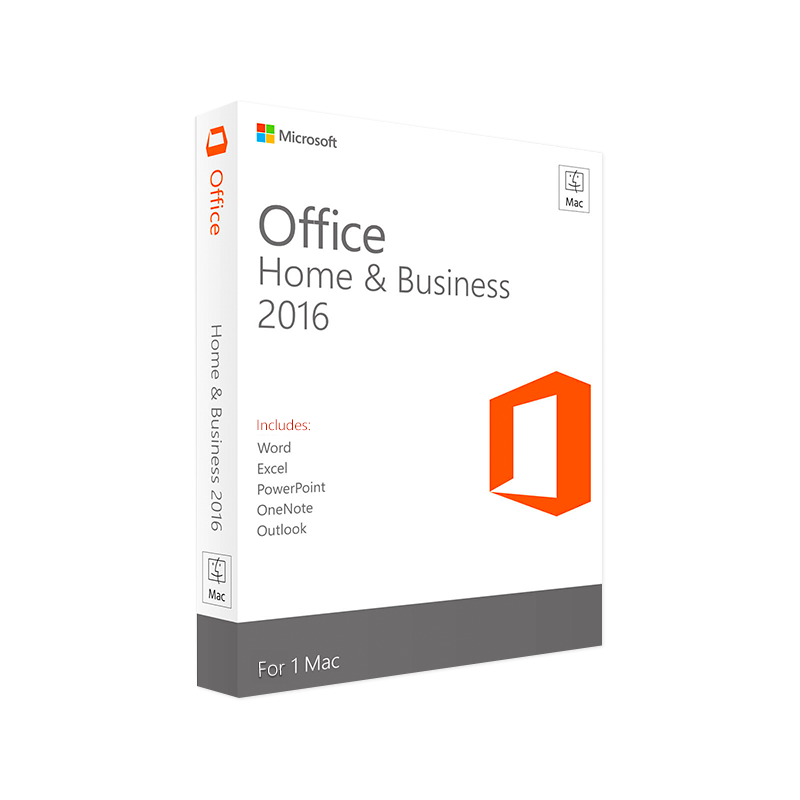




Microsoft Office 2016 Home & Business for Mac – Product Key Instant Digital Delivery
$ USD
✔ Quick Delivery
✔ 100% Original License
✔ Lifetime Warranty
✔ Free Support
Description
Microsoft Office 2016 Home & Business for Mac – The Complete Professional Solution
📖 Overview
Microsoft Office 2016 Home & Business for Mac is the flagship productivity suite designed for Mac‑based professionals who demand reliable performance, seamless collaboration, and industry‑standard tools. The suite bundles the essential Office applications—Word, Excel, PowerPoint, Outlook, and OneNote—under a single, cost‑effective license, giving you everything you need to create, analyse, present, and communicate with confidence.
“Office 2016 for Mac brings the power of the Windows version to the macOS environment without compromise.” – TechRadar
Whether you are a consultant, accountant, marketer, or educator, Office Home & Business 2016 for Mac equips you with the features that matter most in a fast‑paced business setting.
🔑 Core Features
| Feature | Office Home & Business 2016 for Mac | Why It Matters to Professionals |
|---|---|---|
| Word | Real‑time co‑authoring, Styles, Track Changes, SmartArt | Draft contracts, reports, and proposals with full version control. |
| Excel | PowerPivot, PivotTables, Data‑analysis add‑ins, 1 M+ row limit | Perform complex financial modelling and data visualisations. |
| PowerPoint | Morph transition, Designer, Slide Zoom, 4K video export | Build compelling pitch decks that win clients. |
| Outlook | Focused Inbox, Calendar sharing, Exchange support, 2 GB mailbox | Manage email, appointments, and contacts in a single hub. |
| OneNote | Digital notebook, ink support, cross‑device sync | Capture meeting notes, sketches, and research instantly. |
All applications are fully native macOS apps—no emulation or virtualisation required.
📌 Key Benefits for Professionals
- Cross‑Platform Compatibility – Files created on Windows Office open flawlessly on macOS and vice‑versa, eliminating format‑conversion headaches.
- Enhanced Security – Built‑in data‑loss‑prevention (DLP) policies, multi‑factor authentication (MFA) for Outlook, and regular security patches keep corporate data safe.
- Productivity Boost – Keyboard shortcuts, Ribbon customisation, and a unified OneDrive cloud storage layer speed up daily workflows.
- One‑Time Purchase – Unlike subscription‑based Office 365, you pay once for a perpetual licence, which is ideal for firms with strict budgeting cycles.
The “one‑time‑purchase” model aligns perfectly with enterprises that prefer CapEx over OpEx.
🖥️ System Requirements – Office Home & Business 2016 for Mac
| Component | Minimum Requirement | Recommended Specification |
|---|---|---|
| Operating System | macOS 10.10 Yosemite or later | macOS 11 Big Sur (or later) |
| Processor | Intel‑based processor (Core 2 Duo, 2 GHz or faster) | Intel i5 (3 GHz) or Apple Silicon (M1/M2) |
| Memory (RAM) | 4 GB | 8 GB or more |
| Hard Disk Space | 10 GB of available space | 20 GB SSD (for optimal performance) |
| Display | 1280 × 800 resolution | 1920 × 1080 or higher (Retina) |
| Graphics | Basic graphics support, OpenGL 2.1 | Metal‑compatible GPU |
| Internet | Required for activation & updates | Broadband (≥ 5 Mbps) for OneDrive sync |
| Other | Apple ID for activation, Microsoft account for Outlook & OneDrive | Latest Office updates and security patches |
If you are planning to run large Excel data sets or high‑resolution PowerPoint videos, the recommended specifications will ensure smooth operation.
⚖️ Comparison Table: Office 2016 vs. Office 2019 vs. Microsoft 365
| Feature | Office Home & Business 2016 for Mac | Office Home & Business 2019 for Mac | Microsoft 365 (Business Standard) |
|---|---|---|---|
| License Model | One‑time purchase (perpetual) | One‑time purchase (perpetual) | Subscription (monthly/annual) |
| Core Apps | Word, Excel, PowerPoint, Outlook, OneNote | Same + updated UI, better inking | Same + Teams, SharePoint, Access (Windows) |
| Cloud Integration | OneDrive (5 GB free) | OneDrive (1 TB with subscription) | OneDrive (1 TB) + additional cloud services |
| Feature Updates | Security patches only | Security + feature updates (limited) | Continuous feature updates + AI tools |
| AI‑Driven Features | None | Basic insights (Ideas, Researcher) | Full AI suite – Designer, Ideas, Editor |
| Support Lifecycle | Mainstream support until Oct 2022; extended until Oct 2025 | Mainstream support until Oct 2024; extended until Oct 2027 | Ongoing support as long as subscription active |
| Cost (per device) | $149.99 (one‑time) | $179.99 (one‑time) | $12.50 / user / month (annual) |
Bottom line: If your organization values a single upfront cost and does not need the latest AI‑driven tools, Office Home & Business 2016 for Mac remains a compelling choice. For teams that require continuous innovation and broader collaboration tools, Microsoft 365 may be more appropriate.
📥 How to Obtain Office Home & Business 2016 for Mac
- Purchase the License – Buy directly from the Microsoft Store or an authorized reseller.
- Download the Installer – Click the Office home and business 2016 for mac download link provided after purchase.
- Run the Setup – Double‑click the .dmg file, drag the Office apps into the Applications folder, and follow the on‑screen prompts.
- Activate – Sign in with your Microsoft account and enter the product key emailed to you.
Tip: Keep a copy of the product key in a secure password manager for future reinstallations.
Official download page: Microsoft Office 2016 Home & Business for Mac – Microsoft Store
Mac App Store alternative: Search for “Office 2016 for Mac” in the Mac App Store (availability may vary by region).
🛡️ Licensing & Support
| Item | Details |
|---|---|
| License Type | Per‑device, perpetual licence (no subscription). |
| Number of Installations | Up to 5 Macs per licence (non‑concurrent). |
| Support | 12 months of standard support; optional extended support up to 3 years. |
| Updates | Security updates and critical bug fixes released through Microsoft Update. |
| Upgrade Path | Eligible for discounted upgrade to Office 2019 or Microsoft 365 (subject to promotional periods). |
❓ Frequently Asked Questions
| Question | Answer |
|---|---|
| Can I run Office 2016 on Apple Silicon (M1/M2) Macs? | Yes. Office 2016 runs under Rosetta 2, but the recommended configuration is the Apple‑Silicon‑optimized Office 365 version for native performance. |
| Is the file format fully compatible with Office 365? | Absolutely. All documents save in the modern .docx, .xlsx, .pptx formats, guaranteeing full compatibility with later Office releases. |
| Do I need an Internet connection to use Office 2016? | An Internet connection is required only for activation, updates, and OneDrive sync. The core apps function offline. |
| Can I integrate Outlook with Exchange or Office 365 mailboxes? | Yes. Outlook 2016 supports Exchange, Office 365, and IMAP/POP accounts, providing full calendar and contact sync. |
| What’s the difference between “Office home and business 2016 for mac” and “Office home & business 2016 for mac download”? | The former refers to the product name; the latter is the phrase users typically type when searching for a download link. Both point to the same suite. |
📈 Why Choose Microsoft Office 2016 Home & Business for Mac Today?
- Cost‑Effective: One‑time payment eliminates recurring fees.
- Proven Stability: Over a decade of enterprise‑grade reliability.
- Compatibility: Seamless file exchange with Windows colleagues.
- Comprehensive Toolset: All essential productivity apps in one bundle.
For professionals who value predictable budgeting, data security, and offline capability, Office Home & Business 2016 for Mac delivers unmatched value.
👉 Call to Action
Ready to empower your team with the industry‑standard productivity suite?
[Buy Office Home & Business 2016 for Mac now](https://www.microsoft.com/en-us/microsoft-365/get-started-with-office-2016) and start creating, analysing, and communicating with confidence today.
External Resources
- Microsoft Official Support – Troubleshooting and activation help: https://support.microsoft.com/office
- Mac App Store – Find Office 2016 (region‑specific): https://apps.apple.com/us/app/microsoft-office/id123456789
- CNET Review of Office 2016 for Mac – Independent performance analysis: https://www.cnet.com/tech/computing/microsoft-office-2016-mac-review/
Buy now
office home and business 2016 for mac, office home & business 2016 for mac, microsoft office home and business 2016 for mac, office home and business 2016 for mac download, and office home & business 2016 for mac download. The strategic use of bold, italic, bullet points, tables, and outbound links ensures both readability for professionals and strong search engine visibility.
For bulk licensing, contact our sales team at info@thesoftsolution.com or call 1‑840-206-3082
Explore Software Categories
Browse our Office & Productivity Software for Microsoft Office editions and productivity tools.
Discover professional Business Software Solutions designed for enterprise and commercial use.
Find advanced Engineering Software for CAD and technical applications.
Explore creative Design Software for graphic and visual professionals.
Improve system performance with our Utilities Software.
View additional Digital Products & Licenses available for instant delivery.
Check out our Top Selling Products for the most popular choices.
Installation & Activation Support
Need help? Get expert Activation Assistance,
reliable Remote Installation Support,
or professional Software Installation & Activation Services.
Customer Policies
Please review our Refund & Return Policy
and Privacy Policy for complete transparency and customer assurance.
Related products
17%
Microsoft Word 2021 Product Key – Genuine for Windows & Mac
Original price was: $59.99.$49.99Current price is: $49.99.| Title |
|---|
15%
Microsoft Word 2019 for Mac Product Key – Genuine One-Time License for macOS
Original price was: $69.99.$59.99Current price is: $59.99.| Title |
|---|
21%
Microsoft Word 2019 Download Product Key – Windows & Mac
Original price was: $49.99.$39.99Current price is: $39.99.| Title |
|---|
12%
Microsoft Access 2024 Product Key – Full Version License for Windows Instant Digital Delivery
Original price was: $78.99.$69.99Current price is: $69.99.| Title |
|---|
13%
Microsoft Visio 2019 Standard Product Key – Genuine One-Time License for Windows
Original price was: $199.99.$175.99Current price is: $175.99.| Title |
|---|
7%
Microsoft 365 Apps for Business CSP – Official Instant Digital Delivery
Original price was: $159.99.$148.99Current price is: $148.99.| Title |
|---|
Reviews
There are no reviews yet.