
No products in the cart.
18%
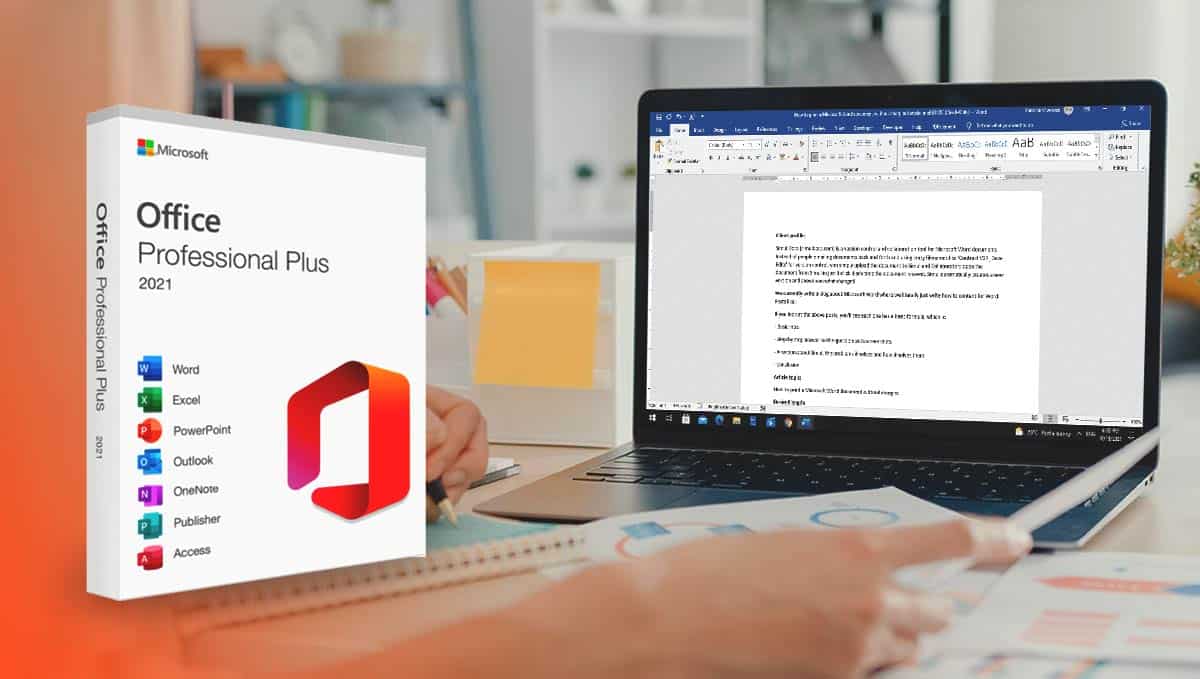



Microsoft Office 2021 Professional Plus
$ USD
But 1 Get 1 Free
✔ Retail License – One-Time Purchase
✔ 1 PC · Windows 10 / Windows 11
✔ Instant Email Delivery
✔ Activation Guide Included
✔ 30-Day Refund Policy
Be the first to review “Microsoft Office 2021 Professional Plus”
Description
Retail License – One-Time Purchase
Microsoft Office 2021 Professional Plus
Microsoft Office 2021 Professional Plus — digital license delivered instantly to your email. Activate and get started today.
✓ Windows 10 / Windows 11
✓ Instant Delivery
✓ 30-Day Refund
✓ 1 PC
✓ Instant Delivery
✓ 30-Day Refund
✓ 1 PC
Digital License
$59.99
1 PC · Worldwide
🚀
Instant
Email delivery
🔒
Secure
SSL checkout
⚡
Permanent
No expiry
📋
Guide
Included
📞
24/7
Support
What is Microsoft Office 2021 Professional Plus?
Microsoft Office 2021 Professional Plus is a retail license – one-time purchase digital software license published by Microsoft Corporation. It is delivered digitally via email — no physical media required. Compatible with Windows 10 / Windows 11 and licensed for use on 1 PC.
After purchase, you will receive a license key or activation code by email. Activation is completed online through the publisher’s official servers. This is a new – unused digital license key and has never been used before.
Key Features
📄
#003087
Microsoft Word
📊
#0a5c36
Microsoft Excel
📺
#7a4f00
Microsoft PowerPoint
💌
#4a0099
Microsoft Outlook
📝
#7a0000
Microsoft OneNote
✅
#003087
One-Time Purchase
Product Specifications
| Brand | Microsoft Corporation |
| Version | Microsoft Office 2021 Professional Plus |
| Condition | New – unused digital license key |
| License Type | Retail License – One-Time Purchase |
| Number of Devices | 1 PC |
| Compatible OS | Windows 10 / Windows 11 |
| Region | Worldwide |
| Delivery Method | Digital – license key emailed within minutes (max 12 hours) |
| Activation Method | Online – activate via Microsoft account at office.com/setup |
| Internet Required | For activation only — works offline after activation |
| Support | Step-by-step activation guide + 24/7 live chat support |
| Refund Policy | 30-day refund if the license key does not activate successfully |
How to Activate – Step by Step
1
Check your email
Your license key will arrive from TheSoftSolution within minutes — check spam if not seen.
2
Visit office.com/setup
Open your browser and go to office.com/setup. Sign in with your Microsoft account.
3
Enter your product key
Enter the 25-character license key from your email when prompted by Microsoft.
4
Download & install
Click Install to download the software installer. Follow the on-screen steps to complete.
✓
You’re all set!
Your software is now activated and ready to use. No internet connection required after activation.
Frequently Asked Questions
❓ Is this a genuine digital license?
Yes. This is a new – unused digital license key. It activates through the publisher’s official servers. TheSoftSolution is an independent reseller of digital software licenses.
❓ How fast will I receive my license key?
Most orders are delivered within minutes. In some cases delivery can take up to 12 hours. If you have not received your key after 12 hours, contact our support team immediately and we will resolve it.
❓ What if my key doesn’t work?
We offer a 30-day refund policy. If your license key does not activate for any reason, contact our support team within 30 days with your order number and we will issue a replacement or full refund.
❓ How many devices can I install this on?
This license is valid for 1 PC. If you need licenses for more devices, please contact our support team for bulk pricing.
❓ Is installation support available?
Yes. Every order includes a step-by-step activation guide. Our 24/7 support team is also available via live chat and email if you need additional help during installation.
Why Buy From TheSoftSolution?
🔒
Secure Checkout
SSL-encrypted — Stripe & PayPal accepted
🚀
Instant Delivery
License key in your inbox within minutes
📞
24/7 Support
Live chat and email always available
📋
Activation Guide
Step-by-step instructions with every order
🔄
30-Day Refund
Full refund if key does not activate
🌎
Worldwide Delivery
Customers in 100+ countries served
TheSoftSolution is an independent reseller of digital software licenses and is not affiliated with, endorsed by, or officially connected to Microsoft Corporation. All product names, logos, and brands are the property of their respective owners and are used here for identification purposes only.
| Condition | New – unused digital license key |
| Brand | Microsoft Corporation |
| Version | Microsoft Office 2021 Professional Plus |
| License Type | Retail License – One-Time Purchase |
| Number of Devices | 1 PC |
| Compatible OS | Windows 10 / Windows 11 |
| Region | Worldwide |
| Delivery Method | Digital – emailed within minutes (up to 12 hours) |
| Activation Method | Online – activate via Microsoft account at office.com/setup |
| Publisher | Microsoft Corporation |
| Refund Policy | 30-day refund if the license key does not activate successfully |
| Support | Step-by-step activation guide + 24/7 live chat support |
TheSoftSolution is an independent reseller and is not affiliated with Microsoft Corporation.
Additional information
| Weight | 0.0 lbs |
|---|
Related products
21%
Norton 360 Deluxe | PC, Mac, Android & iOS | Antivirus License
Original price was: $24.99.$19.99Current price is: $19.99.
15%
Parallels Desktop 19 Pro Lifetime Key
Original price was: $105.00.$90.00Current price is: $90.00.15%

AnyViewer Professional License | Secure Remote Desktop Software
Original price was: $34.99.$29.99Current price is: $29.99.17%
Microsoft Word 2021 Product Key
Original price was: $59.99.$49.99Current price is: $49.99.| Weight | 0.0 lbs |
|---|---|
| Title |
Reviews
Customer reviews
No reviews found