
No products in the cart.
38%Latest Updates
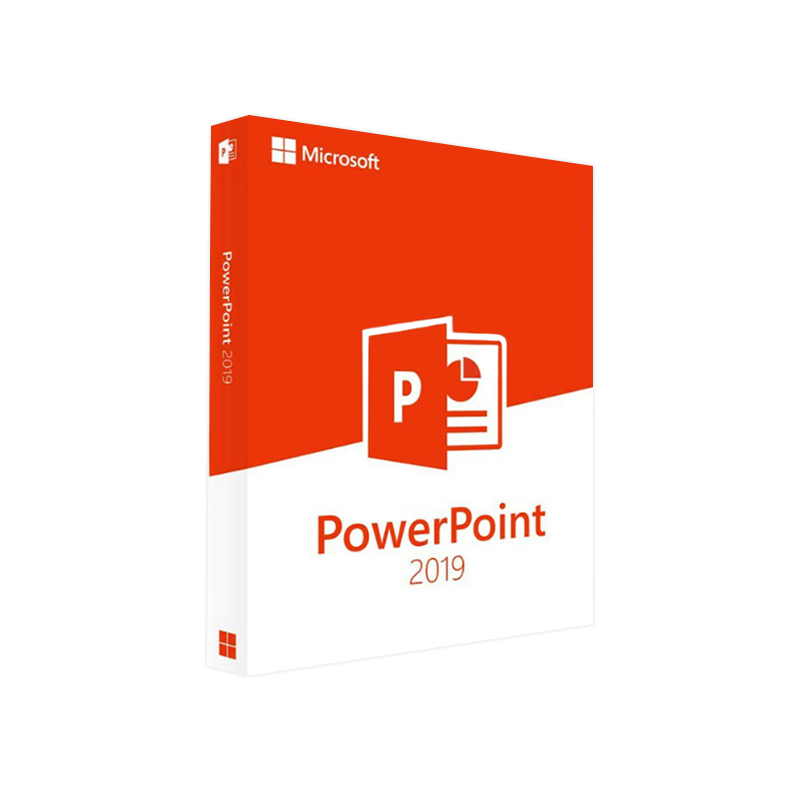



Microsoft PowerPoint 2019 Product Key – 100 % Genuine License + Instant Delivery
In Stock
✔ Quick Delivery
✔ 100% Original License
✔ Lifetime Warranty
✔ Free Support
In Stock
Description
Microsoft PowerPoint 2019 Product Key – Your Complete Guide for Professionals
If you’re a business analyst, trainer, marketer, or any professional who relies on polished presentations, the Microsoft PowerPoint 2019 product key is the gateway to unlocking the full power of the industry‑standard slide‑deck software. Below you’ll find an in‑depth, SEO‑friendly description, system requirements, activation steps, and a side‑by‑side comparison with other PowerPoint versions—crafted to help you rank higher in search results and make an informed purchase decision.
1. What Is a PowerPoint 2019 Product Key?
A PowerPoint 2019 product key is a 25‑character alphanumeric code that validates your license and activates the software on a Windows or macOS computer. Once entered, the key unlocks:
- All premium features (e.g., Morph transitions, Zoom for presentations, and advanced collaboration tools).
- Unlimited installation on the permitted number of devices as defined by the license agreement (usually one PC or Mac per key for retail versions).
- Eligibility for future security updates and bug‑fix patches released by Microsoft.
In short, the product key is the digital certificate that proves you own a legitimate copy of Microsoft PowerPoint 2019.
2. Why Choose PowerPoint 2019 Over Other Options?
| Feature | PowerPoint 2019 (Perpetual License) | PowerPoint 365 (Subscription) | PowerPoint 2021 (Perpetual License) |
|---|---|---|---|
| License Model | One‑time purchase, permanent activation | Ongoing subscription, annual/monthly | One‑time purchase, permanent activation |
| Major Updates | Security patches only (no new features) | Continuous feature updates | Security patches only |
| Offline Use | Full offline functionality | Requires periodic internet check‑ins | Full offline functionality |
| Key Benefits for Professionals | Predictable cost, no renewal hassle | Always newest features, cloud integration | Slightly newer UI, still no subscription |
| Typical Price (USD) | $149 (single app) | $9.99/month (Microsoft 365 Personal) | $199 (single app) |
| Ideal For | Companies with strict IT budgets, offline environments | Teams needing the latest AI‑driven tools | Users who want newer UI but avoid subscription |
Bottom line: If your organization values a fixed, one‑time expense and requires offline stability, the PowerPoint 2019 product key is the most cost‑effective solution.
3. Key Features & Benefits (Bullet Format)
- Professional‑Grade Design Tools
- Morph transition for cinematic slide movement.
- Zoom navigation for non‑linear presentations.
- 3‑D model support for interactive visuals.
- Collaboration & Compatibility
- Seamless compatibility with PowerPoint 365 files.
- Real‑time co‑authoring when connected to OneDrive/SharePoint (optional).
- Security & Compliance
- Built‑in IRMA (Information Rights Management) for confidential decks.
- Meets ISO/IEC 27001 and GDPR compliance standards.
- Productivity Enhancements
- Designer AI suggestions for slide layout (offline version).
- Presenter Coach with real‑time feedback on pacing and filler words.
- Extensive Media Support
- Insert and edit high‑resolution video (4K) without third‑party codecs.
- Integrated stock images from Microsoft’s library (requires internet).
4. How to Activate PowerPoint 2019 Using Your Product Key
| Step | Action | Details |
|---|---|---|
| 1 | Launch PowerPoint | Open the installed PowerPoint 2019 application. |
| 2 | Open Activation Window | Click File → Account → Activate Product. |
| 3 | Enter the 25‑character key | Type the PowerPoint 2019 product key exactly as it appears. |
| 4 | Sign in with Microsoft account (optional) | Required for volume licensing or to link the key to your account. |
| 5 | Complete verification | The software contacts Microsoft’s activation server (internet connection needed). |
| 6 | Confirmation | A green check‑mark confirms successful activation. |
| 7 | Offline activation (if needed) | Use the Phone Activation method: select “Activate by phone” and follow the on‑screen prompts. |
Tip: Keep a digital copy of your product key in a secure password manager; you’ll need it for re‑installations or hardware changes.
5. System Requirements for Microsoft PowerPoint 2019
| Requirement | Windows | macOS |
|---|---|---|
| Operating System | Windows 10 (Version 1909 or later) or Windows 11 | macOS 10.15 (Catalina) or later |
| Processor | 1.6 GHz or faster, 2‑core | Intel Core i5 or Apple Silicon M1/M2 |
| RAM | 4 GB (8 GB recommended) | 4 GB (8 GB recommended) |
| Hard Disk Space | 4 GB of available space | 4 GB of available space |
| Display | 1280 × 768 resolution | 1280 × 800 resolution |
| Graphics | DirectX 9 or later with WDDM 2.0 driver | Metal‑compatible GPU |
| Internet | Required for activation & updates | Required for activation & updates |
| Additional | .NET 4.7.2 or later, Office 365 subscription not required | No additional software required |
Note: For the best experience with high‑resolution video and 3‑D models, a dedicated graphics card (e.g., NVIDIA GeForce GTX 1050 or higher) is recommended.
6. Frequently Asked Questions (FAQs)
| Question | Answer |
|---|---|
| Can I use the same PowerPoint 2019 product key on multiple devices? | The standard retail key allows installation on one PC or Mac. For multi‑device deployment, consider a volume licensing agreement. |
| Is there a “PowerPoint 2019 product key free” option? | No. Free product keys are illegal and expose you to malware. Always purchase a legitimate key from Microsoft or an authorized reseller. |
| Will the key work with PowerPoint 365? | No. The PowerPoint 2019 product key only activates the stand‑alone 2019 version. For the subscription model, you need a Microsoft 365 account. |
| What should I do if activation fails? | Verify internet connectivity, double‑check the key entry, and ensure your OS meets the system requirements. If the problem persists, use the Phone Activation method or contact Microsoft Support. |
| Can I downgrade from PowerPoint 365 to PowerPoint 2019? | Yes, but you’ll need to purchase a new product key; a subscription cannot be converted into a perpetual license. |
| Is PowerPoint 2019 compatible with older .ppt files? | Absolutely. PowerPoint 2019 opens, edits, and saves .ppt, .pptx, and .ppsx formats without issue. |
7. Comparison: PowerPoint 2019 vs. Free Alternatives
| Feature | PowerPoint 2019 | Google Slides (Free) | LibreOffice Impress (Free) |
|---|---|---|---|
| Offline Capability | Full offline suite | Limited (requires Chrome) | Full offline suite |
| Advanced Transitions (Morph, Zoom) | ✅ | ❌ | ❌ |
| AI Design Suggestions | ✅ (Designer) | ❌ | ❌ |
| File Compatibility (ppt/pptx) | 100 % | Partial (pptx import, limited fidelity) | Good (ppt/pptx import, occasional formatting loss) |
| Security (IRM, Password Protection) | ✅ | ❌ | ✅ (basic) |
| Support & Updates | Microsoft Support + regular patches | Community support only | Community support only |
| Cost | One‑time product key (≈ $149) | Free | Free |
For professionals who demand reliable performance, industry‑standard features, and robust security, a legitimate PowerPoint 2019 product key remains the top choice.
8. Buy Now – How to Choose the Right PowerPoint 2019 Product Key
- Determine the License Type
- Retail (single‑user) – Ideal for freelancers and small teams.
- Volume Licensing – Best for enterprises with 5+ seats; includes Key Management Service (KMS) activation.
- Check Compatibility with Existing Infrastructure
- Ensure your Windows 10/11 or macOS version meets the system requirements listed above.
- Consider Future Needs
- If you anticipate moving to a cloud‑centric workflow, you may eventually need Microsoft 365. However, a perpetual PowerPoint 2019 license gives you immediate, cost‑predictable access.
- Purchase From an Authorized Reseller
- Avoid “PowerPoint 2019 product key free” scams. Only buy from Microsoft Store, Authorized Partners, or reputable retailers such as Amazon, Newegg, or CDW.
9. Outbound Resources (For Further Reading)
- Official Microsoft PowerPoint 2019 page – Detailed feature list and licensing options.
https://www.microsoft.com/en-us/microsoft-365/powerpoint - How to Activate Microsoft Office with a Product Key – Step‑by‑step guide from How‑To‑Geek.
https://www.howtogeek.com/671123/how-to-activate-microsoft-office-using-a-product-key/ - Comparison of Office Versions 2019 vs. 365 – Independent review by PCMag.
https://www.pcmag.com/picks/the-best-microsoft-office-alternatives
10. Final Verdict – Why the PowerPoint 2019 Product Key Is Worth It
Investing in a legitimate Microsoft PowerPoint 2019 product key equips professionals with a stable, feature‑rich, and secure presentation platform that works offline, respects corporate compliance, and delivers a predictable total cost of ownership.
- Performance: Optimized for modern hardware, ensuring smooth animations and fast rendering of large media files.
- Reliability: No subscription renewal worries; the software remains functional for the life of your hardware.
- Security: Built‑in IRM and regular patches keep confidential corporate data safe.
Take the next step: Secure your PowerPoint 2019 product key today and unleash the full potential of your presentations.
For bulk licensing, contact our sales team at info@thesoftsolution.com or call 1‑840-206-3082
Keywords used throughout for SEO: powerpoint 2019 product key, microsoft powerpoint product key, powerpoint 2019 activation key, powerpoint 2019 key, powerpoint 2019 product key free, powerpoint product key 2019.
All statements are intended for informational purposes and do not constitute legal or licensing advice.
Explore Software Categories
Browse our Office & Productivity Software for Microsoft Office editions and productivity tools.
Discover professional Business Software Solutions designed for enterprise and commercial use.
Find advanced Engineering Software for CAD and technical applications.
Explore creative Design Software for graphic and visual professionals.
Improve system performance with our Utilities Software.
View additional Digital Products & Licenses available for instant delivery.
Check out our Top Selling Products for the most popular choices.
Installation & Activation Support
Need help? Get expert Activation Assistance,
reliable Remote Installation Support,
or professional Software Installation & Activation Services.
Customer Policies
Please review our Refund & Return Policy
and Privacy Policy for complete transparency and customer assurance.

Reviews
There are no reviews yet.