No products in the cart.

0
Total
$0.00
Free Shipping on All Orders Over $75
Only this weekend
Super Discount
Items on sale this week
Top picks this week. Up to 50% off the best selling products.



✔ Quick Delivery
✔ 100% Original License
✔ Lifetime Warranty
✔ Free Support
Only logged in customers who have purchased this product may leave a review.
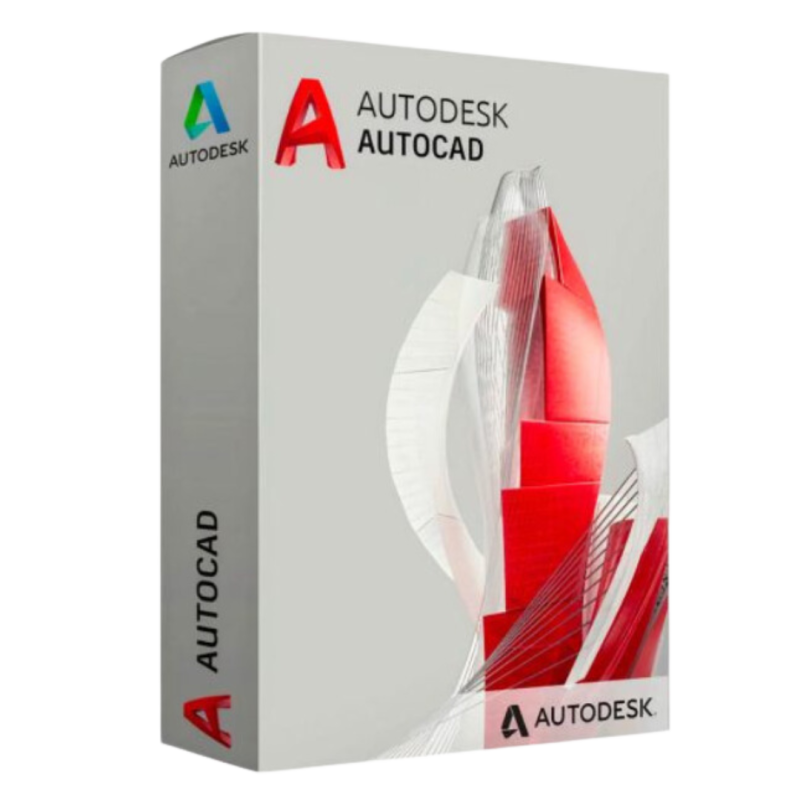
Elevate your design workflow with the most trusted 2‑D and 3‑D drafting software on the market. Whether you are an architect, mechanical engineer, or civil designer, Autodesk AutoCAD for Windows delivers the power, precision, and flexibility you need to turn concepts into production‑ready drawings.
| Feature | Benefit | How It Helps Professionals |
|---|---|---|
| Full‑Version 2‑D Drafting & 3‑D Modeling | Create detailed floor plans, mechanical parts, and infrastructure layouts in a single environment. | Eliminates the need for multiple specialty tools, reducing file‑hand‑off errors. |
| DWG Compatibility (100 % native) | Seamlessly open, edit, and share industry‑standard DWG files. | Guarantees that collaborators, clients, and contractors can view your work without conversion loss. |
| Customizable Workspaces & Tool Palettes | Save personalized UI layouts and frequently used commands. | Cuts repetitive navigation time by up to 30 % for power users. |
| Automated Documentation (Sheet Sets, Data Extraction) | Generate construction documents, BOMs, and reports with a single click. | Accelerates project delivery and ensures data consistency across drawings. |
| Cloud‑Enabled Collaboration (AutoCAD Web & Mobile) | Access, edit, and mark up drawings from any device. | Enables real‑time teamwork for distributed project teams. |
| Robust API (LISP, .NET, Python) | Extend functionality with custom scripts and add‑ins. | Tailor the software to unique workflows, increasing productivity. |
These capabilities make Autodesk AutoCAD for Windows the go‑to platform for professional CAD software across architecture, engineering, and construction (AEC) industries.
Tip: For enterprise roll‑outs, use the Autodesk Deployment Toolkit to automate installation across multiple workstations.
| Category | Minimum Specification | Recommended Specification |
|---|---|---|
| Operating System | Windows 10 (64‑bit) version 1809 or later | Windows 11 (64‑bit) |
| Processor | 2.5 GHz (≥ 2 cores) | 3.0 GHz (≥ 4 cores) Intel® i5 / AMD Ryzen 5 or better |
| RAM | 8 GB | 16 GB or more |
| Graphics Card | DirectX 11 compatible GPU with 1 GB VRAM | DirectX 12 compatible GPU with 4 GB VRAM, certified for OpenGL |
| Display | 1920 × 1080 resolution | 1920 × 1080 (minimum) – 4K UHD supported |
| Hard Disk | 7 GB free space (SSD recommended) | 10 GB SSD (NVMe) for faster loading |
| Internet | Broadband connection for activation, updates, and cloud services | 10 Mbps+ for optimal cloud collaboration |
| Additional Software | .NET Framework 4.8, Visual C++ Redistributable 2015–2022 | .NET 6.0 (optional for advanced plugins) |
Note: Always verify the latest requirements on the Autodesk System Requirements page (https://knowledge.autodesk.com/support/autocad/getting-started/caas/CloudHelp/cloudhelp/2025/ENU/AutoCAD-Help/files/GUID-DF1F0F5C-B9E8-4248-9D4E-0C9FA0F5E6DA-htm.html).
| License Type | Term | Cost (USD)* | Included Services | Ideal For |
|---|---|---|---|---|
| AutoCAD Single‑User Subscription | Monthly / Annual | $220 / $1,785 | Updates, cloud storage (5 GB), 24/7 support | Freelancers, consultants |
| AutoCAD Multi‑User (Network) License | Annual | $1,750 per seat | Centralized license server, volume discounts | Small‑to‑mid‑size firms |
| AutoCAD for Education | 1‑Year (renewable) | Free | Full‑feature access, Autodesk Education Community | Students, teachers |
| AutoCAD Enterprise | 3‑Year + | Custom pricing | Dedicated account manager, priority support, on‑premise deployment | Large corporations, government agencies |
*Prices are indicative and may vary by region.
Buy AutoCAD for Windows directly from Autodesk or an authorized reseller to guarantee a genuine AutoCAD Windows License and eligibility for technical support.
| Feature | AutoCAD Professional | SolidWorks | SketchUp Pro |
|---|---|---|---|
| DWG Native Support | ✅ 100 % compatible | ❌ Requires conversion | ❌ Requires plugin |
| 2‑D Drafting Speed | ★★★★★ (dynamic input, fast grips) | ★★★★☆ | ★★★☆☆ |
| 3‑D Modeling Power | ★★★★☆ (solid, surface, mesh) | ★★★★★ (parametric) | ★★☆☆☆ |
| API Flexibility | LISP, .NET, Python, VBA | C++, VB.NET | Ruby, Ruby on Rails |
| Cloud Collaboration | Autodesk Docs, AutoCAD Web | 3DEXPERIENCE (paid) | Trimble Connect |
| Pricing (Annual) | $1,785 | $3,995 | $1,199 |
| Industry Adoption | 85 % of AEC firms | 60 % of mechanical firms | 40 % of interior designers |
The table underscores why AutoCAD for Windows Full Version remains the most versatile and cost‑effective solution for professional CAD software needs.
Q1: Can I run AutoCAD on a laptop with integrated graphics?
A: Yes, the minimum requirement is a DirectX 11 compatible GPU. However, for complex 3‑D models, a dedicated GPU (4 GB VRAM) is recommended to maintain smooth performance.
Q2: What is the difference between “AutoCAD Windows Download” and “AutoCAD Windows Trial”?
A: The download provides the full installer. During installation you can choose a 30‑day free trial or activate a purchased AutoCAD Windows License immediately.
Q3: How often are updates released?
A: Autodesk releases quarterly updates (e.g., 2025 Q1, Q2) that include bug fixes, performance improvements, and new features. Subscription holders receive them at no extra cost.
Q4: Is my data safe in the cloud?
A: Autodesk employs AES‑256 encryption and complies with ISO 27001 and SOC 2 standards. Cloud files are stored in multi‑region data centers with redundant backups.
Q5: Can I transfer my license to a new computer?
A: Yes. Deactivate the license on the old machine via the Autodesk Account portal, then activate it on the new PC using the same product key.
Purchasing through an authorized reseller also grants you access to local support, training bundles, and potential tax‑exempt pricing for educational institutions.
“The reliability of a genuine AutoCAD Windows License and the depth of Autodesk’s support network are unmatched.” – Laura M., Senior Project Engineer
Ready to experience the full power of Autodesk AutoCAD for Windows?
Invest in a solution that grows with your projects—AutoCAD Professional CAD Software—and stay ahead of the competition.
: Autodesk AutoCAD for Windows, AutoCAD Windows Download, Buy AutoCAD for Windows, AutoCAD Windows License, Autodesk AutoCAD Windows Software, AutoCAD for Windows Full Version, Genuine AutoCAD Windows License, AutoCAD Professional CAD Software, Autodesk AutoCAD Installation Windows.
Browse our Office & Productivity Software for Microsoft Office editions and productivity tools.
Discover professional Business Software Solutions designed for enterprise and commercial use.
Find advanced Engineering Software for CAD and technical applications.
Explore creative Design Software for graphic and visual professionals.
Improve system performance with our Utilities Software.
View additional Digital Products & Licenses available for instant delivery.
Check out our Top Selling Products for the most popular choices.
Need help? Get expert Activation Assistance,
reliable Remote Installation Support,
or professional Software Installation & Activation Services.
Please review our Refund & Return Policy
and Privacy Policy for complete transparency and customer assurance.

16 reviews for Autodesk AutoCAD for Windows Download | Genuine License
Customer reviews