No products in the cart.

0
Total
$0.00
Free Shipping on All Orders Over $75
Only this weekend
Super Discount
Items on sale this week
Top picks this week. Up to 50% off the best selling products.



✔ Quick Delivery
✔ 100% Original License
✔ Lifetime Warranty
✔ Free Support
Only logged in customers who have purchased this product may leave a review.
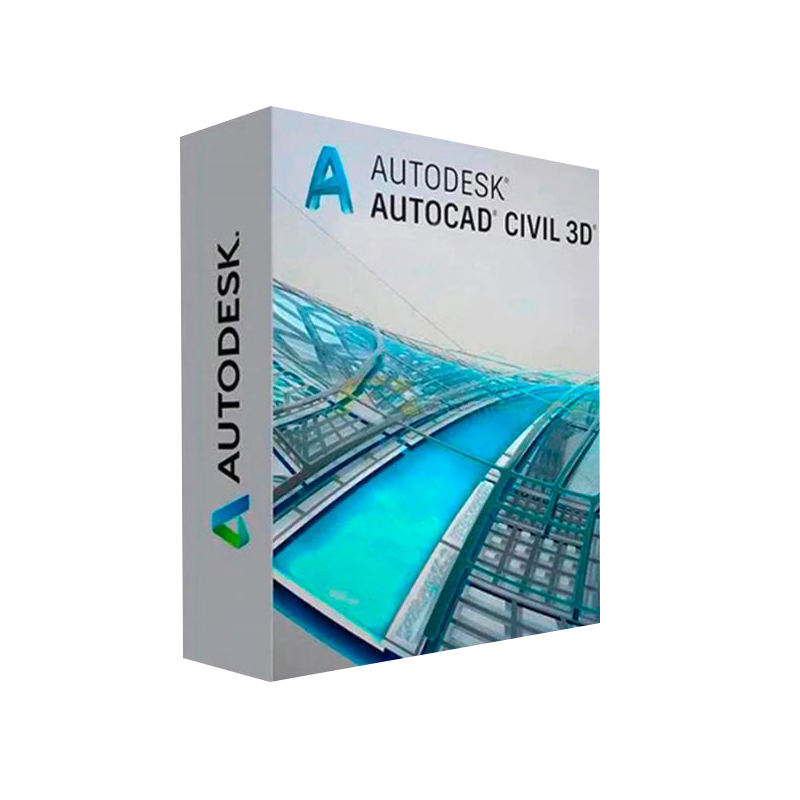
Unlock the full potential of civil‑engineering projects with the industry‑leading Autodesk Civil 3D software. Designed for road, rail, land‑development, and water‑resources professionals, Civil 3D delivers an integrated, data‑driven workflow that turns design intent into construction‑ready documentation in a single, intelligent model.
When you Buy Autodesk Civil 3D License, you are investing in a platform that:
“Civil 3D has transformed the way our firm approaches infrastructure design—speed, precision, and collaboration have never been better.” – Senior Civil Engineer, Global Design Firm
| Feature | What It Does | Benefit to Your Practice |
|---|---|---|
| Dynamic Corridors | Generates 3‑D road, rail, and highway models that automatically update with design changes. | Reduces redesign time by up to 30 %. |
| Intelligent Surfaces | Creates terrain models from survey data, LiDAR, or DEMs with real‑time analysis tools. | Guarantees accurate earthwork calculations and visualizations. |
| Automated Quantity Take‑Offs | Calculates volumes, materials, and cost estimates directly from the model. | Improves budgeting accuracy and client confidence. |
| Pipe Networks & Stormwater | Designs, analyzes, and documents pipe systems using hydraulic simulations. | Ensures compliance with local regulations and reduces on‑site rework. |
| Survey‑to‑Model Workflow | Imports raw field data and instantly produces a structured 3‑D model. | Cuts survey processing time in half. |
| BIM 360 Integration | Shares models with stakeholders in the cloud for real‑time review and issue tracking. | Streamlines coordination across multidisciplinary teams. |
| Customizable API & .NET Add‑ins | Extends functionality with scripts, plug‑ins, and third‑party tools. | Tailors the software to unique firm workflows. |
All of these capabilities are bundled in the Autodesk Civil 3D Commercial License, delivering unlimited access to the latest features and support.
| License Type | Pricing Model | Included Updates | Ideal For |
|---|---|---|---|
| Autodesk Civil 3D Commercial License | Annual subscription (per‑seat) | All major releases & minor patches | Firms needing continuous innovation and technical support. |
| Autodesk Civil 3D Perpetual License (Legacy) | One‑time purchase + optional maintenance | Updates only while maintenance is active | Organizations with strict budgeting cycles and limited cloud reliance. |
| Student & Educator License | Free (non‑commercial) | Full feature set | Academic institutions and learners. |
| Trial (30‑day) License | Free download | Full feature set for 30 days | Prospective buyers evaluating the software. |
Tip: Most professional firms achieve the highest ROI by choosing the subscription‑based Commercial License, as it guarantees the latest tools without large upfront capital outlays.
*For detailed step‑by‑step guidance, see Autodesk’s official Civil 3D Installation Guide.*
| Component | Minimum | Recommended |
|---|---|---|
| Operating System | Windows 10 (64‑bit) | Windows 11 (64‑bit) |
| Processor | 2.5 GHz or faster | 3.0 GHz + multi‑core (i5/i7/AMD Ryzen) |
| Memory (RAM) | 8 GB | 16 GB + (32 GB for large terrain models) |
| Graphics Card | DirectX 11 compatible, 1 GB VRAM | DirectX 12, 4 GB + GPU (NVIDIA Quadro/RTX or AMD Radeon Pro) |
| Hard Disk | 10 GB free space (SSD recommended) | 50 GB SSD (NVMe) for optimal performance |
| Screen Resolution | 1280 × 1028 | 1920 × 1080 or higher (dual‑monitor support) |
| .NET Framework | 4.8 | 4.8 (latest updates) |
| Internet | Broadband for activation & updates | Broadband (≥10 Mbps) for BIM 360 collaboration |
If your workstation does not meet the recommended specifications, you may experience slower model regeneration times and reduced rendering quality. For large‑scale corridor or surface projects, a high‑performance GPU and additional RAM are strongly advised.
| Feature | Autodesk Civil 3D | Bentley OpenRoads Designer | Trimble SketchUp + Civil |
|---|---|---|---|
| Integrated BIM Workflow | ✔︎ (full Revit & BIM 360 integration) | ✔︎ (Bentley CONNECT) | ✖︎ (limited BIM linkage) |
| Dynamic Corridors | ✔︎ (auto‑update with design changes) | ✔︎ (but requires manual refresh) | ✖︎ |
| Pipe Network Hydraulic Analysis | ✔︎ (built‑in) | ✔︎ (advanced hydraulic engine) | ✖︎ |
| Survey‑to‑Model Automation | ✔︎ (direct import of .rcp, .rcs) | ✔︎ (requires additional module) | ✖︎ |
| License Flexibility | Subscription & perpetual | Subscription only | Perpetual (with optional plugins) |
| Learning Curve | Medium (extensive documentation) | High (steeper UI) | Low (focus on conceptual design) |
| Industry Adoption | 90 %+ of US civil firms | 30 % of transportation agencies | 15 % of small‑scale consultancies |
The table highlights why Autodesk Civil 3D remains the industry standard for comprehensive civil‑infrastructure design.
| Question | Answer |
|---|---|
| Can I run Autodesk Civil 3D on a Mac? | Civil 3D is a Windows‑only application. Mac users can run it via Boot Camp, Parallels, or a dedicated Windows workstation. |
| What is the difference between a Commercial License and a Perpetual License? | The Commercial License is subscription‑based, delivering continuous updates and cloud services. The Perpetual License is a one‑time purchase with optional yearly maintenance for updates. |
| Is there a free trial available? | Yes – a 30‑day Autodesk Civil 3D Download trial can be accessed through the Autodesk website without credit‑card commitment. |
| How does Civil 3D handle large terrain models? | With dynamic surfaces and tiling, Civil 3D can efficiently manage datasets exceeding several terabytes, especially on high‑performance hardware (see system requirements). |
| What support resources are included? | All licenses include online knowledge base, community forums, email/phone support, and access to Autodesk University sessions. |
Empower your engineers, delight your clients, and stay ahead of the competition with Autodesk Civil 3D—the definitive civil‑engineering software for modern infrastructure projects.
All rights reserved. Autodesk, Civil 3D, and related trademarks are owned by Autodesk, Inc.

Browse our Office & Productivity Software for Microsoft Office editions and productivity tools.
Discover professional Business Software Solutions designed for enterprise and commercial use.
Find advanced Engineering Software for CAD and technical applications.
Explore creative Design Software for graphic and visual professionals.
Improve system performance with our Utilities Software.
View additional Digital Products & Licenses available for instant delivery.
Check out our Top Selling Products for the most popular choices.
Need help? Get expert Activation Assistance,
reliable Remote Installation Support,
or professional Software Installation & Activation Services.
Please review our Refund & Return Policy
and Privacy Policy for complete transparency and customer assurance.
16 reviews for Autodesk Civil 3D for Windows
Customer reviews