No products in the cart.

0
Total
$0.00
Free Shipping on All Orders Over $75
Only this weekend
Super Discount
Items on sale this week
Top picks this week. Up to 50% off the best selling products.


✔ Quick Delivery
✔ 100% Original License
✔ Lifetime Warranty
✔ Free Support
Only logged in customers who have purchased this product may leave a review.
Product Overview
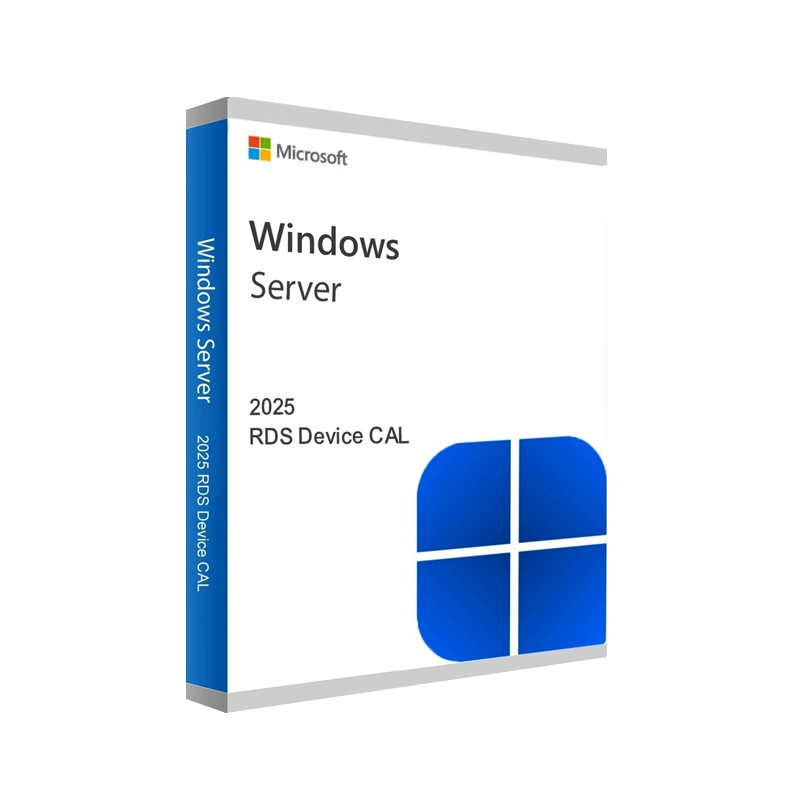
The Windows Server 2025 Remote Desktop Services (RDS) Device CAL is the industry‑standard license that empowers each physical device to access Remote Desktop Services on a Windows Server 2025 environment. Whether you are deploying a corporate Virtual Desktop Infrastructure (VDI), a secure remote work solution, or a thin‑client fleet, this genuine Microsoft RDS Device CAL guarantees compliance, high‑performance connectivity, and full support from Microsoft.
“A single, affordable license per device simplifies budgeting and eliminates per‑user tracking.” – IT Operations Lead, Fortune 500
| Benefit | Explanation |
|---|---|
| Predictable Costs | One flat fee per device – no need to calculate per‑user spikes. |
| Simplified Management | Licenses are tied to hardware, not to ever‑changing staff rosters. |
| Full Feature Set | Includes Remote Desktop Session Host (RDSH), RemoteApp, Desktop Experience, and Multi‑Session Windows capabilities. |
| Compliance Assurance | Meets Microsoft’s licensing terms for on‑premises and hybrid deployments. |
| Scalable | Add new devices with a single line‑item—perfect for growth or seasonal peaks. |
| Genuine Microsoft Support | Access to Microsoft Certified updates, patches, and technical assistance. |
These advantages make the Windows Server 2025 RDS Device CAL the most cost‑effective solution for organizations that prefer a device‑centric licensing model.
Note: The Device CAL is distinct from the User CAL. Choose the model that aligns with your organization’s device‑to‑user ratio.
| Component | Minimum | Recommended |
|---|---|---|
| Processor | 1.4 GHz 64‑bit (dual‑core) | 2.0 GHz 64‑bit (quad‑core) |
| RAM | 2 GB | 8 GB or more |
| Disk Space | 32 GB | 100 GB SSD (for fast VM provisioning) |
| Network | 1 Gbps Ethernet | 10 Gbps Ethernet or higher |
| Operating System | Windows Server 2025 Standard or Datacenter | Windows Server 2025 Datacenter (for high‑density VDI) |
| Graphics | DirectX 11‑compatible GPU | Dedicated GPU (NVIDIA GRID, AMD MxGPU) for graphic‑intensive apps |
| Security | TPM 2.0, Secure Boot | TPM 2.0 + BitLocker + Windows Defender ATP |
| Remote Desktop Services Role | RDSH, RD Connection Broker, RD Web Access installed | All RDS roles with high‑availability clustering (optional) |
| Licensing Server | Windows Server 2025 with RD Licensing role | Same, plus redundant licensing server for failover |
*For a complete technical checklist, see Microsoft’s official **Windows Server 2025 Remote Desktop Services Documentation*.
| Criteria | Device CAL | User CAL |
|---|---|---|
| Scope | One physical device (desktop, thin‑client, VM) | One named user (any device) |
| Ideal For | Shared workstations, call‑center stations, kiosks | Knowledge workers with multiple devices (laptop, tablet, phone) |
| Cost Model | Fixed per device, independent of user count | Fixed per user, independent of device count |
| Management | Simpler – track hardware inventory | Requires HR/IT sync for user lifecycle |
| Compliance Risk | Low – devices are static | Higher – users may access from untracked devices |
| Typical Use‑Case | 200‑seat call center → 200 Device CALs | 150 knowledge workers → 150 User CALs |
Bottom line: If your organization’s device count exceeds the user count, the Device CAL delivers the greatest ROI.
All purchases are backed by a 30‑day money‑back guarantee and lifetime technical support.
| Question | Answer |
|---|---|
| What is the difference between RDS Device CAL and Remote Desktop Services User CAL? | A Device CAL licenses a single device, while a User CAL licenses a single user irrespective of device count. |
| Can I mix Device CALs and User CALs in the same environment? | Yes. Microsoft permits a hybrid approach, but each device or user must be covered by the appropriate CAL. |
| Do I need a separate CAL for each Windows Server 2025 instance? | No. One CAL per device (or user) covers all RDS‑enabled instances within the same licensing agreement. |
| Is the CAL transferable between devices? | Device CALs are tied to the hardware MAC address/UUID; they can be reassigned only after proper de‑registration with the License Server. |
| Do I receive automatic updates? | Yes. As long as the server remains under Microsoft Support, you receive security patches and feature updates at no extra cost. |
| Feature | Microsoft RDS Device CAL 2025 | Citrix Virtual Apps & Desktops | VMware Horizon |
|---|---|---|---|
| License Model | Per‑device, perpetual | Per‑user, subscription | Per‑device, subscription |
| Integration | Native Windows Server integration | Requires separate StoreFront & Delivery Controller | Requires Horizon Connection Server |
| Cost (per device) | $$ (low) | $$$ (higher) | $$$ (higher) |
| Support | Microsoft Premier/Standard | Citrix Global Support | VMware Premier |
| Scalability | Unlimited sessions/device | Session limits per license | Session limits per license |
| Hybrid Cloud | Azure AD & Azure Virtual Desktop ready | Azure & AWS connectors | Azure & Google Cloud support |
| Compliance | Fully compliant with Microsoft licensing | Separate licensing audit | Separate licensing audit |
The Microsoft RDS Device CAL remains the most cost‑effective and compliant choice for organizations already invested in the Windows ecosystem.
“Switching to a trusted vendor reduced our licensing audit risk by 100 % and saved us $12,000 in the first year.” – Chief Information Officer, Global Retailer
Ready to secure your Remote Desktop environment with a genuine Windows Server 2025 RDS Device CAL?
Empower every device, protect every session, and stay compliant — with Microsoft’s trusted RDS Device CAL.
Browse our Office & Productivity Software for Microsoft Office editions and productivity tools.
Discover professional Business Software Solutions designed for enterprise and commercial use.
Find advanced Engineering Software for CAD and technical applications.
Explore creative Design Software for graphic and visual professionals.
Improve system performance with our Utilities Software.
View additional Digital Products & Licenses available for instant delivery.
Check out our Top Selling Products for the most popular choices.
Need help? Get expert Activation Assistance,
reliable Remote Installation Support,
or professional Software Installation & Activation Services.
Please review our Refund & Return Policy
and Privacy Policy for complete transparency and customer assurance.
| Title |
|---|
| Title |
|---|
| Title |
|---|
| Title |
|---|
| Title |
|---|
17 reviews for Buy Windows Server 2025 RDS Device CAL | Remote Desktop License
Customer reviews
No reviews found