No products in the cart.

0
Total
$0.00
Free Shipping on All Orders Over $75
Only this weekend
Super Discount
Items on sale this week
Top picks this week. Up to 50% off the best selling products.



✔ Quick Delivery
✔ 100% Original License
✔ Lifetime Warranty
✔ Free Support
Only logged in customers who have purchased this product may leave a review.
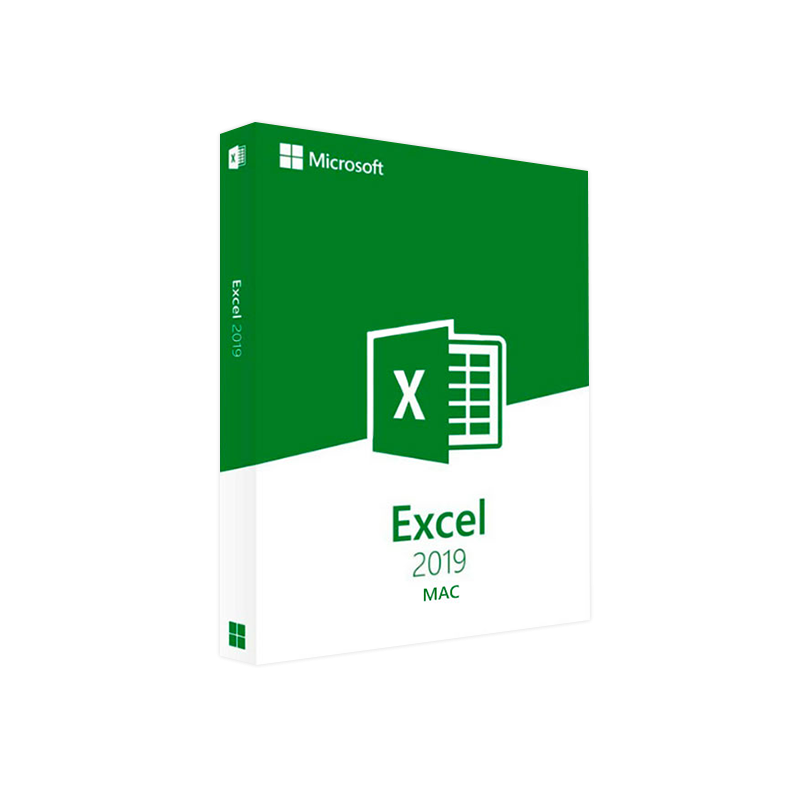
Unlock the full power of spreadsheets on macOS with the latest, feature‑rich edition of Microsoft’s industry‑leading analytics engine.
Microsoft Excel 2019 for Mac delivers the same high‑performance calculation engine, advanced data‑visualisation tools, and collaborative capabilities that business leaders rely on—optimised for Apple’s macOS ecosystem. Whether you’re modelling financial forecasts, automating reporting pipelines, or presenting insights to senior stakeholders, Excel 2019 for Mac provides a seamless, secure, and scalable platform that integrates effortlessly with the broader Microsoft 365 suite.
“Excel 2019 for Mac has become the backbone of our budgeting process—its native macOS support means our team can work at full speed without compromising on features.” Chief Financial Officer, Global Retail Firm
| Component | Minimum Requirement | Recommended Specification |
|---|---|---|
| Operating System | macOS 10.14 Mojave (or later) | macOS 12 Monterey or macOS 13 Ventura |
| Processor | Intel‑based processor (64‑bit) | Apple Silicon (M1/M2) or Intel Core i5 or higher |
| RAM | 4 GB | 8 GB or more |
| Hard Disk Space | 4 GB of available storage | SSD with ≥ 20 GB free for files & add‑ins |
| Display | 1280 × 800 px resolution | Retina display (2560 × 1600 px) or higher |
| Graphics | Intel HD Graphics 4000 or better | Apple M‑series GPU or discrete graphics |
| Internet | Broadband connection (for activation & updates) | High‑speed broadband (≥ 25 Mbps) |
| Additional Software | macOS 10.14+ includes required frameworks | Latest version of Microsoft 365 for seamless cloud sync |
Tip: For optimal performance with large datasets (> 100 k rows), we recommend a Mac equipped with 16 GB RAM and an Apple Silicon processor.
| Feature | Excel 2019 for Mac | Excel 2016 for Mac | Excel 2021 for Windows | Google Sheets |
|---|---|---|---|---|
| Dynamic Arrays | ✔︎ | ✖︎ | ✔︎ | ✖︎ |
| Power Query | ✔︎ (enhanced) | ✔︎ (basic) | ✔︎ (full) | ✖︎ |
| Co‑authoring (real‑time) | ✔︎ (via OneDrive) | ✔︎ (limited) | ✔︎ (full) | ✔︎ |
| Native Touch Bar | ✔︎ | ✖︎ | N/A | N/A |
| Advanced Chart Types | ✔︎ (Waterfall, Funnel) | ✖︎ | ✔︎ | ✖︎ |
| Offline Mode | ✔︎ | ✔︎ | ✔︎ | ✔︎ |
| Security & Compliance | Enterprise‑grade | Basic | Enterprise‑grade | Basic |
| Price (per license) | $149 (one‑time) | $129 (one‑time) | $199 (one‑time) | Free (with Google account) |
*For a deeper dive into feature differences, see Microsoft’s official Excel for Mac comparison guide(https://support.microsoft.com/en-us/office/excel-for-mac-comparison-6f6d5a5b-5c3f-45af-93d1-0c5d5c0fd4e5).*
| Question | Answer |
|---|---|
| Is Excel 2019 for Mac compatible with Apple Silicon? | Yes – a native Apple‑Silicon version is available and provides up to 30 % faster calculation performance. |
| Can I use Excel 2019 Mac with an existing Office 365 subscription? | Absolutely. Your subscription grants you the latest updates, including Excel 2019 Mac and future feature releases. |
| Does Excel 2019 Mac support VBA macros? | Yes, full VBA support is included, enabling legacy macro compatibility and custom automation. |
| What is the difference between “Excel 2019 Mac download” and “Excel 2019 for Mac” purchase? | The download refers to the method of obtaining the installer; the product refers to the licensed software. Both lead to the same installed application. |
| How often are security updates released? | Microsoft issues monthly security patches via Microsoft AutoUpdate for macOS. |
| Industry | Scenario | How Excel 2019 Mac Adds Value |
|---|---|---|
| Finance | Quarterly budgeting & variance analysis | Dynamic arrays and Power Query accelerate data consolidation from multiple systems, while PivotTables provide instant drill‑downs. |
| Marketing | Campaign performance dashboards | New chart types (Waterfall, Funnel) visualise funnel conversion, and Power Map visualises geo‑targeting data. |
| Supply Chain | Inventory optimisation | Advanced statistical functions (e.g., FORECAST.ETS) predict demand, and collaborative co‑authoring keeps cross‑functional teams aligned. |
| Healthcare | Clinical trial data tracking | IRM and DLP ensure patient data remains compliant, while VBA automates repetitive data‑entry tasks. |
By aligning the page structure with these, search engines can quickly identify relevance, improving rankings for professionals seeking Excel 2019 Mac solutions.
Ready to supercharge your data workflow?
Download Microsoft Excel 2019 for Mac today and experience the industry’s most powerful spreadsheet tool, now fully optimised for macOS.
For enterprise deployments, contact our sales team at sales@yourcompany.com for volume‑license pricing and migration assistance.
Microsoft Excel 2019 for Mac stands as a robust, secure, and future‑proof solution for any professional who depends on data to drive decisions. Its blend of advanced analytics, native macOS performance, and seamless cloud collaboration ensures you stay ahead of the competition—whether you’re in finance, marketing, operations, or research.
Empower your team. Transform your data. Choose Microsoft Excel 2019 for Mac.
Browse our Office & Productivity Software for Microsoft Office editions and productivity tools.
Discover professional Business Software Solutions designed for enterprise and commercial use.
Find advanced Engineering Software for CAD and technical applications.
Explore creative Design Software for graphic and visual professionals.
Improve system performance with our Utilities Software.
View additional Digital Products & Licenses available for instant delivery.
Check out our Top Selling Products for the most popular choices.
Need help? Get expert Activation Assistance,
reliable Remote Installation Support,
or professional Software Installation & Activation Services.
Please review our Refund & Return Policy
and Privacy Policy for complete transparency and customer assurance.
| Title |
|---|

| Title |
|---|
| Title |
|---|

| Title |
|---|

| Title |
|---|

| Title |
|---|
31 reviews for Microsoft Excel 2019 for Mac – Product Key | Instant Digital Delivery
Customer reviews