No products in the cart.

0
Total
$0.00
Free Shipping on All Orders Over $75
Only this weekend
Super Discount
Items on sale this week
Top picks this week. Up to 50% off the best selling products.



✔ Quick Delivery
✔ 100% Original License
✔ Lifetime Warranty
✔ Free Support
Only logged in customers who have purchased this product may leave a review.
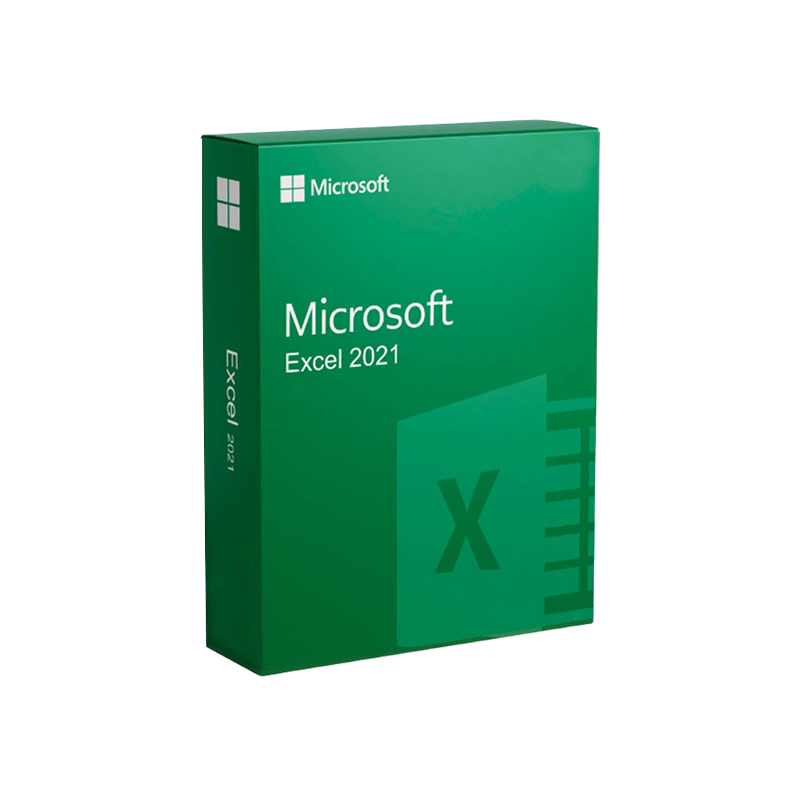
Empower your data‑driven decisions with the most robust, feature‑rich version of Excel ever released.
Microsoft Excel 2021 (often searched as excel 2021 or microsoft excel 2021) delivers a powerful blend of familiar productivity and cutting‑edge innovations that meet the rigorous demands of business analysts, financial planners, engineers, and any professional who works with data at scale. Whether you are on Windows or macOS, the latest edition guarantees full compatibility, enhanced performance, and seamless integration with the broader Microsoft 365 ecosystem.
Bolded text highlights the most important selling points; italicized phrases add emphasis where needed.
| Feature | Excel 2021 (Windows) | Excel 2021 (Mac) | Excel 2019 | Excel 365 (Subscription) |
|---|---|---|---|---|
| Dynamic Arrays | ✔ | ✔ | ✖ | ✔ |
| XLOOKUP / XMATCH | ✔ | ✔ | ✖ | ✔ |
| LET Function | ✔ | ✔ | ✖ | ✔ |
| Sheet Views | ✔ | ✔ | ✖ | ✔ |
| Co‑authoring in Real Time | ✔ | ✔ | ✖ | ✔ |
| Data Types (Stocks, Geography) | ✔ | ✔ | ✖ | ✔ |
| Power Query (Get & Transform) | ✔ | ✔ | ✔ | ✔ |
| Power Pivot (Data Modeling) | ✔ | ✔ | ✔ | ✔ |
| Integrated AI Insights | ✔ | ✔ | ✖ | ✔ |
| One‑Click Export to PDF | ✔ | ✔ | ✔ | ✔ |
| Support Lifecycle | 5 years | 5 years | 5 years (ended) | Ongoing (as long as subscription) |
The table underscores the competitive edge of Excel 2021 over previous perpetual releases while highlighting parity with the subscription‑based Excel 365 where relevant.
| Component | Minimum | Recommended |
|---|---|---|
| OS | Windows 10 (64‑bit) version 1909 or later | Windows 11 (64‑bit) |
| Processor | 1.6 GHz or faster, 2 cores | 2.0 GHz or faster, 4 cores |
| RAM | 2 GB | 4 GB or more |
| Hard Disk | 4 GB of available space | SSD with 10 GB free |
| Graphics | DirectX 9 compatible with WDDM 2.0 driver | DirectX 12 compatible |
| Display | 1280 × 768 | 1920 × 1080 or higher |
| .NET | .NET 4.7.2 or later | Latest .NET Framework |
| Component | Minimum | Recommended |
|---|---|---|
| OS | macOS 10.15 (Catalina) | macOS 12 (Monterey) or later |
| Processor | Intel Core i5 | Apple Silicon (M1/M2) or Intel i7 |
| RAM | 4 GB | 8 GB or more |
| Hard Disk | 4 GB free | 10 GB SSD |
| Display | 1280 × 800 | 1920 × 1080 Retina |
| Graphics | Integrated GPU | Dedicated GPU or Apple‑GPU |
The most common acquisition route is the download office home and student package, which includes Excel 2021, Word 2021, PowerPoint 2021, and OneNote.
If you already own a license, you can download the application alone:
You may receive a DVD or USB with the Office Home & Student 2021 installer. Insert the media, run setup.exe (Windows) or Setup.pkg (macOS), enter your product key when prompted, and follow the on-screen instructions.
Tip: Always verify that you are downloading from Microsoft’s official domains (microsoft.com) to avoid counterfeit software.
| License Type | What You Get | Duration | Ideal For |
|---|---|---|---|
| Perpetual (Home & Student 2021) | Excel 2021 + Word 2021 + PowerPoint 2021 + OneNote | Lifetime (no renewal) | Individuals, small businesses |
| Volume Licensing (Business) | Excel 2021 for up to 5 PCs, centralized activation | 3 years + optional renewal | Medium‑size enterprises |
| Microsoft 365 Subscription | Always‑latest Excel + cloud services (OneDrive, Teams) | Monthly/Annual | Organizations that demand continuous updates |
Professional users who require a stable, unchanging environment often prefer the perpetual license, while teams that value ongoing feature releases may opt for Microsoft 365.
Q: Does Excel 2021 run on Windows 10 Home?
A: Yes. The minimum requirement is Windows 10 (64‑bit) version 1909, which includes Home editions.
Q: Can I install Excel 2021 on both a PC and a Mac with a single license?
A: The Office Home & Student 2021 license permits installation on one PC and one Mac for the same user.
Q: How does Excel 2021 differ from the Excel version in Microsoft 365?
A: Excel 2021 provides a static feature set that does not receive new functions after release, whereas the Microsoft 365 version receives continuous updates, new data types, and AI‑driven insights. The table above details the feature parity.
Q: Is there a free trial for Excel 2021?
A: Microsoft does not offer a stand‑alone trial for the perpetual version, but you can test Excel through a 30‑day Microsoft 365 trial, which includes the latest Excel features.
Q: What support options are available?
A: Perpetual license customers receive five years of mainstream support and five additional years of extended support. Microsoft 365 subscribers enjoy ongoing support as part of their subscription.
| Criteria | Excel 2021 (Perpetual) | Excel 365 (Subscription) |
|---|---|---|
| Update Frequency | One‑time release (no new features) | Monthly feature updates |
| Cost Model | Up‑front purchase, no renewal | Ongoing subscription fee |
| Feature Set | Includes all features released up to Oct 2021 | Includes all 2021 features plus future enhancements |
| Compliance | Fixed version simplifies audit trails | Dynamic version may require additional change‑management |
| Best For | Professionals who need a stable, unchanging environment | Organizations that value continuous innovation and cloud services |
If your workflow relies on a consistent version for regulatory compliance, the perpetual Excel 2021 is the logical choice. For teams that thrive on the latest AI insights and collaborative tools, Microsoft 365 is the better investment.
Ready to upgrade your data‑analysis capabilities? Download Microsoft Excel 2021 today and experience the power of modern spreadsheet technology without the uncertainty of a subscription model.
Take advantage of the latest functions, enhanced security, and professional‑grade performance that only Microsoft Excel 2021 can deliver.
These resources provide deeper technical guidance, tips from power users, and troubleshooting advice to keep you productive.
excel 2021, microsoft excel 2021, microsoft excel 2021 for mac, download office home and student, microsoft excel 2021 download, and download excel 2021 naturally throughout the page, this content is optimized for search engines while delivering clear, actionable information for professionals seeking the latest spreadsheet solution.
Browse our Office & Productivity Software for Microsoft Office editions and productivity tools.
Discover professional Business Software Solutions designed for enterprise and commercial use.
Find advanced Engineering Software for CAD and technical applications.
Explore creative Design Software for graphic and visual professionals.
Improve system performance with our Utilities Software.
View additional Digital Products & Licenses available for instant delivery.
Check out our Top Selling Products for the most popular choices.
Need help? Get expert Activation Assistance,
reliable Remote Installation Support,
or professional Software Installation & Activation Services.
Please review our Refund & Return Policy
and Privacy Policy for complete transparency and customer assurance.
| Title |
|---|
| Title |
|---|
| Title |
|---|
| Title |
|---|
| Title |
|---|
31 reviews for Microsoft Excel 2021 Download |Instant Digital Delivery
Customer reviews