No products in the cart.

0
Total
$0.00
Free Shipping on All Orders Over $75
Only this weekend
Super Discount
Items on sale this week
Top picks this week. Up to 50% off the best selling products.


✔ Quick Delivery
✔ 100% Original License
✔ Lifetime Warranty
✔ Free Support
Only logged in customers who have purchased this product may leave a review.
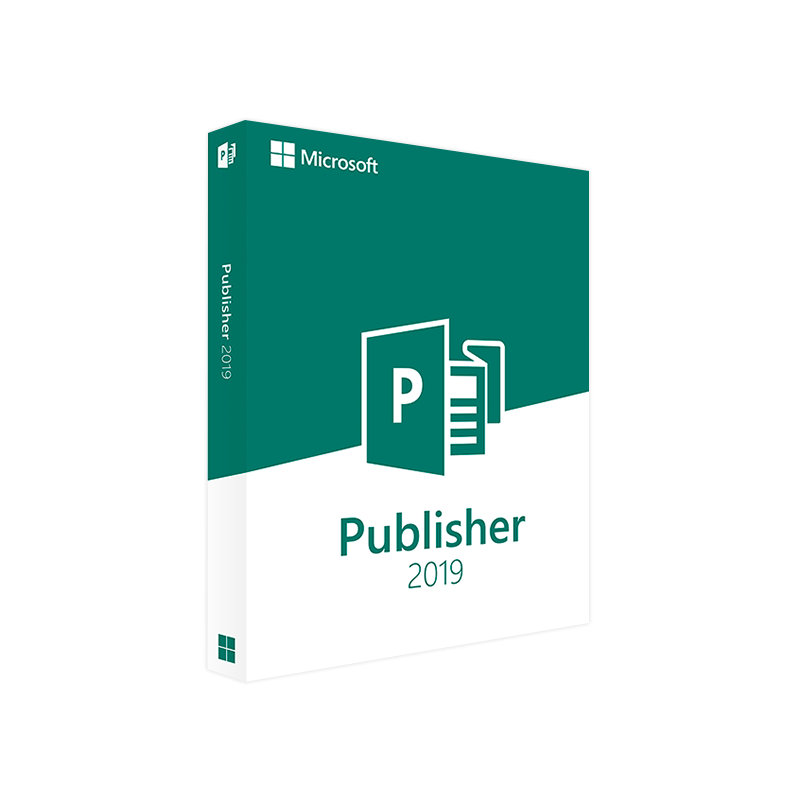
Microsoft Publisher 2019 – The Professional‑Grade Desktop Publishing Solution
Empower your brand, impress clients, and streamline print‑and‑digital production with a one‑time‑purchase powerhouse.
Microsoft Publisher 2019 (often searched as microsoft publisher 2019, publisher 2019, or publisher2019) is the latest standalone edition of the beloved desktop‑publishing application that lives inside the Microsoft Office family. Unlike subscription‑only Office 365, Microsoft Publisher 2019 is available as a one‑time purchase—perfect for businesses, agencies, and freelancers who prefer predictable budgeting and full ownership of the software.
If you need a reliable, feature‑rich publishing tool without recurring fees, the Microsoft Publisher 2019 standalone version is the answer.
| Feature | Benefit for Professionals | Why It Matters |
|---|---|---|
| Intuitive Drag‑and‑Drop Layout | Create brochures, newsletters, flyers, and reports in minutes. | Saves hours of design time and reduces reliance on external designers. |
| Extensive Template Library | Over 500 industry‑specific templates (healthcare, finance, education, etc.). | Guarantees brand‑consistent output and accelerates project kick‑offs. |
| Advanced Typography Controls | OpenType, kerning, ligatures, and custom font integration. | Enables precise visual hierarchy required for high‑impact marketing collateral. |
| Seamless Office Integration | Insert Excel charts, Word tables, and PowerPoint graphics directly. | Maintains data integrity and eliminates tedious copy‑pasting. |
| PDF/X‑1a Export | Generate print‑ready PDFs that meet industry standards. | Guarantees that your files are accepted by any commercial printer. |
| Content‑Aware Scaling | Automatically resize images and text boxes to fit page dimensions. | Reduces re‑work when adapting assets for different formats (A4, US Letter, etc.). |
| Built‑in Proofing Tools | Spell‑check, grammar, and accessibility checker. | Helps you meet compliance and brand‑voice standards. |
These capabilities make Microsoft Publisher 2019 a must‑have for marketing teams, corporate communications, and independent consultants who demand speed, accuracy, and full control over their publishing workflow.
Microsoft Publisher 2019 is the latest standalone release of Microsoft’s flagship desktop‑publishing application. Designed specifically for professionals who need high‑quality print and digital media without the complexities of a subscription model, Publisher 2019 combines a familiar ribbon interface with powerful new capabilities that align with modern design standards.
Whether you’re producing a quarterly earnings report, a trade‑show handout, or a client‑facing proposal, Microsoft Publisher 2019 provides the tools to deliver polished, professional results every time.
| Component | Minimum Requirement | Recommended Requirement |
|---|---|---|
| Operating System | Windows 10 (64‑bit) version 1809 or later | Windows 11 (64‑bit) |
| Processor | 1 GHz or faster, x86‑ or x64‑based | 2 GHz or faster, dual‑core |
| RAM | 2 GB (32‑bit) / 4 GB (64‑bit) | 8 GB or more |
| Hard Disk Space | 4 GB of available space | SSD with 10 GB free |
| Display | 1280 × 768 screen resolution | 1920 × 1080 or higher, with GPU acceleration |
| Graphics | DirectX 10 compatible graphics card | DirectX 12, 2 GB VRAM |
| Internet | Required for activation & updates | Broadband for cloud integration (OneDrive, SharePoint) |
| Additional Software | .NET Framework 4.7.2 or later | Office 365 compatibility pack (optional) |
Meeting the recommended specifications ensures that large‑format publications, high‑resolution images, and complex layouts render instantly, keeping your workflow fast and frustration‑free.
| Criteria | Microsoft Publisher 2019 (Standalone) | Microsoft 365 (Publisher as part of subscription) | Adobe InDesign (Subscription) |
|---|---|---|---|
| Pricing Model | One‑time purchase (perpetual license) | Monthly/annual subscription (includes all Office apps) | Monthly/annual subscription |
| Learning Curve | Low – familiar Ribbon UI | Low – same UI, but additional cloud features | Medium‑High – professional‑grade tool |
| Template Library | 500+ built‑in, industry‑specific | Same templates + cloud‑shared libraries | Limited built‑in; relies on third‑party assets |
| Print‑Ready PDF/X‑1a | ✔️ Native export | ✔️ Native export | ✔️ Advanced pre‑flight options |
| Integration with Office Suite | Seamless with Word, Excel, PowerPoint | Seamless with all Office apps, plus Teams/SharePoint | Requires plugins or manual import |
| Collaboration | OneDrive/SharePoint sharing (manual) | Real‑time co‑authoring, Teams integration | Cloud Documents (Creative Cloud) |
| Support Lifecycle | 5‑year mainstream + extended support | Ongoing as long as subscription is active | Continuous updates (subscription) |
| Ideal For | Small‑to‑mid businesses, freelancers, corporate departments that need a one‑time purchase | Organizations already invested in Microsoft 365 ecosystem | Large agencies, print‑production houses needing advanced typography & layout controls |
Q1: Do I need an internet connection to use Microsoft Publisher 2019?
No. The application runs fully offline after activation. An internet connection is only required for initial activation, periodic updates, and optional cloud services (OneDrive, SharePoint).
Q2: Can I upgrade from Publisher 2016 to Publisher 2019 without reinstalling?
Yes. Purchase the upgrade license or the full standalone version, run the installer, and it will replace the older version while preserving your existing publications.
Q3: Is Microsoft Publisher 2019 compatible with Mac?
Publisher 2019 is a Windows‑only product. Mac users can run it via Boot Camp, a virtual machine (VMware/Parallels), or by using Microsoft Remote Desktop to a Windows server.
Q4: How does the “Microsoft Office with Publisher one‑time purchase” differ from buying Publisher alone?
When you buy the Office suite with Publisher, you receive Word, Excel, PowerPoint, and Outlook along with Publisher 2019—all under a single perpetual license. Purchasing Microsoft Publisher 2019 standalone includes only Publisher, which can be more cost‑effective if you already own the other Office apps.
Q5: What file formats can Publisher 2019 import and export?
Import: .docx, .xlsx, .pptx, .pdf, .jpg, .png, .tif, .gif, .svg, .psd (limited).
Export: .pdf, .pdf/x‑1a, .png, .jpg, .tif, .xps, .docx (text export), .pub (native).
Need help? Our 24/7 technical support team is available via phone, live chat, or email to guide you through any installation or activation issues.
When you create marketing collateral (e‑brochures, newsletters, or case studies) in Publisher 2019, you can embed metadata and alt‑text directly into PDF exports. This practice improves search engine visibility for the downloadable assets you share on your website.
Tips for friendly PDFs created in Publisher 2019:
Q3‑Financial‑Report‑Publisher‑2019.pdf).By following these steps, your PDFs will rank alongside your web pages, driving additional organic traffic.
“Our marketing team switched from a subscription‑only layout tool to Microsoft Publisher 2019 standalone. Within three months we reduced design turnaround by 30% and saved $2,400 in annual licensing fees. The one‑time purchase model gave us budget certainty, and the seamless integration with Excel made data‑driven reports a breeze.” — Laura M., Marketing Director, Mid‑Size Financial Services Firm
Download the free trial of Microsoft Publisher 2019 today and experience the power of a professional desktop‑publishing solution without any commitment. When you’re ready, purchase the full version and join millions of professionals who trust Microsoft for reliable, high‑quality output.
microsoft publisher 2019, publisher 2019, microsoft office with publisher one time purchase, publisher2019, microsoft publisher 2019 standalone.
Take the next step: empower your team with a robust, cost‑effective publishing platform that delivers consistent, brand‑aligned results—every time.
Browse our Office & Productivity Software for Microsoft Office editions and productivity tools.
Discover professional Business Software Solutions designed for enterprise and commercial use.
Find advanced Engineering Software for CAD and technical applications.
Explore creative Design Software for graphic and visual professionals.
Improve system performance with our Utilities Software.
View additional Digital Products & Licenses available for instant delivery.
Check out our Top Selling Products for the most popular choices.
Need help? Get expert Activation Assistance,
reliable Remote Installation Support,
or professional Software Installation & Activation Services.
Please review our Refund & Return Policy
and Privacy Policy for complete transparency and customer assurance.
| Title |
|---|
| Title |
|---|
| Title |
|---|
| Title |
|---|
| Title |
|---|
 Quick Delivery
100% Original License
Lifetime Warranty
Free Support
Quick Delivery
100% Original License
Lifetime Warranty
Free Support
20 reviews for Microsoft Publisher 2019 Product Key – Instant Download
Customer reviews