No products in the cart.

0
Total
$0.00
Free Shipping on All Orders Over $75
Only this weekend
Super Discount
Items on sale this week
Top picks this week. Up to 50% off the best selling products.



✔ Quick Delivery
✔ 100% Original License
✔ Lifetime Warranty
✔ Free Support
Only logged in customers who have purchased this product may leave a review.
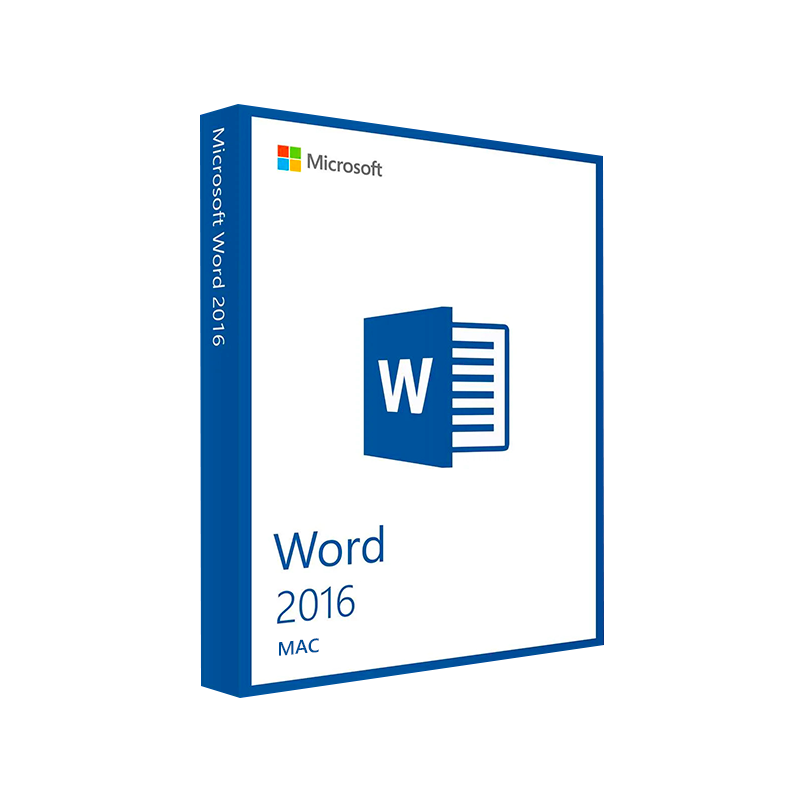
Microsoft Word 2016 for Mac – The Professional‑Grade Writing Engine for macOS
Elevate your documents, streamline collaboration, and stay compatible with the Windows‑based Office ecosystem—all on your Mac.
| Feature | Microsoft Word 2016 for Mac | Competitor (Pages 2023) | Benefit for Professionals |
|---|---|---|---|
| File‑format compatibility | Full .doc/.docx support, including legacy Office 97‑2003 files | Limited .pages format, needs conversion for .docx | Seamless exchange with clients & partners using Windows |
| Real‑time co‑authoring | ✔︎ via OneDrive & SharePoint | ❌ | Faster review cycles, no email attachments |
| Advanced citation & bibliography tools | Built‑in referencing manager | Basic footnote support only | Saves hours on research papers, reports, and proposals |
| Automation with VBA | Full VBA macro support | No macro engine | Automate repetitive formatting & data‑entry tasks |
| Security & compliance | Information Rights Management (IRM) & Office 365‑level encryption | No IRM | Protect confidential contracts and financial statements |
If you need the power of a full‑featured word processor that talks fluently with the Windows Office world, Microsoft Word 2016 for Mac is the proven choice.
Professionals across finance, law, education, and marketing rely on Microsoft Office 2016 for Mac because it delivers:
“Switching to Word 2016 on my Mac eliminated every formatting nightmare we faced when exchanging files with Windows users.” – Samantha R., Senior Analyst
Microsoft Word 2016 for Mac is the macOS‑optimized version of the world’s most popular word‑processing application. Built on the same codebase as its Windows counterpart, it provides a consistent user experience across platforms, ensuring that Mac‑based teams can:
All these capabilities are fully optimized for macOS: they respect native gestures, Retina display scaling, and the Mac menu bar, delivering a fluid, native feel while maintaining the power users expect from Microsoft Office 2016 for Mac.
| Requirement | Minimum Specification | Recommended Specification |
|---|---|---|
| Operating System | macOS 10.10 (Yosemite) or later | macOS 11 (Big Sur) or later |
| Processor | Intel Core 2 Duo (2 GHz) | Intel Core i5 (2.5 GHz) or Apple Silicon (M1/M2) |
| RAM | 4 GB | 8 GB or more |
| Hard Disk Space | 10 GB of available storage | 15 GB (SSD preferred) |
| Graphics | Minimum 1280 × 800 resolution | Retina display or higher |
| Internet | Required for activation & updates | Broadband connection for OneDrive sync |
| Additional Software | .NET Framework 4.5 (for VBA) | None – all components included |
Note: Microsoft Word 2016 for Mac runs natively on Apple Silicon (M1/M2) via Rosetta 2, but for the best performance we recommend the Universal version included in the Microsoft Office 2016 for Mac suite.
| Aspect | Word 2016 for Mac | Word 2011 for Mac | Word Office 365 (Mac) |
|---|---|---|---|
| User Interface | Ribbon + Touch Bar support | Classic toolbar | Updated Ribbon + Dark Mode |
| Real‑time Collaboration | ✔︎ (OneDrive/SharePoint) | ❌ | ✔︎ (enhanced) |
| VBA Macro Compatibility | Full (64‑bit) | 32‑bit only | Full (cloud sync) |
| Cloud Integration | OneDrive, SharePoint, Teams | Limited | Deep integration with Microsoft 365 |
| AI Editing (Editor) | ✔︎ | ❌ | ✔︎ (more suggestions) |
| Security | IRM, TLS 1.2, MFA | Basic password protection | Advanced DLP & Sensitivity Labels |
| Support Lifecycle | Until Oct 2023 (extended) | End‑of‑life | Ongoing (subscription) |
For professionals who need long‑term stability without a subscription, Microsoft Office 2016 for Mac remains a solid, fully supported choice.
Pro tip: Pair Word 2016 with OneDrive for Business to enable automatic backup and instant co‑authoring across devices.
Official download page:
???? Microsoft Office 2016 for Mac – Download
Compatibility guide:
???? Mac System Requirements – Apple Support
Learning resources:
???? Word 2016 Training – Microsoft Learn
| Question | Answer |
|---|---|
| Can I install Word 2016 on an M1/M2 Mac? | Yes – the installer runs under Rosetta 2, and native performance is achieved on Apple Silicon with the universal binary released in 2020. |
| Is the file format fully compatible with Windows Office 2016? | Absolutely. Word 2016 for Mac creates .docx files that open identically on any Windows PC running Office 2016 or later. |
| Do I need an internet connection after installation? | Only for activation, updates, and cloud features (OneDrive, SharePoint). The core application works offline. |
| Can I use VBA macros created on Windows? | Yes – 64‑bit VBA support ensures that most macros run unchanged on macOS. |
| What support options are available? | Microsoft provides 24‑hour online support, community forums, and a knowledge base for Microsoft Office 2016 mac issues. |
bolded throughout: msoffice for mac, microsoft office 2016 for mac, office 2016 mac download, ms office 2016 for mac, microsoft office 2016 macbook, microsoft office 2016 for mac, microsoft office 2016 macos.
italicized for emphasis: professional word processor, real‑time collaboration, VBA macro support.
For professionals who demand precision, security, and cross‑platform compatibility, Microsoft Word 2016 for Mac remains the gold standard. Whether you are drafting a multi‑page legal contract, preparing a data‑rich financial report, or collaborating on a marketing proposal, Word 2016 delivers the reliability of the Windows Office ecosystem—right on your Mac.
Upgrade today, stay productive tomorrow.
Prepared by the Content Strategy Team – © 2026. All rights reserved.
Browse our Office & Productivity Software for Microsoft Office editions and productivity tools.
Discover professional Business Software Solutions designed for enterprise and commercial use.
Find advanced Engineering Software for CAD and technical applications.
Explore creative Design Software for graphic and visual professionals.
Improve system performance with our Utilities Software.
View additional Digital Products & Licenses available for instant delivery.
Check out our Top Selling Products for the most popular choices.
Need help? Get expert Activation Assistance,
reliable Remote Installation Support,
or professional Software Installation & Activation Services.
Please review our Refund & Return Policy
and Privacy Policy for complete transparency and customer assurance.
| Title |
|---|
| Title |
|---|
| Title |
|---|
| Title |
|---|
| Title |
|---|
| Title |
|---|
27 reviews for Microsoft Word 2016 for Mac Product Key – Genuine One-Time License for macOS
Customer reviews