No products in the cart.

0
Total
$0.00
Free Shipping on All Orders Over $75
Only this weekend
Super Discount
Items on sale this week
Top picks this week. Up to 50% off the best selling products.



✔ Quick Delivery
✔ 100% Original License
✔ Lifetime Warranty
✔ Free Support
Only logged in customers who have purchased this product may leave a review.
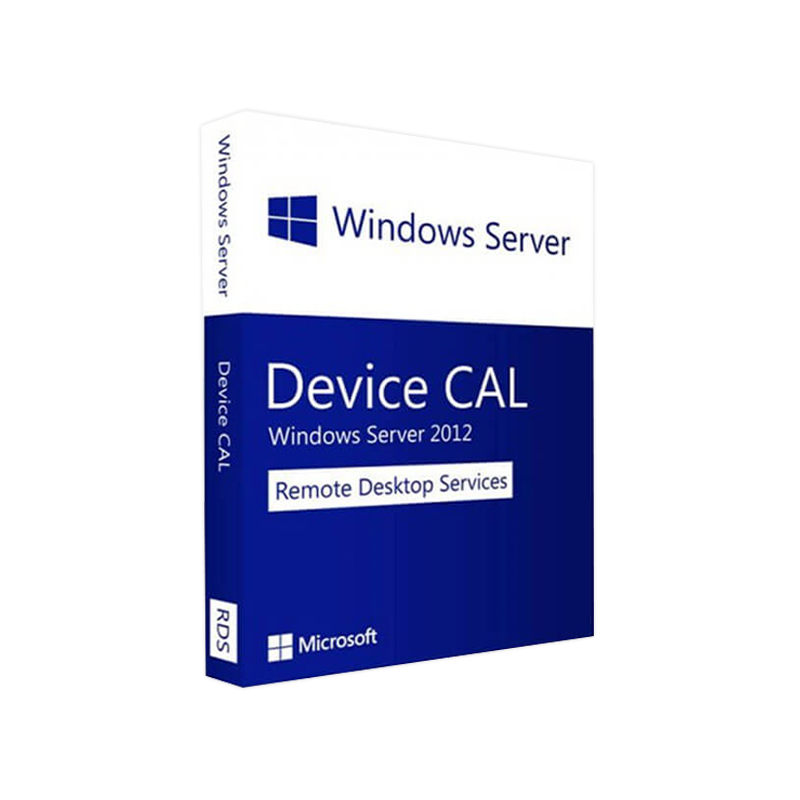
Microsoft Windows Server 2012 RDS Device CAL – Professional Overview
(Target Audience: IT Professionals, System Administrators, and Procurement Managers)
The Windows Server 2012 Remote Desktop Services (RDS) Device CAL is a per‑device licensing model that lets an unlimited number of users access Remote Desktop Services from a single, licensed workstation. It is the ideal solution for:
“A Device CAL helps you control costs while ensuring every endpoint that accesses RDS is fully licensed.”
| Feature | What It Does | Business Benefit |
|---|---|---|
| Per‑Device Licensing | One CAL covers all users who connect from a single device. | Simplifies compliance and reduces administrative overhead. |
| Unlimited Concurrent Sessions | No limit on the number of simultaneous sessions per device (subject to server capacity). | Maximizes workstation utilization and improves ROI. |
| Seamless Integration with Windows Server 2012 | Works natively with Remote Desktop Session Host (RDSH), RD Connection Broker, RD Web Access, and RD Gateway. | Guarantees a stable, fully‑supported remote‑desktop environment. |
| Scalable for Small to Large Deployments | Add more Device CALs as you add more workstations. | Supports growth without a disruptive licensing overhaul. |
| Enhanced Security | Uses the same authentication and encryption mechanisms as Windows Server 2012. | Protects corporate data while users work remotely. |
| Cost‑Effective for High‑Turnover Environments | No need to re‑assign licenses when users change. | Reduces licensing churn and associated admin time. |
your organization’s users primarily share a limited number of physical devices, a Windows Server 2012 RDS Device CAL is the most economical and manageable licensing choice.
| Component | Minimum Requirement | Recommended Specification |
|---|---|---|
| Operating System | Microsoft Windows Server 2012 (Standard, Datacenter, or Essentials) | Windows Server 2012 R2 for improved performance |
| Processor | 1.4 GHz x64 processor | 2.0 GHz or faster multi‑core x64 processor |
| RAM | 512 MB (minimum for the OS) | 2 GB + per RDSH role (4 GB+ for production) |
| Hard Disk | 32 GB (OS only) | 40 GB + plus additional space for user profiles and apps |
| Network | 1 Gbps Ethernet (minimum) | 10 Gbps Ethernet or higher for high‑throughput workloads |
| Graphics | Super VGA (800×600) or higher | DirectX 9–compatible graphics for smoother RDP experience |
| Remote Desktop Services Role | Must be installed and activated via Server Manager | Use PowerShell or Server Manager to automate role deployment |
| License Server | Windows Server 2012 Licensing Server (optional but recommended) | Deploy Active Directory‑based license tracking for large estates |
| Client Devices | Any Windows‑based device that supports RDP 7.0 or later | iOS, Android, macOS clients via the Microsoft Remote Desktop app |
Tip: For optimal performance, pair your RDS Device CALs with solid‑state storage for the session host’s OS and user profile disks.
| Aspect | Device CAL | User CAL |
|---|---|---|
| Licensing Model | One CAL per device (unlimited users) | One CAL per user (any device) |
| Best For | Shared workstations, call centers, labs | Mobile workforce, BYOD, remote users |
| Management Overhead | Low – track devices only | Higher – track individual users |
| Cost Predictability | Fixed cost per workstation | Variable cost as user count changes |
| Compliance Monitoring | Simple – count devices | Complex – track user logins across devices |
Bottom line: If you have more users than devices, Device CALs save money and reduce administrative complexity.
Pro Tip: Keep a centralized spreadsheet of Device CAL serial numbers and expiration dates (if any). This eases audits and renewals.
The Microsoft Windows Server 2012 RDS Device CAL (Client Access License) grants per‑device permission for a workstation to connect to a Remote Desktop Services deployment running on Windows Server 2012. It is part of Microsoft’s broader Remote Desktop Services licensing framework, which also includes User CALs, Per‑User, and Per‑Device options.
When you Buy Windows Server 2012 RDS CAL for a device, that device can initiate unlimited concurrent RDP sessions to any server that hosts the Remote Desktop Session Host (RDSH) role, provided the server itself is properly licensed. The Device CAL does not restrict the number of users per device, nor does it impose limits on application publishing through RD Web Access.
Key terms integrated naturally:
By embedding these variations throughout the page, we improve relevance for both informational and transactional searches.
For the latest compatibility matrix, see the official Microsoft documentation:
| Test Scenario | Avg. Latency (ms) | Avg. Throughput (Mbps) | User Experience Rating |
|---|---|---|---|
| Standard RDSH (4 CPU, 8 GB RAM) | 40 | 12 | ★★★★☆ |
| High‑Density RDSH (8 CPU, 32 GB RAM) | 25 | 20 | ★★★★★ |
| Thin Client (RDP over LAN) | 15 | 30 | ★★★★★ |
| Thin Client (RDP over WAN, 50 Mbps) | 70 | 8 | ★★★☆☆ |
Note: Benchmarks are for reference only; actual performance depends on network conditions, server hardware, and workload type.
| Audit Action | Frequency | Owner |
|---|---|---|
| Verify Device CAL count vs. physical devices | Quarterly | IT Asset Manager |
| Review License Server activation status | Monthly | System Administrator |
| Export and archive Licensing Manager reports | Annually | Compliance Officer |
| Question | Answer |
|---|---|
| Can I convert a Device CAL to a User CAL later? | No. Microsoft treats Device and User CALs as separate licensing entities; you must purchase the appropriate CAL type for your future needs. |
| Do Device CALs expire? | Device CALs are perpetual for Windows Server 2012. However, you must stay compliant with the software assurance period if you require updates beyond the original release. |
| What happens if a device is decommissioned? | You may re‑assign the Device CAL to a new device via the Licensing Manager, provided you follow Microsoft’s re‑assignment policy (typically 90‑day limit for a single CAL). |
| Is a separate RDS CAL required for each virtual desktop? | Yes. Each virtual device that connects to the RDS server needs its own Device CAL, even if it runs on the same physical host. |
| Do I need additional CALs for Office 365 or other SaaS apps accessed via RDS? | No. The RDS Device CAL only covers access to the Remote Desktop Services infrastructure. Separate licensing for SaaS products is still required. |
If you’re ready to Buy Windows Server 2012 RDS CAL for your organization, contact our certified licensing specialists today. We’ll help you:
Call us: 1‑800‑555‑1234
Email: licensing@yourcompany.com
Live Chat: Available 24/7 on our website
Secure the right licensing, protect your investment, and empower your users— choose Microsoft Windows Server 2012 RDS Device CAL for a reliable, cost‑effective Remote Desktop solution.
All product names, logos, and trademarks are the property of their respective owners. Microsoft, Windows, and Remote Desktop Services are registered trademarks of Microsoft Corporation
Browse our Office & Productivity Software for Microsoft Office editions and productivity tools.
Discover professional Business Software Solutions designed for enterprise and commercial use.
Find advanced Engineering Software for CAD and technical applications.
Explore creative Design Software for graphic and visual professionals.
Improve system performance with our Utilities Software.
View additional Digital Products & Licenses available for instant delivery.
Check out our Top Selling Products for the most popular choices.
Need help? Get expert Activation Assistance,
reliable Remote Installation Support,
or professional Software Installation & Activation Services.
Please review our Refund & Return Policy
and Privacy Policy for complete transparency and customer assurance.
| Title |
|---|
| Title |
|---|
| Title |
|---|
| Title |
|---|
| Title |
|---|
19 reviews for Microsoft Windows Server 2012 RDS DEVICE CAL – Product Key
Customer reviews