Top picks this week. Up to 50% off the best selling products.
100% Genuine
Original product
4.8 Rating
★★★★★ reviews
30-Day Refund
Money back guarantee
Trusted Seller
Verified store
5-Min Support
24/7 top class
Genuine License
100% authentic key
Secure Payments
SSL encrypted checkout
24/7 Support
Always here to help
90K+ Customers
Happy & verified buyers
Instant Email Delivery
License in your inbox ( in some case 1 to 12 hours)
Money-Back Guarantee
30 days, no questions asked
Microsoft Partner
Official certified reseller
Certified Licence
Genuine & verified key
✔ Quick Delivery
✔ 100% Original License
✔ Lifetime Warranty
✔ Free Support
Only logged in customers who have purchased this product may leave a review.
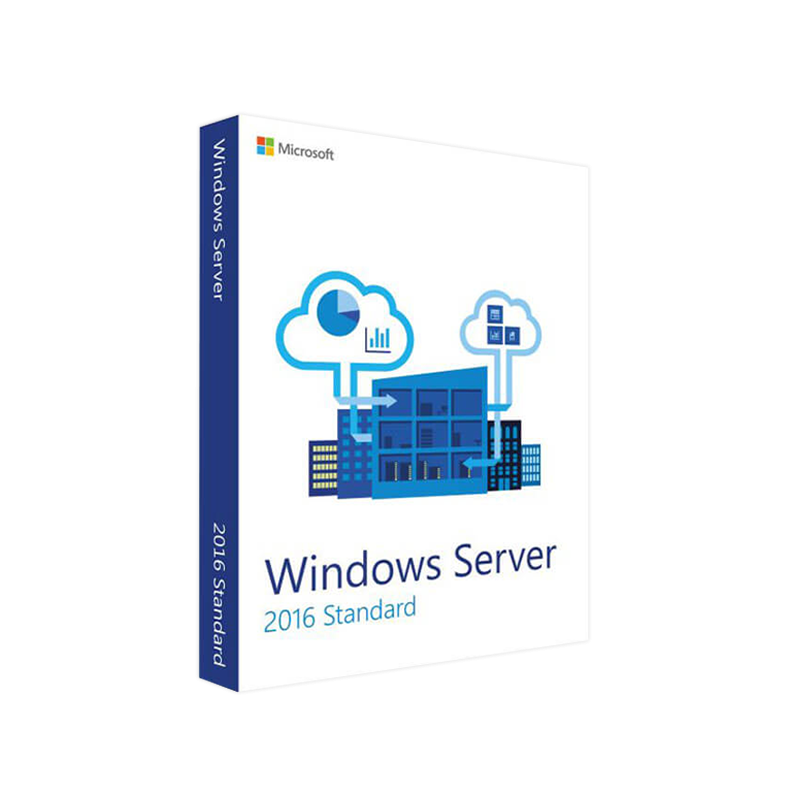
Microsoft Windows Server 2016 Standard – Enterprise‑Grade Reliability & Flexibility
Designed for mid‑size to large organizations that demand a proven, secure, and highly scalable server platform.
Microsoft Windows Server 2016 Standard is the cornerstone of modern data‑center infrastructure. Built on the same proven Windows Server core that powers the world’s most demanding enterprises, it delivers robust virtualization, advanced security, and seamless hybrid‑cloud integration. Whether you are consolidating legacy workloads, deploying containers, or extending your on‑premises environment to Azure, Windows Server 2016 Standard provides the foundation you need to accelerate digital transformation while protecting critical assets.
Key takeaway: Windows Server 2016 Standard offers a cost‑effective licensing model that balances feature‑rich functionality with predictable operational costs, making it the preferred choice for professionals seeking a reliable, future‑ready platform.
| Benefit | What It Means for Your Business |
|---|---|
| Hybrid Cloud Ready | Native integration with Azure Hybrid Services, enabling cloud‑bursting and centralized management through Azure Arc. |
| Enhanced Security | Built‑in Shielded Virtual Machines, Host Guardian Service, and Windows Defender Advanced Threat Protection (ATP) safeguard workloads. |
| Improved Virtualization | Up to 2 OSEs (Operating System Environments) per license, with unlimited Hyper‑V containers – perfect for VM density and container workloads. |
| Software‑Defined Storage (SDS) | Storage Spaces Direct delivers high‑performance, resilient storage without the need for separate SAN hardware. |
| High Availability | Failover Clustering supports up to 64 nodes, ensuring minimal downtime for mission‑critical applications. |
| Automation & Management | PowerShell 7, Desired State Configuration (DSC), and Windows Admin Center simplify orchestration and day‑to‑day administration. |
| License Component | Description | Typical Use‑Case |
|---|---|---|
| Core-based licensing | Minimum of 8 cores per processor and 16 cores per server. Purchase in 2‑core packs. | Physical servers with multiple CPUs. |
| Standard Edition | Allows 2 OSEs or 2 Hyper‑V containers per license; additional OSEs require additional licenses. | Consolidating workloads or running small‑to‑medium virtual environments. |
| Software Assurance (optional) | Provides upgrade rights to future releases (e.g., 2019, 2022), support, and Azure Hybrid Benefit. | Organizations planning long‑term roadmap and cloud migration. |
Note: When you compare Windows Server 2016 Standard with Windows Server 2019 Standard, the core licensing model remains identical, but 2019 introduces features such as Windows Admin Center enhancements, smaller container image sizes, and improved security baselines.
| Capability | Windows Server 2016 Standard | Windows Server 2019 Standard |
|---|---|---|
| Maximum OSEs per license | 2 | 2 |
| Containers | Hyper‑V & Windows Server containers | Improved container image handling, Docker integration |
| Hybrid Cloud | Azure Site Recovery, Azure Backup | Azure Hybrid Benefit + extended Azure Arc features |
| Security | Shielded VMs, Device Guard | Advanced Threat Protection, Windows Defender ATP |
| Storage | Storage Spaces Direct (S2D) v1 | S2D v2 with nested resiliency |
| Management UI | Server Manager, PowerShell | Windows Admin Center (full‑featured) |
| License price (core pack) | Comparable (depends on CSP) | Typically a modest premium for newer features |
| Software Assurance | Same terms | Same terms – includes next‑generation upgrades |
If you are evaluating windows server 2019 licenses or windows server 2019 standard license, the decision often hinges on the need for the newest security and container capabilities versus the mature, proven stability of windows server 2016 standard.
| Component | Minimum Specification | Recommended Specification |
|---|---|---|
| Processor | 1.4 GHz 64‑bit CPU (minimum 2 cores) | 2 GHz or faster, 4+ cores, Intel Xeon E5‑2600 series or AMD EPYC 7002 series |
| RAM | 2 GB (Server Core) / 4 GB (Desktop Experience) | 16 GB or more (depending on workload) |
| Disk Space | 32 GB (minimum) | 120 GB SSD for OS + additional storage for VMs / containers |
| Network Adapter | Ethernet adapter capable of 1 Gbps | Dual‑port 10 GbE NICs for clustering or high‑throughput scenarios |
| Graphics | Super VGA (1024 × 768) or higher | DirectX 11 compatible GPU (optional for Remote Desktop Services) |
| Firmware | UEFI (supports Secure Boot) or BIOS | UEFI with Secure Boot enabled for enhanced security |
| Additional Requirements | • .NET Framework 4.6 or later • Windows Server 2016 Desktop Experience (if GUI required) | • SSD storage for Storage Spaces Direct • Hardware‑assisted virtualization (Intel VT‑x / AMD‑V) |
For detailed hardware compatibility, consult the official Microsoft Windows Server 2016 Catalog on the Microsoft Docs site.
Install-WindowsFeature -Name Hyper-V -IncludeManagementTools.| Question | Answer |
|---|---|
| Can I run Windows Server 2016 Standard on a virtual machine? | Yes. The Standard edition can be installed as a guest OS on any supported hypervisor, including Hyper‑V, VMware, and KVM. |
| Do I need Software Assurance to get the Azure Hybrid Benefit? | Yes – the Azure Hybrid Benefit requires an active Software Assurance subscription on the licensed cores. |
| How many virtual machines can I run on a single Standard license? | By default 2 OSEs (or 2 Hyper‑V containers). Additional OSEs require additional licenses. |
| Is Windows Server 2016 Standard still supported? | Mainstream support ended in January 2022; extended support continues until January 2027. |
| Can I upgrade from Windows Server 2016 Standard to Windows Server 2019 Standard? | With active Software Assurance, you are eligible for an in‑place upgrade to the next Windows Server version. |
Take the next step toward a resilient, secure, and hybrid‑ready IT environment with Microsoft Windows Server 2016 Standard.
Prepared for IT professionals seeking enterprise‑grade reliability, advanced security, and cost‑effective virtualization with Microsoft Windows Server 2016 Standard.


Browse our Office & Productivity Software for Microsoft Office editions and productivity tools.
Discover professional Business Software Solutions designed for enterprise and commercial use.
Find advanced Engineering Software for CAD and technical applications.
Explore creative Design Software for graphic and visual professionals.
Improve system performance with our Utilities Software.
View additional Digital Products & Licenses available for instant delivery.
Check out our Top Selling Products for the most popular choices.
Need help? Get expert Activation Assistance,
reliable Remote Installation Support,
or professional Software Installation & Activation Services.
Please review our Refund & Return Policy
and Privacy Policy for complete transparency and customer assurance.
| Title |
|---|

| Title |
|---|
| Title |
|---|
| Title |
|---|
| Title |
|---|
Reviews
Customer reviews
No reviews found