
No products in the cart.
6%
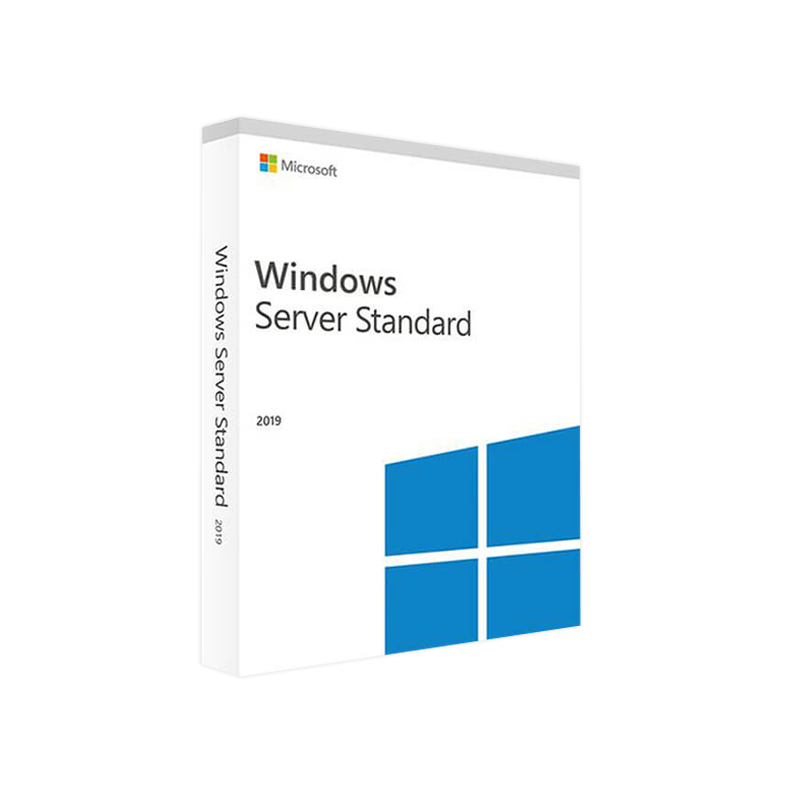


Microsoft Windows Server 2019 Standard 16 core – Product Key
$ USD
But 1 Get 1 Free
✔ Quick Delivery
✔ 100% Original License
✔ Lifetime Warranty
✔ Free Support
Only logged in customers who have purchased this product may leave a review.
Description
Microsoft Windows Server 2019 Standard – 16 Core Edition
The enterprise‑grade foundation for modern data‑centres, virtualisation, and hybrid cloud workloads.
1. Quick‑Start Overview
| Product | Edition | Core Count | Typical Use‑Case | Key Benefit |
|---|---|---|---|---|
| Microsoft Windows Server 2019 | Standard | 16 cores | Mid‑size to large organisations that need high‑performance file, print, and application services while running up to two virtual machines (VMs) per licence | Predictable licensing, built‑in security, and seamless Azure hybrid integration |
If you are a professional IT manager, systems architect, or server‑administrator, the Windows Server 2019 Standard 16‑core licence gives you the right balance of power, flexibility, and cost‑effectiveness for mission‑critical workloads.
2. Why Choose Windows Server 2019 Standard 16 Core?
Designed for the modern workplace, Windows Server 2019 brings together decades of reliability with the latest innovations in security, containerisation, and hybrid cloud.
- Robust security – Shielded VMs, Windows Defender Advanced Threat Protection (ATP), and Encrypted Networks keep data safe.
- Hybrid cloud readiness – Azure Arc and Azure Site Recovery enable smooth migration and disaster‑recovery to Azure.
- Improved container support – Native Windows Server Containers and Kubernetes integration for micro‑service architectures.
- Comprehensive management – Windows Admin Center provides a single pane of glass for on‑premises and cloud resources.
- Scalable performance – Optimised for 16‑core CPUs, delivering high‑throughput I/O and low latency for database, virtualization, and high‑performance computing (HPC) scenarios.
Bold claim: With a 16‑core licence you unlock the full potential of the latest Intel® Xeon® and AMD EPYC® processors while staying compliant with Microsoft’s core‑based licensing model.
3. Detailed Feature Set
3.1 Core Security Enhancements
- Shielded Virtual Machines – Prevents tampering of VM images and protects against malicious administrators.
- Windows Defender ATP – Real‑time detection of threats across the server estate.
- Just‑In‑Time (JIT) Access – Limits network exposure by granting temporary access to ports only when needed.
3.2 Hybrid Cloud Integration
| Feature | Description | Benefit |
|---|---|---|
| Azure Hybrid Benefit | Re‑use existing Windows licences to run Windows Server on Azure at a reduced cost. | Lower cloud‑spend while maintaining compliance. |
| Azure Arc | Manage on‑premises, multi‑cloud, and edge servers from a single Azure portal. | Unified operations across environments. |
| Azure Site Recovery | Automated replication and fail‑over to Azure. | Disaster‑recovery with minimal RTO/RPO. |
3.3 Virtualisation & Containers
- Two OSE (Operating System Environments) per licence – Ideal for running two production VMs or containers.
- Support for Hyper‑V Generation 2 VMs – Faster boot times and enhanced security.
- Kubernetes‑ready – Deploy Windows Server containers directly into an AKS (Azure Kubernetes Service) cluster.
3.4 Storage & Networking
- Storage Spaces Direct (S2D) – Build highly‑available, software‑defined storage using commodity hardware.
- Software‑Defined Networking (SDN) – Centralised management of virtual switches, load‑balancers, and network policies.
- SMB 3.1.1 – High‑performance file sharing with end‑to‑end encryption and multichannel support.
4. Licensing Explained – Server 2019 16 Core License
| License Component | What it Covers | How It’s Calculated |
|---|---|---|
| Windows Server 2019 Standard 16‑core | Up to 2 OSEs (VMs or containers) per licence | Minimum of 8 cores per processor, 16 cores per server (even if the physical core count is lower) |
| CAL (Client Access License) | Each user or device that accesses the server services | Separate purchase – User CAL or Device CAL |
| Optional Add‑ons | Azure Hybrid Benefit, Software Assurance (for upgrade rights & support) | Purchased as separate SKUs |
Important: Microsoft’s core‑based licensing requires you to license all physical cores on the server, rounded up to the nearest 8‑core increment. For a 16‑core server you need a 16‑core licence – no more, no less.
Why a 16‑core licence is optimal for most enterprises
- Cost predictability – One licence covers the entire physical socket, eliminating the need to track individual cores.
- Future‑proofing – If you later upgrade to a 20‑core processor, you only need to purchase the additional 4 cores.
- Compliance simplicity – Aligns with Microsoft’s licensing audits and reduces the risk of under‑licensing.
5. System Requirements – Microsoft Windows Server 2019 Standard 16‑Core
| Component | Minimum Requirement | Recommended |
|---|---|---|
| CPU | 1.4 GHz 64‑bit processor or faster (minimum 8 cores per socket) | Dual‑socket server with 16 physical cores (e.g., Intel Xeon Silver 4214R, AMD EPYC 7302P) |
| RAM | 2 GB for Server Core, 4 GB for Desktop Experience | 32 GB + (depends on workloads; 64 GB+ for virtualization) |
| Disk Space | 32 GB (plus additional for roles/features) | 500 GB SSD + RAID 10 for high‑availability workloads |
| Network | Gigabit Ethernet (10 GbE recommended) | 10 GbE or 25 GbE for storage‑heavy applications |
| Firmware | UEFI 2.3.1c or later (Secure Boot optional) | UEFI with Secure Boot enabled |
| Virtualisation | Hyper‑V role (requires SLAT‑capable CPU) | Intel VT‑x / AMD‑V support enabled |
| Supported Operating Systems for Migration | Windows Server 2008 R2, 2012, 2012 R2 | Windows Server 2016 (in‑place upgrade) |
Tip: For optimal performance of a 16‑core deployment, pair the licence with DDR4‑2666 or faster memory, an NVMe SSD for the OS, and redundant power supplies.
6. Windows Server 2019 Standard 16‑Core vs. Competing Editions
| Feature | Standard (16‑core) | Datacenter (16‑core) | Linux‑based alternatives (e.g., RHEL 8) |
|---|---|---|---|
| Virtualisation Rights | 2 OSEs per licence | Unlimited OSEs | Typically 1 VM per physical CPU core (depends on subscription) |
| Software‑Defined Storage | Storage Spaces Direct (limited) | Storage Spaces Direct (full) | Ceph, GlusterFS (requires additional setup) |
| Software‑Defined Networking | Basic SDN | Full SDN (Network Controller) | Open vSwitch, Calico |
| License Model | Core‑based + CALs | Core‑based + CALs (same) | Subscription‑based (per‑socket or per‑node) |
| Hybrid Cloud Integration | Azure Hybrid Benefit, Azure Arc | Same + Additional Azure services | Varies (AWS, GCP, Azure) – often need third‑party tools |
| Support & Updates | 5‑year mainstream + 5‑year extended (with SA) | Same | 10‑year lifecycle, but requires separate support contracts |
Bottom line: If you need more than two virtualised workloads per server, consider Datacenter. For most professional environments that run a handful of VMs, a Standard 16‑core licence offers the best cost‑to‑value ratio.
7. Benefits for Professional Audiences
7.1 IT Administrators
- Simplified patch management – Use Windows Update Services (WSUS) or Microsoft Endpoint Configuration Manager for centralized updates.
- Granular role‑based access control (RBAC) – Aligns with compliance frameworks (PCI‑DSS, HIPAA).
7.2 Systems Architects
- Scalable architecture – Start with a 16‑core server and grow horizontally with Failover Clustering and Scale‑out File Server (SOFS).
- Hybrid design – Seamlessly extend on‑premises workloads to Azure using Azure Stack HCI.
7.3 Business Decision‑Makers
- Predictable CAPEX/OPEX – Fixed licence cost per 16‑core socket, no surprise fees for additional VMs (up to two).
- Compliance‑ready – Aligns with Microsoft’s licensing audit guidelines and industry regulations.
8. Real‑World Deployment Scenarios
| Scenario | Configuration | Why 16‑core Standard? |
|---|---|---|
| File‑and‑Print Services for 1,200 users | Single 16‑core server, 64 GB RAM, RAID‑10 storage | Provides ample CPU headroom and two VMs for redundancy. |
| SQL Server Express + Application Server | 16‑core host running two Hyper‑V VMs – one for SQL Express, one for the web app | Utilises both OSEs, isolates workloads, and keeps licensing simple. |
| Remote Desktop Services (RDS) for 250 concurrent users | 16‑core host with 128 GB RAM, GPU‑accelerated RDS VM | Two OSEs enable a dedicated RDS VM and a separate management VM. |
| Hybrid Cloud Backup | On‑premises 16‑core server + Azure Site Recovery | One licence covers the on‑premises node while Azure Hybrid Benefit cuts cloud costs. |
9. Frequently Asked Questions (FAQ)
| Question | Answer |
|---|---|
| Do I need a separate licence for each physical processor? | No. Microsoft licences per core. A 16‑core licence covers all cores on a single server, even if they are spread across multiple sockets, as long as the total does not exceed 16 cores. |
| Can I use the same licence for a virtual server in Azure? | Yes, via Azure Hybrid Benefit. You can apply your on‑premises licence to an Azure VM, reducing the compute cost. |
| What happens if I add more cores later? | You must purchase additional core licences to cover the new cores (rounded up to the nearest 8‑core increment). |
| Is Windows Server 2019 Standard 16‑core compatible with Windows Admin Center? | Absolutely. Windows Admin Center fully supports Server 2019 Standard, providing a web‑based management console. |
| Do I need Software Assurance for the 16‑core licence? | Software Assurance is optional but gives you upgrade rights, training, and additional support. It is not required for basic operation. |
10. Purchasing & Licensing Checklist
- Confirm core count – Verify your hardware has exactly 16 physical cores (or round‑up if fewer).
- Determine CAL needs – Purchase User CALs or Device CALs based on your access model.
- Select optional add‑ons – Software Assurance, Azure Hybrid Benefit, Extended Security Updates (ESU) for legacy workloads.
- Validate hardware compatibility – Ensure your server meets the system requirements listed above.
- Plan deployment – Use Windows Admin Center to provision roles, create VMs, and configure network policies.
11. How to Get Started
- Download the Evaluation ISO – Try Windows Server 2019 Standard for 180 days before purchasing.
- Official Microsoft download: https://www.microsoft.com/en-us/evalcenter/evaluate-windows-server-2019
- Consult a Microsoft Licensing Partner – For precise cost calculations and compliance assistance.
- Order the 16‑core licence – From an authorized reseller or Microsoft Volume Licensing portal.
- Deploy using Windows Admin Center – Follow the step‑by‑step guide: https://learn.microsoft.com/en-us/windows-server/manage/windows-admin-center/overview
12. Final Thoughts
Microsoft Windows Server 2019 Standard 16‑core stands as the golden middle for professionals who demand enterprise‑grade reliability, robust security, and seamless hybrid cloud integration—without the unlimited virtualisation cost of the Datacenter edition. By licensing per core, the 16‑core model ensures predictable budgeting, scalable performance, and full compliance with Microsoft’s modern licensing framework.
Invest in a platform that grows with you. Choose Windows Server 2019 Standard 16‑core and empower your organisation to deliver mission‑critical services with confidence.
Call to Action
Ready to modernise your data centre? Contact our sales team today for a free sizing and licensing consultation, or download the evaluation to test the capabilities in your environment.
All specifications are subject to change. Please refer to the official Microsoft documentation for the most current information.
- Microsoft Docs – Windows Server 2019 Licensing Overview: https://learn.microsoft.com/en-us/windows-server/get-started/whats-new-in-windows-server-2019
- Microsoft Docs – Windows Server 2019 System Requirements: https://learn.microsoft.com/en-us/windows-server/get-started/hardware-requirements
- TechRadar Review – Windows Server 2019: Is it worth upgrading?: https://www.techradar.com/reviews/windows-server-2019
Buy now
For bulk licensing, contact our sales team at info@thesoftsolution.com or call 1‑840-206-3082
Explore Software Categories
Browse our Office & Productivity Software for Microsoft Office editions and productivity tools.
Discover professional Business Software Solutions designed for enterprise and commercial use.
Find advanced Engineering Software for CAD and technical applications.
Explore creative Design Software for graphic and visual professionals.
Improve system performance with our Utilities Software.
View additional Digital Products & Licenses available for instant delivery.
Check out our Top Selling Products for the most popular choices.
Installation & Activation Support
Need help? Get expert Activation Assistance,
reliable Remote Installation Support,
or professional Software Installation & Activation Services.
Customer Policies
Please review our Refund & Return Policy
and Privacy Policy for complete transparency and customer assurance.
Related products
13%
Microsoft Visio 2019 Standard Product Key – Genuine One-Time License for Windows
Original price was: $199.99.$175.99Current price is: $175.99.| Title |
|---|
6%
Microsoft Visual Studio 2017 Enterprise – Lifetime License Instant Delivery
Original price was: $199.99.$188.99Current price is: $188.99.| Title |
|---|
21%
Microsoft Access 2013 Download Product Key | Instant Digital Delivery
Original price was: $19.99.$15.99Current price is: $15.99.| Title |
|---|
14%
Microsoft Visio 2013 Professional Product Key – Genuine One-Time License for Windows
Original price was: $119.99.$103.99Current price is: $103.99.| Title |
|---|
9%
Microsoft Visio 2016 Standard Product Key – Genuine One-Time License for Windows
Original price was: $129.99.$118.99Current price is: $118.99.| Title |
|---|
11%
Microsoft Access 2010 Product Key – Full Version License Instant Digital Delivery
Original price was: $19.99.$17.99Current price is: $17.99.| Title |
|---|
19 reviews for Microsoft Windows Server 2019 Standard 16 core – Product Key
Customer reviews