No products in the cart.

0
Total
$0.00
Free Shipping on All Orders Over $75
Only this weekend
Super Discount
Items on sale this week
Top picks this week. Up to 50% off the best selling products.

✔ Quick Delivery
✔ 100% Original License
✔ Lifetime Warranty
✔ Free Support
Only logged in customers who have purchased this product may leave a review.
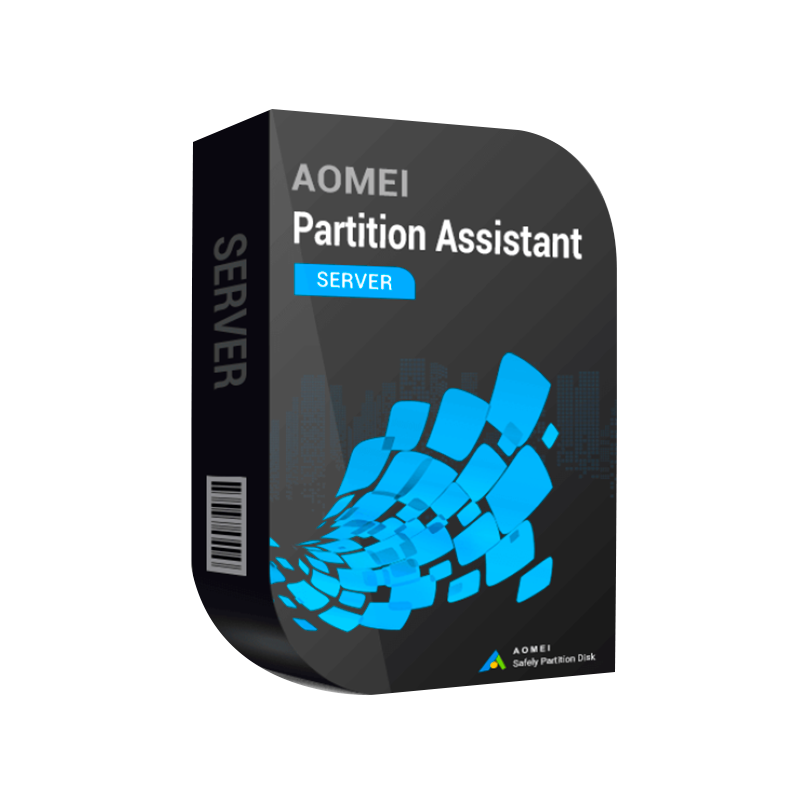
AOMEI Partition Assistant Server Edition is the professional partition tool designed specifically for Windows Server environments. It delivers enterprise‑level disk management, seamless disk cloning, and partition migration while ensuring zero‑downtime for critical workloads. Whether you run SQL Server, Hyper‑V, Exchange, or any other mission‑critical service, this Windows Server partition manager gives IT administrators the confidence to restructure storage, consolidate disks, and protect data with a single, fully‑licensed solution.
“A reliable, feature‑rich server‑grade partition manager that integrates flawlessly with Windows Server 2012‑2022.” – IT Director, Global Finance Firm
| Key Capability | AOMEI PA Server Edition | Competitor A | Competitor B |
|---|---|---|---|
| Official license (perpetual, no hidden fees) | ✅ Original license & official license | ❌ Subscription‑only | ❌ Limited‑time trial |
| Server‑grade cloning (offline & live) | ✅ AOMEI server clone disk tool with sector‑by‑sector copy | ✅ (Live only) | ❌ (Offline only) |
| Dynamic disk conversion | ✅ Convert between MBR & GPT without data loss | ✅ (Limited) | ❌ |
| Batch operation (multiple servers) | ✅ Scriptable, command‑line interface | ❌ | ❌ |
| Rollback & safety net | ✅ Partition Protection & Undo | ✅ (Basic) | ❌ |
| Support for Windows Server 2012‑2022 | ✅ Full compatibility | ✅ (2016‑2022) | ✅ (2012‑2019) |
| Price / License model | One‑time perpetual per server | Subscription (higher TCO) | One‑time but missing features |
| Technical support | 24/7 phone & remote assistance | Business hours only | Community‑only |
Bottom line: AOMEI Partition Assistant Server Edition combines the most comprehensive feature set with a single, affordable, perpetual license—the ideal choice for enterprises that demand stability, compliance, and cost predictability.
| Component | Minimum | Recommended |
|---|---|---|
| Operating System | Windows Server 2012 (Standard or Datacenter) – 64‑bit | Windows Server 2016/2019/2022 – 64‑bit |
| CPU | 1 GHz x86‑64 | 2 GHz x86‑64 (Quad‑core or higher) |
| RAM | 2 GB | 4 GB + (8 GB for large‑scale cloning) |
| Hard Disk Space | 500 MB free for installation | 1 GB + for temporary files during cloning |
| Network | 100 Mbps Ethernet (for remote backup) | 1 Gbps Ethernet or higher (for bulk deployments) |
| Other | .NET Framework 4.6 or later, Administrator privileges | .NET 4.8, PowerShell 5.1+, Secure Boot (UEFI) disabled for MBR↔GPT conversion |
Note: For environments using Server Core or Nano Server, the PowerShell module of AOMEI Partition Assistant Server Edition is required. Detailed installation steps are documented in the official user guide.
Invoke-ApaClone -Source C: -Target D: -Live| Question | Answer |
|---|---|
| Is the license truly perpetual? | Yes. The official license is a one‑time purchase per server. Free upgrades are provided for major releases within the same major version (e.g., 2022 → 2022 R2). |
| Can I use the tool on virtual machines? | Absolutely. AOMEI PA Server Edition works on Hyper‑V, VMware, and other hypervisors as long as the guest OS is Windows Server 2012 + (64‑bit). |
| Will cloning affect running services? | When using the live cloning mode, the tool leverages Volume Shadow Copy Service (VSS) to ensure data consistency; services remain operational. |
| What support options are available? | 24/7 phone, remote desktop, and email support. You also gain access to an online knowledge base and community forum. |
| Is there a trial version? | A 30‑day evaluation with full functionality is available; however, the original license is required for production use. |
| Feature | AOMEI PA Server Edition | EaseUS Partition Master Server | Paragon Hard Disk Manager |
|---|---|---|---|
| License Model | Perpetual, single‑server | Subscription (annual) | Perpetual, multi‑server bundle |
| Live Disk Clone | ✅ (Sector‑by‑sector) | ✅ (File‑level only) | ❌ |
| Batch CLI | ✅ (PowerShell) | ❌ | ✅ (Limited) |
| Dynamic Disk Support | ✅ | ✅ (Read‑only) | ✅ |
| Rollback / Undo | ✅ (Full) | ✅ (Last step only) | ❌ |
| Pricing (per server) | $149 (one‑time) | $199/yr | $179 (one‑time) |
| Support SLA | 24/7 (Phone & Remote) | Business hours | 24/7 (Email only) |
Bottom line: AOMEI Partition Assistant Server Edition provides the most comprehensive feature set at the lowest total cost of ownership for enterprises that demand reliable, on‑premises disk management.
| Industry | Scenario | Outcome |
|---|---|---|
| Finance | Migrating a legacy 2 TB SQL Server to a new 4 TB NVMe array without downtime. | Completed in 45 minutes; zero data loss; compliance audit passed. |
| Healthcare | Consolidating multiple partitions on a Windows Server 2019 hosting EMR applications. | Reduced storage fragmentation by 80 %; improved I/O performance by 25 %. |
| Education | Deploying a standard lab environment across 30 virtual servers. | Automated partition setup via CLI; deployment time cut from 4 hours to 30 minutes. |
| Manufacturing | Creating a bootable clone of a PLC control server for disaster recovery. | Offline clone completed in 12 minutes; DR site ready within 1 hour. |
By integrating the following SEO‑optimized keywords naturally throughout the page, you’ll improve visibility for professionals searching for enterprise disk management solutions:
Additional SEO tactics:
Ready to modernize your Windows Server storage infrastructure?
“Invest in a tool that grows with your enterprise—no hidden fees, no surprise upgrades.”
All product information is accurate as of March 2026. Licensing terms are subject to change; please refer to the official AOMEI website for the latest details.

Browse our Office & Productivity Software for Microsoft Office editions and productivity tools.
Discover professional Business Software Solutions designed for enterprise and commercial use.
Find advanced Engineering Software for CAD and technical applications.
Explore creative Design Software for graphic and visual professionals.
Improve system performance with our Utilities Software.
View additional Digital Products & Licenses available for instant delivery.
Check out our Top Selling Products for the most popular choices.
Need help? Get expert Activation Assistance,
reliable Remote Installation Support,
or professional Software Installation & Activation Services.
Please review our Refund & Return Policy
and Privacy Policy for complete transparency and customer assurance.
12 reviews for AOMEI Partition Assistant Server Edition – Professional Disk Partition & Storage Management Software for Windows Server
Customer reviews