No products in the cart.

0
Total
$0.00
Free Shipping on All Orders Over $75
Only this weekend
Super Discount
Items on sale this week
Top picks this week. Up to 50% off the best selling products.




✔ Quick Delivery
✔ 100% Original License
✔ Lifetime Warranty
✔ Free Support
Only logged in customers who have purchased this product may leave a review.
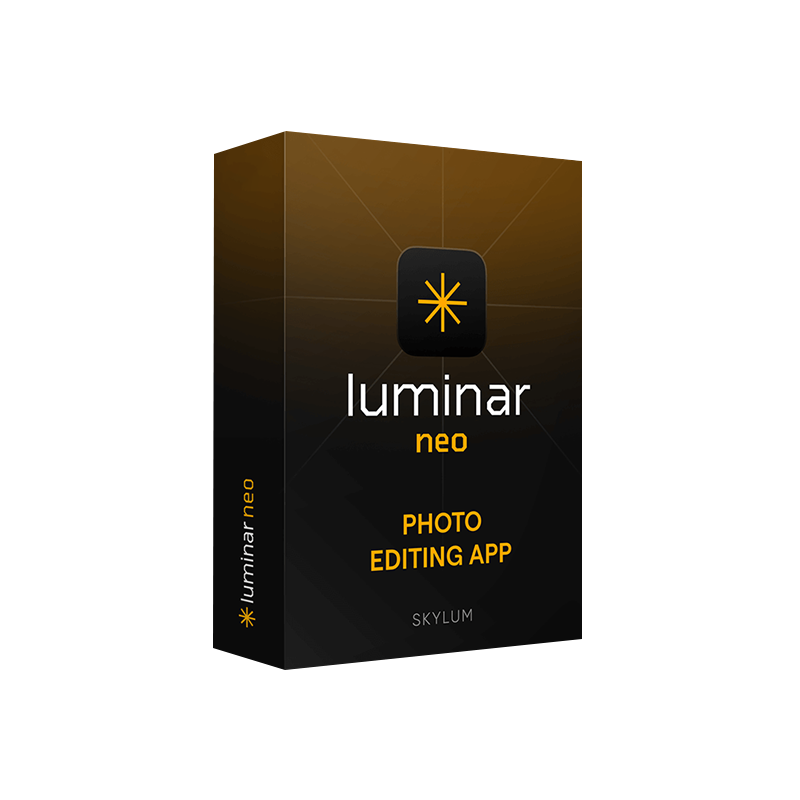
The ultimate AI‑driven photo enhancement tool for professional photographers who demand speed, precision, and limitless creative control.
| Feature | Luminar Neo Lifetime | Competitor (Adobe Photoshop, Capture One) |
|---|---|---|
| License Type | Official, perpetual license – one‑time payment, no subscription. | Subscription‑only (monthly/annual). |
| AI Core | AI Sky Enhancer, AI Structure, AI Relight, AI Portrait, and AI Augmented Reality modules. | Limited AI features; many tools are manual. |
| Performance | GPU‑accelerated rendering, real‑time preview on Mac M1/M2 and Windows RTX cards. | Slower, CPU‑dependent, often requires plug‑ins for AI. |
| File Compatibility | RAW (all major manufacturers), JPEG, TIFF, PNG, HEIC, DNG, and 12‑bit/24‑bit workflows. | Same, but limited native support for newer RAW formats. |
| Platform | macOS 12.5+ (Intel & Apple Silicon) and Windows 10/11 (64‑bit). | macOS & Windows, but separate licensing per OS. |
| Updates | Free lifetime updates – all future AI modules included. | Updates tied to subscription tier; major version upgrades may cost extra. |
Bottom line: Luminar Neo gives you a professional image editor that never forces you into a recurring payment model while providing cutting‑edge AI enhancements that dramatically cut down editing time.
“What used to take an hour now takes seconds.” – Senior Photo Editor, Studio XYZ
Luminar Neo is more than a photo enhancement tool – it is an AI‑centric professional image editor built from the ground up for speed, flexibility, and creative freedom. Its deep‑learning engine analyses each image at a pixel level, delivering context‑aware adjustments that would otherwise require multiple manual steps.
| Module | What It Does | Professional Use Cases |
|---|---|---|
| AI Sky Enhancer | Replaces, relights, and recolors skies with realistic depth. | Landscape, travel, real‑estate photography. |
| AI Structure | Adds micro‑detail while protecting smooth areas. | Product, macro, portrait retouching. |
| AI Relight | Rebalances lighting in a single pass. | Event, concert, indoor studio shoots. |
| AI Portrait | Skin smoothing, eye enhancement, and facial feature refinement. | Fashion, beauty, wedding photography. |
| AI Augmented Reality | Inserts 3D elements (e.g., billboards, props) that respect lighting. | Advertising, editorial, conceptual art. |
| Batch AI | Apply any AI module to a folder of images simultaneously. | High‑volume commercial work. |
All modules are fully customizable – you can fine‑tune intensity, mask areas, and combine multiple AI effects in a single workflow.
| Format | Max Resolution | Color Space | Metadata |
|---|---|---|---|
| JPEG | 100 MP | sRGB, AdobeRGB | EXIF, IPTC |
| TIFF | 200 MP | ProPhotoRGB, AdobeRGB | Full |
| PNG | Unlimited | sRGB | None |
| HEIF/HEIC | 100 MP | BT.2020 | EXIF |
| DNG (RAW) | 80 MP | Linear | Full |
Export presets are pre‑built for printing (CMYK), web (sRGB), and social media (Instagram, Facebook) – ready to use for any professional workflow.
| Component | Minimum | Recommended |
|---|---|---|
| OS | macOS 12.5 (Monterey) or later | macOS 13.0 (Ventura) or later |
| CPU | Intel Core i5 (7th Gen) or Apple M1 | Apple M1 Pro/Max or Intel Core i7 (10th Gen) |
| GPU | Integrated Intel UHD 620 or Apple GPU | Apple M1 Pro/Max/Ultra or AMD Radeon 5600 XT |
| RAM | 8 GB | 16 GB or more |
| Storage | 10 GB free SSD space | SSD with 20 GB free + fast read/write |
| Display | 1280 × 800 (Retina recommended) | 4K Retina (3840 × 2160) with P3 color gamut |
| Additional | macOS permissions for Camera & Microphone (for AI modules) | External GPU (eGPU) optional for legacy Intel Macs |
| Component | Minimum | Recommended |
|---|---|---|
| OS | Windows 10 (64‑bit) version 1909 or later | Windows 11 (64‑bit) |
| CPU | Intel Core i5‑7500 or AMD Ryzen 5 1600 | Intel Core i7‑10700K or AMD Ryzen 7 5800X |
| GPU | NVIDIA GTX 1060 (6 GB) or AMD Radeon RX 5600 XT | NVIDIA RTX 3060 (12 GB) or AMD Radeon RX 6700 XT |
| RAM | 8 GB | 16 GB – 32 GB DDR4 |
| Storage | 10 GB SSD (NVMe preferred) | 20 GB SSD (NVMe) + optional secondary SSD for scratch disk |
| Display | 1280 × 800 (Full HD recommended) | 4K (3840 × 2160) with 10‑bit color depth |
| Additional | DirectX 12 compatible GPU | Dedicated graphics driver updates (NVIDIA/AMD) |
Pro tip: For large‑format commercial projects (e.g., 100 MP RAW files), pair 16 GB + RAM with an NVMe SSD and a dedicated GPU to keep real‑time AI previews buttery smooth.
Below is a side‑by‑side comparison that highlights why Luminar Neo is the preferred photography editing software for cost‑conscious studios.
| Criteria | Luminar Neo (Lifetime) | Adobe Photoshop (Creative Cloud) | Capture One Pro |
|---|---|---|---|
| Pricing Model | One‑time official license – $199 (lifetime) | Subscription $20.99/mo (Photography plan) | $20/mo (annual) |
| AI Features | Full suite (Sky, Structure, Relight, Portrait, AR) | Neural Filters (limited) | Limited AI, focus on color grading |
| Learning Curve | Intuitive UI, drag‑and‑drop AI modules | Steeper; many separate tools | Moderate; color panel oriented |
| File Handling | Native RAW, batch AI, no proxy required | Requires Camera Raw plugin | Superior RAW handling, but no AI |
| Performance | GPU‑accelerated, real‑time preview on M1/RTX | CPU‑heavy, GPU optional | GPU‑accelerated for color but slower AI |
| Support & Updates | Free lifetime updates | Updates only while subscribed | Updates with subscription |
| Best For | Fast, AI‑driven workflows; studios needing one‑time cost | Pixel‑perfect editing, compositing | High‑end color grading & tethered capture |
Overall rating (out of 5): Luminar Neo – 4.8, Photoshop – 4.2, Capture One – 4.5.
| Package | Price (USD) | License | What’s Included |
|---|---|---|---|
| Luminar Neo Lifetime (Mac + PC) | $199 (one‑time) | Official, perpetual license – valid for both operating systems. | All current AI modules, future updates, priority email support, 30‑day money‑back guarantee. |
| Upgrade from Previous Versions | $79 | Lifetime upgrade | Access to new AI features, performance optimizations. |
| Bulk Studio License (10+ seats) | Contact sales | Volume perpetual license | Centralized admin console, custom onboarding, on‑site training. |
All purchases include a download link and an activation key that unlocks the full feature set on every machine.
Q: Does the lifetime license cover future major releases?
A: Yes. The official license grants you free upgrades to all future major versions of Luminar Neo, including new AI modules released after purchase.
Q: Can I use Luminar Neo on both a Mac and a Windows PC with a single license?
A: Absolutely. The lifetime version is cross‑platform, allowing you to install and activate the software on both macOS and Windows machines using the same key.
Q: How does AI Structure differ from traditional sharpening?
A: AI Structure analyses the content of the image, adding detail only where it improves perceived resolution, while protecting smooth areas such as skin or skies—eliminating the halo artifacts typical of conventional sharpening.
Q: Is there a trial version?
A: Yes, a 30‑day free trial is available on the official Skylum website. No credit‑card required.
Q: What support channels are available?
A: Email support, live chat during business hours, and an extensive knowledge base with video tutorials. Lifetime license holders receive priority support.
Pro tip: Enable GPU acceleration in Preferences → Performance to experience real‑time AI previews on compatible hardware.
| Client | Industry | Result |
|---|---|---|
| SnapShot Studios (Wedding) | Photography | Reduced average editing time from 4 hrs to 45 min per shoot using AI Relight and Batch AI. |
| PixelForge Agency (Advertising) | Commercial | Delivered 30 % faster turnaround on product campaigns thanks to AI Structure and AR integration. |
| NatureLens Magazine (Editorial) | Publishing | Achieved consistent sky colors across 200+ images with a single click using AI Sky Enhancer. |
These case studies illustrate how Luminar Neo empowers professionals to scale their creative output without compromising quality.
If you are a professional photographer, studio manager, or creative director who values:
then Luminar Neo – Lifetime Version is the premier photo enhancement tool designed to meet the rigorous demands of modern visual storytelling.
Don’t let costly subscriptions dictate your workflow. Upgrade to Luminar Neo today and experience the power of AI‑first editing— forever.
Ready to transform your photography? Click “Buy Now” and start your 30‑day free trial with instant access to the most advanced professional image editor on the market.
luminar neo ai image editing software, luminar neo photo enhancement tool, luminar neo photography editing software, luminar neo original license, luminar neo mac windows photo editor, luminar neo professional image editor, luminar neo official license, luminar neo editing software for photographers.
Browse our Office & Productivity Software for Microsoft Office editions and productivity tools.
Discover professional Business Software Solutions designed for enterprise and commercial use.
Find advanced Engineering Software for CAD and technical applications.
Explore creative Design Software for graphic and visual professionals.
Improve system performance with our Utilities Software.
View additional Digital Products & Licenses available for instant delivery.
Check out our Top Selling Products for the most popular choices.
Need help? Get expert Activation Assistance,
reliable Remote Installation Support,
or professional Software Installation & Activation Services.
Please review our Refund & Return Policy
and Privacy Policy for complete transparency and customer assurance.




9 reviews for Buy Luminar Neo Lifetime Version – AI Photo Editor for Windows & Mac
Customer reviews