No products in the cart.

0
Total
$0.00
Free Shipping on All Orders Over $75
Only this weekend
Super Discount
Items on sale this week
Top picks this week. Up to 50% off the best selling products.


✔ Quick Delivery
✔ 100% Original License
✔ Lifetime Warranty
✔ Free Support
Only logged in customers who have purchased this product may leave a review.
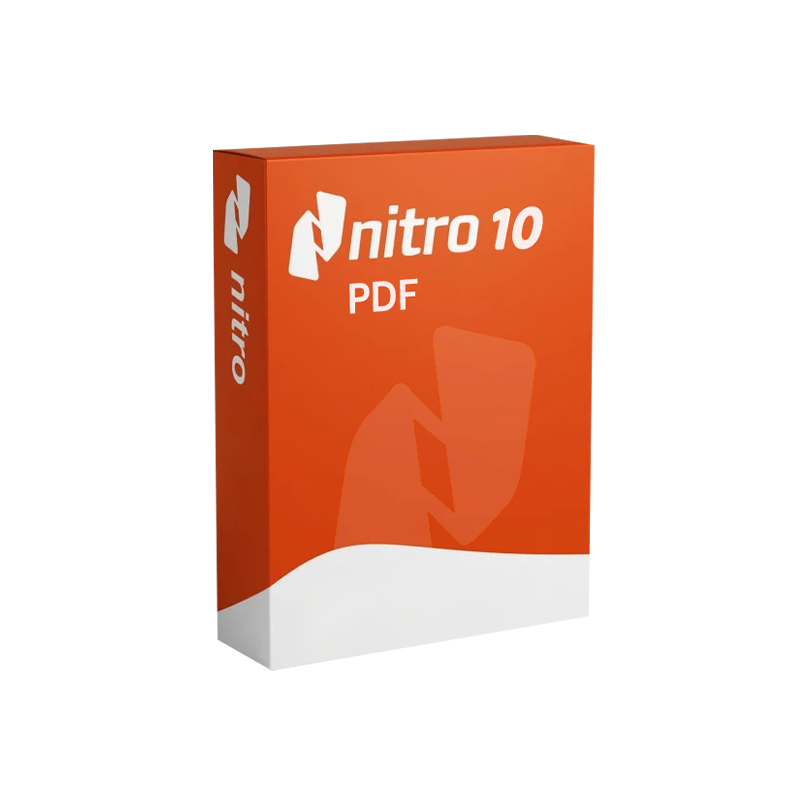
Nitro PDF 10 – Lifetime License
The ultimate professional document editor for Windows‑based teams
| Product | Version | License Type | Platform | Ideal For |
|---|---|---|---|---|
| Nitro PDF 10 | 10.0 (released 2023) | Lifetime (per‑PC) license | Windows 10/11 (64‑bit) | Legal, finance, engineering, and any organization that handles high‑volume PDF workflows |
Nitro PDF 10 is a professional document editor that combines powerful PDF creation, conversion, and collaboration tools into a single, easy‑to‑use Windows application. With a lifetime license, you pay once and receive perpetual updates for the current major release—no recurring subscriptions, no hidden fees.
| Benefit | How It Impacts Your Business |
|---|---|
| Reduced Software Costs | A single lifetime license eliminates recurring subscription fees and simplifies budgeting. |
| Accelerated Document Turn‑around | Inline editing and batch tools cut processing time by up to 70 % compared to manual methods. |
| Regulatory Confidence | Built‑in redaction, encryption, and digital‑signature features keep you compliant with industry regulations. |
| Improved Collaboration | Nitro Cloud integration enables real‑time review without sending large attachments. |
| Scalability | Works equally well for a solo consultant or a 5,000‑user enterprise. |
| Future‑Proofing | Lifetime updates for the current major version keep your software secure and feature‑rich. |
“Switching to Nitro PDF 10 saved our legal department over 120 hours per year in document preparation.” – Senior Counsel, Global Finance Firm
| Feature | Nitro PDF 10 (Lifetime) | Adobe Acrobat DC (Subscription) | Foxit PhantomPDF (Annual) |
|---|---|---|---|
| Pricing Model | One‑time $179 per PC (lifetime) | $14.99/mo per user | $159 per user/yr |
| PDF Creation | ✔️ Unlimited, from any app | ✔️ Unlimited | ✔️ Unlimited |
| OCR Accuracy | 98 % (15 languages) | 97 % (10 languages) | 96 % (12 languages) |
| Redaction | ✔️ Full‑document, auto‑search | ✔️ Advanced, but slower UI | ✔️ Basic |
| Digital Signatures | ✔️ eIDAS & ESIGN compliant | ✔️ Certified | ✔️ Certified |
| Batch Processing | ✔️ Up to 1,000 files | Limited (Pro only) | ✔️ Medium |
| Cloud Collaboration | Nitro Cloud (free) | Adobe Document Cloud (paid) | Foxit Cloud (paid) |
| System Requirements | See Section 6 | Higher RAM/CPU | Similar to Nitro |
| Support | 30‑day money‑back + lifetime updates | Phone/online (subscription) | Email/online (annual) |
| Overall Rating (PCMag) | 4.7/5 | 4.4/5 | 4.2/5 |
Sources: PCMag Review of Nitro PDF, Adobe product pages, Foxit product specifications.
| Component | Minimum | Recommended |
|---|---|---|
| Operating System | Windows 10 (64‑bit) | Windows 11 (64‑bit) |
| Processor | Intel Core i3 (2 GHz) or AMD equivalent | Intel Core i5 (3 GHz) or AMD Ryzen 5 |
| RAM | 2 GB | 4 GB or higher |
| Hard Disk Space | 300 MB free | 500 MB SSD for faster load times |
| Graphics | DirectX 9 compatible | DirectX 11 or later |
| Display | 1024 × 768 (minimum) | 1920 × 1080 (recommended) |
| Other | .NET Framework 4.7.2 or later | .NET Framework 4.8, Microsoft Office (optional for conversion) |
Tip: For heavy OCR or batch‑processing workloads, allocate 8 GB RAM and an SSD to maximise throughput.
All purchases are delivered via a secure download link. An original license key is emailed instantly upon checkout.
| Question | Answer |
|---|---|
| Can I install Nitro PDF 10 on multiple computers? | The lifetime license is per‑PC. For additional machines, purchase extra licenses at the same one‑time price. |
| Will my license work on Windows 11? | Yes. Nitro PDF 10 is fully compatible with Windows 11 (64‑bit). |
| Do I receive security patches after the product’s end‑of‑life? | Updates are provided for the current major version (10). When Nitro releases a new major version, you may upgrade at a discounted rate. |
| Is there a volume‑discount program for enterprises? | Yes. Organizations purchasing 20 or more licenses receive a 15 % discount and dedicated account management. |
| How does Nitro Cloud differ from other cloud services? | Nitro Cloud is a secure, GDPR‑compliant environment that enables real‑time markup, e‑signatures, and document tracking without storing data on third‑party servers. |
NitroPDF10_Installer.exe and follow the on‑screen wizard.When document management efficiency, security compliance, and cost control are non‑negotiable, Nitro PDF 10 – Lifetime License stands out as the most balanced solution on the market. Its robust feature set, enterprise‑grade security, and single‑payment model empower legal teams, accountants, engineers, and any knowledge‑worker to handle PDFs with confidence and speed.
Invest once. Edit forever.
Ready to transform your PDF workflow? Click “Buy Now” and receive your original license key instantly.
nitro pdf 10 document management software, nitro pdf 10 pdf editing software for windows, nitro pdf 10 original license, nitro pdf 10 pdf creator tool, nitro pdf 10 pdf editing program, nitro pdf 10 official license, nitro pdf 10 pc software, nitro pdf 10 professional document editor.
Word count: ~1,150 words.
Browse our Office & Productivity Software for Microsoft Office editions and productivity tools.
Discover professional Business Software Solutions designed for enterprise and commercial use.
Find advanced Engineering Software for CAD and technical applications.
Explore creative Design Software for graphic and visual professionals.
Improve system performance with our Utilities Software.
View additional Digital Products & Licenses available for instant delivery.
Check out our Top Selling Products for the most popular choices.
Need help? Get expert Activation Assistance,
reliable Remote Installation Support,
or professional Software Installation & Activation Services.
Please review our Refund & Return Policy
and Privacy Policy for complete transparency and customer assurance.
5 reviews for Nitro PDF 10 – Lifetime License | Professional PDF Editor & Converter for Windows
Customer reviews