

Subtotal: $89.99
9%
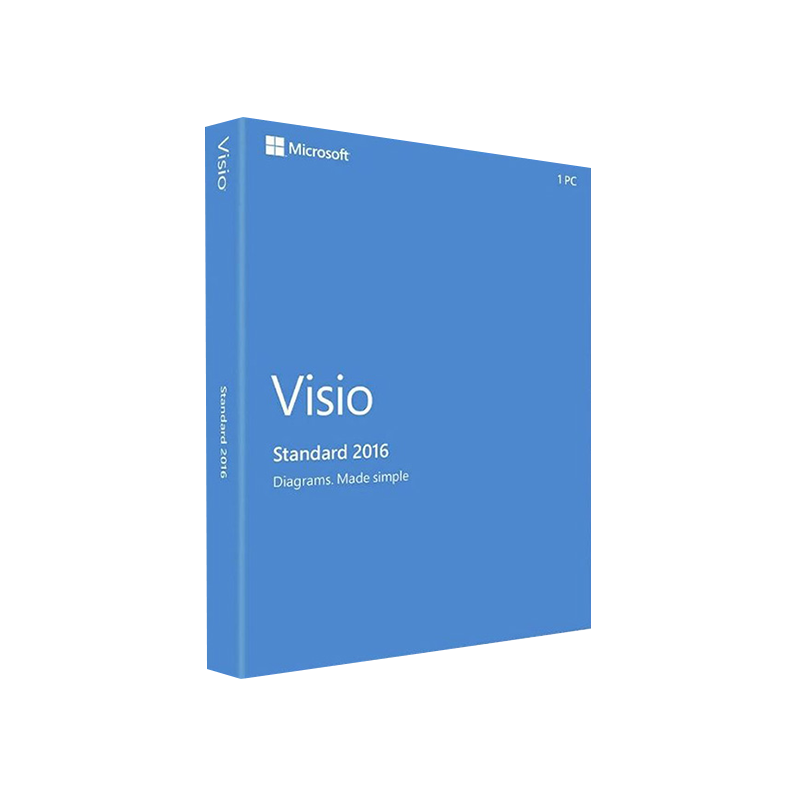




Microsoft Visio 2016 Standard Product Key – Genuine One-Time License for Windows
In Stock
✔ Quick Delivery
✔ 100% Original License
✔ Lifetime Warranty
✔ Free Support
In Stock
Description
Microsoft Visio 2016 Standard – Professional Diagramming Solution
Microsoft Visio 2016 Standard (often searched as visio standard 2016, ms visio standard 2016 or visio 2016 standard download) is the industry‑trusted tool for creating clear, data‑driven diagrams, flowcharts, floor plans, and technical schematics. Designed for business analysts, engineers, IT professionals, and project managers, Visio 2016 Standard delivers a powerful set of templates and shapes that accelerate visual communication while staying fully compatible with Microsoft 365 and Windows 10 environments.
Why Choose Visio 2016 Standard?
| Feature | Benefit to Professionals | How It Helps Your Business |
|---|---|---|
| Over 250 built‑in templates | Instant access to industry‑standard diagram types | Reduce design time by up to 40 % |
| Rich shape library (> 4,500 shapes) | Drag‑and‑drop precision drawing | Maintain consistent branding across every document |
| Data‑linked diagrams | Connect shapes to Excel, SharePoint, SQL Server | Turn raw data into live, interactive visuals |
| Auto‑connect & SmartShape technology | Automatic connector routing | Eliminate manual line‑adjustments and errors |
| Collaboration via OneDrive/SharePoint | Real‑time co‑authoring | Faster decision‑making across remote teams |
| Export to PDF, XPS, and PNG | Easy sharing with non‑Visio users | Preserve layout integrity on any device |
| Extensive accessibility support | Keyboard shortcuts, screen‑reader compatibility | Meet corporate accessibility standards |
These capabilities make Visio 2016 Standard the go‑to solution for professionals who need accurate, scalable diagrams without the overhead of a full‑featured Enterprise edition.
Detailed Product Description
Microsoft Visio 2016 Standard is a full‑featured diagramming suite that integrates tightly with the Microsoft Office ecosystem. Whether you are mapping a business process, designing a network topology, or drafting an office floor plan, Visio 2016 provides the tools to translate complex information into a visual language that stakeholders instantly understand.
Core Capabilities
- Professional‑grade templates – From Basic Flowchart, Cross‑Functional Flowchart, and Organization Chart to Electrical, Mechanical, and HVAC diagrams, each template is pre‑configured with standards‑compliant shapes and connectors.
- Dynamic Data Visualization – Link shapes to live data sources (Excel, Access, SharePoint lists) and watch your diagram update in real time. This feature is essential for dashboards, KPI tracking, and risk analysis.
- Precision Drawing Tools – Use snap‑to‑grid, rulers, and guides for pixel‑perfect alignment. The Shape Data window lets you embed metadata directly in each shape, improving documentation and traceability.
- Collaboration & Version Control – Store diagrams on OneDrive for Business or SharePoint to enable co‑authoring, comment threads, and version history—critical for regulated industries.
- Enterprise Compatibility – Files created in Visio 2016 Standard can be opened in newer versions (Visio 2019 Standard, Visio Online) without loss of fidelity, ensuring long‑term accessibility.
“Visio 2016 Standard gave our team the confidence to map out complex workflows and present them to senior leadership in a clear, actionable format.” – Senior Business Analyst, Fortune 500 company
Visio 2016 Standard vs. Visio 2019 Standard
If you are evaluating an upgrade, the following comparison highlights the key differences between visio std 2019 and visio standard 2016.
| Aspect | Visio 2016 Standard | Visio 2019 Standard |
|---|---|---|
| Release Year | 2015 (with 2016 update) | 2018 (with 2019 update) |
| Templates & Shapes | 250+ templates, 4,500+ shapes | 250+ templates, 5,000+ shapes (new business, tech diagrams) |
| Data Linking | Excel, Access, SharePoint | Added support for Power BI and Azure data |
| Collaboration | OneDrive/SharePoint co‑authoring (basic) | Enhanced real‑time co‑authoring, Auto‑save |
| UI Enhancements | Ribbon UI, classic dialogs | Modernized Ribbon, dark mode, improved UI responsiveness |
| Performance | Optimized for Windows 7/8/10 (32‑/64‑bit) | Faster rendering on Windows 10/11, better GPU utilization |
| Pricing | Lower upfront cost (ideal for SMBs) | Higher license price, includes extra templates |
| Support Lifecycle | Mainstream support ends 2025 | Mainstream support ends 2029 |
For most small‑ to medium‑size enterprises, Visio 2016 Standard offers a cost‑effective feature set without sacrificing core diagramming capabilities. Larger organizations that require the latest data connectors and UI enhancements may consider Visio 2019 Standard.
How to Get Visio 2016 Standard
- Purchase a license from an authorized Microsoft reseller or the Microsoft Store.
- Download the installer – the official visio 2016 standard download link is provided after purchase.
- Run the setup and follow the on‑screen prompts.
- Activate using the product key emailed to you.
Tip: Keep a copy of your product key in a secure location. It will be required for future re‑installs or hardware migrations.
System Requirements
| Component | Minimum Requirement | Recommended Requirement |
|---|---|---|
| Operating System | Windows 7 SP1 (64‑bit) or Windows 8.1 (64‑bit) | Windows 10 1909 (64‑bit) or later |
| Processor | 1 GHz or faster, 32‑bit (x86) or 64‑bit (x64) | 1.6 GHz or faster, 64‑bit |
| RAM | 2 GB (32‑bit) / 4 GB (64‑bit) | 4 GB (32‑bit) / 8 GB (64‑bit) |
| Hard Disk Space | 3 GB of available space | 4 GB SSD for optimal performance |
| Display | 1024 × 768 screen resolution | 1280 × 1024 or higher, multi‑monitor support |
| Graphics | DirectX 9.0c compatible graphics card | DirectX 11 compatible, 128 MB VRAM |
| Other | .NET Framework 4.6, Internet Explorer 11 (for updates) | .NET Framework 4.7.2 or later, Microsoft Edge (recommended) |
Visio 2016 Standard is compatible with both 32‑bit and 64‑bit Office installations. Choose the version that matches your existing Office suite to avoid licensing conflicts.
Frequently Asked Questions (FAQs)
| Question | Answer |
|---|---|
| Can I import Visio 2013 files into Visio 2016 Standard? | Yes. Visio 2016 can open and edit .vsdx files created in Visio 2013, 2010, and earlier versions. |
| Is there a trial version available? | Microsoft offers a 30‑day free trial of Visio 2016 Standard. Visit the official Visio trial page to download. |
| How does Visio 2016 handle large diagrams? | The application uses incremental rendering and file compression to maintain performance even with diagrams exceeding 10 MB. |
| Can I use Visio on a Mac? | Visio 2016 is a Windows‑only product. macOS users can access Visio Online through a web browser. |
| What support options are available? | Licensees receive 24‑month mainstream support from Microsoft, plus optional extended support plans. |
Benefits of Deploying Visio 2016 Standard in a Professional Environment
- Accelerated Project Delivery – Pre‑built templates reduce design time, allowing teams to focus on analysis rather than diagram creation.
- Improved Decision‑Making – Data‑linked diagrams turn raw numbers into actionable visual insights, supporting faster, evidence‑based decisions.
- Consistent Corporate Branding – Centralized shape libraries ensure every diagram follows corporate style guidelines.
- Risk Mitigation – Accurate schematics (e.g., electrical or HVAC layouts) help prevent costly rework or compliance violations.
- Scalable Licensing – Volume licensing options make it easy to equip entire departments without administrative overhead.
Related Resources (Outbound Links)
- [Microsoft Visio product overview – official site](https://www.microsoft.com/visio) – Detailed feature list, pricing, and licensing information.
- [Visio on Wikipedia](https://en.wikipedia.org/wiki/Microsoft_Visio) – Historical background and technical specifications.
- [Microsoft Support – System requirements for Visio](https://support.microsoft.com/office/visio-system-requirements) – Up‑to‑date compatibility matrix and troubleshooting tips.
Call to Action
Ready to transform complex information into clear, compelling visuals? Purchase Microsoft Visio 2016 Standard today and empower your team with the diagramming power trusted by millions of professionals worldwide.
- Buy Now: Visit your preferred Microsoft reseller or the Microsoft Store.
- Need a Demo? Request a personalized walkthrough from our certified Visio specialists.
- Contact Support: For installation assistance or licensing questions, email visio‑support@yourcompany.com or call 1‑800‑555‑0199.
Final Thoughts
Whether you label it visio standard 2016, ms visio standard 2016, or simply Visio 2016, this product stands as a robust, cost‑effective diagramming platform for professionals across every industry. Its blend of rich templates, data integration, and collaborative features ensures that your visual communications are not only aesthetically polished but also strategically impactful.
Take the next step—download, install, and start creating diagrams that drive results.
Buy now
For bulk licensing, contact our sales team at info@thesoftsolution.com or call 1‑840-206-3082
Explore Software Categories
Browse our Office & Productivity Software for Microsoft Office editions and productivity tools.
Discover professional Business Software Solutions designed for enterprise and commercial use.
Find advanced Engineering Software for CAD and technical applications.
Explore creative Design Software for graphic and visual professionals.
Improve system performance with our Utilities Software.
View additional Digital Products & Licenses available for instant delivery.
Check out our Top Selling Products for the most popular choices.
Installation & Activation Support
Need help? Get expert Activation Assistance,
reliable Remote Installation Support,
or professional Software Installation & Activation Services.
Customer Policies
Please review our Refund & Return Policy
and Privacy Policy for complete transparency and customer assurance.
Related products
20%
Reviews
There are no reviews yet.