
No products in the cart.
15%
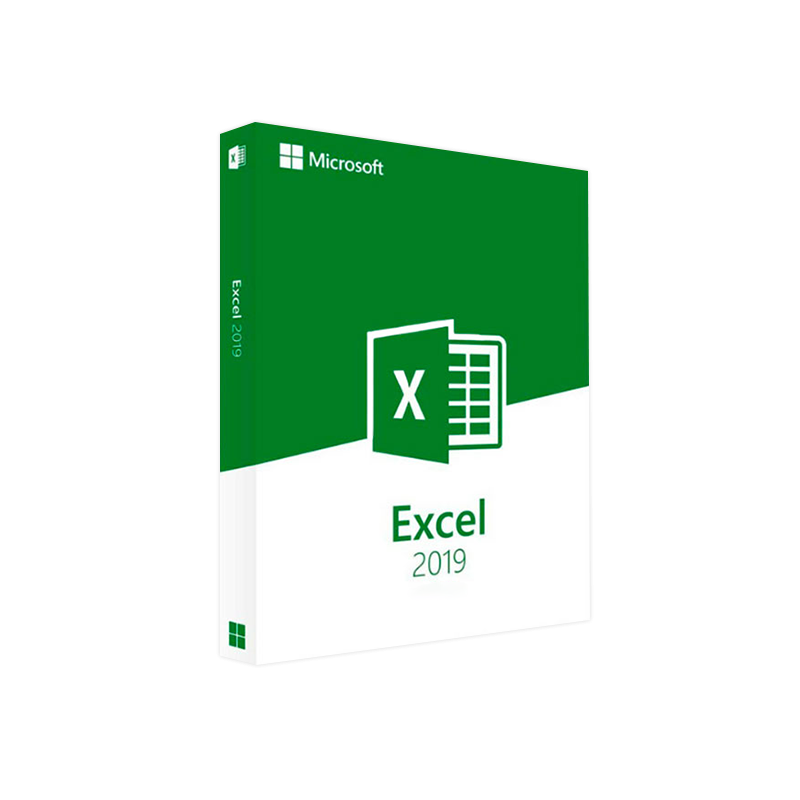



Microsoft Excel 2019 – Product Key | Instant Digital Delivery
$ USD
But 1 Get 1 Free
✔ Quick Delivery
✔ 100% Original License
✔ Lifetime Warranty
✔ Free Support
Only logged in customers who have purchased this product may leave a review.
Description
Microsoft Excel 2019 – The Professional‑Grade Spreadsheet Solution
Designed for power users, analysts, and decision‑makers who demand speed, stability, and advanced data‑visualisation tools.
1. Overview
Microsoft Excel 2019 is the latest perpetual‑license version of the industry‑standard spreadsheet application. It delivers every feature that professionals rely on—from dynamic arrays and XLOOKUP to a new set of chart types and enhanced collaboration tools—without the need for a recurring subscription.
Whether you are building financial models, preparing quarterly reports, or analysing big‑data sets, Excel 2019 provides the performance and reliability required for mission‑critical work.
excel 2019, microsoft excel 2019, excel 2019 download, microsoft excel 2019 for mac, 2019 excel, mos excel 2019
2. Core Features for Professionals
| Feature | What It Does | Why It Matters to You |
|---|---|---|
| Dynamic Arrays | Auto‑spills results into adjacent cells (e.g., FILTER, SORT, UNIQUE) | Eliminates complex nested formulas, reducing errors and saving time. |
| XLOOKUP & XMATCH | Modern replacement for VLOOKUP/HLOOKUP | Faster look‑ups across large tables with built‑in error handling. |
| New Chart Types – Funnel, Map, 2‑D/3‑D Combo | Visually compelling data storytelling | Communicates insights instantly to stakeholders. |
| Power Query (Get & Transform) | Connect, clean, and reshape data from multiple sources | Enables self‑service data preparation without VBA. |
| Improved Ink Support (Windows) | Write formulas and annotate with a stylus | Ideal for touch‑enabled devices and meetings. |
| Co‑authoring (OneDrive/SharePoint) | Real‑time editing with colleagues | Boosts teamwork while preserving version control. |
| Performance Enhancements (64‑bit optimisation) | Faster calculation engine for large workbooks | Reduces processing time for complex models. |
| Accessibility Improvements | Enhanced screen‑reader support and keyboard shortcuts | Meets corporate accessibility compliance. |
3. Benefits for the Professional Audience
- Reliability: As a perpetual‑license product, Excel 2019 receives security updates without forcing a subscription upgrade.
- Security‑first: Built‑in Protected View, Information Rights Management (IRM), and multi‑factor authentication protect sensitive data.
- Compatibility: Fully compatible with Excel 2016, 2013, and Office 365 files—no conversion headaches.
- Scalability: Handles over 1 million rows and 16 GB of memory in 64‑bit mode—perfect for large‑scale financial modeling.
- Support: Access to Microsoft’s Enterprise‑level support and an extensive knowledge base.
4. System Requirements
| Platform | Minimum Requirements | Recommended Configuration |
|---|---|---|
| Windows 10 (64‑bit) | • Processor: 1.6 GHz or faster • RAM: 2 GB • Disk Space: 4 GB • Graphics: DirectX 9 compatible | • Processor: 2.0 GHz or faster (Quad‑core) • RAM: 8 GB (16 GB for large data sets) • SSD: 10 GB free • Graphics: DirectX 12, 1 GB VRAM |
| macOS (Catalina 10.15) or later | • Intel‑based Mac • 4 GB RAM • 10 GB free disk space | • Apple Silicon (M1/M2) or Intel • 8 GB RAM (16 GB recommended) • 20 GB SSD • macOS Big Sur 11.0+ |
| Microsoft Office 365 (optional add‑on) | • Internet connection for activation & updates | • Broadband (≥ 5 Mbps) for OneDrive sync & co‑authoring |
Tip: For maximum performance, use the 64‑bit version of Excel 2019 on Windows.
5. Excel 2019 vs. Competitors – Quick Comparison
| Feature | Microsoft Excel 2019 | Google Sheets | LibreOffice Calc |
|---|---|---|---|
| Dynamic Arrays | ✅ (native) | ❌ (limited) | ❌ |
| XLOOKUP | ✅ | ❌ (VLOOKUP only) | ❌ |
| Power Query | ✅ | ❌ | ❌ |
| Offline Access | ✅ (full‑featured) | ✅ (limited) | ✅ |
| Enterprise‑Grade Security | ✅ (IRM, MIP) | ❌ | ❌ |
| File Compatibility (xlsx) | ✅ (100 % compliant) | ✅ (partial) | ✅ (partial) |
| Support & Updates | Microsoft Support | Community only | Community only |
| Price (perpetual) | $149.99 (single app) | Free | Free |
*For a deeper dive into Excel’s capabilities, see the official Microsoft documentation: Microsoft Excel 2019 product page.*
6. How to Download & Install Excel 2019
- Purchase a license from an authorized reseller or the Microsoft Store.
- Sign in to your Microsoft account at account.microsoft.com/services.
- Click “Download” next to Microsoft Excel 2019.
- Run the installer and select “Custom” to choose the 64‑bit version (recommended).
- Follow the on‑screen prompts; once installed, launch Excel and activate using the product key.
Need a Mac version? Use the same Microsoft account and select “Microsoft Excel 2019 for Mac” from the download portal.
7. Frequently Asked Questions
| Question | Answer |
|---|---|
| Can I install Excel 2019 on multiple devices? | Yes – one license covers up to 5 PCs or Macs for the same user. |
| Is there a free trial? | A 30‑day trial of Microsoft 365 (includes Excel 2019) is available. |
| Will Excel 2019 work with existing VBA macros? | Absolutely. VBA compatibility is unchanged from previous perpetual versions. |
| How does Excel 2019 differ from Office 365 Excel? | Excel 2019 is a stand‑alone, perpetual product; Office 365 offers continuous feature updates and cloud services. |
| Can I use Excel 2019 on a virtual desktop (VDI)? | Yes – it is supported on Windows Virtual Desktop and Azure Virtual Desktop. |
8. Microsoft Word 2016 for Mac – Detailed,Friendly Description
While Excel 2019 powers your data‑driven decisions, Microsoft Word 2016 for Mac remains the go‑to solution for creating polished, professional documents across the Apple ecosystem.
8.1 Why Choose Word 2016 for Mac?
- Robust Formatting Engine – Precise control over styles, headings, and page layout ensures brand‑consistent documents.
- Collaboration Tools – Real‑time co‑authoring via OneDrive or SharePoint enables seamless teamwork.
- Advanced Review Features – Track Changes, Comments, and Compare Documents streamline editorial workflows.
- Cross‑Platform Compatibility – Files saved in .docx open flawlessly on Windows, iOS, and Android devices.
8.2 Key Features
| Feature | Description |
|---|---|
| SmartArt & Diagram Integration | Turn ideas into visual workflows without leaving Word. |
| Researcher (Windows only) | Quickly pull in scholarly sources—useful when drafting reports on a Mac via cross‑platform collaboration. |
| OpenType Font Support | Access the full library of OpenType fonts for typographic excellence. |
| Document Inspector | Scan for hidden metadata to protect confidential information. |
| Accessibility Checker | Ensure documents meet WCAG standards for readers with disabilities. |
| Export to PDF/XPS | One‑click creation of print‑ready PDFs. |
8.3 System Requirements for Word 2016 for Mac
| Component | Minimum | Recommended |
|---|---|---|
| OS | macOS 10.10 (Yosemite) | macOS 11 (Big Sur) or later |
| Processor | Intel‑based, 1 GHz or faster | Apple Silicon (M1/M2) or Intel Quad‑core |
| Memory | 2 GB RAM | 8 GB RAM |
| Disk Space | 3 GB available | 10 GB SSD |
| Graphics | 1280 × 800 resolution | 1920 × 1080+ with hardware acceleration |
For the latest compatibility details, consult Microsoft’s Word for Mac system requirements page.
8.4 How to Get Word 2016 for Mac
- Purchase a Microsoft Office Home & Student 2016 for Mac license.
- Sign in with your Microsoft account at account.microsoft.com.
- Download the Word 2016 for Mac installer.
- Run the package, follow the prompts, and activate using the product key.
9. Why Choose Microsoft’s 2019 Suite?
| Value Proposition | Excel 2019 | Word 2016 for Mac |
|---|---|---|
| Enterprise Security | ✔️ IRM, MIP, Multi‑factor auth | ✔️ Document Inspector, Encryption |
| Professional‑Grade Features | ✔️ XLOOKUP, Power Query, Dynamic Arrays | ✔️ Advanced Styles, Collaboration, Accessibility |
| Cross‑Device Compatibility | ✔️ Windows 10, macOS Catalina+ | ✔️ macOS, iOS, Windows (via Office 365) |
| Support & Updates | ✔️ 5‑year mainstream support | ✔️ 5‑year mainstream support |
| Investment Protection | ✔️ Perpetual license – no subscription lock‑in | ✔️ Perpetual license – one‑time cost |
Choosing a perpetual‑license suite like Excel 2019 and Word 2016 for Mac gives your organization budget certainty, robust offline capabilities, and a consistent user experience across Windows and macOS.
10. Take the Next Step
Ready to empower your team with Excel 2019 and Word 2016 for Mac?
- Request a demo – See the new dynamic array functions in action.
- Contact Sales – Get volume‑pricing for enterprise deployments.
- Download the trial – Experience the full feature set for 30 days, risk‑free.
Boost productivity, secure your data, and deliver insights with confidence— the Microsoft 2019 suite is built for professionals who never settle for “good enough.”
External Resources
- Microsoft Excel 2019 Official Page – https://www.microsoft.com/en-us/microsoft-365/excel
- TechRadar Review of Excel 2019 – https://www.techradar.com/reviews/microsoft-excel
- Apple Support – Office for Mac Compatibility – https://support.apple.com/en-us/HT210060
Buy Now
For bulk licensing, contact our sales team at info@thesoftsolution.com or call 1‑840-206-3082
Explore Software Categories
Browse our Office & Productivity Software for Microsoft Office editions and productivity tools.
Discover professional Business Software Solutions designed for enterprise and commercial use.
Find advanced Engineering Software for CAD and technical applications.
Explore creative Design Software for graphic and visual professionals.
Improve system performance with our Utilities Software.
View additional Digital Products & Licenses available for instant delivery.
Check out our Top Selling Products for the most popular choices.
Installation & Activation Support
Need help? Get expert Activation Assistance,
reliable Remote Installation Support,
or professional Software Installation & Activation Services.
Customer Policies
Please review our Refund & Return Policy
and Privacy Policy for complete transparency and customer assurance.
Additional information
| Title |
|---|
Related products
31%Buy 1 Get 1 Free : Active
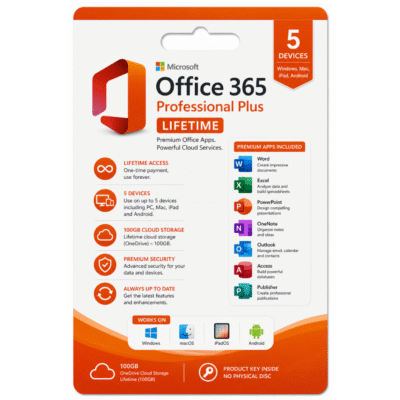
Microsoft 365 Pro Plus Lifetime for 5 Devices with 100GB Cloud Space
Original price was: $99.99.$69.99Current price is: $69.99.17%
Microsoft Word 2021 Product Key – Genuine for Windows & Mac
Original price was: $59.99.$49.99Current price is: $49.99.| Title |
|---|
12%
Microsoft Access 2024 Product Key – Full Version License for Windows Instant Digital Delivery
Original price was: $78.99.$69.99Current price is: $69.99.| Title |
|---|
19%
Microsoft Word 2016 for Mac Product Key – Genuine One-Time License for macOS
Original price was: $59.99.$48.99Current price is: $48.99.| Title |
|---|
8%
Microsoft Visual Studio 2017 Professional Product Key – Genuine License for Windows Developers
Original price was: $149.99.$138.99Current price is: $138.99.| Title |
|---|
6%
Microsoft Visual Studio 2019 Professional Product Key – Genuine License for Windows Developers
Original price was: $249.99.$235.99Current price is: $235.99.| Title |
|---|
Recently Viewed Products
17%
Microsoft Access 2021 – Product Key | Instant Digital Delivery
Original price was: $59.99.$49.99Current price is: $49.99.| Title |
|---|
2%
Buy Microsoft Windows Server 2012 R2 Datacenter | Genuine License
Original price was: $980.99.$969.99Current price is: $969.99.11%
Microsoft PowerPoint 2021 for Mac
Original price was: $99.99.$89.49Current price is: $89.49. Quick Delivery
100% Original License
Lifetime Warranty
Free Support
Quick Delivery
100% Original License
Lifetime Warranty
Free Support17%
31 reviews for Microsoft Excel 2019 – Product Key | Instant Digital Delivery
Customer reviews