

Subtotal: $69.99
5%
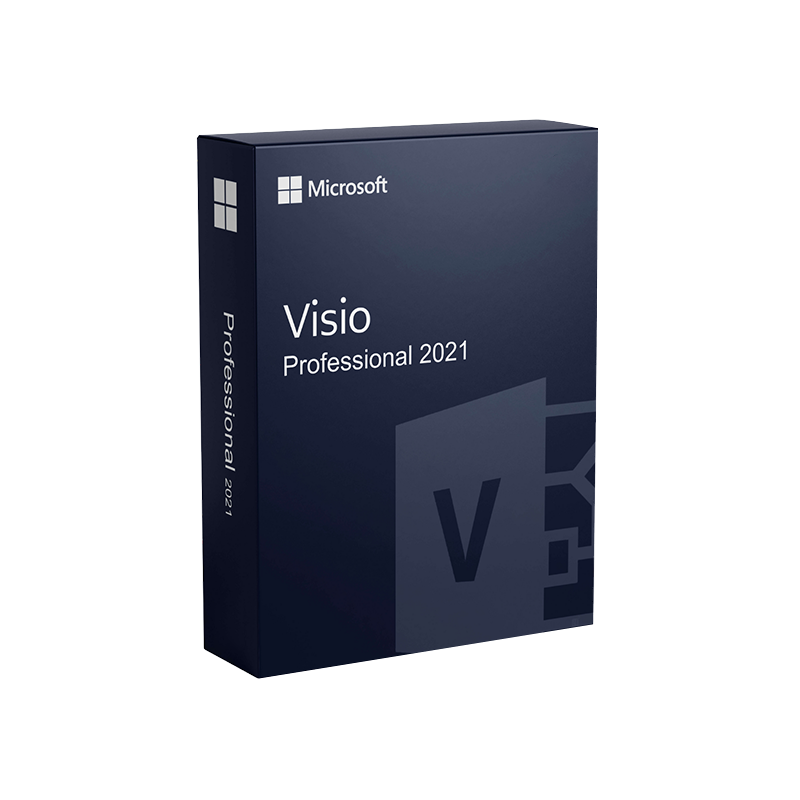




Microsoft Visio Professional 2021 Product Key – Genuine One-Time License for Windows
In Stock
✔ Quick Delivery
✔ 100% Original License
✔ Lifetime Warranty
✔ Free Support
In Stock
Description
Microsoft Visio Professional 2021 – The Ultimate Diagramming Solution for Business Professionals
Unlock the power of visual communication with the most advanced, enterprise‑grade diagramming tool on the market.
Why Choose Microsoft Visio Professional 2021?
Visio Professional 2021 is the flagship version of Microsoft’s industry‑leading diagramming suite. It combines an intuitive, drag‑and‑drop interface with deep integration across the Microsoft 365 ecosystem, delivering a platform that lets business analysts, IT architects, project managers, and engineers transform complex data into clear, actionable visuals.
Key Benefits for Professionals
- Fast‑track decision‑making – Turn raw data into instantly understandable flowcharts, network diagrams, and floor plans.
- Enterprise‑grade security – Leverage Azure AD authentication, data loss prevention (DLP), and compliance certifications (ISO 27001, SOC 1/2/3).
- Seamless collaboration – Co‑author diagrams in real time via Microsoft Teams, SharePoint, and OneDrive.
- Scalable licensing – Available through Microsoft 365 subscription or perpetual license, with volume‑discount options for organizations of any size.
“Visio Professional 2021 has become the visual backbone of our architecture reviews, cutting stakeholder meeting time by 35 %.” – Senior Solutions Architect, Fortune 500 firm
Core Features of Visio Professional 2021
| Feature | Description | Business Value |
|---|---|---|
| Advanced Diagram Templates | Over 250 built‑in templates ranging from IT network maps to business process models. | Reduces time‑to‑first‑draft by up to 50 %. |
| Data‑Linked Diagrams | Connect shapes to live data sources (Excel, SQL Server, SharePoint lists, Power BI). | Enables real‑time visual analytics and dashboards. |
| Shape Search & SmartShapes | AI‑powered search that suggests the most appropriate shapes based on context. | Accelerates diagram creation and ensures consistency. |
| Custom Stencils & Themes | Create reusable shape libraries and corporate branding themes. | Guarantees visual conformity across the enterprise. |
| Collaboration Hub | Built‑in commenting, version history, and simultaneous editing. | Eliminates email‑based file exchanges, reducing version conflicts. |
| Integration with Microsoft 365 | Direct export to PowerPoint, Word, and Teams; embed live diagrams in SharePoint. | Streamlines reporting and presentation workflows. |
| Visio Web Access | Browser‑based viewer and editor (Visio for the web). | Enables stakeholders to view diagrams without a desktop license. |
Comparing Visio Professional 2021 with Earlier Versions & Competitors
| Criteria | Visio Professional 2021 | Visio Standard 2019 | Lucidchart (Cloud) |
|---|---|---|---|
| Template Library | 250+ (including industry‑specific) | 150+ | 200+ |
| Data Linkage | Live connection to >10 data sources | Static data import only | Cloud‑based data connectors (limited) |
| Collaboration | Real‑time co‑authoring via Teams/SharePoint | No real‑time editing | Real‑time editing (cloud only) |
| Security | Azure AD, DLP, compliance certifications | Basic Windows auth | SOC2, ISO 27001 (depends on plan) |
| Offline Capability | Full desktop application | Full desktop application | Browser only (offline limited) |
| Pricing Model | Perpetual or Microsoft 365 subscription | Perpetual only | SaaS subscription |
| Integration with Microsoft Stack | Deep (Power Platform, Teams, Office) | Minimal | Limited (via connectors) |
| Export Options | PPT, PDF, SVG, XPS, Visio Web | PPT, PDF | PPTX, PDF, PNG |
Bottom line: For enterprises that rely on Microsoft 365, Visio Professional 2021 provides unmatched integration, security, and offline capabilities that outpace both older Visio releases and pure‑cloud competitors.
Detailed Description – Microsoft Visio Professional 2021
Microsoft Visio Professional 2021 (often searched as visio professional 2021 or microsoft visio pro 2021) is a high‑performance diagramming application built on the latest Microsoft Office architecture. It supports the .vsdx file format, ensuring forward compatibility with Visio for the web and mobile clients.
What Sets It Apart
- Unified Data Experience – By linking shapes to live data, you can create dynamic diagrams that automatically refresh when underlying data changes. This is especially valuable for network topology maps, supply‑chain flowcharts, and financial dashboards.
- AI‑Enhanced Design – The SmartShape engine suggests relevant icons and connectors based on the diagram’s context, dramatically reducing the learning curve for new users.
- Enterprise Governance – With built‑in compliance tools, IT administrators can enforce data loss prevention policies, control who can edit or view diagrams, and maintain audit trails via Microsoft 365 compliance center.
- Cross‑Platform Accessibility – While the desktop client offers full functionality, Visio for the web allows any stakeholder with a browser to view, comment, and even edit diagrams (if licensed). This ensures that external partners or remote teams stay aligned without requiring a full desktop install.
- Extensibility through Add‑Ins – Leverage the Visio Add‑In SDK to build custom connectors, automation scripts (Power Automate), or integrate with third‑party services such as ServiceNow or Azure DevOps.
Ideal Use Cases
| Industry | Typical Diagram Types | Business Impact |
|---|---|---|
| IT & Networking | Network diagrams, data‑center layouts, Azure architecture maps | Faster incident response, clearer capacity planning |
| Finance & Operations | Process flowcharts, KPI dashboards, Gantt charts | Streamlined reporting, improved process compliance |
| Manufacturing | Facility floor plans, equipment schematics, workflow diagrams | Reduced downtime, optimized space utilization |
| Healthcare | Clinical pathways, patient flow diagrams, compliance maps | Enhanced patient safety, regulatory compliance |
| Education | Organizational charts, curriculum maps, research diagrams | Better stakeholder communication, simplified curriculum design |
How to Get Visio Professional 2021
Visio Professional 2021 Download Options
- Microsoft Visio Professional 2021 (Perpetual) – Purchase a one‑time license from the Microsoft Store or an authorized reseller.
- Visio Professional 2021 via Microsoft 365 – Included in the Microsoft 365 E3/E5 and Office 365 Business Premium plans.
Tip: For organizations that need flexible scaling, the Microsoft 365 subscription model provides automatic updates and simplifies license management.
Quick Download Guide
- Visit the official Microsoft Visio product page – [Microsoft Visio – Flowchart Software](https://www.microsoft.com/en-us/microsoft-365/visio/flowchart-software).
- Choose Visio Professional 2021 and select either Buy now (perpetual) or Subscribe (Microsoft 365).
- Sign in with your corporate Azure AD account.
- After purchase, click Download → Run installer → Enter product key (if perpetual).
- Follow the on‑screen prompts to complete installation.
*For detailed step‑by‑step instructions, see the Microsoft support article on Visio installation – [Install Visio on Windows](https://learn.microsoft.com/en-us/visio/install/install).
System Requirements – Microsoft Visio Professional 2021
| Category | Minimum Requirement | Recommended Configuration |
|---|---|---|
| Operating System | Windows 10 (version 1809) or later, Windows 11 | Windows 11 Pro, Enterprise |
| Processor | 1.6 GHz or faster, 2‑core | 2.0 GHz or faster, 4‑core (Intel i5 / AMD Ryzen 5) |
| RAM | 2 GB (64‑bit) | 8 GB or more |
| Hard Disk Space | 4 GB free | SSD with 10 GB free |
| Graphics | DirectX 10 compatible graphics card | DirectX 12, 1280 × 720 resolution or higher |
| Display | 1280 × 720 screen resolution | 1920 × 1080 or higher (multiple monitors recommended) |
| .NET Framework | .NET 4.7.2 or later | .NET 6 (included with Windows 11) |
| Browser (for Visio for the web) | Microsoft Edge, Chrome, Firefox (latest) | Same as above |
| Additional | Internet connection for activation & updates | High‑speed broadband for cloud collaboration |
*Your organization’s IT department can also consult the [Visio 2021 system requirements](https://learn.microsoft.com/en-us/visio/visio-2021/system-requirements) page for detailed compatibility information.
Frequently Asked Questions (FAQs)
Q: Can Visio Professional 2021 open diagrams created in older Visio versions?
A: Yes. Visio Professional 2021 can import .vsd, .vsdx, .vss, and .vssx files from Visio 2016, 2019, and earlier releases, preserving shape data and formatting.
Q: Is there a trial version available?
A: Microsoft offers a 30‑day free trial of Visio Professional 2021 through the Microsoft 365 admin portal. The trial includes full feature access and cloud integration.
Q: How does licensing work for remote employees?
A: Remote users can activate Visio Professional 2021 via their Azure AD credentials and access the desktop client or Visio for the web from any location with an internet connection.
Q: What type of support is included?
A: All Microsoft 365 subscriptions include 24/7 technical support and access to the Microsoft Knowledge Base. Perpetual licenses receive one year of standard support, with optional extended support plans.
Integrations & Extensibility
- Power Automate – Automate diagram generation from data sources (e.g., create a network diagram when a new device is added to Azure).
- Power BI – Embed live Visio visuals directly into Power BI dashboards for interactive analytics.
- Microsoft Teams – Pin Visio files to Teams channels for instant collaboration.
- Azure DevOps – Link Visio diagrams to work items for visual project tracking.
*Explore the full list of supported integrations in the official Visio Add‑in documentation – [Visio SDK & Add‑ins](https://learn.microsoft.com/en-us/visio/add-ins/overview).
Customer Success Stories
| Company | Challenge | Visio Solution | Outcome |
|---|---|---|---|
| Global Telecom Provider | Complex fiber‑optic network mapping across 20 countries. | Used data‑linked diagrams fed by a SQL inventory database. | Reduced network audit time from 4 weeks to 2 days. |
| Healthcare System | Need for compliant patient‑flow diagrams. | Created secure, role‑based diagrams stored in SharePoint with DLP policies. | Achieved HIPAA compliance and improved patient throughput by 12 %. |
| Manufacturing OEM | Rapid redesign of factory floor plan for new production line. | Leveraged custom stencils and real‑time collaboration via Teams. | Cut redesign cycle from 6 weeks to 10 days. |
Buy now
Empower every stakeholder with visual clarity—choose Microsoft Visio Professional 2021.
For bulk licensing, contact our sales team at info@thesoftsolution.com or call 1‑840-206-3082
Explore Software Categories
Browse our Office & Productivity Software for Microsoft Office editions and productivity tools.
Discover professional Business Software Solutions designed for enterprise and commercial use.
Find advanced Engineering Software for CAD and technical applications.
Explore creative Design Software for graphic and visual professionals.
Improve system performance with our Utilities Software.
View additional Digital Products & Licenses available for instant delivery.
Check out our Top Selling Products for the most popular choices.
Installation & Activation Support
Need help? Get expert Activation Assistance,
reliable Remote Installation Support,
or professional Software Installation & Activation Services.
Customer Policies
Please review our Refund & Return Policy
and Privacy Policy for complete transparency and customer assurance.





Reviews
There are no reviews yet.