
No products in the cart.
11%
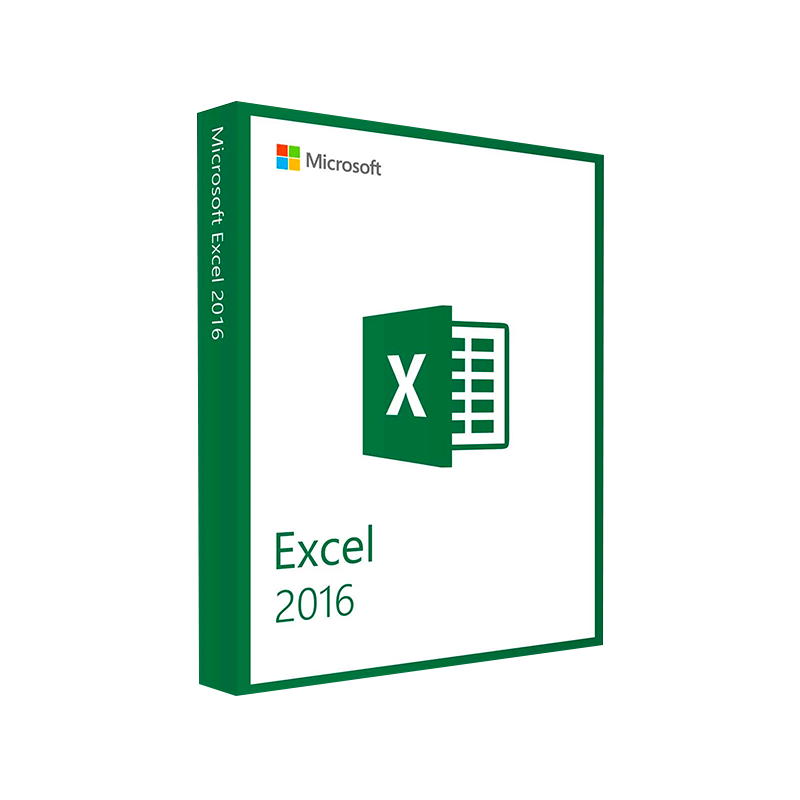




Microsoft Excel 2016 – Product Key | Instant Digital Delivery
In Stock
✔ Quick Delivery
✔ 100% Original License
✔ Lifetime Warranty
✔ Free Support
In Stock
Description
Microsoft Excel 2016 – The Professional‑Grade Spreadsheet Solution for Today’s Business Leaders
Unlock the full power of data analysis, reporting, and collaboration with the most trusted spreadsheet application on the market.
Overview
Microsoft Excel 2016 (also written as excel 2016, ms excel 2016, or microsoft excel2016) builds on the iconic legacy of its predecessors while delivering a suite of modern tools designed for professionals who demand speed, accuracy, and seamless integration across the Microsoft 365 ecosystem. Whether you are a financial analyst, project manager, data scientist, or executive, Excel 2016 gives you the flexibility to transform raw numbers into actionable insights—fast.
“Excel 2016 is the engine that powers every strategic decision in our organization.” – Chief Financial Officer, Fortune 500 firm
Why Choose Microsoft Excel 2016?
| Feature | Excel 2016 | Excel 2013 | Excel 2019 |
|---|---|---|---|
| Power Query (Get & Transform) | ✅ Full integration for effortless data import & cleaning | Limited, add‑in required | ✅ Enhanced UI, but same core |
| Power Pivot | ✅ In‑memory analytics, larger data models | ✅ Available | ✅ Improved performance |
| Co‑authoring (Real‑time) | ✅ Real‑time collaboration in Office 365 | ❌ Not supported | ✅ Available via cloud |
| Inking Support | ✅ Write, draw, and annotate on tablets | ❌ Not present | ✅ Refined |
| Charts & Visualisations | ✅ New Waterfall, Pareto, Histogram charts | Classic set | ✅ Minor tweaks |
| Performance | ✅ Faster calculation engine, 64‑bit support | Slower on large models | ✅ Slightly faster than 2016 |
The table highlights the key improvements that make Excel 2016 the optimal choice for power users who need advanced analytics without the steep learning curve of newer releases.
Core Benefits for Professionals
- Rapid Data Integration – Connect to SQL Server, Azure, OData, Web, and text files with a few clicks using Power Query.
- Advanced Analytics – Build multidimensional models with Power Pivot, run DAX formulas, and create pivot tables that handle millions of rows.
- Collaboration Made Simple – Co‑author spreadsheets in real time, add comments, and track changes across teams.
- Enhanced Visual Storytelling – Use new chart types (waterfall, pareto, histogram) and conditional formatting to make data instantly understandable.
- Secure Enterprise Ready – Integration with Active Directory, Data Loss Prevention (DLP) policies, and Information Rights Management (IRM) keeps your confidential data protected.
Detailed Feature Set
1. Power Query – Get & Transform Data
- Connect to more than 50 data sources (including cloud services).
- Clean data with a point‑and‑click interface: remove duplicates, split columns, unpivot tables.
- Automate refresh schedules for live dashboards.
“Power Query turned a week‑long data‑consolidation task into a 15‑minute routine.” – Data Analyst
2. Power Pivot – In‑Memory Data Modelling
- Create data models that exceed 2 GB in size (64‑bit).
- Write DAX formulas for complex calculations.
- Generate interactive dashboards that update instantly.
3. Collaboration & Co‑authoring
| Collaboration Tool | What It Does | How It Helps Professionals |
|---|---|---|
| Comments | Threaded discussions attached to cells | Keeps decisions documented & searchable |
| Shared Workbooks | Real‑time updates across users | Eliminates version‑control headaches |
| OneDrive/SharePoint Integration | Auto‑sync and backup | Guarantees data availability 24/7 |
4. Data Visualization
- New Chart Types: Waterfall, Pareto, Histogram, Box & Whisker.
- SmartArt Integration – Turn tables into flowcharts with a single click.
- Conditional Formatting – Highlight trends, outliers, and thresholds instantly.
5. Security & Compliance
- IRMS (Information Rights Management) – Restrict copying, printing, and forwarding.
- DLP (Data Loss Prevention) – Detect and block sensitive data leakage.
- Compliance Manager – Align with GDPR, HIPAA, and other regulations.
System Requirements – What You Need to Run Microsoft Excel 2016
| Component | Minimum Requirement | Recommended Specification |
|---|---|---|
| Operating System | Windows 7 SP1 (64‑bit) or Windows 8.1 (64‑bit) | Windows 10 (64‑bit) or Windows 11 |
| Processor | 1 GHz or faster, x86 or x64 with SSE2 support | 2 GHz or faster, Intel i5/i7 or AMD Ryzen 5/7 |
| RAM | 2 GB (32‑bit) / 4 GB (64‑bit) | 8 GB or more (64‑bit) |
| Hard Disk | 3 GB free space | SSD with 10 GB free for optimal performance |
| Display | 1280 × 768 screen resolution | 1920 × 1080 or higher (HD) |
| Graphics | DirectX 9 compatible graphics card with WDDM 1.0 driver | DirectX 11 or higher |
| .NET Framework | Version 4.5 or later | Version 4.8 or later |
| Additional | Internet connection for activation & updates | Broadband (≥ 5 Mbps) for cloud collaboration |
Tip: For large data models exceeding 2 GB, a 64‑bit Office installation and at least 16 GB RAM is strongly recommended.
How to Get Microsoft Excel 2016 (Excel 2016 Download)
- Visit the Official Microsoft Store – The safest source for a legitimate microsoft excel 2016 download.
- 👉 Microsoft Office 2016 Download Page (outbound link)
- Choose Your License – Options include Office Home & Business 2016, Office Professional 2016, or a Microsoft 365 subscription that provides the latest updates.
- Enter Your Product Key – Locate the 25‑character key included with your purchase.
- Run the Installer – Follow the on‑screen prompts; the installer automatically checks for compatible system configurations.
Pro Tip: Save a copy of your product key in a secure password manager for future re‑installations.
Frequently Asked Questions (FAQs)
| Question | Answer |
|---|---|
| Can I use Excel 2016 on a Mac? | Yes – a macOS version is available with comparable features, though some Windows‑only add‑ins may differ. |
| Is Excel 2016 compatible with Office 365 files? | Absolutely. All .xlsx, .xlsm, and .xlsb formats open without conversion. |
| Do I need an internet connection to use Excel 2016? | No, Excel works offline; however, cloud features (co‑authoring, OneDrive sync) require connectivity. |
| How does Excel 2016 differ from Excel 2019? | Excel 2016 introduced Power Query and Power Pivot as native features and added real‑time co‑authoring, whereas Excel 2019 provides incremental UI refinements. |
| Can I upgrade from Excel 2016 to a newer version? | Yes – a free upgrade is available for eligible Microsoft 365 subscribers; otherwise, purchase a standalone newer version. |
Comparison: Excel 2016 vs. Leading Competitors
| Feature | Microsoft Excel 2016 | Google Sheets | LibreOffice Calc |
|---|---|---|---|
| Maximum Rows | 1,048,576 | 5 million (soft limit) | 1,048,576 |
| Advanced Analytics | Power Query & Power Pivot (native) | Limited add‑ons | No built‑in |
| Real‑time Collaboration | ✅ via OneDrive/SharePoint | ✅ native | ❌ |
| Chart Types | 30+ (incl. waterfall) | 20+ (basic) | 15+ |
| Enterprise Security | IRM, DLP, Azure AD | Basic (G‑Suite) | Minimal |
| Add‑in Ecosystem | > 1,000 certified add‑ins | Limited marketplace | Small community |
| Pricing | One‑time or subscription | Subscription | Free (open source) |
For professionals who need robust analytics, security, and integration with other Microsoft tools, Excel 2016 remains the clear leader.
Real‑World Use Cases
| Industry | Scenario | How Excel 2016 Helps |
|---|---|---|
| Finance | Consolidating quarterly earnings across 30 subsidiaries | Power Query pulls data from each ERP system; Power Pivot creates a single model for variance analysis. |
| Supply Chain | Forecasting inventory levels using historical sales data | Advanced formulas and forecasting add‑ins generate predictive models in minutes. |
| Marketing | Tracking campaign ROI across multiple channels | Dynamic dashboards with slicers let managers filter by channel, region, and period instantly. |
| Human Resources | Analyzing employee turnover trends | Pivot tables combined with conditional formatting highlight high‑risk departments. |
| Education | Managing student grades and attendance | Shared workbooks enable teachers to update records concurrently, reducing admin time. |
Download & Installation Checklist
| Step | Action |
|---|---|
| 1 | Verify system requirements (see table above). |
| 2 | Obtain a valid product key from Microsoft or an authorized reseller. |
| 3 | Download the installer from the official Microsoft site (outbound link). |
| 4 | Run the installation wizard; select Custom if you need only Excel instead of the full Office suite. |
| 5 | Activate using your product key and sign in with a Microsoft account for cloud features. |
| 6 | Install the latest updates via Windows Update or Office Update to ensure security patches. |
| 7 | Configure OneDrive or SharePoint sync for real‑time collaboration. |
| 8 | Optional: Install recommended add‑ins (e.g., Analysis ToolPak, Power BI Publisher). |
Frequently Overlooked Tips for Power Users
- Use Ctrl + Shift + L: Quickly toggle filters on any table.
- Leverage Named Ranges: Improves formula readability and reduces errors.
- Enable AutoSave: When working on OneDrive/SharePoint, ensures no data loss.
- Set Calculation Options to “Manual” for massive workbooks to speed up editing.
- Create Custom Views: Save different display settings for reporting vs. data entry.
Buy Now
Ready to transform your data workflow with a proven, enterprise‑grade tool?
- Download Microsoft Excel 2016 today and experience the efficiency boost that professionals worldwide trust.
- Need assistance with deployment or training? Contact our expert support team for a personalized onboarding session.
Start your free trial now – No credit card required.
External Resources
- Microsoft Official Documentation: Comprehensive guides on Power Query and Power Pivot – https://learn.microsoft.com/en-us/power-query/
- PCMag Review of Excel 2016: Independent evaluation of performance and features – https://www.pcmag.com/reviews/microsoft-excel-2016
- Excel Campus – Training Videos: Step‑by‑step tutorials for advanced Excel techniques – https://www.excelcampus.com/
Meta Description (for SEO)
Boost productivity with Microsoft Excel 2016 – the professional spreadsheet solution featuring Power Query, Power Pivot, real‑time co‑authoring, and robust security. Download now and meet all system requirements.
microsoft excel 2016, excel 2016, ms excel 2016, microsoft excel2016, excel 2016 download, microsoft excel 2016 download.
For bulk licensing, contact our sales team at info@thesoftsolution.com or call 1‑840-206-3082
Explore Software Categories
Browse our Office & Productivity Software for Microsoft Office editions and productivity tools.
Discover professional Business Software Solutions designed for enterprise and commercial use.
Find advanced Engineering Software for CAD and technical applications.
Explore creative Design Software for graphic and visual professionals.
Improve system performance with our Utilities Software.
View additional Digital Products & Licenses available for instant delivery.
Check out our Top Selling Products for the most popular choices.
Installation & Activation Support
Need help? Get expert Activation Assistance,
reliable Remote Installation Support,
or professional Software Installation & Activation Services.
Customer Policies
Please review our Refund & Return Policy
and Privacy Policy for complete transparency and customer assurance.
© 2026 YourCompany™ – All rights reserved.
Related products
21%
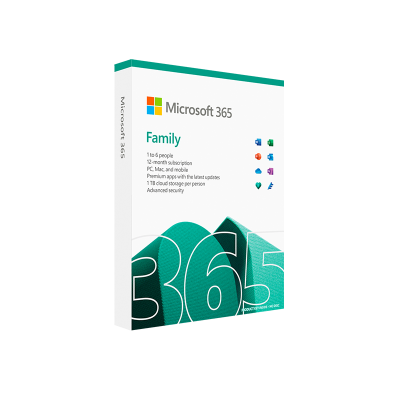
Microsoft 365 Family – 12-Month Subscription
| Title | Default Title |
|---|
Reviews
There are no reviews yet.