
No products in the cart.
17%
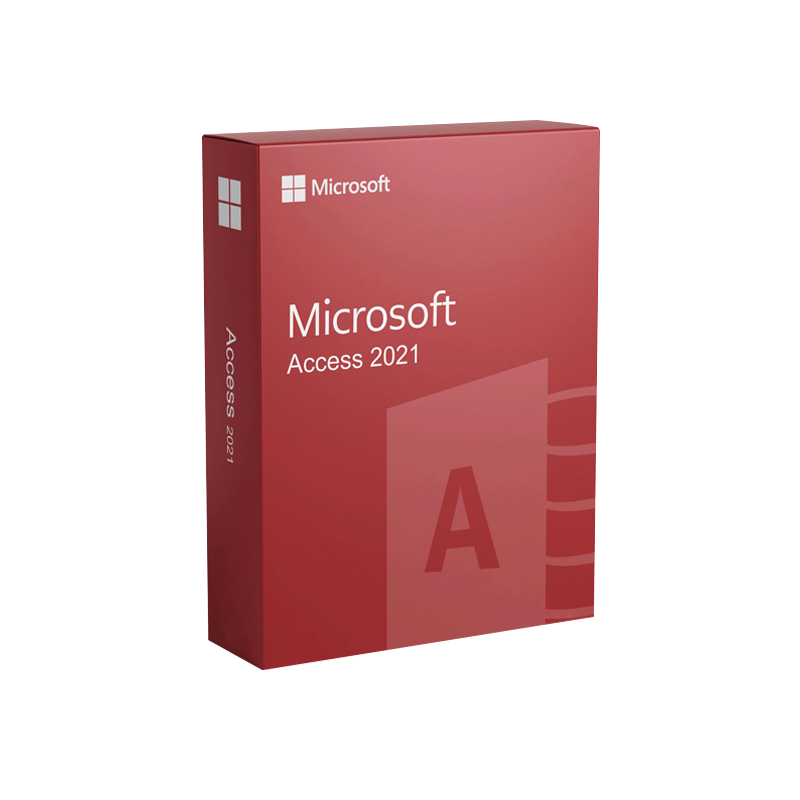


Microsoft Access 2021 – Product Key | Instant Digital Delivery
$ USD
But 1 Get 1 Free
✔ Quick Delivery
✔ 100% Original License
✔ Lifetime Warranty
✔ Free Support
Only logged in customers who have purchased this product may leave a review.
Description
Microsoft Access 2021 – The Professional‑Grade Database Solution
Empower your organization with a scalable, secure, and fully integrated data platform.
Overview
Microsoft Access 2021 (also referenced as MS Access 2021, Office 2021 Access, Microsoft Office 2021 Access or Microsoft Office Access 2021) is the latest on‑premises release of Microsoft’s flagship relational‑database application. Delivered as part of the Microsoft Office 2021 suite and the Access LTSC 2021 (Long‑Term Servicing Channel) offering, Access 2021 blends a familiar drag‑and‑drop interface with powerful back‑end SQL Server capabilities, making it the ideal tool for professionals who need to:
- design, share, and manage custom business applications,
- integrate data across Microsoft 365, Azure, and third‑party services,
- enforce enterprise‑grade security and compliance, and
- future‑proof solutions with a roadmap that aligns with Microsoft’s broader data platform.
Below you’ll find a comprehensive description, feature breakdown, comparison tables, and the system requirements you need to run Microsoft Access 2021 efficiently.
Why Choose Microsoft Access 2021?
Key Benefits for Professionals
| Benefit | What It Means for Your Business |
|---|---|
| Rapid Application Development | Build fully functional forms, reports, and dashboards in hours instead of weeks. |
| Seamless Office Integration | Leverage native connections to Excel, Outlook, SharePoint, and Teams without additional add‑ins. |
| Scalable Back‑End | Migrate to SQL Server or Azure SQL with the Access Migration Assistant – no data loss. |
| Robust Security | Role‑based permissions, data encryption, and compliance with GDPR, HIPAA, and ISO 27001. |
| Long‑Term Support | Access LTSC 2021 guarantees 10 years of security updates, perfect for regulated industries. |
| Extensibility | VBA, macros, and the new JavaScript/TypeScript add‑in model enable custom code and integration with Power Platform. |
These benefits translate into faster decision‑making, reduced IT overhead, and a higher ROI for database‑centric projects.
Detailed Feature Set
1. Modernized User Interface
- Ribbon‑centric design – the same UI across Word, Excel, and PowerPoint, reducing training time.
- Dark mode – optional high‑contrast theme to reduce eye strain during long sessions.
- Responsive form layout – automatically adapts to different screen resolutions and DPI settings.
2. Enhanced Data Connectivity
| Connector | Supported Sources | Key Capabilities |
|---|---|---|
| ODBC | SQL Server, MySQL, PostgreSQL, Oracle, Azure SQL | Real‑time query, push‑down processing |
| SharePoint Lists | SharePoint Online, on‑premises | Two‑way sync, versioning |
| Microsoft Dataverse | Power Platform | Direct CRUD operations, relationship mapping |
| REST API | Any service exposing JSON/XML | Custom HTTP actions via VBA/JavaScript |
3. Advanced Query Engine
- SQL Server‑compatible syntax – write queries that run unchanged on both Access and SQL Server.
- Query Designer – visual tool for joins, sub‑queries, and aggregation.
- Parameterized Queries – protect against SQL injection and simplify UI development.
4. Reporting & Visualization
- Rich Report Designer – drag‑and‑drop controls, conditional formatting, and charting.
- Export options – PDF, XPS, Word, Excel, and Power BI datasets for advanced analytics.
5. Automation & Extensibility
| Automation Method | Typical Use Cases |
|---|---|
| VBA (Visual Basic for Applications) | Legacy macros, form events, data validation |
| Macros (No‑Code) | Simple data entry workflows, batch imports |
| JavaScript/TypeScript Add‑ins | Modern UI components, integration with Power Apps, custom connectors |
| Power Automate Integration | Triggered workflows across Microsoft 365 services |
6. Licensing & Deployment Options
| Edition | Delivery Model | Target Audience | Support Duration |
|---|---|---|---|
| Microsoft Access 2021 (Retail) | Per‑PC perpetual | Small‑to‑medium businesses, independent consultants | 10‑year security updates |
| Access LTSC 2021 | Volume Licensing (Enterprise) | Large enterprises, regulated industries | 10‑year security updates + optional extended support |
| Microsoft 365 (Access) | Subscription (included in Microsoft 365 Apps for enterprise) | Organizations already on Microsoft 365 | Ongoing feature updates (monthly) |
Choosing the right edition ensures you get the optimal balance between feature set, cost, and long‑term support.
Microsoft Access 2021 vs. Previous Versions
| Feature | Access 2021 | Access 2019 | Access 2016 |
|---|---|---|---|
| Dark Mode | ✅ | ❌ | ❌ |
| JavaScript/TypeScript Add‑ins | ✅ (new) | ❌ | ❌ |
| Access Migration Assistant | ✅ (improved) | ✅ | ✅ |
| SQL Server‑compatible query syntax | ✅ (enhanced) | ✅ | ❌ |
| Support Lifecycle | 10 years (LTSC) | 5 years | 5 years |
| Integration with Power Platform | Deep (Dataverse, Power Automate) | Moderate | Limited |
| Performance Optimizations | Up to 30 % faster on large tables | Baseline | Baseline |
The table illustrates why Microsoft Access 2021 is the logical upgrade for professionals seeking modern features and a longer support horizon.
System Requirements – Microsoft Access 2021
| Component | Minimum Specification | Recommended Specification |
|---|---|---|
| Operating System | Windows 10 (Version 1809) or Windows 11 | Windows 10 (Version 2004) or Windows 11 |
| Processor | 1 GHz or faster, x86 or x64 | 2 GHz or faster, dual‑core x64 |
| RAM | 2 GB | 4 GB or more (8 GB for heavy datasets) |
| Hard Disk | 4 GB available space | 10 GB SSD for optimal performance |
| Display | 1280 × 768 screen | 1920 × 1080 or higher, supports multiple monitors |
| Graphics | DirectX 9 compatible | DirectX 11 or higher (for dark mode & UI scaling) |
| .NET Framework | 4.7.2 or later | 4.8 or later |
| Internet | Broadband (for updates & activation) | Broadband ≥ 25 Mbps (for cloud integration) |
| Other | Microsoft Office 2021 suite (or Access LTSC 2021) | Office 2021 Professional Plus or Microsoft 365 Apps for Enterprise |
Tip: For databases exceeding 2 GB, consider storing the back‑end on SQL Server or Azure SQL Database to bypass the Access file‑size limit and benefit from enterprise‑grade performance.
Frequently Asked Questions (FAQs)
Q1. Is Microsoft Access 2021 compatible with earlier Access files?
Yes. Access 2021 can open, edit, and convert Access 2007‑2019 .accdb and .mdb files without loss of functionality.
Q2. Do I need a separate SQL Server license to use the Migration Assistant?
No. The Migration Assistant is built into Access 2021. However, a valid SQL Server or Azure SQL license is required for the target server.
Q3. How does Access LTSC 2021 differ from the subscription‑based Access in Microsoft 365?
Access LTSC 2021 provides a perpetual license with a 10‑year security update schedule, ideal for organizations that cannot adopt cloud‑first models. The Microsoft 365 version receives continuous feature updates, which may be preferable for teams that thrive on the latest innovations.
Q4. Can I develop mobile‑friendly forms with Access 2021?
While Access itself is a desktop application, you can publish forms to Power Apps or SharePoint for mobile access, leveraging the same underlying data model.
How to Get Started
- Evaluate Your Needs – Use the comparison table above to decide between Access 2021 Retail, Access LTSC 2021, or Microsoft 365 Access.
- Download the Installer – Visit the official Microsoft download center: https://www.microsoft.com/en-us/microsoft-365/access (outbound link).
- Run the Access Migration Assistant – Follow the guided wizard to assess existing Access databases and plan migration to SQL Server or Azure.
- Training & Certification – Enroll in the Microsoft Certified: Power Platform App Maker Associate program to master Access integration with Power Platform.
- Deploy & Secure – Apply role‑based security, enable encryption, and schedule regular backups using Windows Server Backup or Azure Backup.
Optimized Summary
Microsoft Access 2021 (also searched as ms access 2021, office 2021 access, microsoft office 2021 access, microsoft office access 2021, and access ltsc 2021) delivers a modern, secure, and highly compatible database environment for professionals across all industries. Its new dark mode, JavaScript/TypeScript add‑ins, and deep Power Platform integration make it the most future‑ready edition to date. Whether you need a perpetual license or a subscription‑based solution, Access 2021 provides the flexibility, performance, and support lifespan required for mission‑critical business applications.
External Resources
- Official Microsoft Access page – Detailed specifications, licensing options, and download links.
https://learn.microsoft.com/en-us/office/client-developer/access/ - Microsoft Access on Wikipedia – Historical context and feature evolution.
https://en.wikipedia.org/wiki/Microsoft_Access - Power Automate Documentation – How to integrate Access workflows with the broader Microsoft 365 ecosystem.
https://learn.microsoft.com/en-us/power-automate/
Buy Now
Invest in Microsoft Access 2021 today and transform your data into actionable insights. With a robust feature set, enterprise‑grade security, and long‑term support, Access 2021 equips professionals to design, deploy, and maintain high‑performance database solutions that scale with your organization’s growth.
Contact our sales team or download the trial now to experience the power of Access 2021 firsthand.
For bulk licensing, contact our sales team at info@thesoftsolution.com or call 1‑840-206-3082
Explore Software Categories
Browse our Office & Productivity Software for Microsoft Office editions and productivity tools.
Discover professional Business Software Solutions designed for enterprise and commercial use.
Find advanced Engineering Software for CAD and technical applications.
Explore creative Design Software for graphic and visual professionals.
Improve system performance with our Utilities Software.
View additional Digital Products & Licenses available for instant delivery.
Check out our Top Selling Products for the most popular choices.
Installation & Activation Support
Need help? Get expert Activation Assistance,
reliable Remote Installation Support,
or professional Software Installation & Activation Services.
Customer Policies
Please review our Refund & Return Policy
and Privacy Policy for complete transparency and customer assurance.
Additional information
| Title |
|---|
Related products
7%
11%
Microsoft Access 2010 Product Key – Full Version License Instant Digital Delivery
Original price was: $19.99.$17.99Current price is: $17.99.| Title |
|---|
6%
Microsoft Visual Studio 2017 Enterprise – Lifetime License Instant Delivery
Original price was: $199.99.$188.99Current price is: $188.99.| Title |
|---|
7%
Microsoft 365 Apps for Business CSP – Official Instant Digital Delivery
Original price was: $159.99.$148.99Current price is: $148.99.| Title |
|---|
24%
Microsoft Access 2016 Product Key – Full Version License for Windows Instant Digital Delivery
Original price was: $29.99.$22.99Current price is: $22.99.| Title |
|---|
5%
Microsoft Visio Standard 2021 – Genuine One-Time License for Windows
Original price was: $219.99.$209.99Current price is: $209.99.| Title |
|---|
Recently Viewed Products
2%
Buy Microsoft Windows Server 2012 R2 Datacenter | Genuine License
Original price was: $980.99.$969.99Current price is: $969.99.11%
Microsoft PowerPoint 2021 for Mac
Original price was: $99.99.$89.49Current price is: $89.49. Quick Delivery
100% Original License
Lifetime Warranty
Free Support
Quick Delivery
100% Original License
Lifetime Warranty
Free Support17%
9 reviews for Microsoft Access 2021 – Product Key | Instant Digital Delivery
Customer reviews