


Subtotal: $399.98
7%
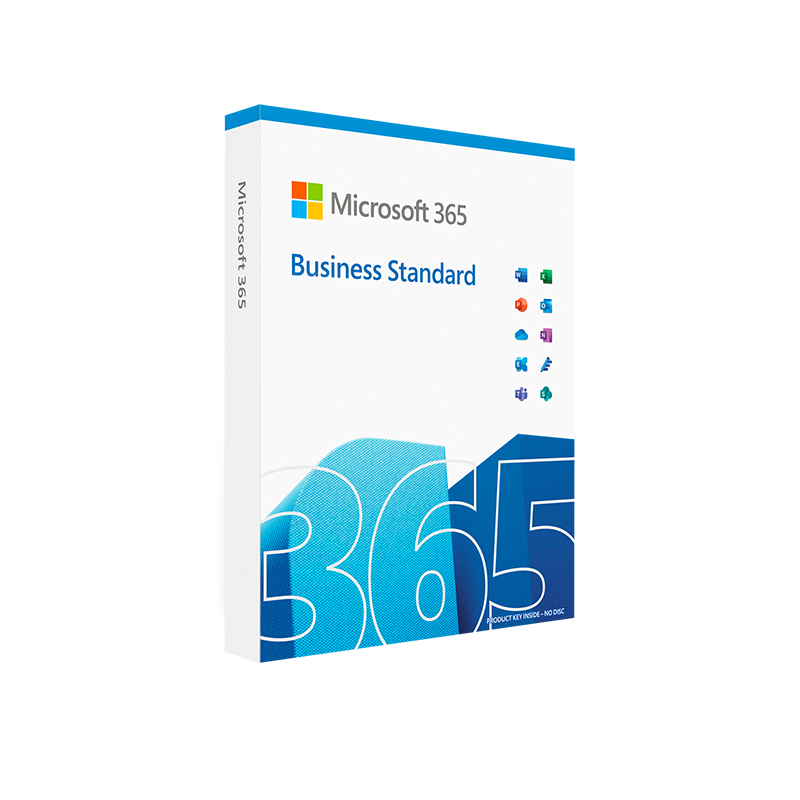



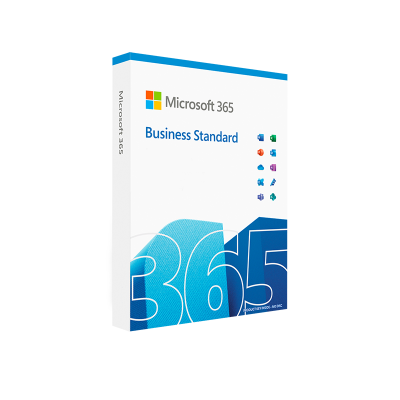
Microsoft 365 Business Standard
In Stock
✔ Quick Delivery
✔ 100% Original License
✔ Lifetime Warranty
✔ Free Support
In Stock
Description
Microsoft 365 Business Standard – The Complete Productivity Suite for Professionals
Empower your team with the most trusted cloud‑based collaboration tools, robust security, and seamless device compatibility.
Why Choose Microsoft 365 Business Standard?
Microsoft 365 Business Standard (also known as Microsoft Office 365 Business Standard or MS 365 Business Standard) delivers a full suite of desktop, web, and mobile applications that keep professionals productive—anywhere, anytime.
| Feature | Microsoft 365 Business Standard | Microsoft 365 Business Basic | Microsoft 365 Business Premium |
|---|---|---|---|
| Desktop Apps (Word, Excel, PowerPoint, Outlook) | ✔️ Full, always‑up‑to‑date | ❌ Desktop only (web) | ✔️ Full |
| Email & Calendar (50 GB mailbox) | ✔️ Exchange Online | ✔️ Exchange Online | ✔️ Exchange Online |
| Cloud Storage | 1 TB OneDrive per user | 1 TB OneDrive per user | 1 TB OneDrive per user |
| Team Collaboration | Microsoft Teams (meetings, chat, file sharing) | Teams (limited) | Teams + advanced security |
| Business Apps | SharePoint, Planner, Bookings | SharePoint (limited) | SharePoint + advanced features |
| Security & Compliance | Basic protection (MFA, device management) | Basic protection | Advanced Threat Protection, Azure Information Protection |
| Price (USD) | $12.50/user / month (annual) | $6.00/user / month | $22.00/user / month |
Choosing the right plan depends on your organization’s size, security needs, and collaboration requirements.
Core Benefits for Professionals
- All‑in‑One Productivity Hub – Access the latest versions of Word, Excel, PowerPoint, and Outlook on Windows, macOS, iOS, and Android.
- Seamless Collaboration – Co‑author documents in real time, schedule virtual meetings with up to 300 participants, and store every file securely in OneDrive.
- Enterprise‑Grade Security – Multi‑factor authentication (MFA), data loss prevention, and encrypted email protect sensitive information.
- Scalable Licensing – Add or remove users instantly, with no on‑premises hardware to maintain.
- Automatic Updates – New features and security patches roll out automatically, ensuring compliance and performance.
Feature‑by‑Feature Overview
1. Office Desktop Applications
- Microsoft Word, Excel, PowerPoint, Outlook – Fully installed on up to 5 PCs or Macs per user.
- Advanced Data Analysis – Excel’s Power Query, Power Pivot, and dynamic arrays.
- Professional Presentations – PowerPoint Designer, Presenter Coach, and 4K video export.
2. Cloud Services
- Exchange Online – 50 GB mailbox, custom domain email, and calendar integration.
- OneDrive for Business – 1 TB of cloud storage per user with version history and offline access.
- SharePoint Online – Create intranet sites, manage content, and automate workflows.
3. Teamwork & Communication
- Microsoft Teams – Chat, voice/video calls, webinars, and file collaboration in a single hub.
- Planner & To Do – Task management with visual boards and personal productivity lists.
4. Business Management Tools
- Microsoft Bookings – Online appointment scheduling with automated reminders.
- Forms & Lists – Collect data, run surveys, and manage simple databases.
5. Security & Compliance
- Conditional Access – Control login based on device, location, and risk.
- Data Loss Prevention (DLP) – Prevent accidental sharing of confidential information.
- Retention Policies – Meet legal and regulatory requirements automatically.
System Requirements
| Component | Minimum Requirement | Recommended Specification |
|---|---|---|
| Operating System | Windows 10 (Version 1903) or later, macOS 10.14 (Mojave) or later | Windows 11, macOS 12 (Monterey) |
| Processor | 1.6 GHz or faster, 2‑core | 2.0 GHz or faster, 4‑core |
| RAM | 4 GB (Windows) / 4 GB (macOS) | 8 GB (Windows) / 8 GB (macOS) |
| Hard Disk | 4 GB of free space | SSD with 10 GB free space |
| Display | 1280 × 768 resolution | 1920 × 1080 or higher |
| Internet | Broadband connection (minimum 1 Mbps) | 5 Mbps or higher for optimal Teams experience |
| Browser | Latest Microsoft Edge, Chrome, or Firefox | Latest versions of Edge, Chrome, Firefox, Safari |
Tip: For the best Teams video experience, use a device with a dedicated graphics chip and a webcam that supports 1080p resolution.
Frequently Asked Questions
| Question | Answer |
|---|---|
| Can I install Office on multiple devices? | Yes. Each licensed user may install the desktop apps on up to 5 PCs, 5 Macs, 5 tablets, and 5 smartphones. |
| Is my data stored in the United States? | Data residency is determined by the Microsoft 365 admin center; you can select EU, US, or other regional data centers. |
| What support options are available? | 24/7 phone and web support, plus access to the Microsoft Knowledge Base and community forums. |
| Do I need an on‑premises server? | No. All services are cloud‑hosted, eliminating the need for local servers. |
How Microsoft 365 Business Standard Boosts Your Bottom Line
| Business Need | How the Suite Addresses It |
|---|---|
| Fast Decision‑Making | Real‑time co‑authoring reduces turnaround time on proposals and reports. |
| Remote Work Enablement | Teams and OneDrive keep the entire workforce connected and productive from any location. |
| Regulatory Compliance | Built‑in retention, e‑Discovery, and DLP help meet GDPR, HIPAA, and other standards. |
| Cost Predictability | Fixed monthly per‑user pricing eliminates unexpected IT expenditures. |
| Scalable Growth | Add users instantly as your organization expands, without hardware upgrades. |
Get Started Today
- Visit the official Microsoft store to purchase Microsoft 365 Business Standard – Microsoft.com/365/business/standard.
- Set up your domain and migrate existing email using the Microsoft 365 admin center.
- Deploy apps across devices with the Office Deployment Tool or via the Microsoft Endpoint Manager.
For an independent review of the plan’s performance, see TechRadar’s analysis of Microsoft 365 Business Standard: techradar.com/reviews/microsoft-365-business-standard.
Bottom Line
Microsoft 365 Business Standard (or Microsoft Office 365 Business Standard) provides professionals with a comprehensive, secure, and always‑up‑to‑date productivity platform. By consolidating email, file storage, collaboration, and office applications into a single, cloud‑driven subscription, it delivers measurable efficiency gains, robust security, and predictable costs—making it the ideal choice for growing businesses that demand excellence.
Ready to elevate your organization? Click “Buy Now” and empower every employee with the tools they need to succeed.
Keywords: microsoft office 365 business standard, microsoft office business standard, ms 365 business standard, office 365 business standard, microsoft business standard.
Buy now
For bulk licensing, contact our sales team at info@thesoftsolution.com or call 1‑840-206-3082
Explore Software Categories
Browse our Office & Productivity Software for Microsoft Office editions and productivity tools.
Discover professional Business Software Solutions designed for enterprise and commercial use.
Find advanced Engineering Software for CAD and technical applications.
Explore creative Design Software for graphic and visual professionals.
Improve system performance with our Utilities Software.
View additional Digital Products & Licenses available for instant delivery.
Check out our Top Selling Products for the most popular choices.
Installation & Activation Support
Need help? Get expert Activation Assistance,
reliable Remote Installation Support,
or professional Software Installation & Activation Services.
Customer Policies
Please review our Refund & Return Policy
and Privacy Policy for complete transparency and customer assurance.
Related products
Recently Viewed Products
7%
Reviews
There are no reviews yet.